AI Limitations Explained: The Three Gaps Every AI Has
With Josh Schultz ·
Answer. AI limitations come down to three gaps in the model (the AI engine under the chat box). It forgets everything when the chat ends, it knows nothing after its training date, and it cannot do anything outside the chat on its own. When AI lets you down, one of those three gaps is usually the reason.
The picture
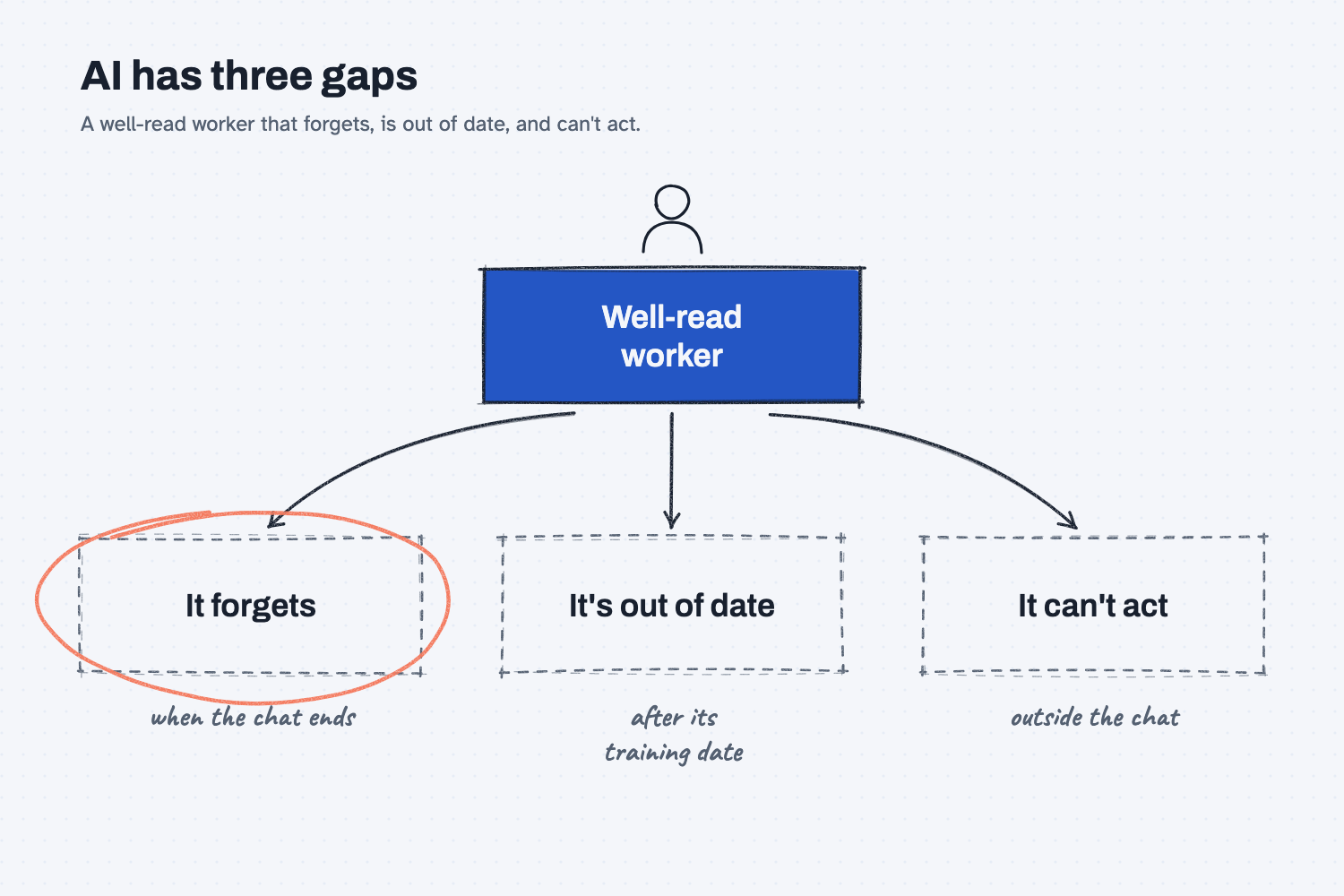
The worker at the top has read more than anyone you know, which is why AI seems so capable. Now look at the three gaps below it, where the worker forgets when the chat ends, is out of date after its training date, and cannot act outside the chat. Every time AI lets you down at work, you can point at one of these three.
Think of it like this
Picture a new hire on day one who has read every book in the library, every trade magazine, and every steel spec. They are sharp, but it is their first day, so they were not in yesterday's meeting. They have not seen this week's news, because they spent the last year in that library, and they do not have a login to anything yet, which means no email, no ERP, and no keys.
That is what AI is like. As I put it in my field notes: "A language model is a very well-read worker who can do a short list of verbs on text, images, and audio."
It has the same three day-one gaps, and the strange part is that with AI, every chat is day one.
Why does it matter at work?
Each gap needs a different fix, so if you do not know which gap you hit, you may try the wrong fix or trust an answer you should not.
Here is how that plays out at Mesquite Ridge Metal Works. Hector Lee, the production planner, opens a new chat and types three things at once: "What did we decide yesterday about the Red Creek Steel order? What's 4140 bar going for today? And send Red Creek a note asking for a ship date."
All three requests hit a gap, because the AI was not in yesterday's chat, it does not know today's price, and it cannot send anything. The risky part is that it may not say so, since some tools fill the gap with an answer that sounds right, as we will see below.
How does it work?
Each gap has its own fix, and once you know all three, you will know what to reach for.
Gap 1: It forgets. When the chat ends, what was said is gone, and a new chat starts empty. As my field note says, "It forgets everything when the conversation ends." Fix: paste the facts again, or use a project that keeps your files available in every chat. The lesson on what a context window is shows why.
Gap 2: It's out of date. The model learned from a huge pile of text up to a training date, and it knows nothing after that, so it does not know this week's steel price or last month's tariff change. Fix: hand it today's file, or turn on web search if your tool has it, and then ask where each number came from.
Gap 3: It can't act. On its own, the model can only read and write, so it cannot send the email, update the ERP, or place the order. Fix: a tool (a connection that lets it act), switched on with care. That is the idea in a brain with no hands.
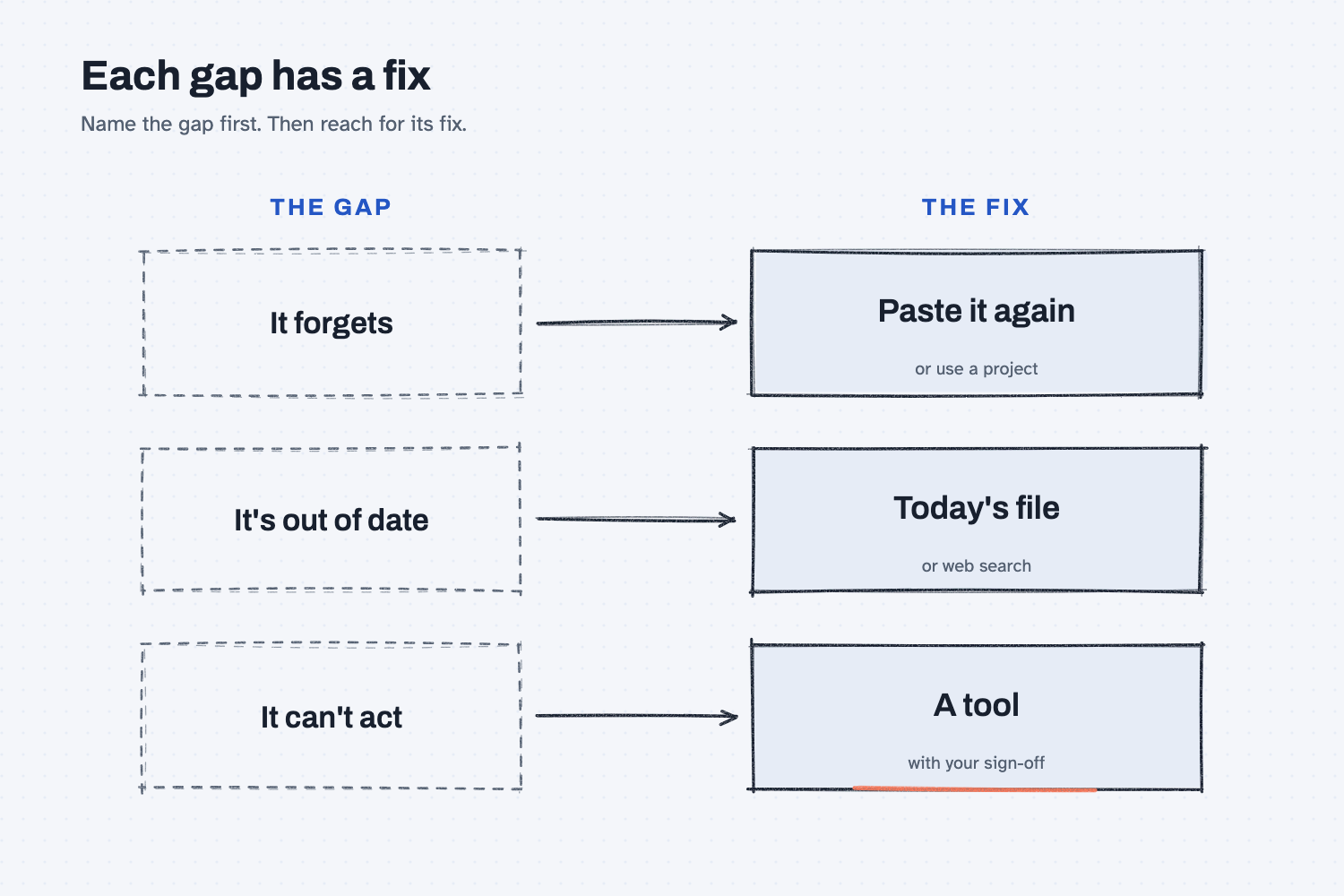
The picture pairs each gap with its fix, so you can see at a glance what to reach for.
Here is a handy way to use this. Almost every AI add-on you will hear about fills one of these three gaps, because memory features fill the first, search and file upload fill the second, and agents and connectors fill the third. When someone shows you something new, ask which gap it fills.
Where do people get it wrong?
Most mistakes come from expecting the new hire to know things nobody told them. These are four I would watch for.
- "We talked about this yesterday." That was a different chat, so paste the decision in again.
- Trusting a price or date it seems to know. Unless you gave it the file or it searched the web, that number came from old training or from a guess, so ask where it came from.
- Thinking "email Red Creek" did something. If the tool has no email connection, nothing was sent, so check your sent folder instead of the chat.
- Fixing the wrong gap. A longer prompt will not fix "out of date," and web search will not fix "can't act," so name the gap first.
Try this in 2 minutes
This test hits all three gaps at once. Open a new chat in any tool and paste this:
Answer each in one short sentence:
1. What did we decide in our last chat about the Red Creek Steel order?
2. What does 4140 steel bar cost per pound today?
3. Email Red Creek Steel and ask them for a ship date.
Read each answer and ask yourself whether the AI admitted the gap or covered it up.
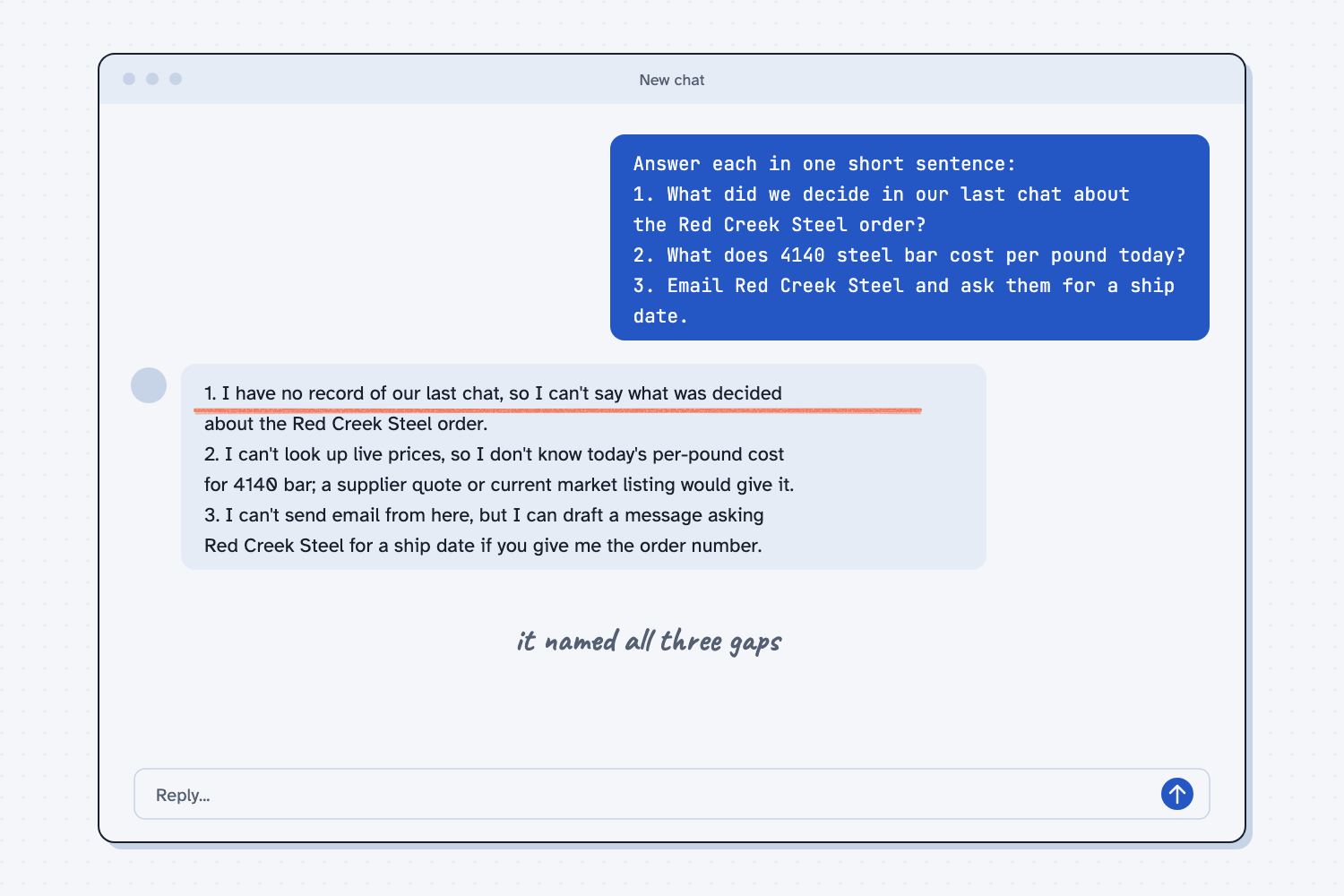
When I tried this, it admitted all three gaps. On the first: "I have no record of our last chat, so I can't say what was decided about the Red Creek Steel order." On the third: "I can't send email from here, but I can draft a message asking Red Creek Steel for a ship date if you give me the order number."
That is the good outcome, because it named the gap and offered a next step. You cannot count on that from every tool, though, since some will answer question 1 as if a last chat happened, and that is the one to watch. So read each answer and check it, even when it sounds sure.
If your tool has web search or memory turned on, your answers may be different, and that is the point, because those features fill a gap.
Frequently asked questions
Can AI remember my past chats?
Only if your tool has a memory feature or you work inside a project. Memory saves a few notes about you, but it does not bring back whole past chats. For real work, paste the facts again or use a project.
Does AI know today's prices and news?
Not on its own, because the model only knows what it learned up to its training date. If your tool can search the web, it can look things up, so ask it to show the source for every number it gives you.
Can AI send emails or place orders for me?
Only if someone connects it to your email or systems with a tool, which a plain chat cannot do. Even with a connection, have it draft first and let a person hit send.
Why does AI make up an answer instead of saying it doesn't know?
Some tools do, because they write the most likely next words, and "we decided to proceed" is a very likely sentence. Many answer honestly, as in the test above, but you cannot count on it. The lesson on how AI writes one word at a time explains why.
Use it today
- Compare supplier quotes the same way every time: a blank on the quote stays blank, so Claude cannot fill the gap with a guess.
From my training: this comes from my field note on AI primitives, the one-page model I use to explain what AI can and can't do.