Does AI Remember Past Chats? Memory Is a Sticky Note, Not a File Cabinet
With Josh Schultz ·
Answer. Does AI remember past chats? Mostly no, because each new chat starts fresh. Some tools add memory, a feature that saves short notes about you and shows them to every new chat. That makes memory a sticky note and not a file cabinet, so the details of a job still go in the chat.
The picture
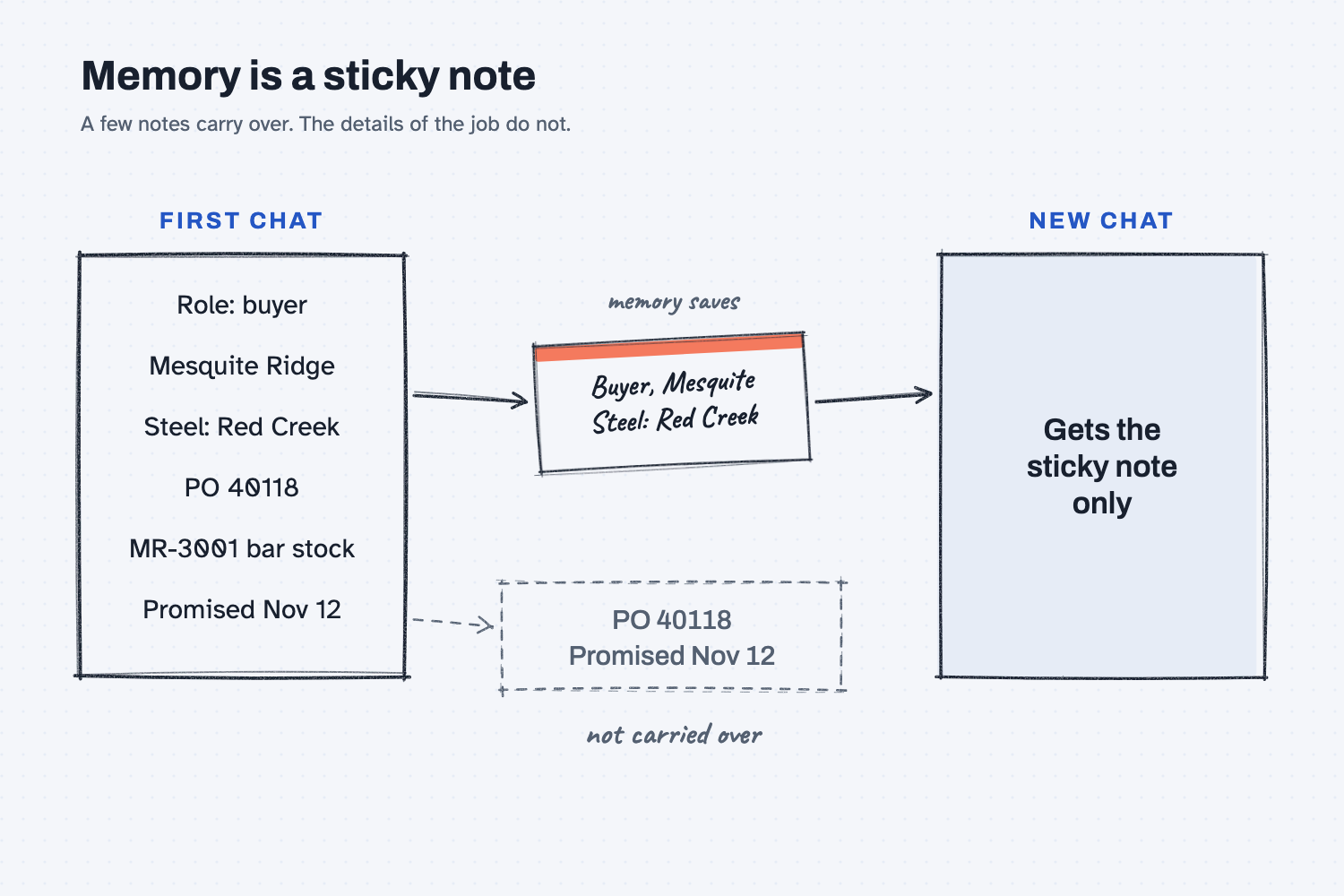
The first chat on the left is full of detail, such as your role, your supplier, the PO number, and the date. A memory feature copies only a couple of short notes onto a sticky note, and the new chat gets that sticky note and nothing else. The PO number and the date stay behind in the dashed box, because they were never saved.
Think of it like this
Picture the job folder on your desk, with the PO, the email thread, the drawing, and the promised date in it. That folder holds everything you need to work the job.
Now picture a sticky note on your monitor that says "Buyer. Steel comes from Red Creek." It is handy, because it reminds you who you are and who you work with, but nobody would try to expedite an order with only the sticky note. You would need the folder.
AI memory is the sticky note, and your chat is the folder. If the folder isn't open, the AI is working from the sticky note alone.
Why does it matter at work?
"I told it last week" feels true, but it usually isn't, because the AI may remember who you are without remembering the numbers you gave it.
Here is an example. Alicia Reyes runs customer service at Mesquite Ridge Metal Works. On Monday, she spends a chat sorting out a late RidgeLine dealer order, and the new ship date is March 3.
On Thursday, she opens a new chat and types: "Draft the update for the dealer about the late order." The memory feature knows she works in customer service, so the tone is right. The email, however, says "[new ship date]" where the date should be, because the date was in Monday's folder and not on the sticky note.
She pastes Monday's email thread into the new chat. Now the draft has March 3, and it is ready to send.
How does it work?
The AI itself doesn't carry anything from one chat to the next, and memory is an extra feature that some tools add on top.
Every chat starts fresh. The AI only sees what is in the chat right now (see what a context window is), so when you close the chat, that desk is cleared.
A memory feature is a note-taker. While you chat, the tool saves a few short facts it thinks will help later, such as your role, your company, and how you like answers. In a new chat, it quietly puts those notes on the desk before your first message.
The notes are short on purpose. They are meant to hold who you are and how you work, so they are not built to hold a 40-row PO export or a long email thread. The diagram below shows where each kind of information belongs.
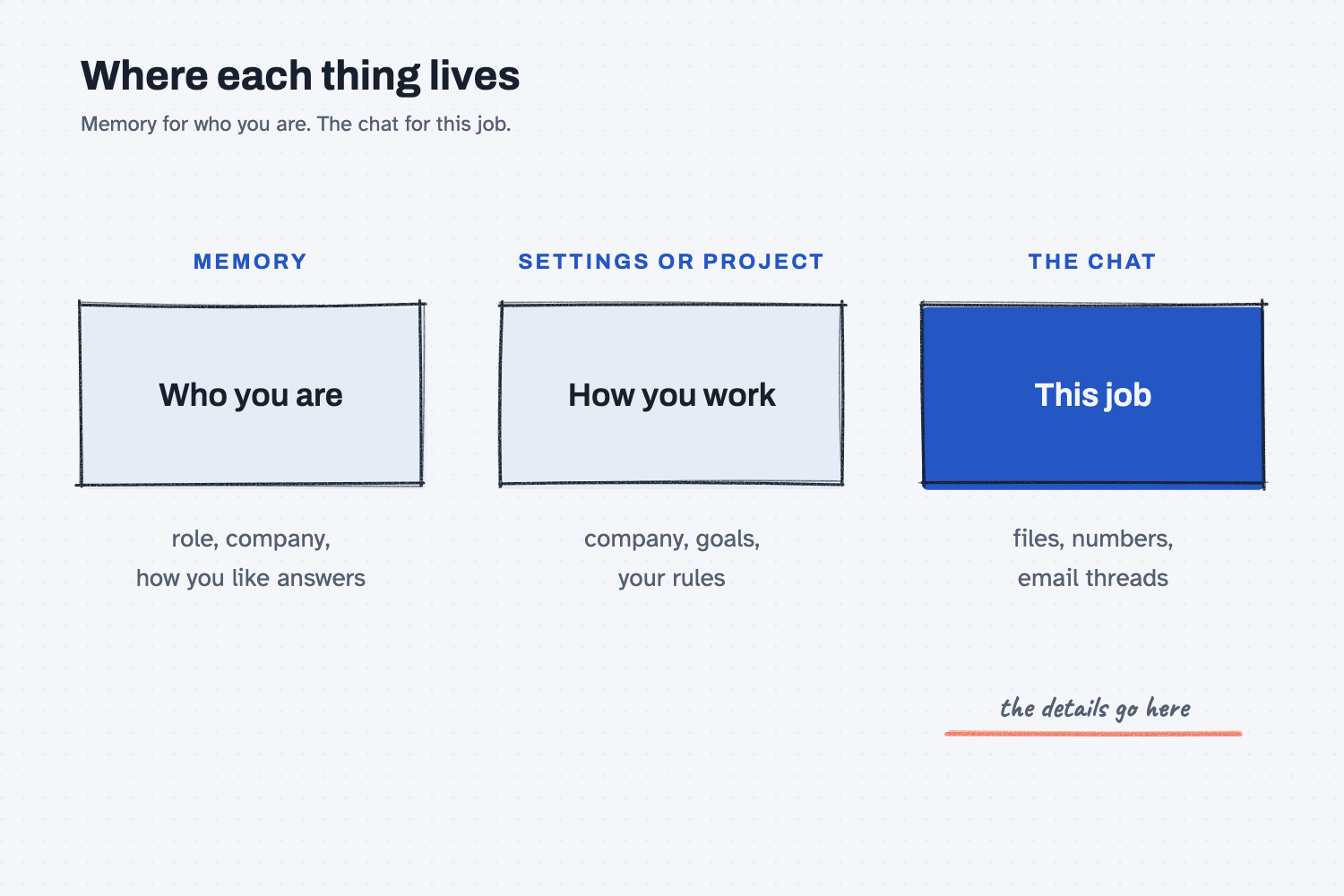
You can see and change the notes. Tools with memory usually let you view, delete, or turn off what it saved, in the settings. Some tools can also look back through your past chats, but features and names change often, so check your own tool's settings.
Where do people get it wrong?
Most mistakes come from trusting the sticky note to do the folder's job. Here are four I would watch for.
- "I told it last week." Last week was a different chat, so paste the details again or keep them in a project.
- Trusting a half-remembered detail. A saved note can be old or wrong, so if a number matters, give the AI the source again.
- Letting it save what it shouldn't. Memory can save things you would rather not keep, like a customer's price, so look at what it saved and use the tool your company approved.
- Using memory for company info. Memory decides for itself what to keep, while your settings and project instructions are what you write yourself, so put your company and goals there (see how to stack context for AI).
Try this in 2 minutes
This test shows what carries over and what doesn't, and you can use any chat tool.
- Open a new chat and paste this:
I'm a buyer at Mesquite Ridge Metal Works. Our steel supplier is Red Creek Steel. PO 40118 for MR-3001 bar stock was promised Nov 12. Just say "Got it."
- In the same chat, ask:
What date was PO 40118 promised?The AI knows the answer, because it is still on the desk. - Open a new chat and ask the same question.
- If your tool has memory, ask:
What do you remember about me?Then read what is on the sticky note.
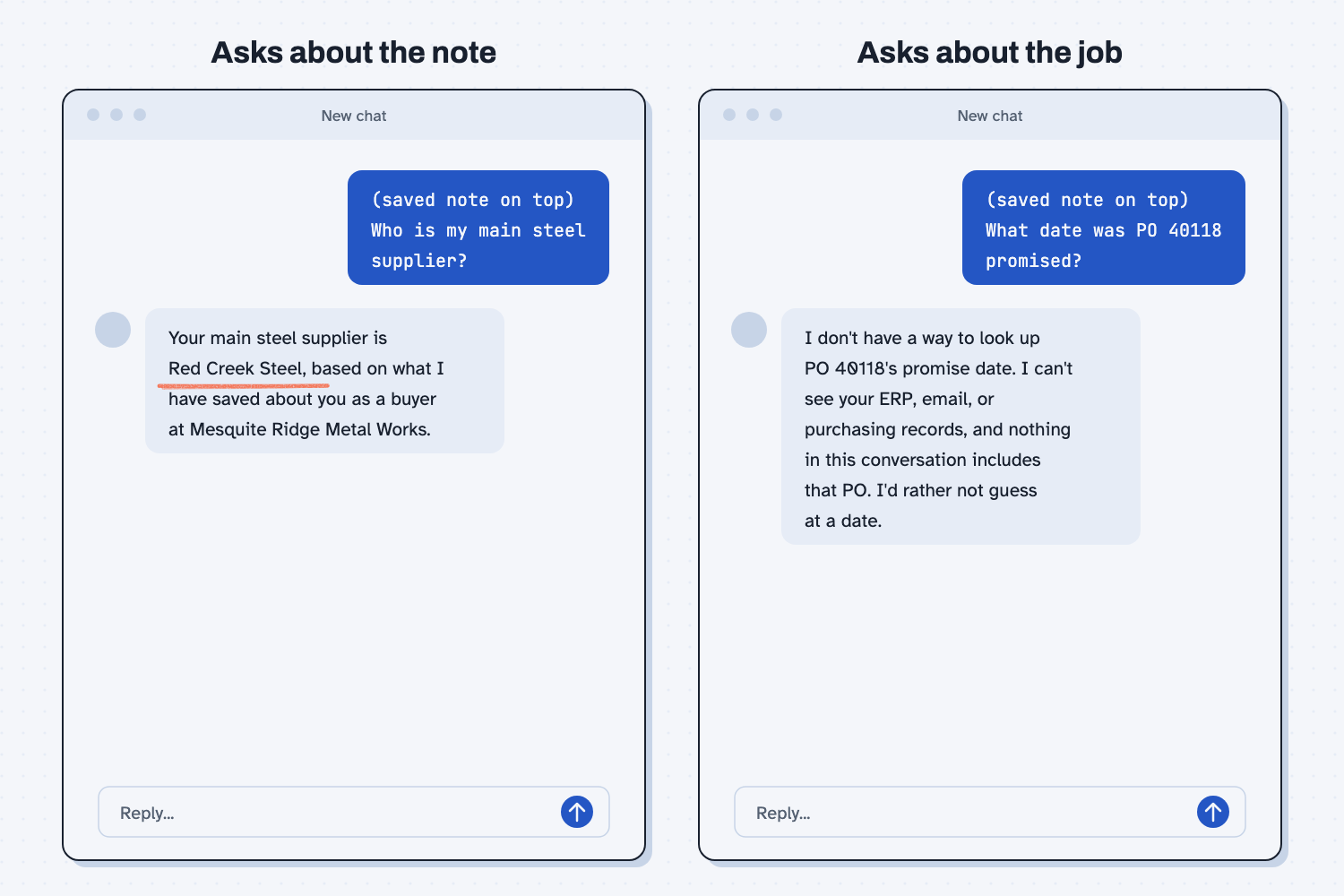
When I tried this, the same chat answered right away: "PO 40118 for MR-3001 bar stock from Red Creek Steel was promised for November 12." In a new chat, it had nothing: "I don't have any information about PO 40118. Nothing in this conversation includes purchase order data... I'd rather not guess at a date."
Then I copied what a memory feature does by putting a short saved note on top of a new chat: "Buyer at Mesquite Ridge Metal Works. Main steel supplier is Red Creek Steel." Asked who my main steel supplier was, it said "Your main steel supplier is Red Creek Steel, based on what I have saved about you as a buyer at Mesquite Ridge Metal Works." Asked for the PO date, it still came up empty: "I don't have a way to look up PO 40118's promise date... I'd rather not guess at a date." The note carried who I am, but it did not carry the job.
That is a copy of how memory works and not a test of a real memory feature. In your own tool, step 3 may go differently, especially if it can look back through past chats, so check the answer either way.
Frequently asked questions
Does ChatGPT remember past conversations?
It can, if memory is turned on in your settings. It saves short notes, and some plans can also look back at past chats. What it keeps changes over time, so check your memory settings to see what is saved.
Does Claude remember past chats?
Claude has memory and past-chat search on some plans. Projects also keep your files and instructions available in every chat inside the project. Check your settings to see what is turned on.
Can I see what the AI remembers about me?
Usually, yes. Look in the memory section of your settings, or ask "What do you remember about me?" You can delete any notes you don't want it to keep.
Is memory the same as the context window?
No. The context window is everything on the desk in this chat, while memory is a few saved notes that get put on the desk when a new chat starts.
Use it today
- Compare supplier quotes the same way every time: save the quote data in a folder, so the next chat does not need to remember.
From my training: this one is a starter lesson, not yet tied to a specific session or field note.