Use AI to Prepare for Meetings. You Do the Talking.
With Josh Schultz ·
Answer. Use AI to prepare for meetings and to draft the follow-up, and keep the meeting itself for you. AI reads the history and writes the brief before, then drafts the notes and the email after. You are the person in the room (the human in the moment), and that part stays with you.
The picture
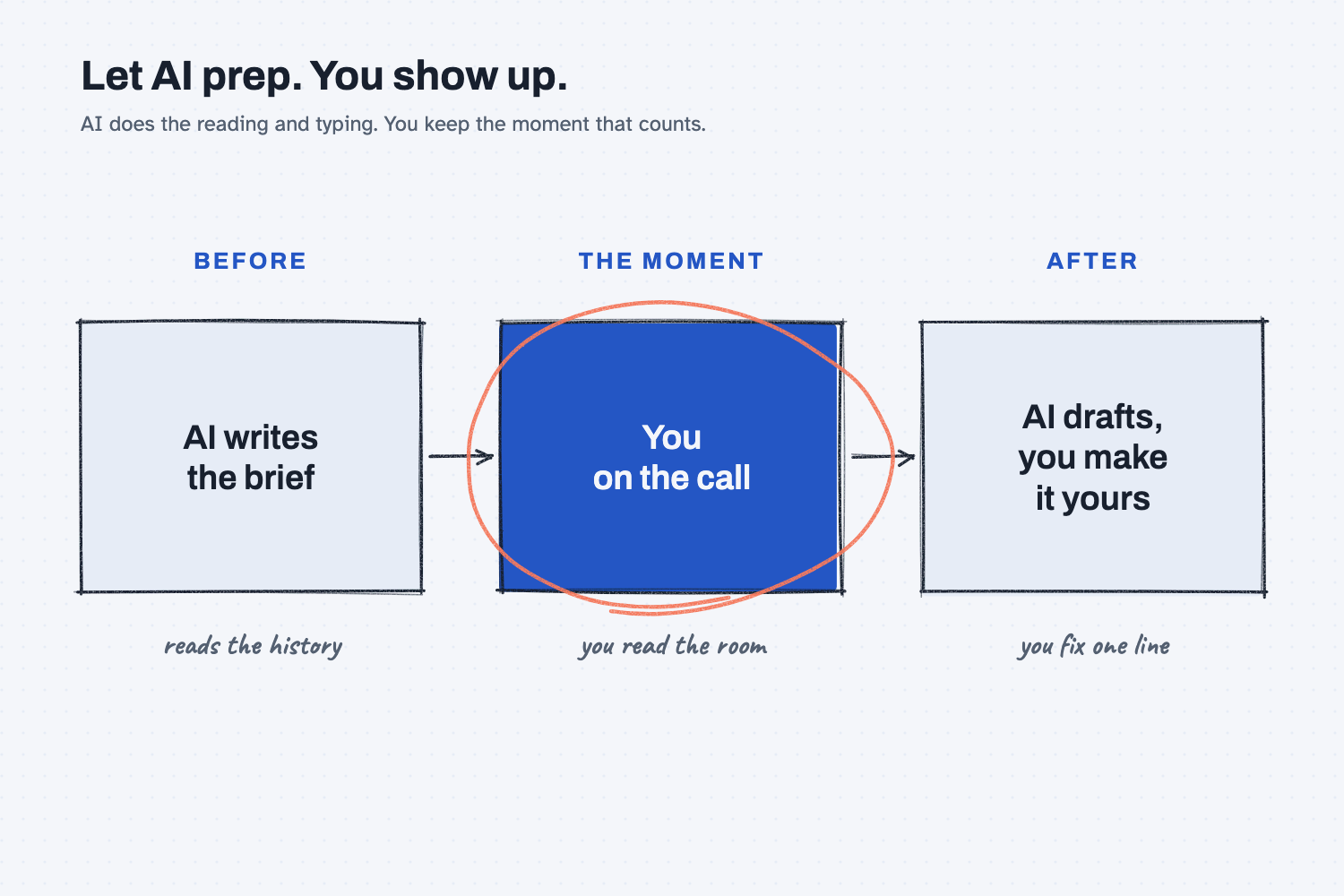
Read the picture from left to right, the way the meeting unfolds. In the first box, AI reads the history and writes your brief. In the middle box, which is circled, you are on the call yourself. In the last box, AI drafts the follow-up and you make it your own. The more AI takes off the two outside boxes, the more of you is free to show up in the middle one.
Think of it like this
Picture a great assistant helping you get ready for a big meeting. Before you walk in, they hand you a folder with last year's orders, the open issues, and the three things you said you would bring up, and you read it in about five minutes.
Then you walk into the meeting alone, because the assistant does not do the talking, read the room, or shake hands. Those jobs are yours.
Afterward, the assistant types up the notes and drafts the thank-you. You read it, change a line or two so it sounds like you, and send it.
AI plays the part of that assistant. It prepares the folder before the meeting and writes the notes after it, and you handle everything in the middle.
Why does it matter at work?
Most of the time before and after a call goes to reading and typing, and AI is fast at both. That frees up your time and attention for the call itself, which is where the account is won or lost.
Here is an example. Kevin Thao buys electronics at Mesquite Ridge Metal Works, and he has a call with Lone Oak Harness, the small local shop that makes the RidgeLine wire harness. Last month, 14 harnesses came in mis-pinned, and their price for next year is up 6 percent.
In the past, Kevin would spend 40 minutes digging through emails to get ready. This time he pastes his notes into a chat and asks for a one-page brief, which he reads over coffee.
On the call, he is not shuffling papers, so he can listen. He hears the owner's voice drop when the price comes up, and he hears that they are worried about losing the account. No brief would have caught that, but Kevin did.
After the call, AI drafts the follow-up. Kevin replaces the stiff first line with one of his own and sends it.
How does it work?
AI is good at the reading and typing on both sides of a meeting, and you are good at the meeting itself, so the work splits naturally into three parts.
Before: the brief. Paste in your notes, the last few emails, or the open issues, and ask for what you want, what they likely want, the questions to ask, and what not to forget. Tell it to use only what you gave it, so it does not fill the gaps with guesses.
The moment: you. This covers the call, the visit, and the hard talk with an employee. As I put it in my field notes: "Agents are the support crew. They prepare and they follow up, and the person is there for the moment that counts."
After: the draft. Tell AI in a few lines what happened, and ask for a short follow-up that does not add anything that did not happen. Then make it your own before you send it.
Not every contact is a big moment, so it helps to sort them. The picture below shows how I would divide them.
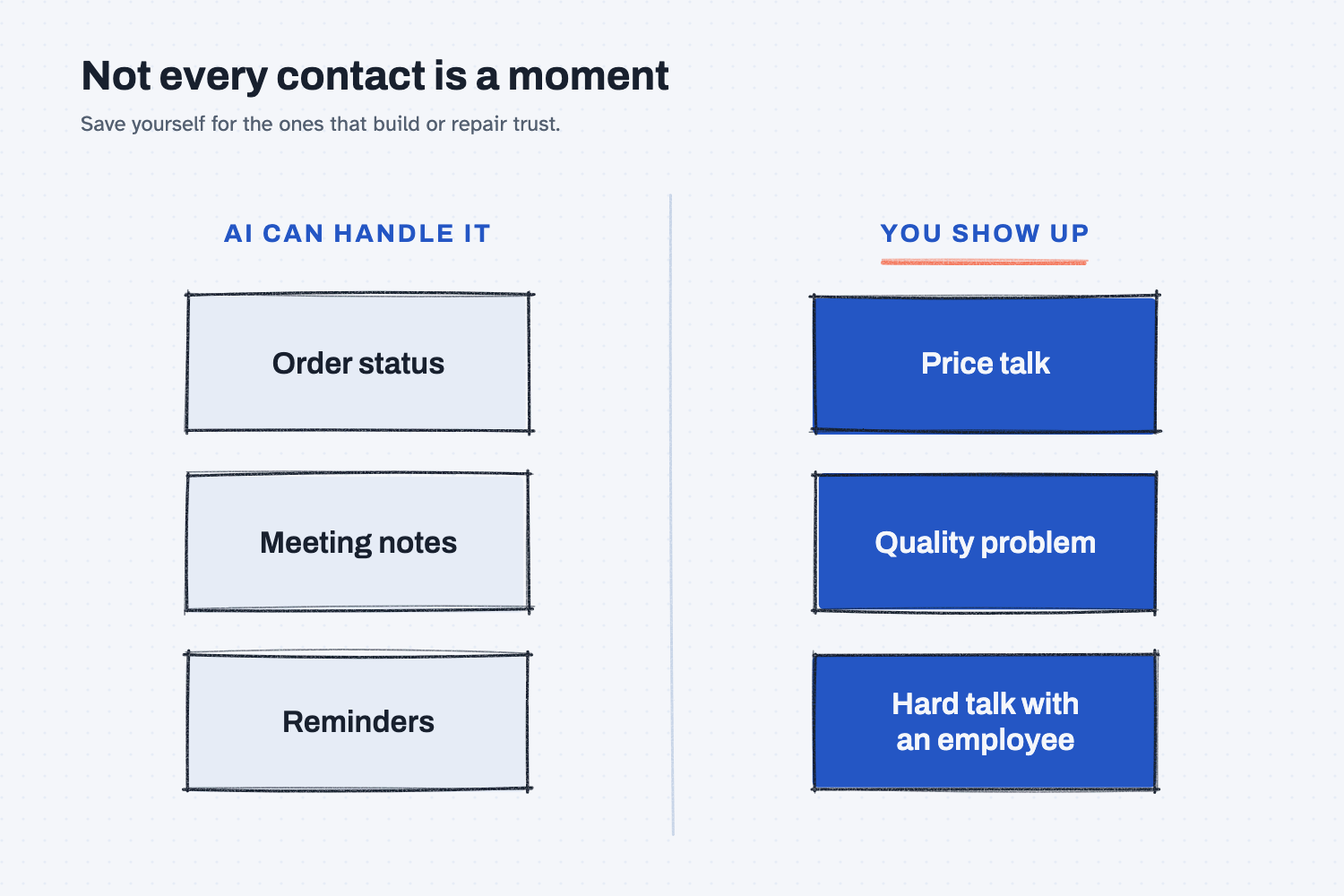
The left column holds the routine contacts, such as an order status, meeting notes, and reminders, and AI can handle those. The right column holds the moments that depend on trust, such as a price talk, a quality problem, or a hard talk with an employee, and you should show up for those yourself.
Where do people get it wrong?
Most mistakes come from letting AI into the middle box, or from keeping it out of the two outside ones. These are the four I see most often.
- Sending the draft as is. The draft usually gets the facts right but sounds like nobody in particular, so change at least one line to sound like you.
- Letting AI pretend to be you. If an agent wrote and sent the message, do not dress it up as a personal note, because people can tell and it costs you trust.
- Treating every contact as a big moment. An order status update does not need you, so save your time for the calls that matter.
- Trusting the brief without reading it. AI may fill gaps with guesses, and it may label them, but you should still read the brief and cross out anything you did not tell it.
Try this in 2 minutes
This test shows the before and after with a sample supplier, and you can use any chat tool.
- Open a new chat and paste this:
I have a call tomorrow with a supplier. Here are my notes.
Supplier: Lone Oak Harness. They make the RL-235 wire harness for our RidgeLine pump controller.
- Great quality for 3 years. Small local shop.
- Last month, 14 harnesses came in mis-pinned. We caught them at test.
- They shipped good ones in 5 days at no charge.
- Their price for next year is up 6 percent.
- We want to keep them. We also want a second source by summer.
Write a one-page brief for the call: what I want, what they likely want, 3 questions to ask, and what not to forget. Use only my notes. If you need something I did not give you, say so.
- Read the brief, and cross out anything that was not in your notes.
- Now pretend the call happened. In the same chat, paste this:
The call is done. What happened: They found the cause, a new hire skipped the pin check. They added a second check. They will hold the price increase to 3 percent if we sign for 12 months. I said I would answer by Friday.
Draft a short follow-up email from me. Plain and friendly. Do not add anything that did not happen.
- Rewrite the first line so it sounds like you.
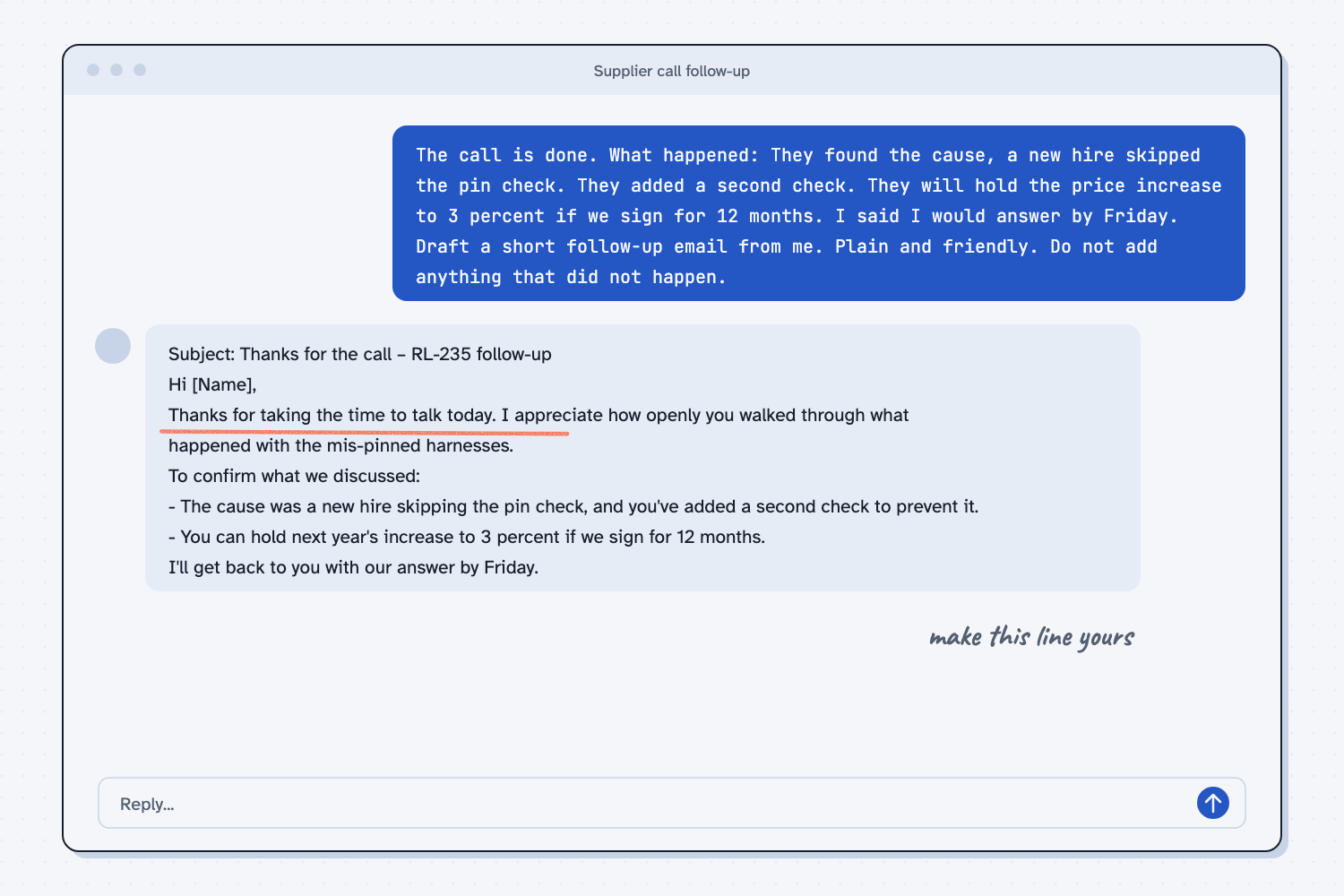
When I tried this, the brief stuck close to my notes, and where it had to guess, it said so. It put this label over its guesses about the supplier: "Inferred from your notes, not stated in them." It also listed what it still needed, such as "Your target price or walk-away point."
The follow-up kept the facts straight. It left out the second source and told me why: "I left the second source out, since you didn't say you discussed it on the call."
This time the email did not open with "I hope this email finds you well." It opened with "Thanks for taking the time to talk today," which is tidy but could have come from anyone. That is why the first line is still your job.
Frequently asked questions
Can AI join the call and take notes for me?
Many meeting tools can record a call and write up notes. That is the "after" box, and it is fine if everyone on the call knows and agrees. You still run the conversation, and you still check the notes before they go out.
Should AI ever talk to my customers for me?
For simple things, like an order status, yes. For anything that builds or repairs a relationship, no. If a message came from AI, do not present it as personal.
What should I paste in before a meeting?
Paste your own notes, the last few emails, and the open issues. Keep real prices and contracts out of free tools, and use the tool your company approved instead.
How do I keep the follow-up from sounding robotic?
Give it the facts in your own words and ask for "plain and friendly." Then change the first and last lines yourself, because those are the lines people notice.
Use it today
- Compare three supplier quotes: put three quotes side by side before you call a supplier.
Related: How to stack context for AI shows where your notes go in the chat.
From my training: this comes from my field note on what people should be doing as AI takes on more of the work.