What Is an AI Skill? Save the Steps, Not the Whole Job
With Josh Schultz ·
Answer. An AI skill is a saved set of instructions for one kind of job, covering when to use it, what done looks like, the steps, and the checks. Think of it as a procedure sheet, which is a written how-to for one task. You write it once, and the AI reads it only when the job matches.
The picture
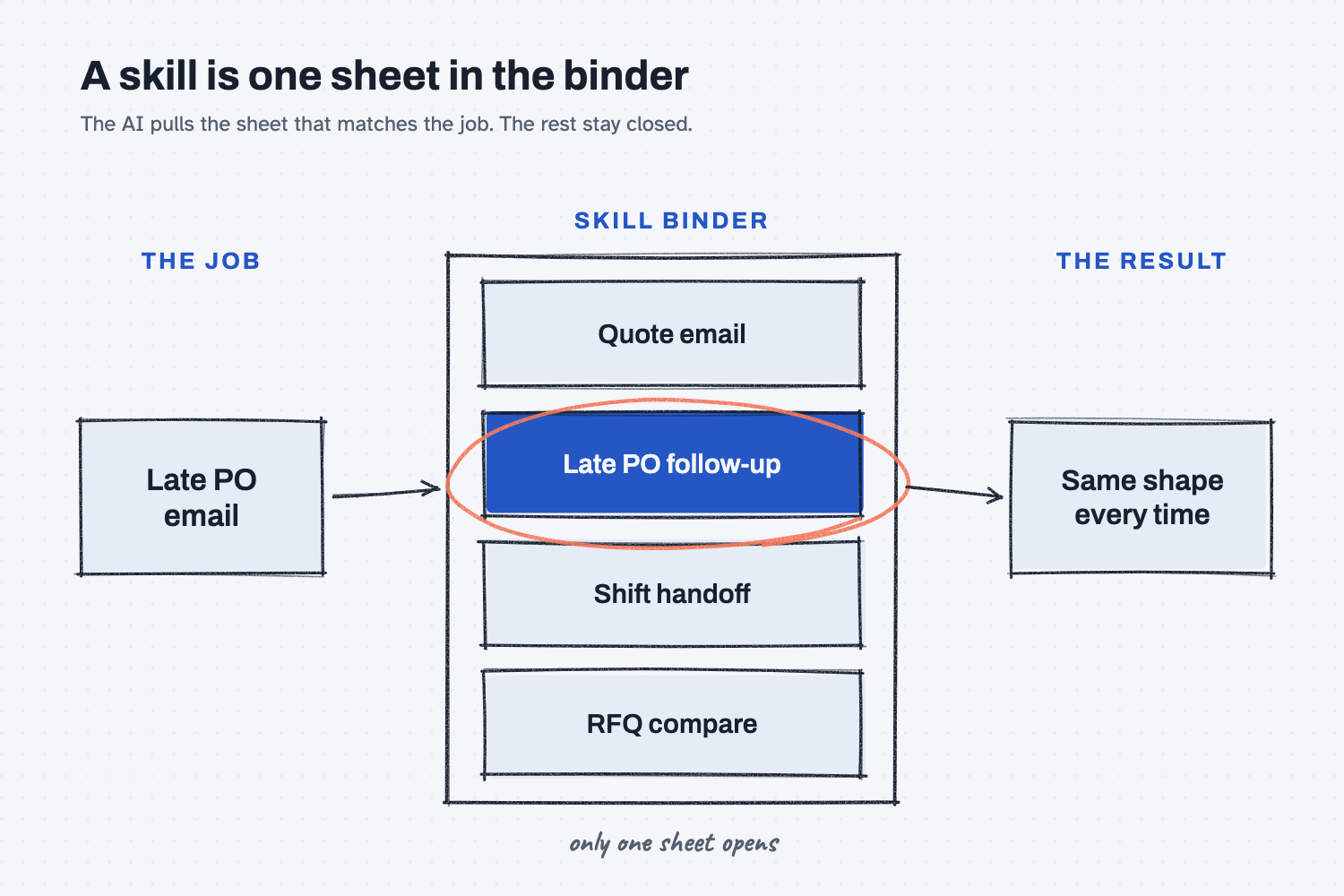
A request for a late PO email comes in on the left. The binder in the middle holds one sheet for each kind of job, and the AI pulls only the sheet that matches the request while the rest stay closed. On the right, the result comes out in the same format every time, and that saved sheet is what we call a skill.
Think of it like this
Walk up to any station on the floor and you will find a binder of standard work, with a sheet for each job that runs there. The operator doesn't read the whole binder every morning. They open the sheet for the job in front of them, follow it, and close it again.
Nobody rewrites that sheet each time the job runs. Somebody wrote it once, and it only changes when someone finds a better way to do the job.
An AI skill is one of those sheets. Your requests are the jobs, and the AI is the operator who knows which page to turn to.
Why does it matter at work?
Without a skill, you explain how you like things done in every chat. With one, you explain it once, and every chat that needs it follows the same instructions.
Here is an example. Dana Ortiz is a senior buyer at Mesquite Ridge Metal Works, and she chases late POs every week. Each time, she asks AI for a follow-up email, and each time she gets three paragraphs of "I hope this message finds you well" that she has to cut down by hand.
So she writes one short sheet that says when to use it, how long the email should be, what the subject line is, what to say, and what the one ask is. Now every follow-up comes out short and in the same shape, so suppliers can see what she needs at a glance.
Kevin Thao then uses the same sheet for his electronics suppliers. When Dana adds one line to it, Kevin's emails get better too.
In my notes, I put it this way: "Jobs change all the time. The small things inside them repeat."
How does it work?
A skill is a short written procedure, plus a name that tells the AI when to use it. Four ideas explain how it works.
What goes on the sheet. It holds the same things you would give a new hire, which the diagram below lists.
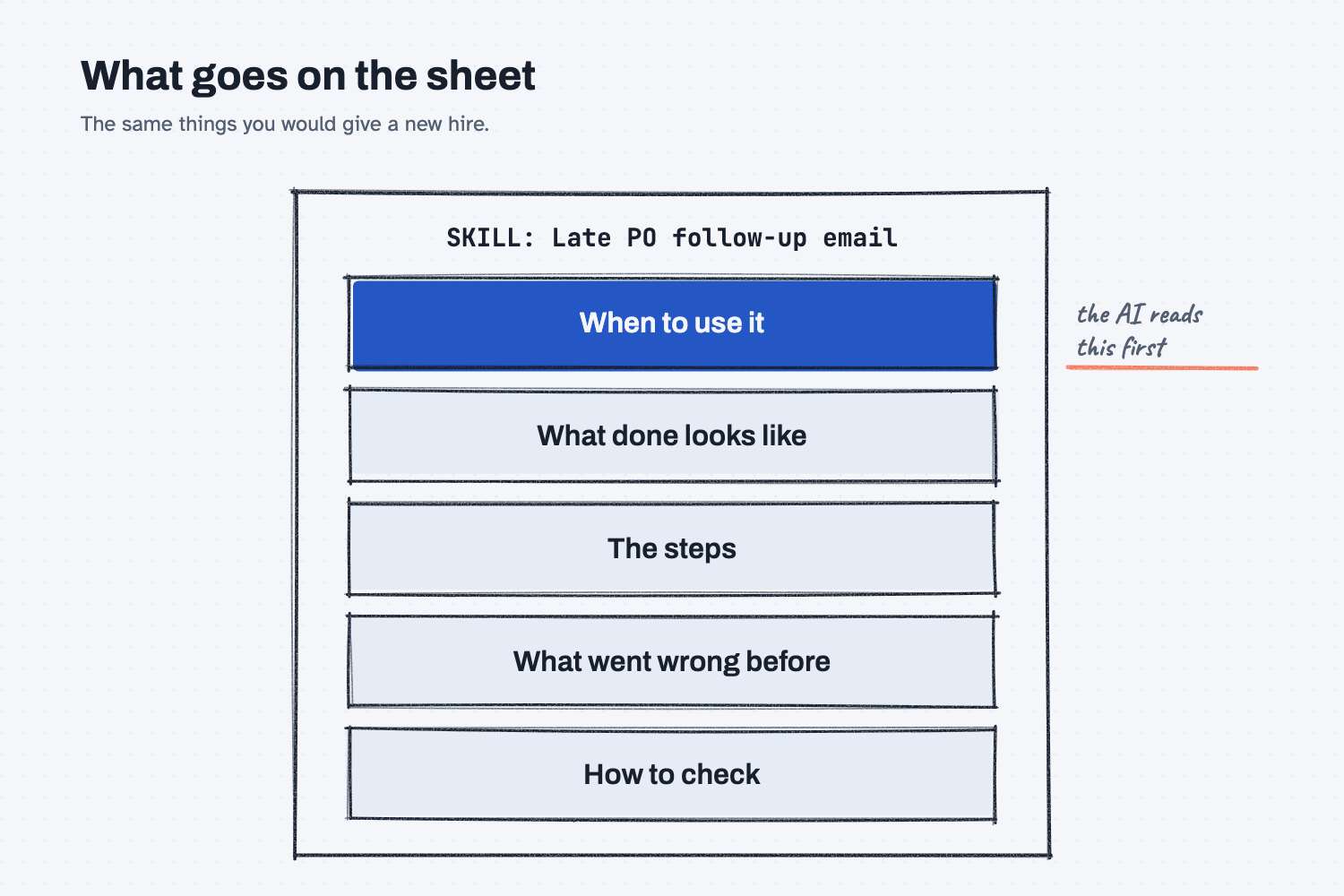
I have described how we build them like this: "We structure them very specifically as a procedure document, because we think we need the same reliable outcome in business."
The name and description pick it. The AI looks at the name and the one-line "use when" to decide whether a skill fits. From my notes: "The AI chooses from that description, so the description is part of the piece." If the name is vague, the AI will never pick that skill.
A skill is not a tool. The sheet says how to do the job, while the tool is what you use to do it, such as Excel or your email. I have said it short before: "The skill is the email." Think of it as the email you would send a new intern to explain how, while Excel is the tool they would open.
It sits low in the stack. Your company and goals sit on top in the settings, your data goes in the middle, and the skill goes right above your ask (see how to stack context for AI).
Some tools, like Claude, let you save skills so they load on their own. In any other tool, you can keep the sheet in a document and paste it at the top of the chat.
Where do people get it wrong?
Most mistakes come from making the sheet too big or too vague. Here are four I would watch for.
- One skill per whole job. If you build a "sales deck" skill and then a second deck skill, you repeat yourself, so build the small steps that repeat, like "research a supplier," and reuse them.
- A vague name. "Email helper" tells the AI nothing, while "Late PO follow-up email" tells it exactly when to reach for the sheet.
- Steps with no finish line. Say what done looks like, including how long it should be, what format to use, and what it must include.
- A ten-page sheet. Keep the main sheet to about a page, and if it grows, split it into two skills.
Try this in 2 minutes
This test shows what one short sheet does, and you can use any chat tool.
- Open a new chat and paste this:
Write the email. Red Creek Steel is late on PO 40118 for MR-3001 bar stock. It was promised Nov 12. It holds up the drive shaft job. I need an answer by Friday.
- Open a new chat. Paste this sheet first, and then paste the same request under it:
SKILL: Late PO follow-up email
Use when: a supplier is late on a PO.
Done looks like: under 60 words, no greeting fluff.
Subject: "PO [number]: need a confirmed ship date"
Body: say the part, the promised date, and what it holds up.
End with one ask: a confirmed ship date by [day].
- Try the sheet again with a different late PO of your own, and check whether the email comes out in the same shape.
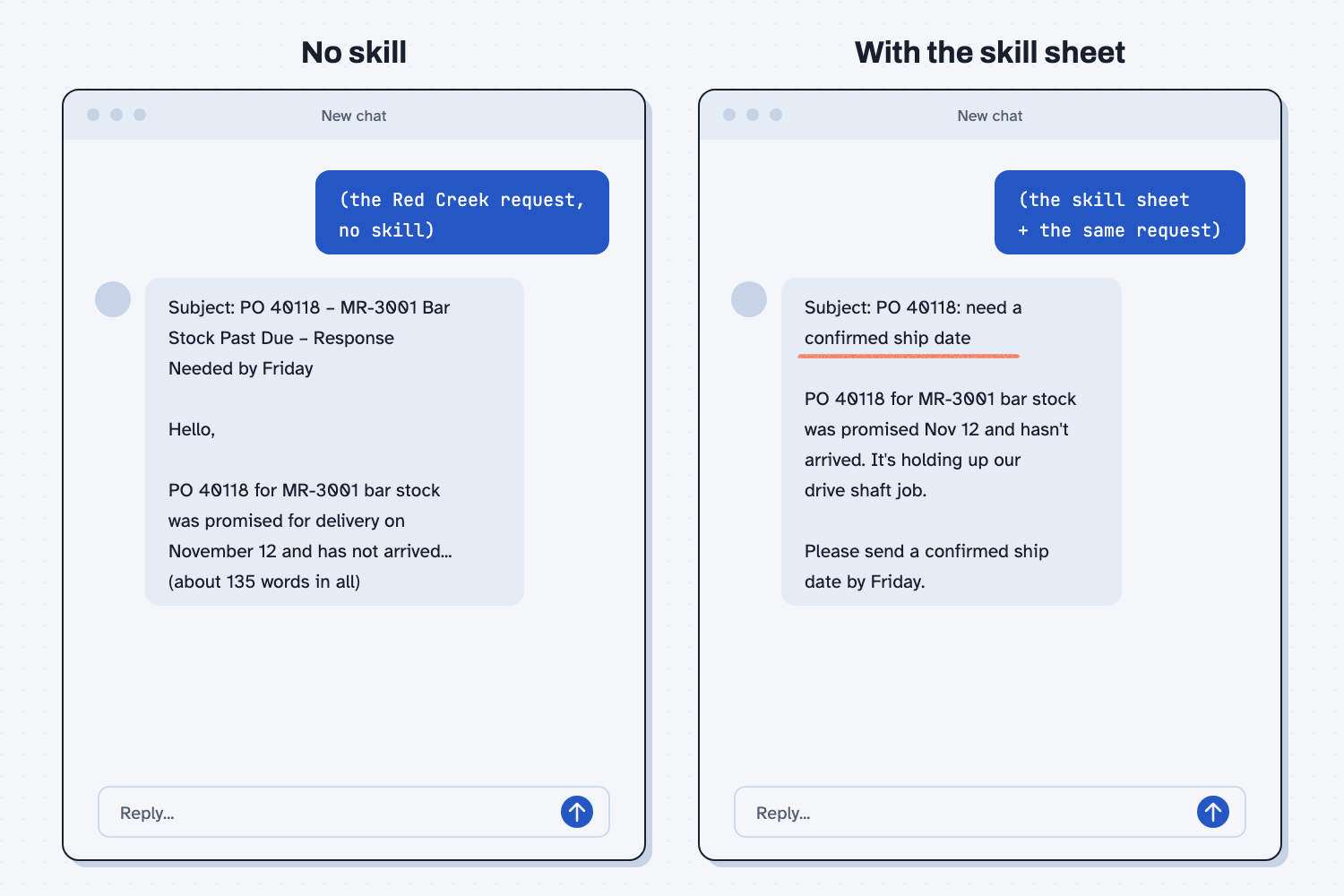
When I tried this, the plain request gave a long email. It had a numbered list of three things to send back, a line about what happens if the order can't arrive, and a sign-off, and it ran about 135 words. It then added a note: "I also assumed 'Friday' means Nov 21, based on today being Nov 19."
With the sheet, I got this:
Subject: PO 40118: need a confirmed ship date
PO 40118 for MR-3001 bar stock was promised Nov 12 and hasn't arrived. It's holding up our drive shaft job.
Please send a confirmed ship date by Friday.
That email has the subject line from the sheet, the part, the date, what it holds up, and one ask, and the whole thing was under 50 words. The AI also added a small note with a word count after it, which is a line you could remove with one more rule (see fix the instructions, not the output).
Frequently asked questions
Is a skill the same as a prompt?
No. A prompt is what you type for one job today, while a skill is saved and reused. The skill holds the "how we do it here" part, so your prompt only needs the details for today.
Do I need a special tool to use skills?
No. Claude can save skills and load them when a job matches. In any other tool, you can keep your sheets in one document and paste the right one at the top of the chat.
How is a skill different from project instructions?
Project instructions are read in every chat, but a skill is read only when the job matches. Put what is always true in the instructions, and put how to do one kind of job in a skill.
How long should a skill be?
About one page. It should say when to use it, what done looks like, the steps, and how to check. If it keeps growing, it is probably two skills.
Use it today
- Have Claude build your quote report: save your checked script as a skill that runs the same way every time.
From my training: this comes from my Atomized Work field note and the way we write skills as procedure documents for the companies we build for.