What Is Version Control? Save Every Version and Go Back Any Time
With Josh Schultz ·
Answer. Version control is a system that saves every version of your files, each with a short note about what changed, so you can read the history and go back to any earlier version. Git is the most common tool for it. It is the habit of saving every working version, done by a machine.
The picture
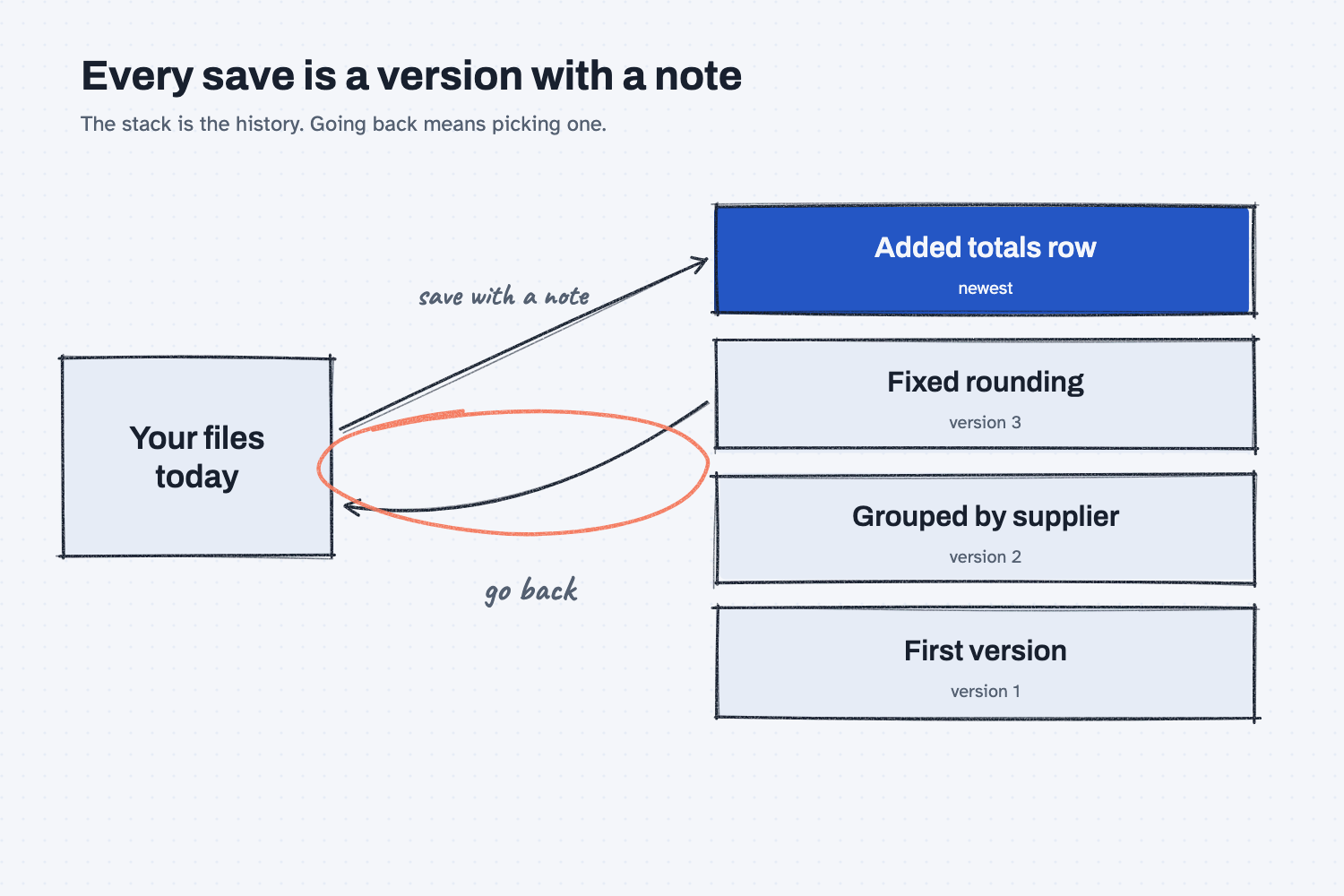
On the left are your files as they are today. Each time you reach a good stopping point, you save them with a short note, and the saved version joins the stack on the right, with the newest on top. The stack is the history. If a recent change turns out to be a mistake, you follow the curved arrow, which is circled, and bring back the version you want, and you can see which one that is because each version carries its note.
Think of it like this
Picture the whiteboard in your planning room, covered with this week's schedule. Before anyone erases a section to make a change, they take a photo of the board and write a note on it, such as "before the Friday rush order." After a month, those photos make a complete history of the board. If the new plan turns out to be a mistake, nobody has to remember what the board looked like, because you find the right photo and copy the old plan back.
Version control is that habit, done by a machine, for files on a computer. Each saved version is a photo of all your files at that moment, with a note on it, and the machine keeps them all. The most common tool for this is called Git, and the project that makes it describes it in nearly those words: every time you save the state of your project, it takes a picture of what all your files look like at that moment.
Why does it matter at work?
It matters because AI makes changes quickly, and a quick change that goes wrong is hard to undo if the only copy is the one that changed. With a saved history, every change an AI makes becomes something you can see and reverse.
Here is an example. When we built the quote price history report for Mesquite Ridge Metal Works, the script went through five versions, and each one was saved by hand under its own name, with a line in a note file called what-changed.txt. The line for version 3 reads: "Added a Latest price summary at the top. Cheapest is green, but only among suppliers quoting the same unit." With version control, those five copies and the note file turn into one file with a history, and the same line becomes the note on the third save. The habit is the same, but the machine does the copying.
You may already use a simple form of this. Google Docs keeps a version history that you can browse and restore, and other document tools may do something similar, so check yours. A good question for a vendor or for IT is, "If we change this file and it goes wrong, can we get back to last Tuesday's version?"
How does it work?
There are four parts: the save, the history, going back, and seeing what changed.
A save is a version with a note. In Git, one save is called a commit, which is a saved picture of your files with a short message about what changed. The best moment to save is right after something works.
The history is a readable list. The saved versions line up newest first, each with a short code and its note, so you can scan down the list and find the one you want. A history is only as useful as its notes, which is why a note like "Fixed rounding in the tax column" beats "updates."
Going back is a choice, not a repair. You pick an earlier version and bring it back, and normally the later versions stay in the history, so you can change your mind again. This is the same reason behind saving every working version: going back to a known good point takes a minute, while untangling a pile of patches can take an afternoon.
You can see exactly what changed. Git can show two versions side by side with the changed lines marked, which is a quick way to check what an AI edited before you accept it. It pairs well with changing one thing at a time and with keeping an audit trail of what AI did.
Where do people get it wrong?
Most mistakes come from treating version control as too technical to try, or as a cure for everything. These are the four I see most often.
- Treating it as a backup. The history usually lives in the same folder on the same computer, so if the computer is lost, the history goes with it. Keep a copy somewhere else too.
- Saving rarely, with vague notes. One save after a week of changes, labeled "stuff," gives you nothing to go back to. Save after each change that works, and write what changed in one line.
- Saving private data into the history. The history keeps everything ever saved, even after you delete it from the file, so keep passwords, customer details, and real prices out from the start. The safe use notes explain what to check.
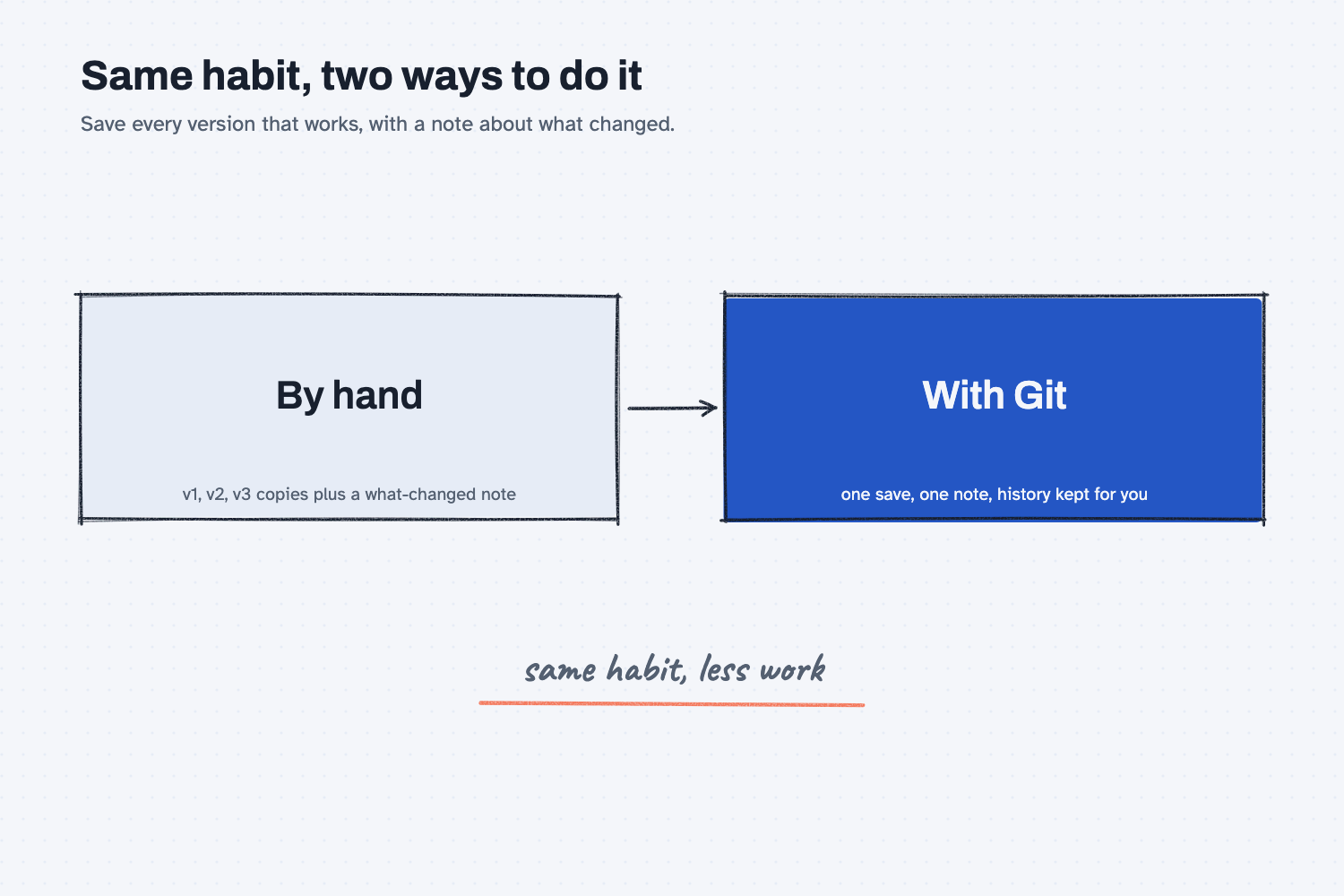
- Thinking it is only for programmers. The habit works with any file you care about. You can do it by hand with numbered copies and a note, and a machine just does the same thing faster.
Try this in 2 minutes
This test asks AI to show what a version history looks like, so you can see what the notes and codes are for. Any chat tool works.
- Open a new chat and paste this:
I keep a quote report script that has been through four saved versions. Show what the output of git log --oneline would look like for it, with four short notes about what changed in each version. Then explain in three plain sentences what that list lets me do.
- Here is what I expect: four lines, each with a short code and a note, newest on top, followed by a short explanation.
- Read down the notes and decide which version you would go back to if the newest one broke something.
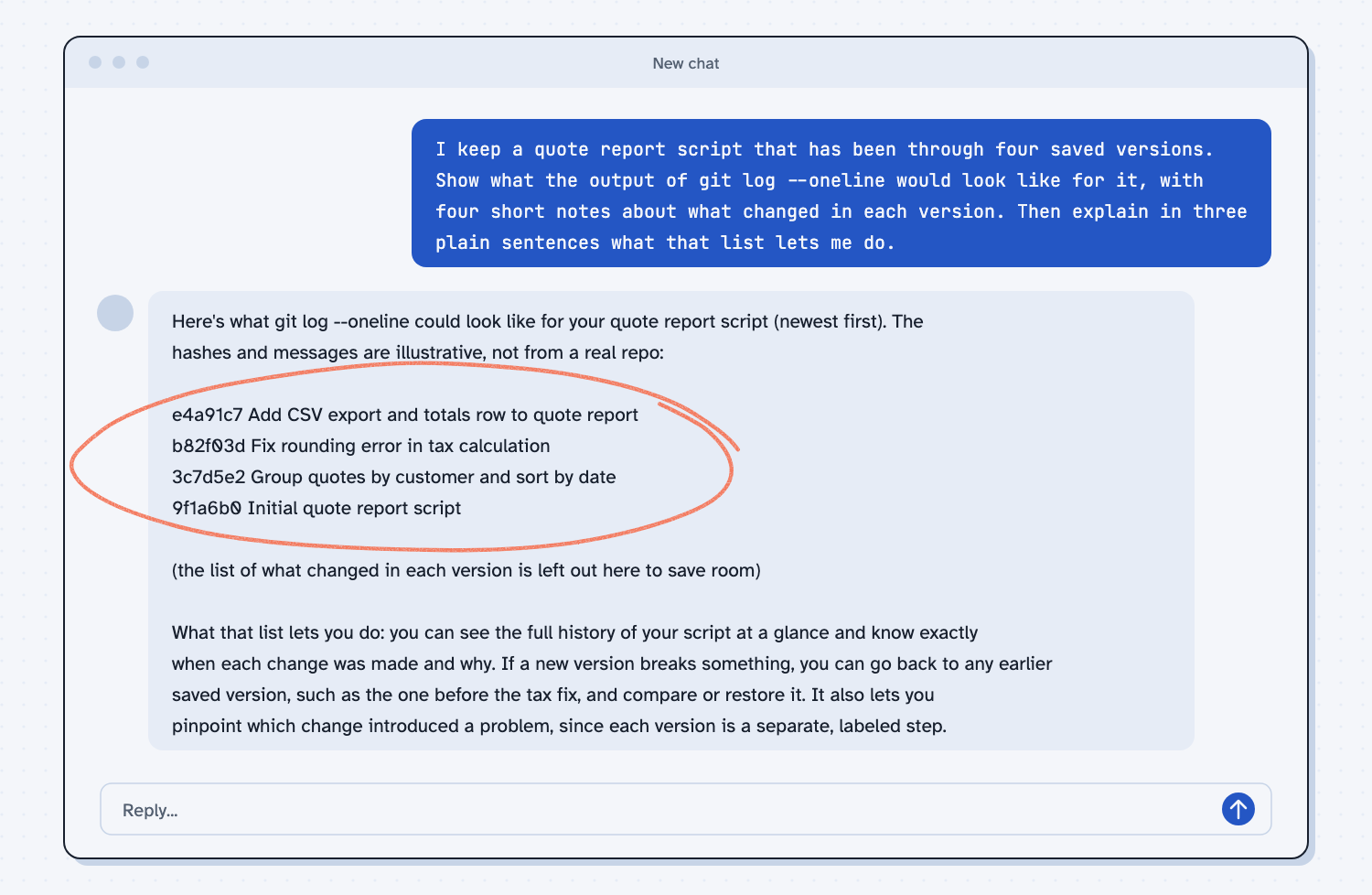
When I tried this, Claude listed four lines, newest first, starting with "e4a91c7 Add CSV export and totals row to quote report" and ending with "9f1a6b0 Initial quote report script." It was careful to say that "the hashes and messages are illustrative, not from a real repo," which is right, because a blank chat has none of my files. The short codes are labels Git makes up for each save, and the notes are the part a person writes.
Its explanation was practical: "If a new version breaks something, you can go back to any earlier saved version, such as the one before the tax fix, and compare or restore it." It also pointed out that a real history only starts after you set one up, which is true, because Git saves nothing until you begin using it in a folder.
Frequently asked questions
What is version control?
Version control is a system that saves every version of your files with a note about what changed. You can read the history, compare versions, and go back to any earlier one.
What is Git?
Git is the most common version control tool. It is free, it runs on your own computer, and it keeps a history of every saved version of the files in a folder.
Is version control the same as a backup?
No. Version control keeps the history of changes, and a backup keeps a copy in a safe place. The history often sits next to your files, so you still need a copy somewhere else.
Do I need it if I use Google Docs or a shared drive?
Those tools may already keep a version history, which covers a lot of everyday needs. Version control matters most when you have many files that change together, such as a script, its data, and its notes.
Use it today
- Fix your quote report and keep every version safe: save each working version with a one-line note, by hand, so you can always go back.
- Related ideas: Save every version that works, Change one thing, then check it, Keep a log of what AI did
From my training: we teach the habit by hand first, with a saved copy and one line about what changed, and version control is that same habit done by a machine.