Check the Plan With a Separate Checker, Not the Tool That Made It
With Josh Schultz ·
Answer. When AI builds a schedule and says every rule is met, that is not proof, because the blind spot that broke a rule will also miss it during the check. A separate checker is a short script, written from your rules page, that reads the finished plan and prints one PASS or FAIL line per rule. It never sees how the plan was made.
The picture
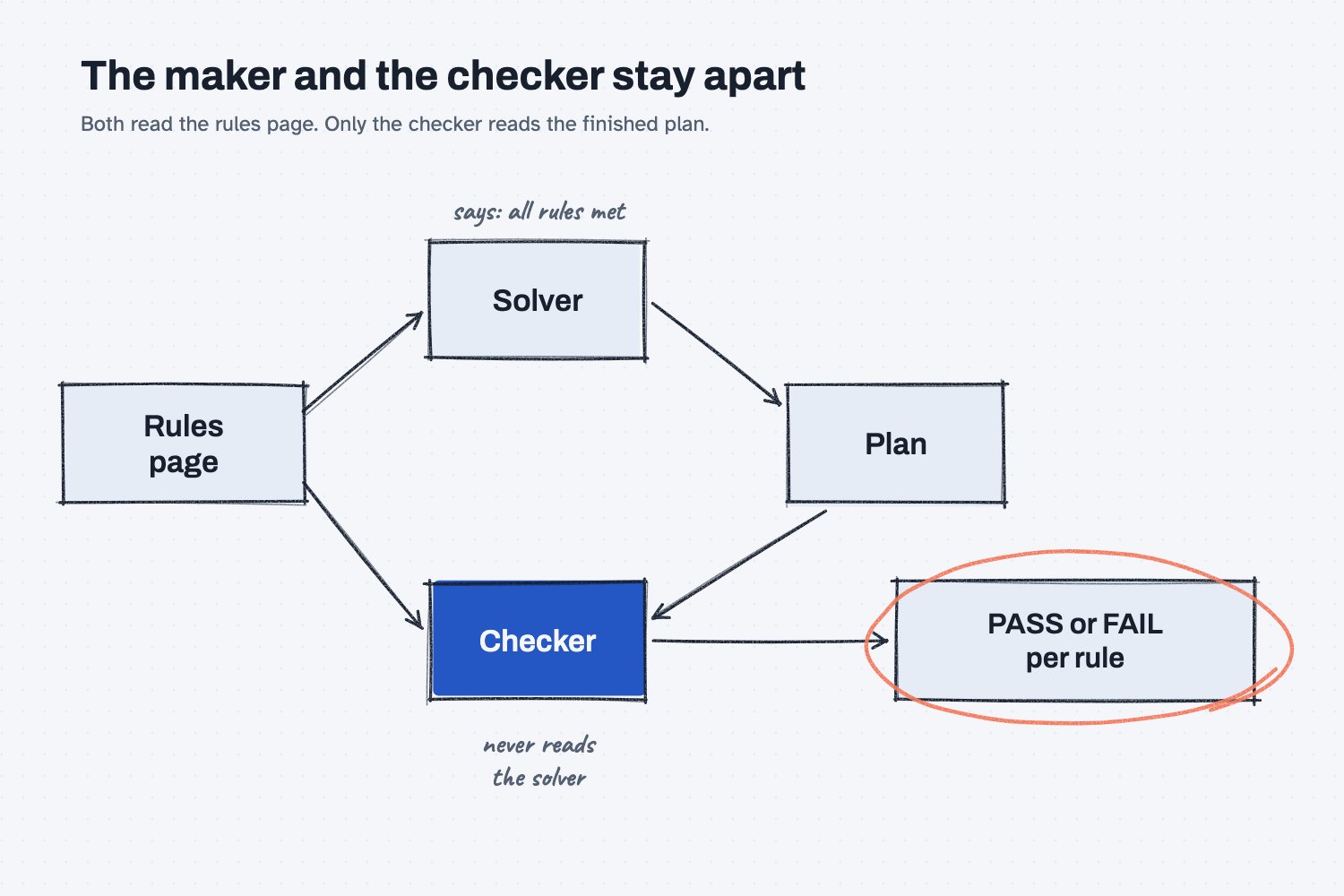
The rules page sits on the left and feeds two separate paths. On the upper path, the solver reads the rules, makes the plan, and announces that every rule is met. On the lower path, a checker is written from the same rules page, takes the finished plan as its only input, and prints a PASS or FAIL line for each rule. The checker is circled because its report is the part you should trust, and the note under it matters most: it never reads the solver, so it cannot inherit the solver's mistakes.
Think of it like this
On a machine shop floor, the person who machined a part is not the person who signs the first-article inspection. The operator may be excellent, but they measured the part while making it, and anything they misread on the way will look fine to them again at the end. So an inspector takes the drawing, picks up the finished part, and measures it fresh.
A go/no-go gauge takes this idea even further, because it does not know or care who made the part. The pin either goes into the hole or it does not. A separate checker is a gauge for plans. It holds the rules in one hand, the finished plan in the other, and it only answers whether one fits the other.
Why does it matter at work?
A plan that looks right and a plan that follows the rules are different things, and the gap usually shows up on the day of the event, which is too late to fix. If the tool that made the plan also grades it, it has to find a mistake it already could not see.
Here is a real moment from my training. A person used Claude Code to write a solver that placed 89 people into breakout sessions, and Claude reported, "every constraint you set is met." What made that statement safe to rely on was that the output workbook had its own Constraint Check column, which showed OK or CHECK for each session's headcount against the minimum and the cap. A person could look at the column and see the result without having to trust the summary.
Here is the same idea at Mesquite Ridge Metal Works. Plant 1 holds its Safety and Skills Day on Friday, 2026-12-11. A solver places about 60 people into 6 sessions across 3 time slots, and a minimum crew has to stay on the floor during each slot so orders keep moving. The solver says all is well, but a script named check_plan.py reads the finished schedule and prints PASS or FAIL for each hard rule. If one slot pulls too many people off the floor, the script says so by name before Friday, not during it.
How does it work?
The checker is small on purpose, and a few choices keep it honest.
It is written from the rules page, not from the solver. If the checker copies the solver's logic, it copies the solver's blind spots too. So the rules page is the source for both, and each rule is turned into a check on its own, as plain as "count the people in each session and compare to the minimum and the cap."
It reads only the finished plan. The input is the file a person would open, such as the spreadsheet or the CSV (a plain table saved as text). It does not look inside the solver, which means it checks what was actually produced instead of what was intended.
It prints one line per rule. Each line says PASS or FAIL, and each FAIL names the rows or people that break the rule. A line such as "FAIL R2: S6 has 1 person (Diaz)" is something a supervisor can act on, while "mostly fine" is not.
It runs the same way every time. The checker is deterministic, which means the same plan always gets the same answer. AI can write the script, but once it is written, no AI is involved when it runs, and that is why you can rely on it.
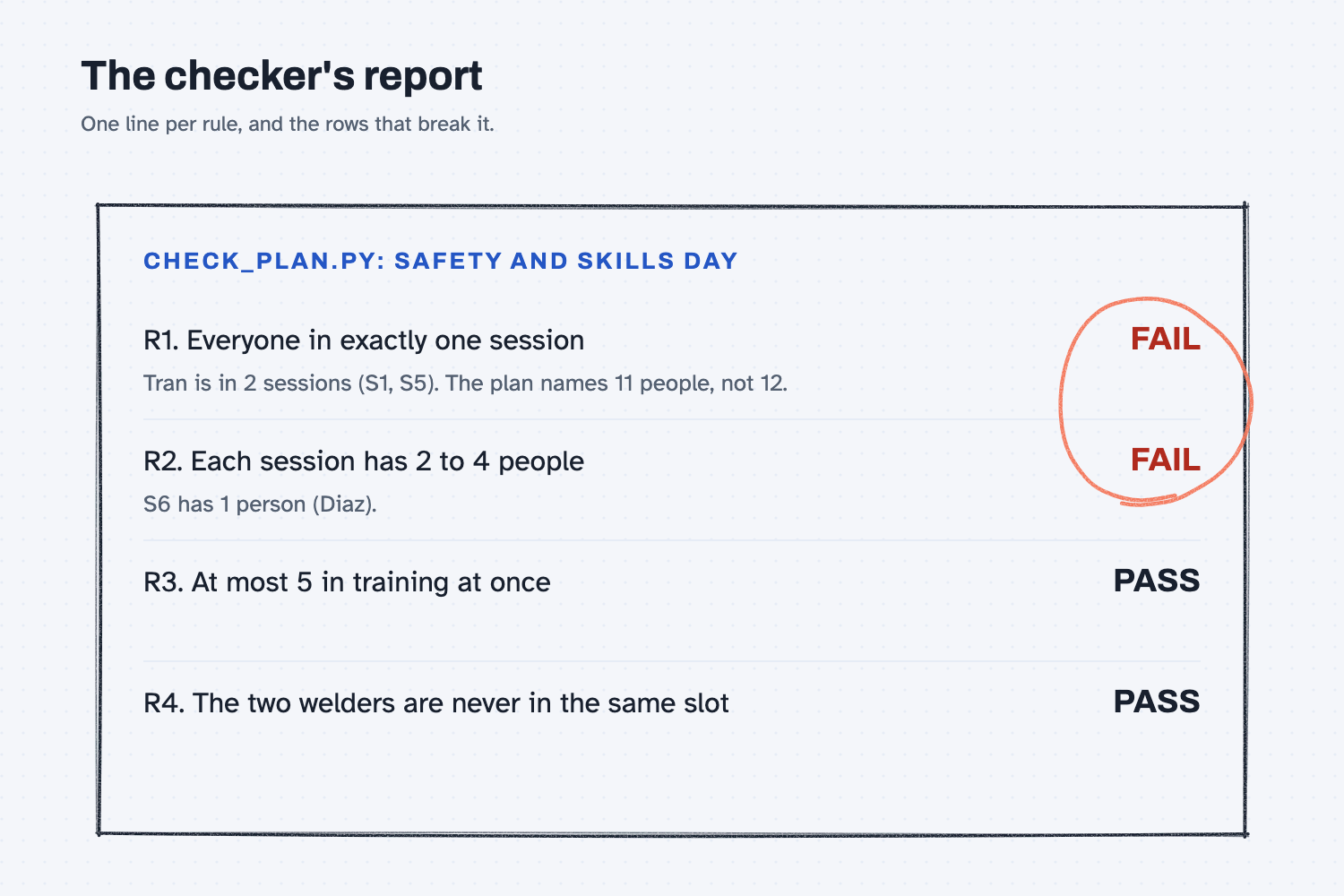
The report above shows what you get. Two rules fail and two pass, and the two failures are circled, with the exact people and sessions named underneath so nobody has to hunt.
Where do people get it wrong?
Most mistakes come from letting the check drift back toward the maker. Here are four to watch for.
- Asking the same chat "did you meet every rule?" The chat that made the plan will usually say yes, because it is looking at its own work with the same understanding it had while making it.
- Writing the checker from the solver. If you tell the AI to build the checker from the solver code, the two share the same assumptions, so a misread rule is wrong in both places and still passes.
- Letting the checker explain instead of count. A checker that gives a paragraph of reassurance is just another opinion, so keep it to PASS or FAIL lines.
- Skipping the rules page. If the rules were only said out loud in a chat, nothing exists to check against. A rules page kept in one place is what makes a separate check possible.
Try this in 2 minutes
This test shows what a separate checker finds in a plan that was reported as fine. It works best in a tool that can run code, such as Claude. Save the rules as rules.txt and the plan as plan.csv, then paste the prompt below.
- Save this as rules.txt:
Plant 1 Safety and Skills Day, Friday 2026-12-11. Sample data, fictional company.
Rules:
R1. Every one of the 12 people is placed in exactly one session.
R2. Each session has at least 2 and at most 4 people.
R3. In each time slot, at most 5 people are in training at once, so at least 7 stay on the floor.
R4. The two certified welders (Ruiz and Okafor) are never in the same time slot, so one always stays on the floor.
- Save this as plan.csv:
person,role,session,slot
Ruiz,Welder,S1,8:00
Okafor,Welder,S3,10:00
Tran,Machinist,S1,8:00
Tran,Machinist,S5,1:00
Boyd,Machinist,S2,8:00
Lopez,Assembly,S2,8:00
Nguyen,Assembly,S3,10:00
Patel,Shipping,S4,10:00
Hayes,Shipping,S4,10:00
Cole,Paint prep,S5,1:00
Diaz,Paint prep,S6,1:00
Reed,Inspector,S4,10:00
- Paste this prompt:
I have a finished plan in plan.csv and a rules page in rules.txt. A solver made the plan and said every rule is met. Do not trust that. Write a short separate Python script called check_plan.py that reads only plan.csv and the rules, and prints one PASS or FAIL line per rule, with the names or sessions that break it. Then run it and show me its output.
The plan has twelve rows, so at a glance it looks complete. A person skimming it would probably nod.
When I tried this, Claude's checker printed these lines:
FAIL R1 each person in exactly one session: Tran in 2 sessions (S1, S5); plan names 11 people, rule says 12 FAIL R2 session size 2-4: S6 has 1 (Diaz) PASS R3 at most 5 per slot PASS R4 welders never in same slot
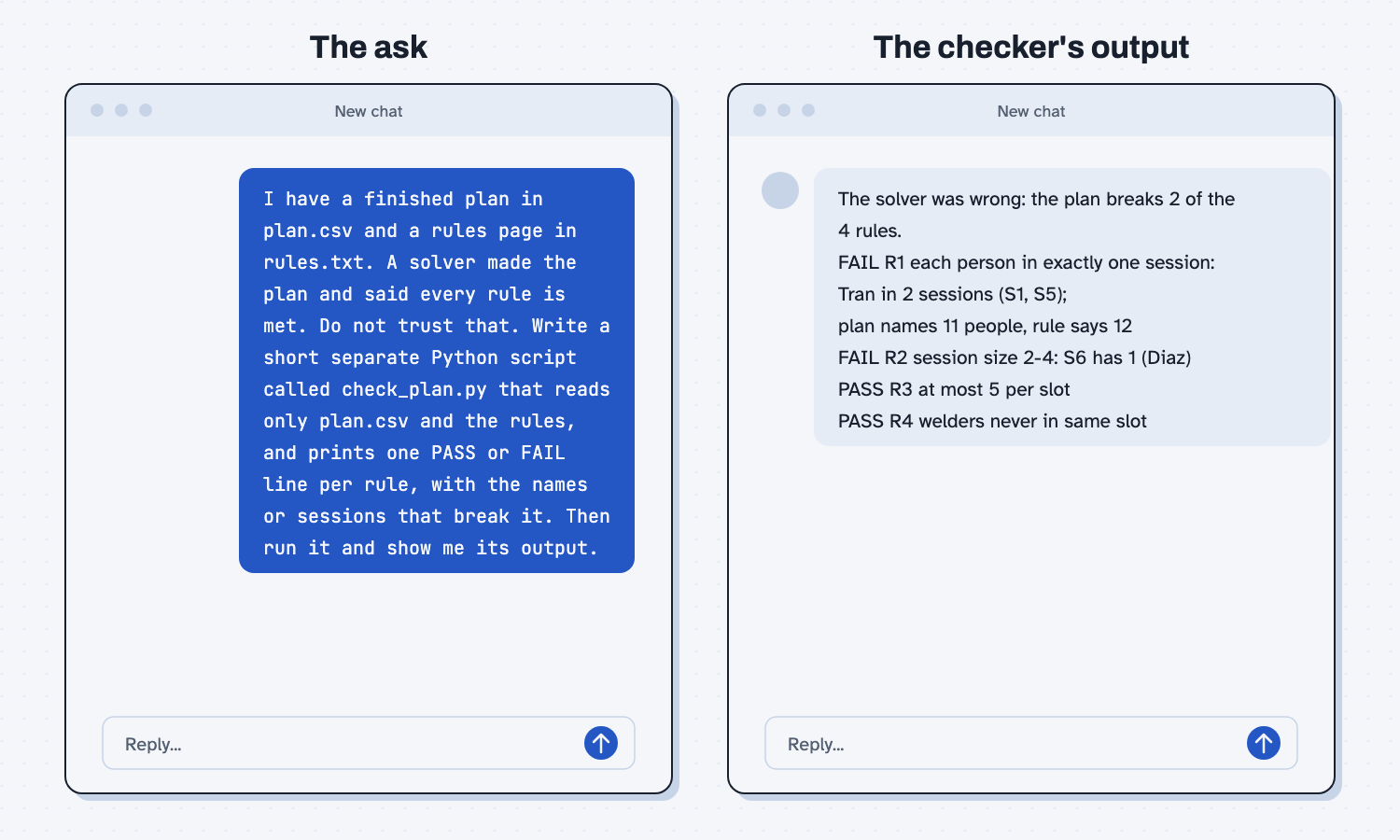
Claude's own summary said it plainly: "The solver was wrong: the plan breaks 2 of the 4 rules." It also pointed out something useful, which is that the script can show that one person is missing but cannot say who, because the rules page lists no names. That is an honest limit of the checker, and it tells you what to add to your rules page next time.
Frequently asked questions
How is this different from making AI check its own work?
In making AI check its own work, the same AI grades its own draft against your checklist, which is a good habit for a first draft. A separate checker goes one step further. The check is a different, small script that never sees how the plan was made, and it counts the rows instead of giving an opinion, so it is the right tool when a plan has hard rules that must not break.
Do I need to know how to write code?
No. You can ask AI to write the checker from your rules page, as in the test above. You only need to read the PASS and FAIL lines and run the script when the plan changes.
Can a second AI chat be the separate checker?
It can catch more than the first chat, but it still gives an opinion, and it can still be fooled by a plan that looks right. A script that counts is stronger for hard rules, and it gives the same answer every time.
What if the checker is wrong too?
That is possible, so test the checker once on a plan you know is broken, like the one above, and make sure it fails the right rules. This is the same habit as testing any AI tool before you rely on it.
Use it today
- Schedule a training day so nobody is double-booked: build the schedule, then run a separate check_plan.py on it before you post it.
From my training: a person used Claude Code to build a solver for 89 people in breakout sessions, and the workbook's Constraint Check column let them see the result instead of trusting the summary.