Describe the Output, Not the Code: Tell AI What the Page Should Show
With Josh Schultz ·
Answer. To describe the output means you tell AI what the finished page or report should show, in your own words, and you let it work out the code. You never have to read the code, because you can judge the result by looking at the page. If it shows what you asked for, it is right, and if it does not, you say what to change.
The picture
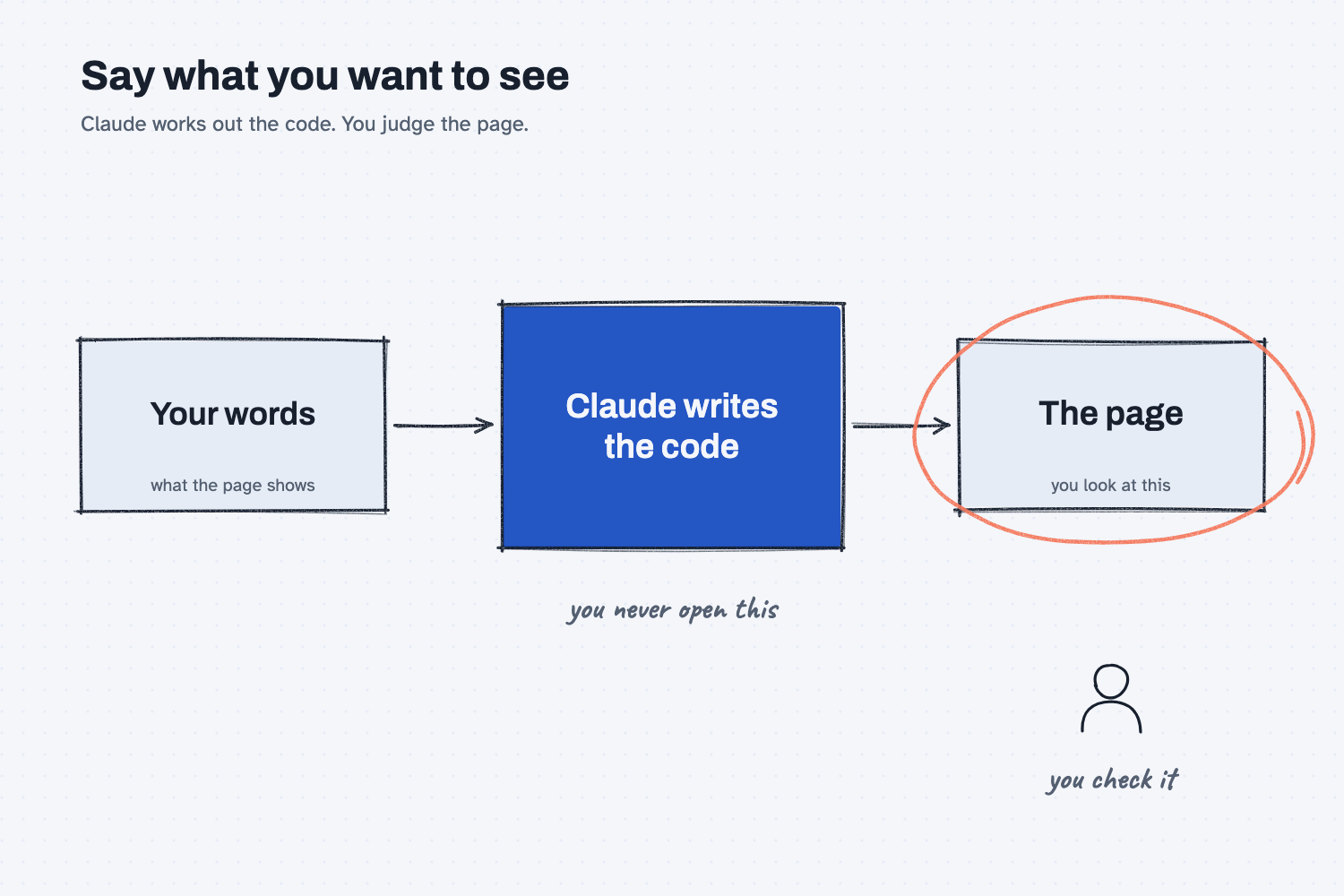
Read the picture from left to right. On the left are your words, and they only say what the page should show, such as which numbers go at the top and which columns go in the table. In the middle, Claude turns those words into code, which is the set of exact instructions a computer follows to build the page. You never open that box, so it does not matter whether you could read it. On the right is the page itself, and it is circled because that is the part you look at and the part you judge.
Think of it like this
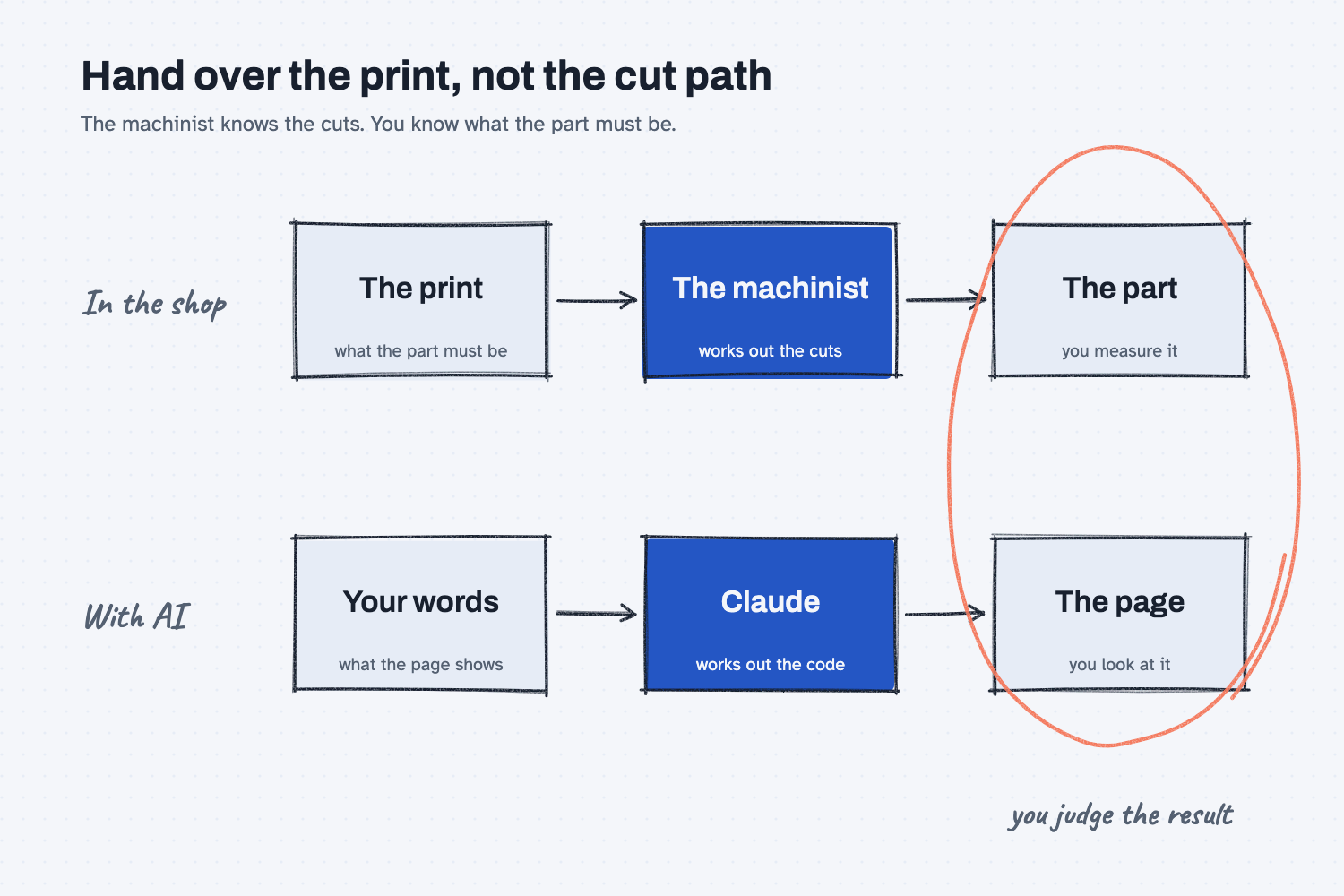
If you have ever handed a drawing to a machinist, you already know how this works. The drawing, which people in a shop call the print, says what the part must be: how long it is, how wide, and where the holes go. It does not say which tool to pick, how fast to run it, or in what order to make the cuts, because the machinist knows that better than you do and would not thank you for guessing.
When the part comes back, you do not watch the machine's cutting path. You pick up the part and measure it against the print. If a hole is in the wrong place, you do not say "run the drill slower." You say "this hole should be 20 millimeters from the edge," and the machinist works out the fix.
AI works the same way with pages and reports. Your words are the print, Claude is the machinist, and the code is the cutting path that you never need to see.
Why does it matter at work?
It matters because it lets you change a report yourself, right when you think of the change, without waiting for someone who codes and without learning to code. Whoever knows what a good report looks like is the person best placed to ask for it.
Picture a buyer at Mesquite Ridge Metal Works who has a price history page built from saved quotes. In the quote report guide, the buyer asks for a change in plain words: "Add two columns to every table, after Unit price: the lead time in days and the freight cost from that quote." Claude adds both columns, and the buyer sees them in the next page.
The next request is "At the top of the page, add a small summary table with each supplier's latest price for each part, and make the cheapest supplier green." Claude made the plate green for Panhandle at $389.00 each, but it made nothing green for the bar, because the three suppliers quote the bar in three different units (per hundredweight, per foot, and each). Claude did not want to guess how those units compare, so it said so. When you look at the page, you can see the plate is green and the bar is not, and Claude's note tells you why, which is what judging by looking means.
How does it work?
You describe the page in four ways, and then you look at the result. The goal is to say what you would see, so that you and Claude are picturing the same page.
Say what goes where. Start with the top of the page, then the table, then the details, such as "the newest price in big type at the top." This works because a page has a clear order, and a clear order leaves little for Claude to guess.
Name the columns, the order, and what stands out. In the test below, we ask for the oldest quote first and any increase in red. Those are things you can check with your eyes, which is why they make good instructions.
Look at the page, not at the description. Claude will often tell you what it built, but the page is the proof. In the quote report guide, Claude said, "I haven't clicked the buttons in a browser, so the button behavior itself is untested." That was honest, and it reminds us to click every button ourselves.
Check a few numbers against something you trust. Pick three rows and compare them to a source you already know is right, which is the idea behind how to test an AI tool. Looking tells you the page is shaped right, and checking tells you the numbers are right.
Where do people get it wrong?
Most mistakes come from slipping back into talking about the method instead of the page. These four come up again and again.
- Describing how instead of what. Asking for "a loop that goes through each row" sounds expert, but you cannot judge it. "One row per quote, oldest first" is something you can see.
- Trusting the description. If you only read what Claude says it built, you miss the green that never appeared. Open the page and look.
- Using words that could mean anything. "Make it look better" can mean a dozen things. Show a small example of what you mean instead, as in show AI an example.
- Asking for five changes at once. If a number moves, you cannot tell which change moved it. Ask for one change, look, and then ask for the next.
Try this in 2 minutes
This test gives Claude four saved quotes and asks for a page, described only by what it should show. Use Claude at claude.ai, or any chat tool that can build a page.
- Open a new chat and paste this:
I buy steel plate for Mesquite Ridge Metal Works. Here are four quotes for plate MR-3002 from Panhandle Bar and Plate.

RFQ, date, unit price (each)
MRMW-RFQ-1061, 2026-02-10, 372.00
MRMW-RFQ-1093, 2026-06-09, 380.00
MRMW-RFQ-1118, 2026-08-18, 384.50
MRMW-RFQ-1142, 2026-11-13, 389.00

Make me one web page I can open in my browser. Show the newest price in big type at the top. Under that, show a table with the oldest quote first and these columns: RFQ, date, unit price, and change from the last quote in dollars. Show any increase in red.

Put the finished page in one block I can save and open. I do not read code, so do not explain it. After the page, tell me in one sentence what it shows.
- If Claude shows the page in a side panel, look at it there. If it gives you a block of text instead, save that text in a file named
page.htmland double-click the file. - Check what you see against what you asked for. The newest price should be big at the top, the oldest quote should be first, and the increases should be red.
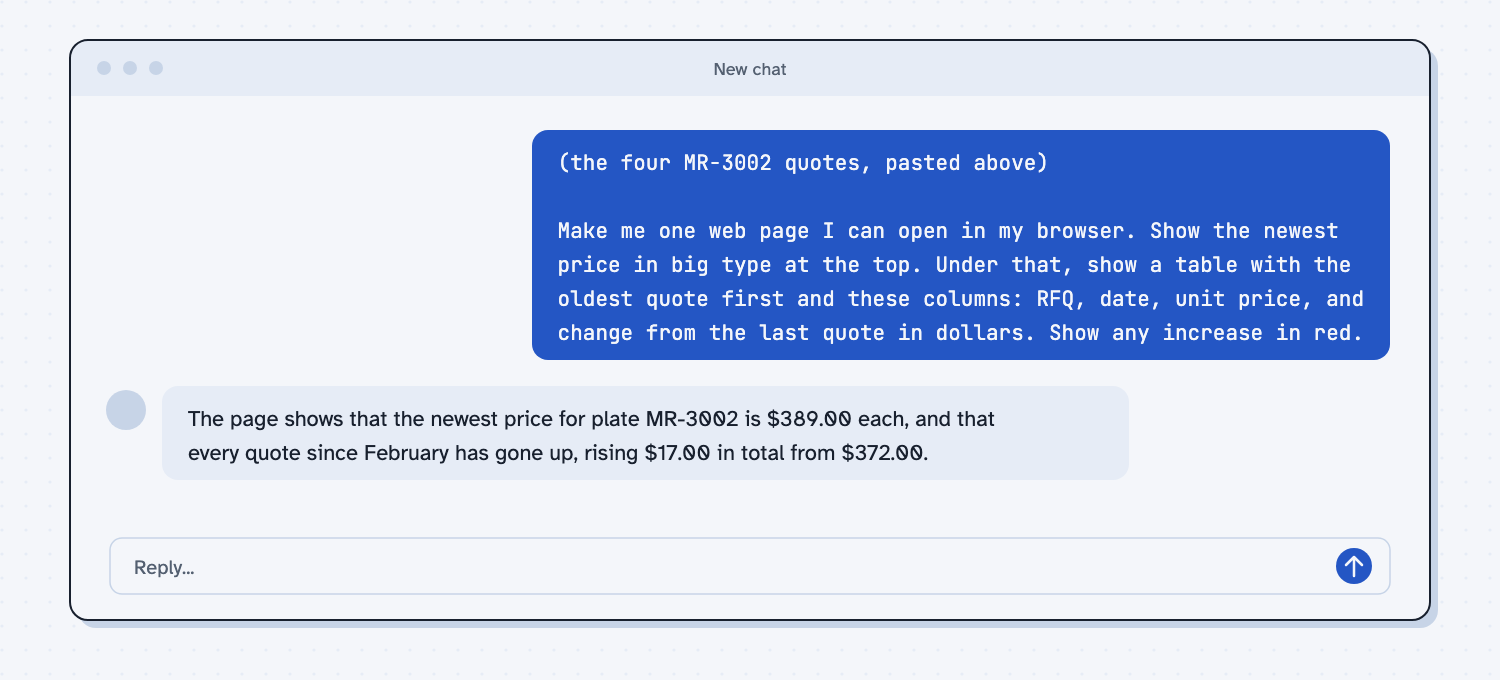
When I tried this, I never opened the code. The reply ended with this sentence: "The page shows that the newest price for plate MR-3002 is $389.00 each, and that every quote since February has gone up, rising $17.00 in total from $372.00."
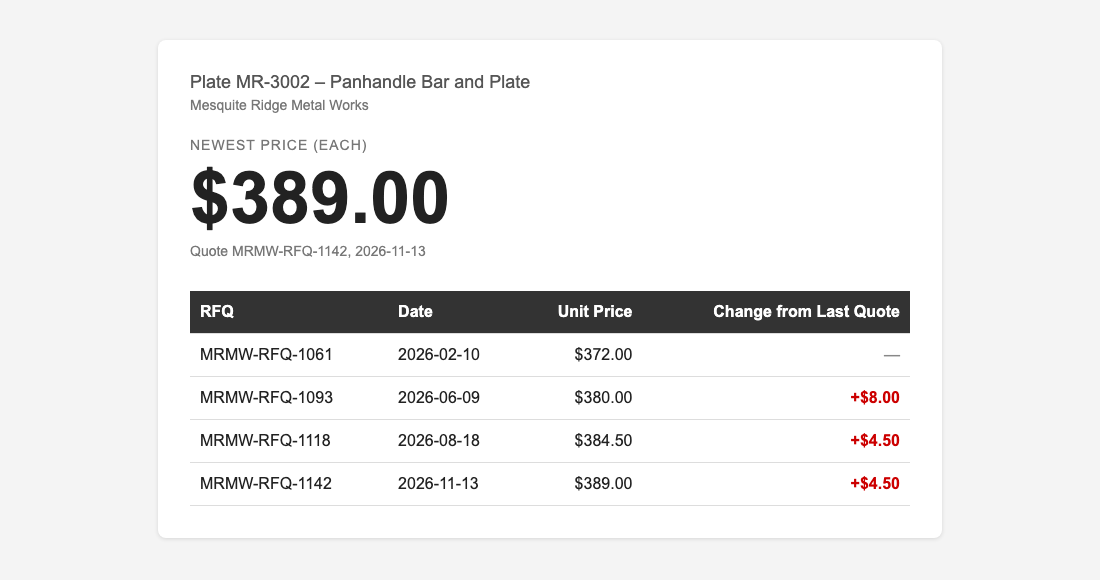
Here is what the page looked like. The big $389.00 sat at the top, the table started with the February quote, and the three increases of +$8.00, +$4.50, and +$4.50 were red. I could check all of that with my eyes, and the changes matched the numbers I gave it.
Now try one more request in the same chat, such as "Add a column for the quantity." You will see how fast you can change a page when you only have to say what you want to see.
Frequently asked questions
Do I need to know how to code to describe the output?
No. You only need to know what a good page or report looks like for your work, and you already do. Claude writes the code, and you judge the page with your own eyes.
What if the page is wrong?
Say what you see and what you expected, in plain words. For example, "the newest price shows $380.00, and it should show $389.00." Claude can fix what it can see described, and you check the page again.
Is it safe to run code I cannot read?
Check the result against numbers you already trust, and try a new page on sample data first. You are judging the output, so a wrong number shows up in the comparison even if you never read a line of the code.
Is this the same as writing a good prompt?
It is one part of it. A good prompt also gives context and examples. Describing the output is the habit of saying what the finished thing looks like, so you and Claude are working toward the same page.
Use it today
- Have Claude build your quote report, then change it by saying what you want: Step 4 changes a report four times by describing the page.
- Related idea: Show AI an example, for when words are not enough.
- Related idea: Use AI to build the tool, not guess every answer.
- Related idea: Change one thing at a time, so you can tell which request moved which number.
From my training: I described the page I wanted to Claude, Claude wrote the script, and I checked it against sample quotes until every number was right.