Does AI Learn From My Data? Three Different Things People Mix Up
With Josh Schultz ·
Answer. When people ask whether AI learns from their data, they usually mean one of three different things. Your chat can be saved in your account, a company can choose to use chats to train a future model (called training data), or the model can change itself while you type, which it does not do. Only the middle one is a setting you can usually control.
The picture
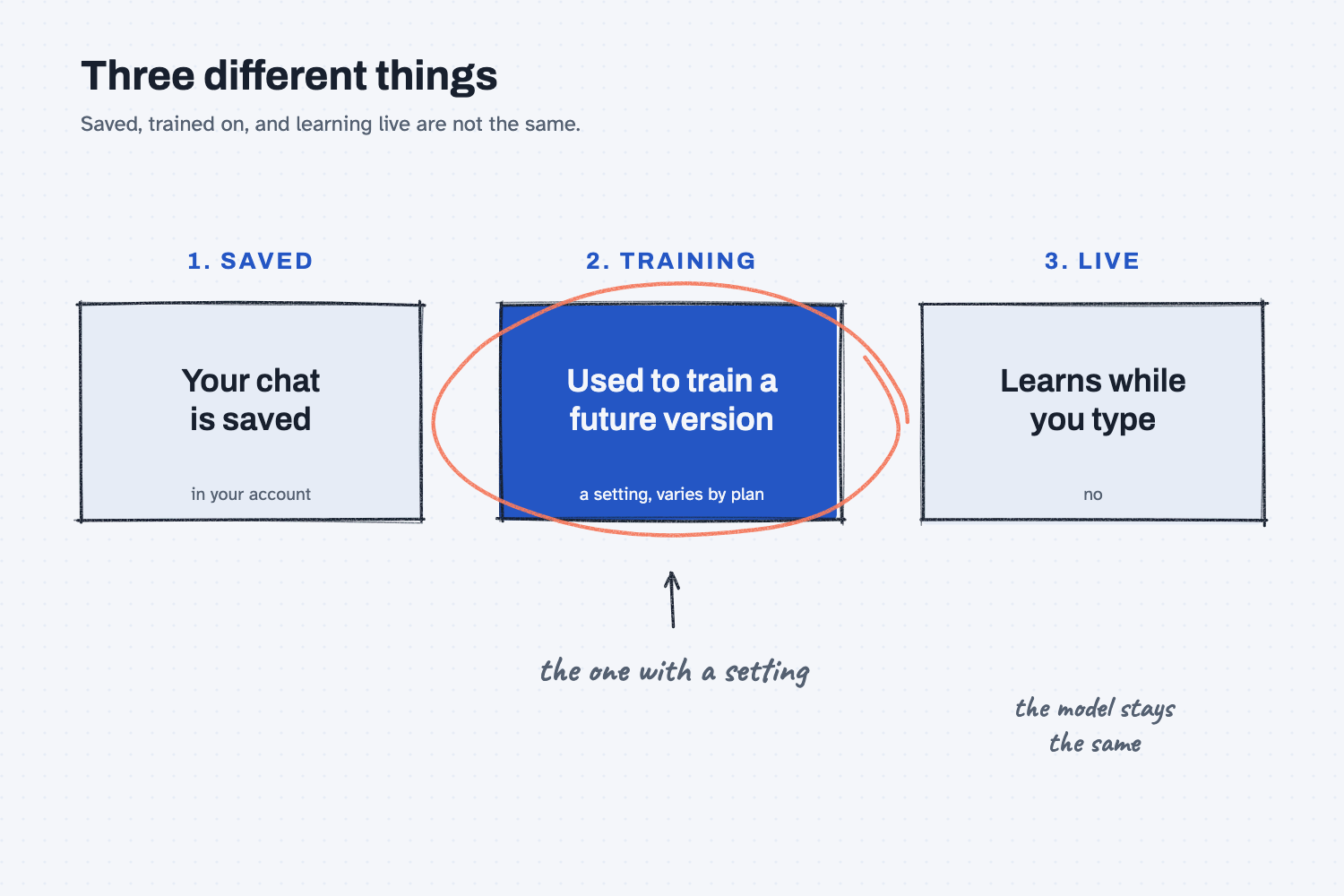
The three boxes in the picture are three separate questions, and each one has a different answer. On the left, your chat is saved so that you can find it later, and that happens inside your own account. In the middle, a company may or may not use some chats to build the next version of its AI, and that is the circled box because it depends on a setting and on the plan you are using. On the right, the AI learning while you type, the answer is no, because the model you are talking to does not rewrite itself in the middle of a conversation.
Think of it like this
Imagine the AI is a printed training manual that your supplier published last year. That edition is finished, and it does not change while you read it.
If you write notes in the margin of your own copy, those notes stay in your copy, and you can flip back to them later. That is your saved chat. The publisher is not reading your copy, and the other readers will not see your notes.
Now suppose the publisher says, "If you like, you can mail us your margin notes, and we may use them when we write next year's edition." That is what training means. It is a choice, it happens later, and it changes a new edition and not the copy sitting on your desk. A company that buys the manual in bulk often gets different terms than one person who buys it at the store.
The one thing that never happens is the printed pages rewriting themselves while you read. That is why a correction you type today does not turn up in someone else's chat tomorrow.
Why does it matter at work?
Mixing up the three means you worry about the wrong one. Some people avoid AI because they think it repeats what they type to the next person. Others paste in anything because they assume every plan keeps chats private, which is not always true.
Here is an example. Kevin Thao buys steel at Mesquite Ridge Metal Works, and he wants Claude to help him compare two quotes from a steel supplier. He asks himself three questions. Will the chat be saved in my account, and who at my company can see it? Does my plan let the company use my chats for training, and is that setting on? Will the AI mention our prices to someone else tomorrow?
He finds out that the third question has a clear answer, which is no. The first two depend on his plan and his settings, so he opens the settings page and checks them. That takes about two minutes, and now he knows which worry is real.
How does it work?
There are three layers, and it helps to take them one at a time.
Your chat history is stored in your account. When you start a new chat, most tools save the conversation so that you can come back to it, and you can usually delete it. Some tools also have a memory feature that saves short notes about you, which I cover in does AI remember past chats.
Training is a company decision, and it is usually controlled by a setting. Training means a company uses some conversations to teach a future version of its model. Many tools for individuals have a switch somewhere in the privacy or data controls, with wording like "help improve the model," and plans made for businesses usually handle this differently than free or personal plans. Because the details change over time and differ between companies, I will not give you a rule that might be out of date. Check the current setting and your plan's terms instead.
The model does not learn on the fly. The model you are talking to was built earlier and stays the same during your chat. It can use what you typed in this conversation, because it is on the desk for now (see what a context window is), but that is the same as reading a note and not the same as being retrained. When the chat ends, the desk is cleared.
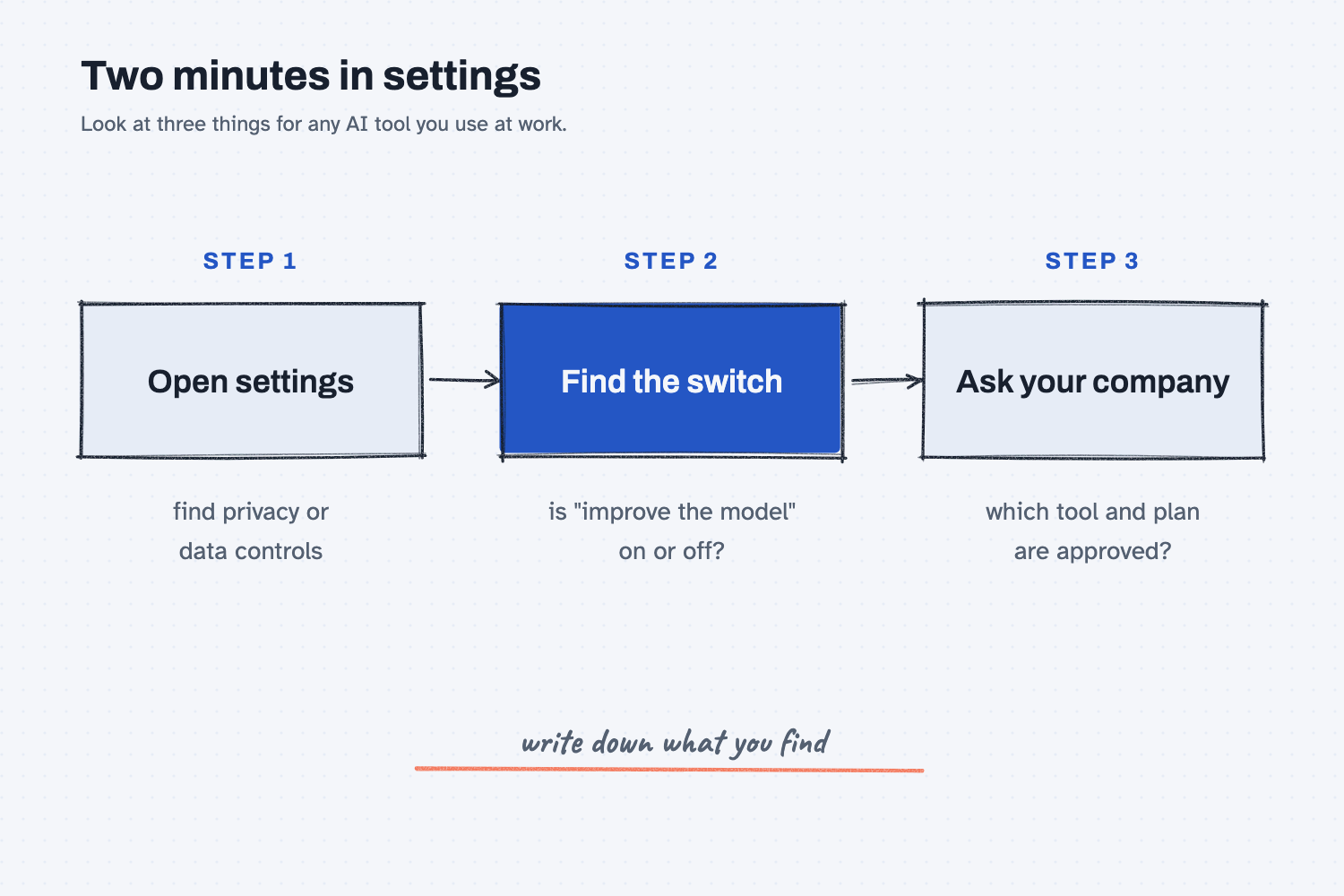
The second picture shows the short list I would walk through for any tool. You open the settings, find the switch about using your chats to improve the model, and write down whether it is on. Then you ask your company which tool and plan it has approved, because the plan decides most of the answer.
Where do people get it wrong?
Most mistakes come from treating the three layers as one. These are the ones I would watch for.
- Assuming that "saved" means "shared." Your saved chats are in your account and are not handed to the next person who types a question, so history and training are different things.
- Assuming that "private by default" is the same on every plan. A personal account and a company account can have different data terms, so look at the one you are actually signed in to.
- Never opening the settings page. The training choice is often a single switch, and many people have never seen it, so spend two minutes and look.
- Pasting sensitive data first and checking later. If you are not sure how a tool handles data, use fake names and numbers until you have checked, and read is it safe to put company data in AI before you paste real prices or contracts.
Try this in 2 minutes
This test shows that the AI does not change itself because of what you type. Open a new chat in any tool and paste this:
I'm a buyer at Mesquite Ridge Metal Works. I just told you that Red Creek Steel's lead time is now 14 days. Will you learn that and use it when other people chat with you tomorrow? Does anything I type here change you? Answer in plain words, under 90 words.
Then open your tool's settings and look for a privacy or data controls page. Find the line about using your chats to improve the model, and see whether it is on or off.
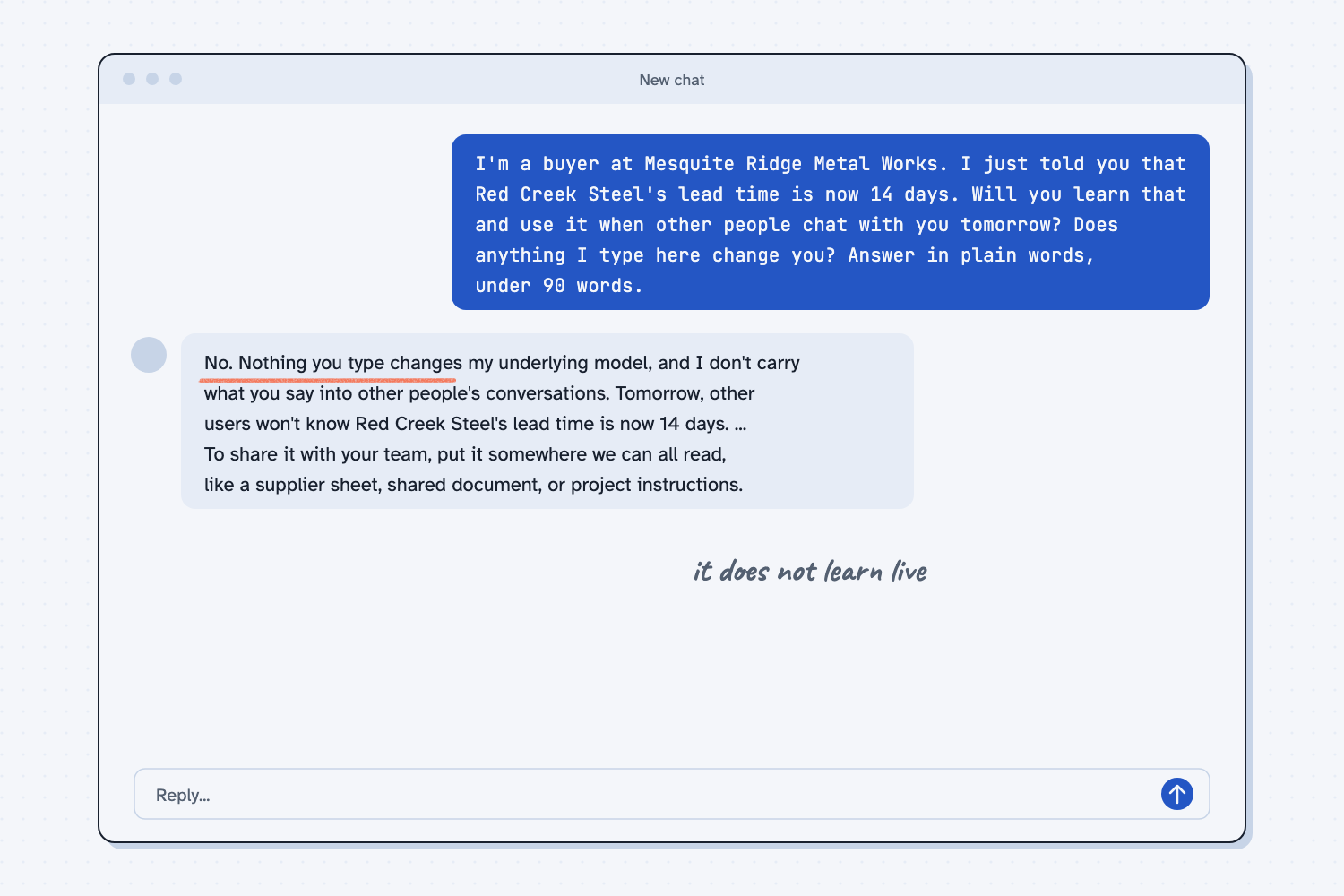
When I tried this, the answer was clear: "Nothing you type changes my underlying model, and I don't carry what you say into other people's conversations." It also said that "Tomorrow, other users won't know Red Creek Steel's lead time is now 14 days."
It then gave a practical tip: "put it somewhere we can all read, like a supplier sheet, shared document, or project instructions." That tip is the right habit, because shared facts belong in a place your whole team can see and not in one person's chat. This reply covers only the learning-on-the-fly question, so the settings check is the second half of the test.
Frequently asked questions
Does ChatGPT train on my conversations?
It depends on your plan and your settings. Personal accounts usually have a setting that controls whether your chats help improve the model, and business plans usually work differently. Check your own settings and your plan's terms.
Does Claude use my chats for training?
That also depends on your plan and your settings, and the details change over time. Look in your privacy settings, and read the terms that apply to the plan you use.
Will AI tell other people what I typed?
No, the model does not pass your chat to the next person. The risk to think about is how your plan stores and uses data, which is why you check settings and company policy.
Can I delete my chats?
Usually, yes, from your chat history or settings. Deleting works differently from tool to tool, so check what your tool says about how long things are kept.
Use it today
- Safe use at work: a short checklist for what to paste and what to keep out.
- Related ideas: does AI remember past chats and is it safe to put company data in AI.
From my training: we open the data settings together before anyone pastes a real file.