Talk to AI Instead of Typing: Dictate Rough Notes, Get Clean Ones Back
With Josh Schultz ·
Answer. You can speak your rough notes to AI instead of typing them, which is called dictation, and then ask the AI to turn the ramble into something you can use. Rough is fine, because the AI reads for meaning and does not care about "um" or run-on sentences. You tell it what shape you want back, and you check the result before you act on it.
The picture
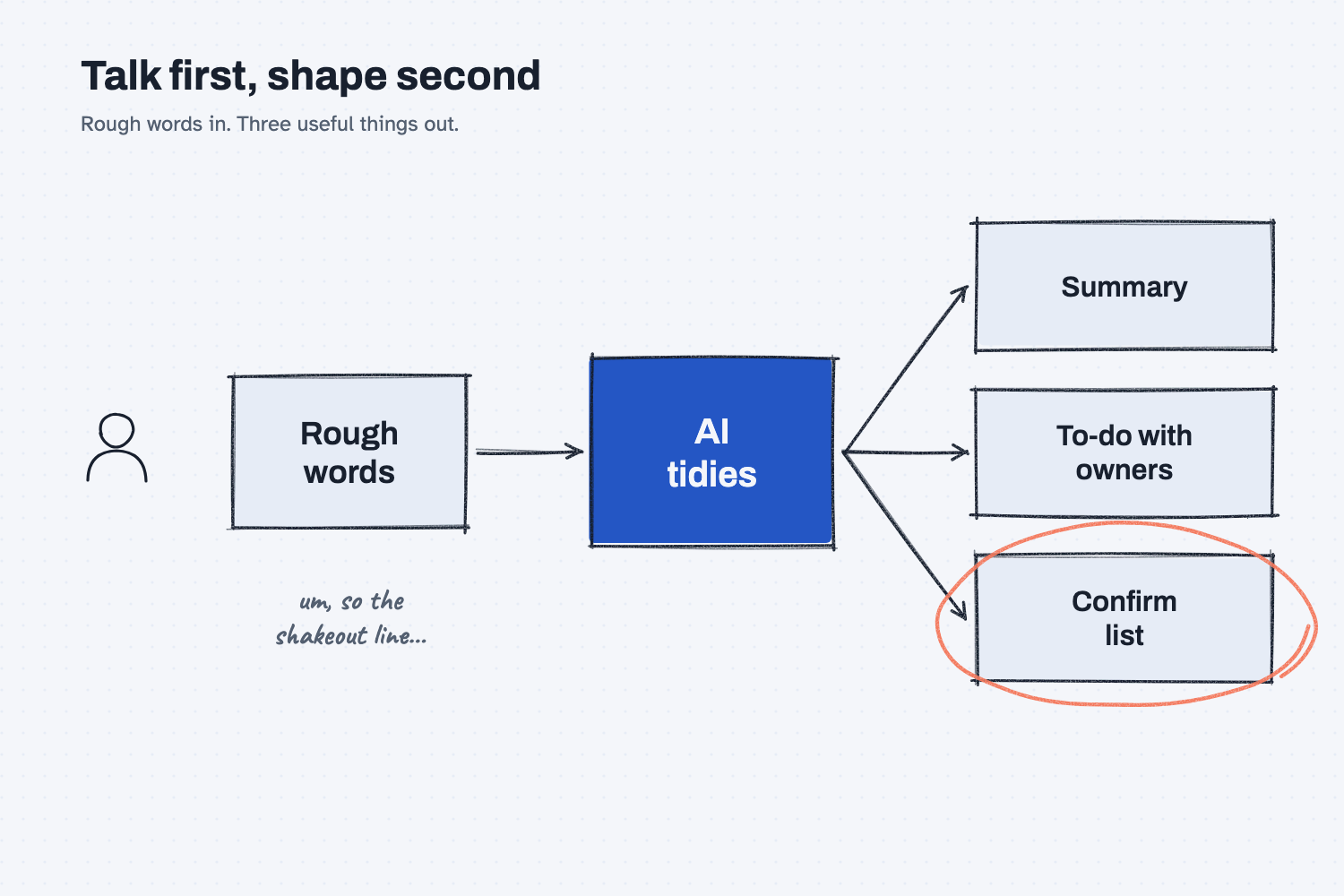
On the left, a person talks while walking, and what comes out is loose and unpolished. The middle box is the AI, which sorts those words into three useful things on the right. The "Confirm list" is circled because it holds everything the AI could not be sure about, and that is the part that keeps you from acting on a guess.
Think of it like this
Think of a manager who walks the floor with an assistant a few steps behind. The manager does not stop to write a memo at every machine. They say what they see out loud, in whatever order it comes to them, and the assistant keeps up. Later the assistant sits down and asks the questions that turn it into work: who owns that, and by when, and are you sure about that number?
Dictating to AI is the same arrangement. You talk first and shape it second, which is much easier than trying to write a tidy note while you are standing next to a machine with your gloves on.
Why does it matter at work?
Details fade fast, and the best time to capture them is right after you see or hear them. Typing on a phone while you are walking the floor or driving back from a call is slow, so people often skip it and later remember half of what mattered. Speaking is quick enough that you actually do it.
Here is an example. Walt Brandt, the VP of Operations at Mesquite Ridge Metal Works, walks the foundry with Hank Durso, the foundry superintendent. On the way back he speaks into his phone for about a minute: the shakeout line is down again, the night shift is short on grinding wheels, the gearbox housing pour is about thirty pieces behind, and an eyewash station looks out of date. A minute of talking becomes a short list of four or five things, each with a place to put an owner and a date, and Walt does not have to type any of it.
How does it work?
There are three parts, and the first is the easiest, which is to just talk.
Say it the way it comes. Many phones, computers, and AI apps let you speak instead of type, so look for a microphone icon on your keyboard or in the chat box. Speak in whatever order your thoughts arrive, and include names and numbers. Part numbers are the one thing to slow down on, because speech-to-text often mishears them, so check those against the real source afterward.
Tell the AI the shape you want back. The AI cannot know whether you want a memo, an email, or a checklist, so say it. A good request names the parts, such as a two-line summary, an action list with an owner and a due date, and a short list of things to confirm. If you want help writing that kind of request, show AI an example of the format you like.
Tell it not to guess. Add a rule such as "write 'not stated' when something is missing, and do not guess." Without that rule, an AI may fill the blanks with its best idea of who owns a task or when it is due, and that looks just as confident as the facts you actually said.
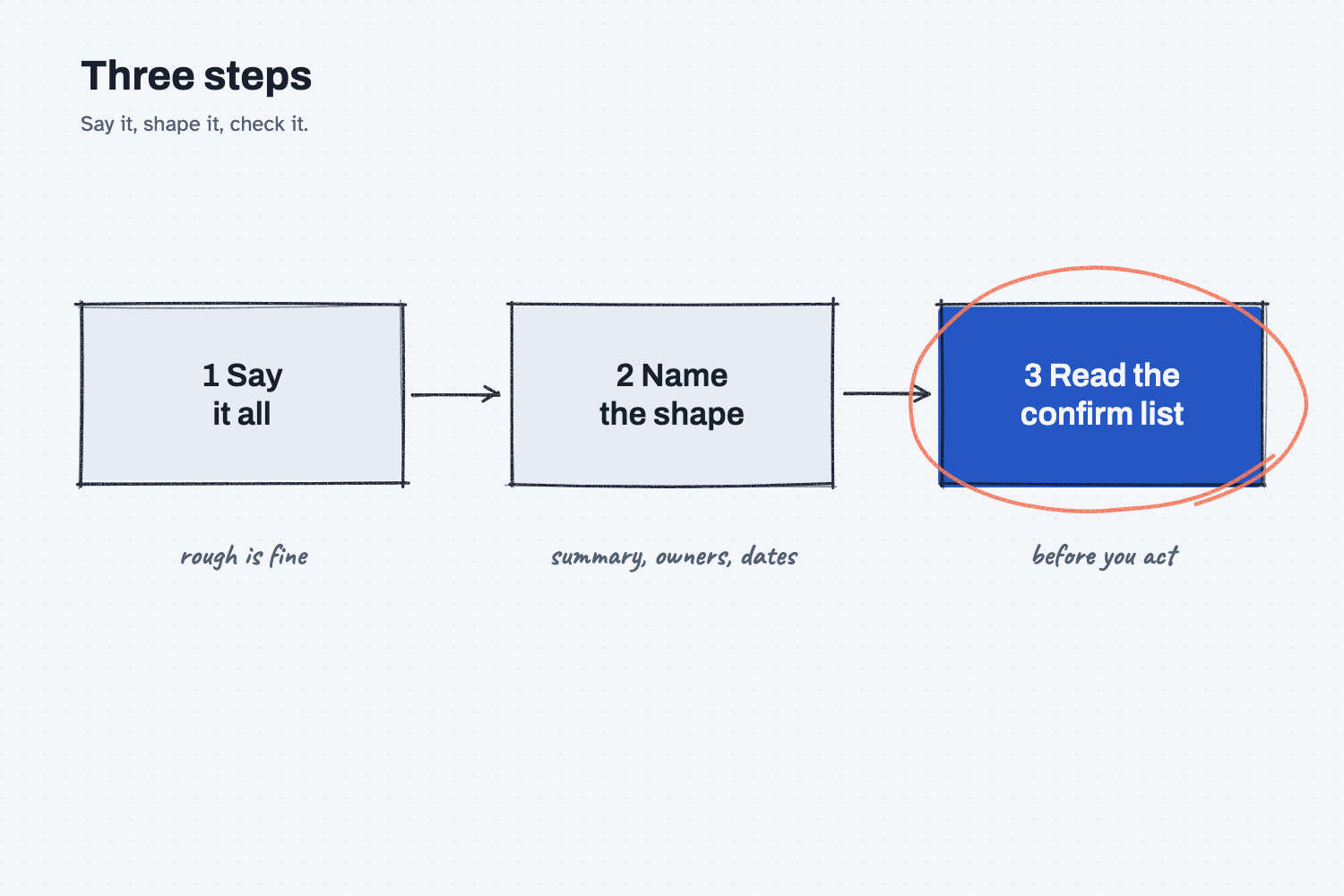
The second diagram puts the steps in order. Spoken notes can contain the same kinds of information that typed notes can, such as names, prices, and customer details, so follow the same rules you would for typing, and check your plan's data settings and the page on safe use when you are not sure. Last, read the confirm list before you act, which is the same idea as keeping a person in the loop.
Where do people get it wrong?
Most mistakes come from treating dictation like writing, or from trusting the tidy result more than it deserves. These four come up most.
- Tidying before speaking. If you try to speak in finished sentences, you lose the speed, and the whole point of dictation is that rough is fine.
- Not naming the shape. Without a shape, you may get a polished rewrite of your ramble when what you wanted was a to-do list.
- Letting it fill the blanks. If an owner or a date was never said, it should say "not stated" and not an invented answer.
- Skipping the read-through. Speech-to-text can mishear a name or a number, so read the result against what you remember before anyone acts on it.
Try this in 2 minutes
This test gives AI rough notes the way they would sound if you said them out loud. You can use any chat tool, and you can type these notes or speak them.
- Open a new chat and paste this:
These are rough notes I dictated by voice while walking the foundry floor. Turn them into three things: a two-line summary, an action list with owner and due date (write "not stated" when something is missing, and do not guess), and a short list of things I should confirm before I act.

okay so walking the foundry with hank and um the shakeout line is down again second time this week hank thinks its the bearing on the vibrating deck he said the part comes thursday but he's not sure and uh we're short on grinding wheels for night shift need to order maybe a dozen ask dana the ductile iron pour for the gearbox housings is behind about thirty pieces and ray wants to know by friday if we can make it up saturday oh and the eyewash station by the pattern shop looks out of date somebody needs to check that
- Here is what I expect: a short summary, a table with an owner and a due date for each item, and "not stated" wherever the notes were silent.
- Check each owner and date against what you actually said, and read the confirm list.
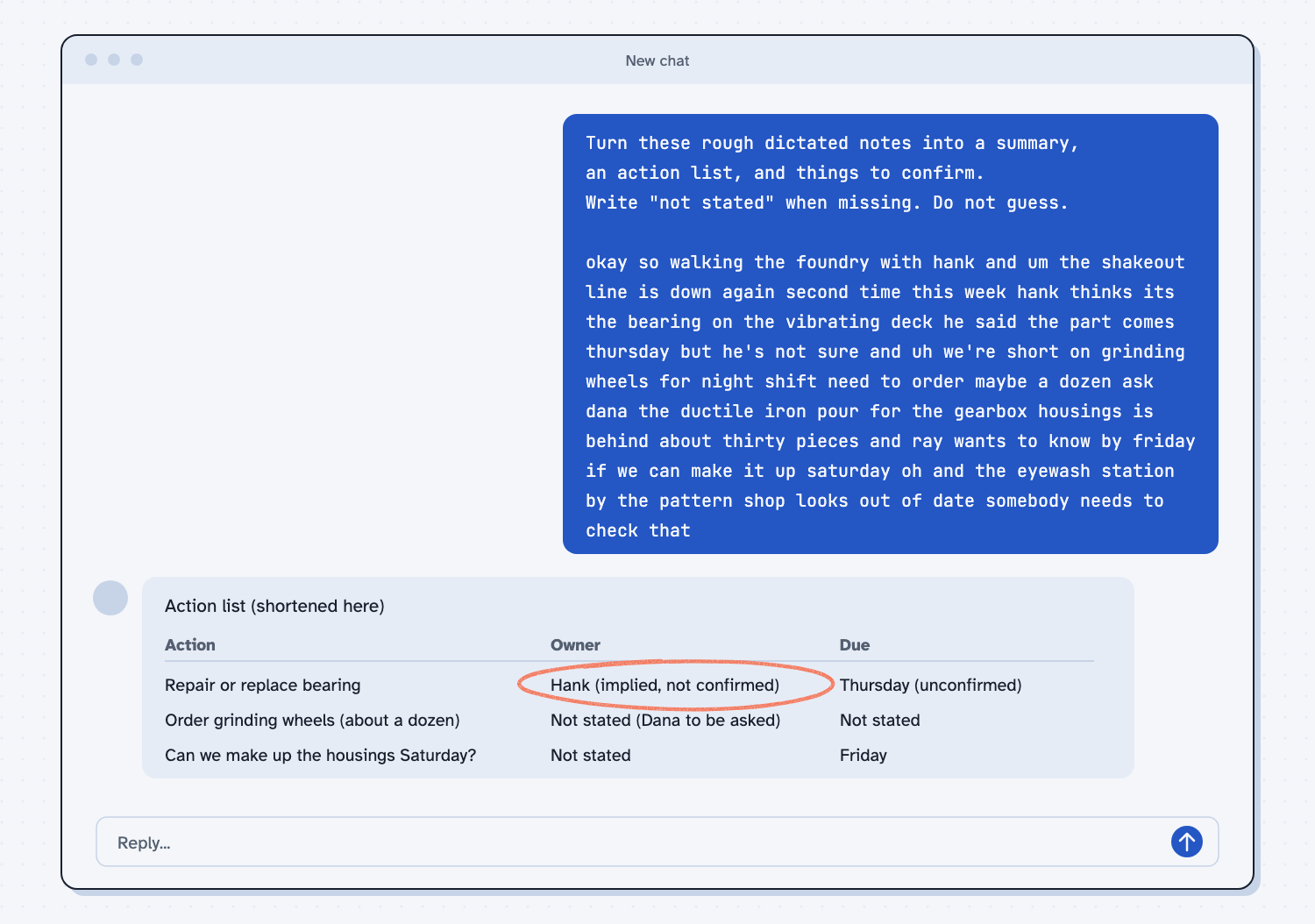
When I tried this, the AI kept the "not stated" rule where it counted. For the bearing repair it wrote the owner as "Hank (implied, not confirmed)," so it marked its guess as a guess instead of presenting it as a fact. For the grinding wheels it wrote "Not stated (Dana to be asked)," and it kept the due dates blank.
The confirm list was the most useful part. It said, "Confirm the quantity (a 'dozen' was said with 'maybe') and the wheel spec," and it noticed the safety item: "Because this is a safety item, consider treating it as urgent and deciding who owns it." It was not perfect, because it split the grinding wheel order into two lines, which I would merge by hand. That is a normal cost, and it is the reason you read the result before you act.
Frequently asked questions
Does AI understand rough speech with "um" and run-on sentences?
Yes, usually. AI reads for meaning, so filler words and loose sentences do not bother it. Speech-to-text can still mishear names and numbers, so check those.
How do I speak to AI instead of typing?
Look for a microphone icon on your phone keyboard, your computer, or in the chat box of your AI app. Tap it, talk, and read what appears before you send it.
Is it safe to dictate notes that include supplier names or prices?
That depends on your company's rules and your plan's data settings, which are the same questions you would ask about typing the same information. When you are not sure, ask first, or leave names and prices out.
What should I ask for back?
Ask for a short summary, an action list with owners and dates, and a list of things to confirm. Tell the AI to write "not stated" instead of guessing.
Use it today
- Email suppliers about what's missing from their quotes: a follow-up task where you can describe the supplier emails you want out loud, and you still read every draft before it is sent.
- Related idea: Show AI an example
- Related idea: Human in the loop AI
From my training: rough notes are fine, as long as you read what comes back before you use it.