What Does AI Cost? Free Plans, Paid Seats, and the Costs Nobody Lists
With Josh Schultz ·
Answer. What AI costs depends on three things: the plan you pick, how the vendor charges, and the time your people spend around the tool. Plans range from free to per-person paid seats to pay-for-what-you-use billing. The subscription is usually the smaller part of the bill, because checking the output and training people take real hours. Prices change often, so read each vendor's pricing page.
The picture
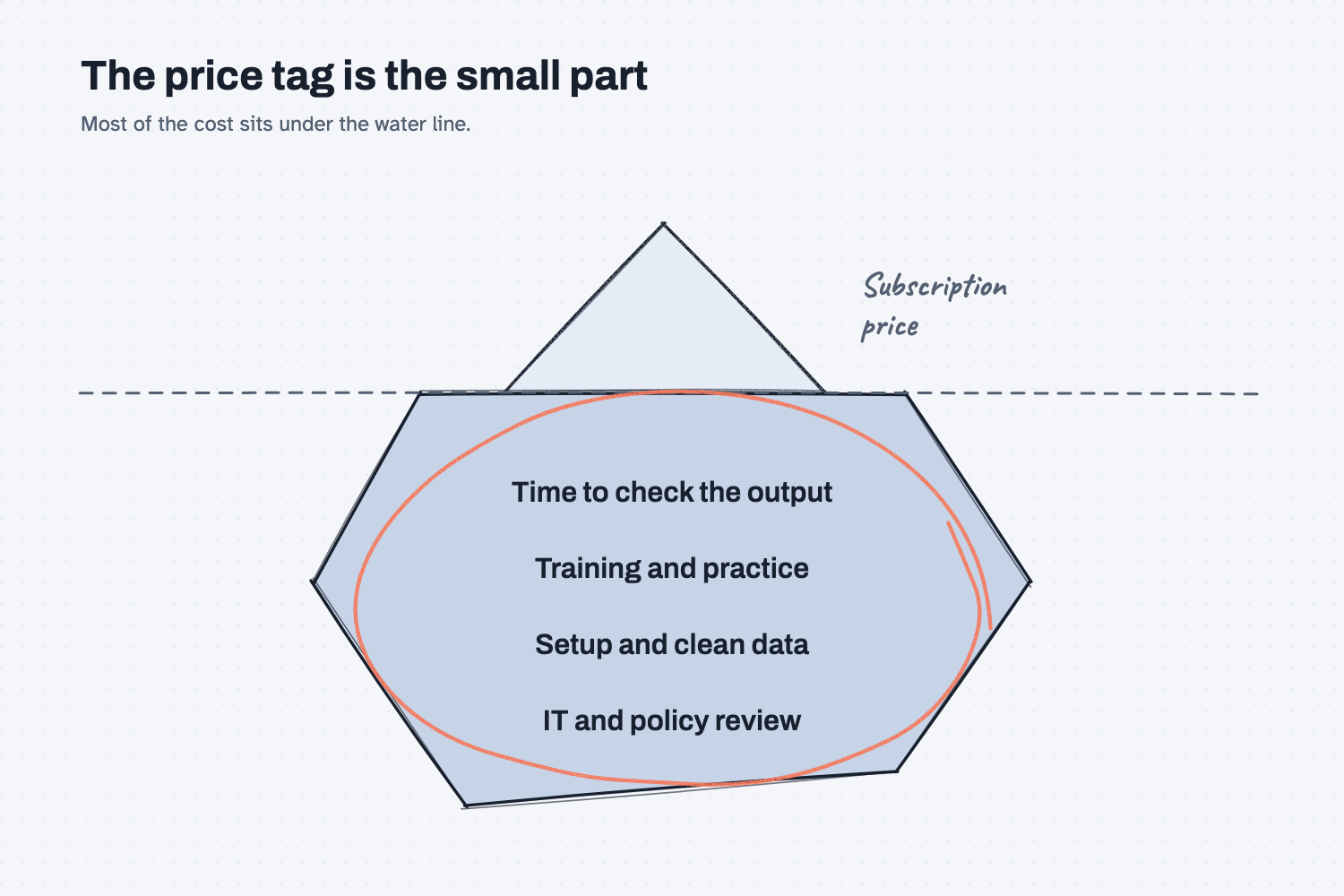
The picture is an iceberg, and the small tip above the water is the price on the vendor's page, which is the number everyone asks about first. The much larger part below the water is the time your people spend learning the tool, setting it up, and checking what it produces. That hidden part is circled because it is the part that decides whether AI saves money at your company, and it never shows up on a pricing page.
Think of it like this
Think about the welding department. When you add a new welder, the machine has a monthly lease, and that is a fixed cost for each unit, no matter how much you weld. The shielding gas, on the other hand, comes on a meter, so you pay for what you use. Neither number tells you the whole cost, because you also pay for training the welder, for the weld inspection, and for the scrap you make while learning.
AI has the same three parts. A per-person seat is like the machine lease, and usage billing is like the gas meter. The training and the inspection time are the costs that sit behind both.
Why does it matter at work?
It matters because a budget built only on the price page will be wrong in two directions. It may be too low because it leaves out time, or too high because it assumes everyone needs the most expensive plan.
Here is an example. Walt Brandt is the VP of Operations at Mesquite Ridge Metal Works, and he wants to give AI to ten people in purchasing and planning. His first budget is ten subscriptions, and nothing else. Then Dana Ortiz points out that her first month will include hours of learning, plus time checking every number the tool gives her against the quote. Walt adds a few hours of practice per person and a rule that outputs get checked. The result is a budget that matches what actually happens, and a plan to measure whether the checking time shrinks as people get better.
How does it work?
AI is paid for in three common ways, and a business plan adds a few things on top. The exact names and numbers differ by vendor and change often, so these descriptions are general.
Free plans. Many tools offer a free plan with limits, such as fewer messages per day or fewer features. A free plan is a good way to practice with sample data, and it is a poor fit for real company files, because it usually has fewer controls over how your data is handled. Read is it safe to put company data in AI before you use it for work.
Per-person seats. A seat is a monthly charge for each person who uses the tool, and it usually raises the limits and unlocks more features. Seats are easy to budget because the cost is the same each month, but you pay for every seat whether or not the person uses it. For that reason, it is wise to start with a small group and add seats as people prove they use them.
Usage billing. Some tools, and many add-ons, charge for how much you use, in the way a utility bills for gas or electricity. It can be cheap for a small job and surprising for a large one, so ask whether there is a spending cap and who gets the bill. Microsoft's own Copilot documentation, for example, describes some features that are billed by usage on top of the license.
What a business plan adds. Business plans usually add things a free plan does not, such as an administrator who manages who has access, stronger promises about how your data is handled, and options for sharing work inside a team. Those extras are often the main reason to pay, more than the higher limits.
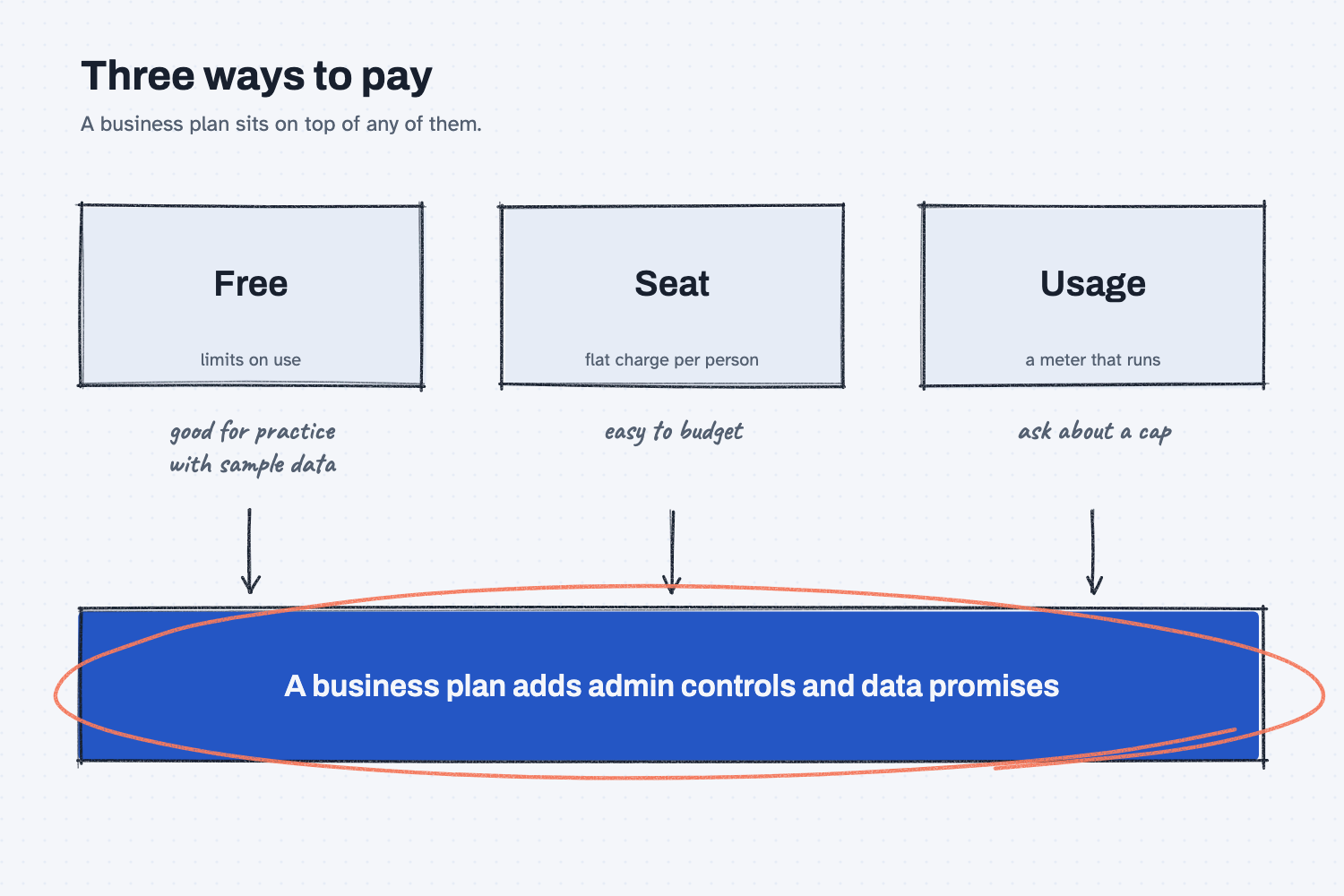
The second picture lays the three ways to pay side by side, with a short note on who each one suits. A free plan is for practice, a seat is for steady daily users, and a usage meter is for jobs where the amount varies. The note at the bottom reminds you that a business plan sits on top of any of them.
Where do people get it wrong?
Most mistakes come from comparing price pages and nothing else. These are the three I see most often.
- Leaving out the time to check. Every output needs a person to compare it to the source, at least at first, so count those hours in the budget.
- Buying a seat for everyone on day one. Some people will use the tool daily and some never will, so start small and expand to the people who use it.
- Ignoring usage charges. A flat seat price can feel like the whole cost, until an add-on or a connected tool is billed by use. Ask what is metered before you turn it on.
Try this in 2 minutes
This test asks AI to list the costs that are not on the price page. You can use any chat tool.
- Open a new chat and paste this:
A 10-person purchasing and planning office wants to start using AI at work. Besides the subscription price, what other costs should the manager plan for? Do not quote any prices. Give a short list with one plain sentence on each.
- Read the list and circle the two costs that would be biggest in your office.
- Add a rough number of hours to each one, so the list turns into a real budget line.
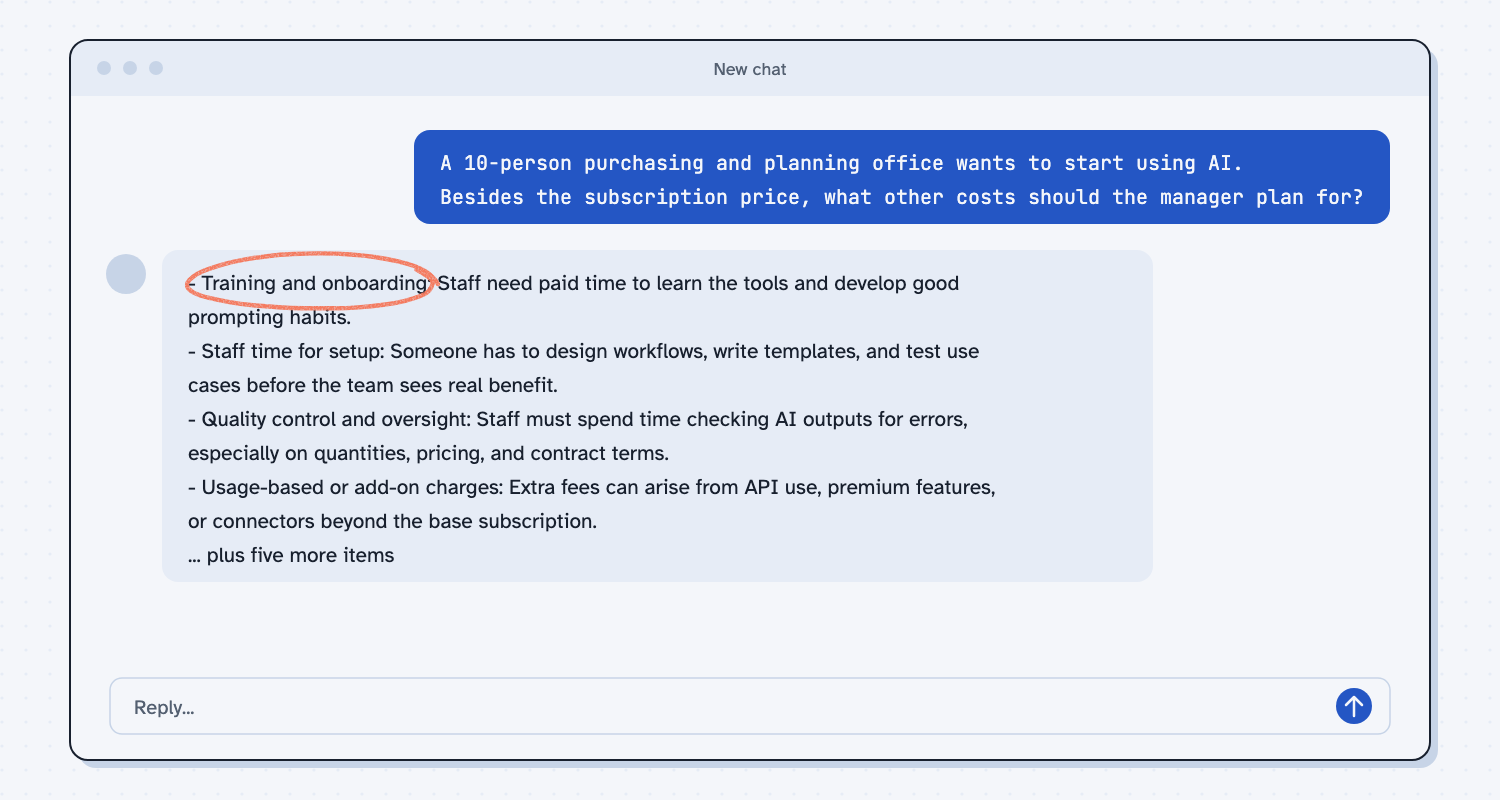
When I tried this, the list started with people's time, not with the tool: "Training and onboarding: Staff need paid time to learn the tools and develop good prompting habits." Later it named "Quality control and oversight: Staff must spend time checking AI outputs for errors, especially on quantities, pricing, and contract terms." It also warned about "Usage-based or add-on charges: Extra fees can arise from API use, premium features, or connectors beyond the base subscription."
Most of the list is about hours, not dollars. When you plan a budget, give each hour a name and an owner, the way you would for any other project.
Frequently asked questions
Is AI free?
Many tools have a free plan with limits, and it works well for practice with sample data. Real company use usually needs a paid plan with stronger data controls. Check the vendor's pricing page for what is included today.
Should I pay for seats or for usage?
Seats suit steady daily users because the cost is predictable. Usage billing suits varied or occasional work. Many companies use seats for people and usage for special tools, so ask what is metered.
What does a business plan add?
Usually an administrator who manages access, stronger promises about how your data is handled, and team sharing features. Check the vendor's page for what your plan includes, because the details differ.
How do I know if it is worth it?
Pick one task, such as comparing quotes, and time it before and after, including the checking. If the total time drops, you have a number to take to your manager.
Use it today
- Compare supplier quotes every time: a real task to time, and the free plan is enough to practice.
- Related idea: Which AI tool should I use?
- Related idea: How to test an AI tool.
From my training: before we talk about plans, we pick one task and measure it, so the cost has a number next to it.