Which AI Tool Should I Use? Pick by Where Your Files Live
With Josh Schultz ·
Answer. Start with two questions before you compare brands. First, which AI tool does your company allow for work files? Second, where do your files live? An approved tool that sits next to your files usually beats a slightly smarter tool that your company has not approved. After that, pick by the job: writing and analysis, work inside Microsoft apps, or questions about a pile of documents.
The picture
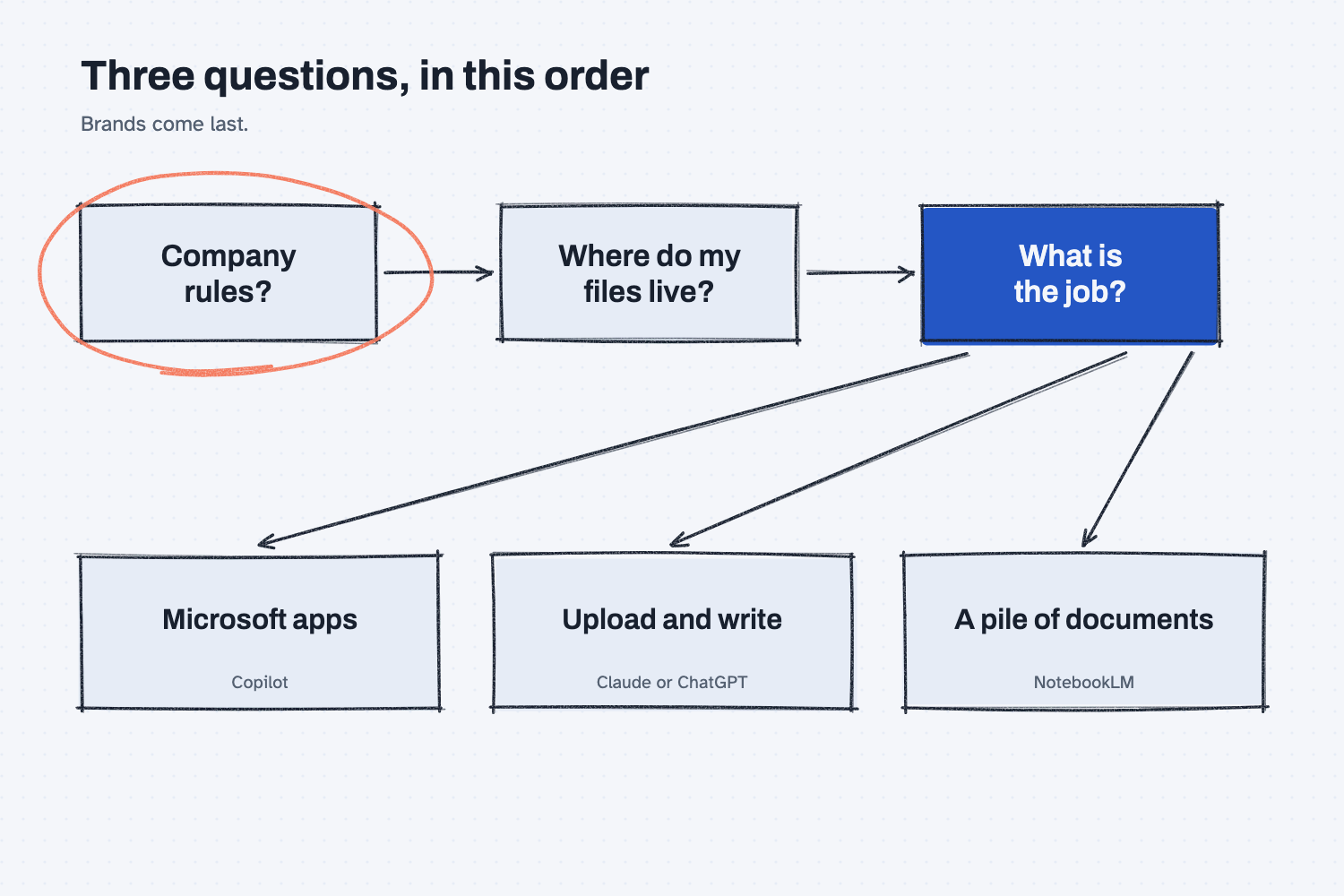
The picture reads left to right as three questions, and the order matters. The first box is circled because it settles the most, since a tool your company has not approved is the wrong choice for real work no matter how good it is. The second box asks where your files live, because moving files around is where the risk and the extra work come from. The third box is the job, and only at that point do the tool names matter, which is why they sit at the bottom of the picture.
Think of it like this
Picture the tool crib in a machine shop, which is the room where approved tools are checked out. The shop owner decided which tools go in the crib, and the reasons were safety, cost, and who had been trained. A new machinist may like a brand of wrench from home, but the first stop is still the crib.
Once you know what is in the crib, you pick by the job and by where the parts are. If the part is already on the bench in front of you, you grab the tool that works on the bench. If the part is in another building, you either carry it over or use the tool that is already there. AI tools work the same way, and the "bench" is the place your files live.
Why does it matter at work?
It matters because most people pick a tool by reputation and then discover the problem later. The tool might be one their company does not allow, or one that cannot reach the files they need.
Here is an example. Jen Nakamura is the logistics coordinator at Mesquite Ridge Metal Works, and she wants help comparing three freight quotes that arrived as PDFs. Her company runs on Microsoft 365, and IT has approved one AI tool for company data. The best choice for the real quotes is that approved tool, even if a friend swears by another one. For learning at home, she can use any tool she likes, as long as she practices on made-up quotes. Her question was never really which brand is best. It was which tool she is allowed to use on this file.
How does it work?
Four tools come up most often, and each one is a different kind of helper. These descriptions are general on purpose, because the products, plans, and names change often, so check each vendor's own pages for the current details.
Claude and ChatGPT are general helpers. You open a chat, upload a file or paste text, and ask for writing, a comparison, a summary, or an analysis. On many plans, either one can also build a file for you, such as a spreadsheet or a report. The differences between the two are smaller than the advertising suggests and they shift over time, so the fair test is to give both the same real task and see which answer you trust more. The lesson on how to test an AI tool shows how to do that with ten questions.
Copilot is the helper that lives inside Microsoft's apps. Microsoft uses the Copilot name for several products, and the version you get depends on the license your company bought. In the better-known versions it appears inside Word, Excel, PowerPoint, Outlook, and Teams, and Microsoft's documentation says its access follows each person's existing permissions. If your files already live in Microsoft 365, this is often the easiest tool to approve, because your company's administrator already manages the same system.
NotebookLM is the helper for a pile of documents. It is Google's tool where you add your own sources, such as PDFs, web pages, and documents, and then ask questions that are answered from those sources with citations that point back to them. Google's own pages may now use a newer name for it. It suits a job like "what do these twelve contracts say about late delivery," because you can click each citation to see the original words.
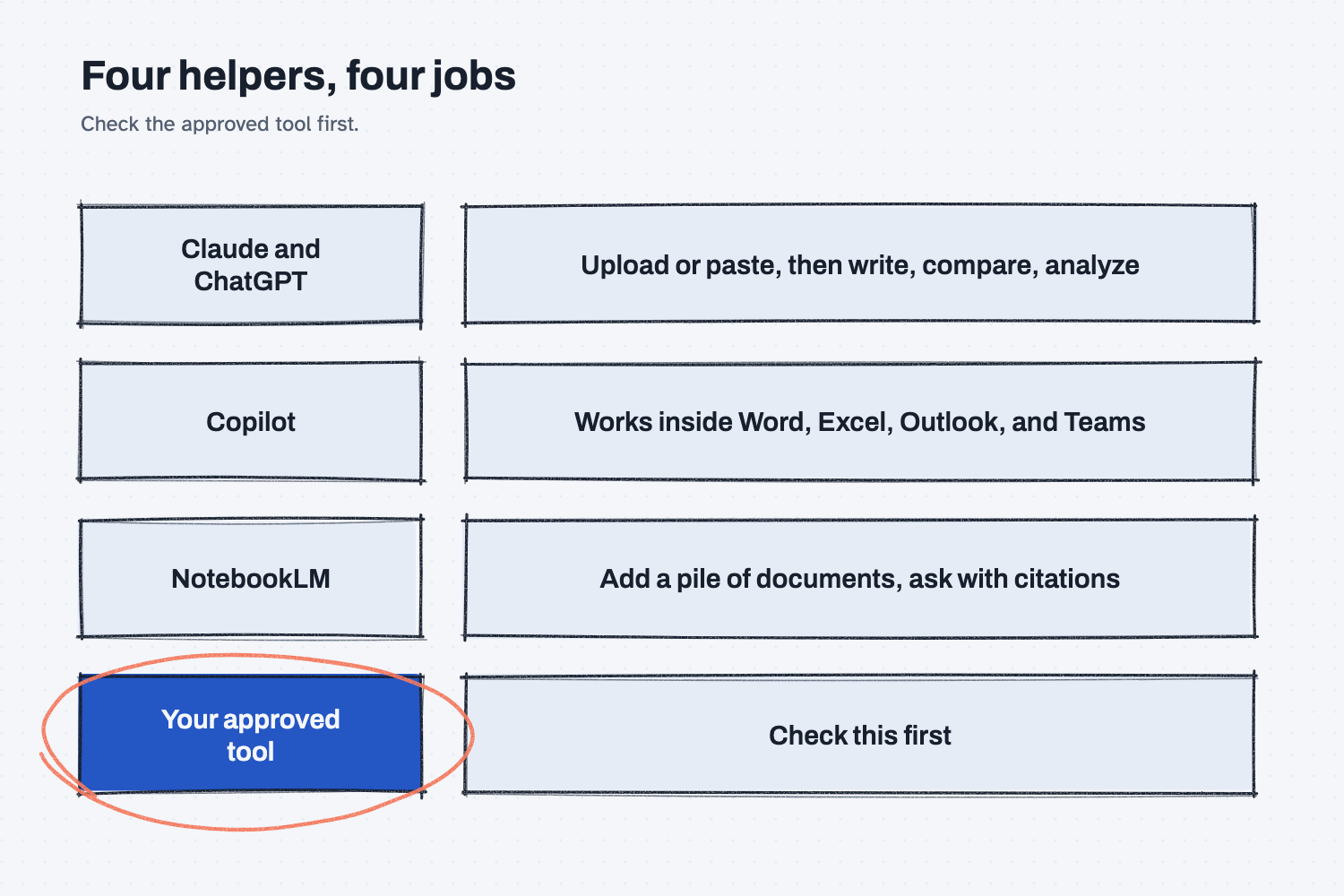
The second picture lists the four helpers by the job each one does best, with the approved tool as a last row to remind you to check it first. If two rows could do your job, the choice comes back to your files and your rules.
Where do people get it wrong?
Most mistakes come from choosing by brand instead of by situation. These are the three I see most often.
- Picking the tool before checking the rules. A tool that is not approved for company data is the wrong tool for real files, so ask IT which one is approved before you look at features.
- Moving files to fit the tool. If your files live in Microsoft 365 and you export them to a different tool every day, you add work and risk. Look first at the tool that already sits next to your files.
- Expecting one tool to win everything. Different tools suit different jobs, so it is normal to use two or three. Choose the one that fits the job in front of you.
Try this in 2 minutes
This test checks the rule that your company's approval comes before any brand comparison. You can use any chat tool.
- Open a new chat and paste this:
Jen is a freight planner at a 60-person metal shop. The company uses Microsoft 365 and Teams for everything, and IT has approved only one AI tool for company data. She wants help comparing three PDF freight quotes and also wants to learn on her own at home. Which AI tool should she use for each of those two jobs, and how should she decide? Keep it to five short lines and do not recommend a brand over the rules she already has.
- Read the five lines and see whether it puts the approved tool first for the real quotes.
- Change the story to match your own company, and run it again.
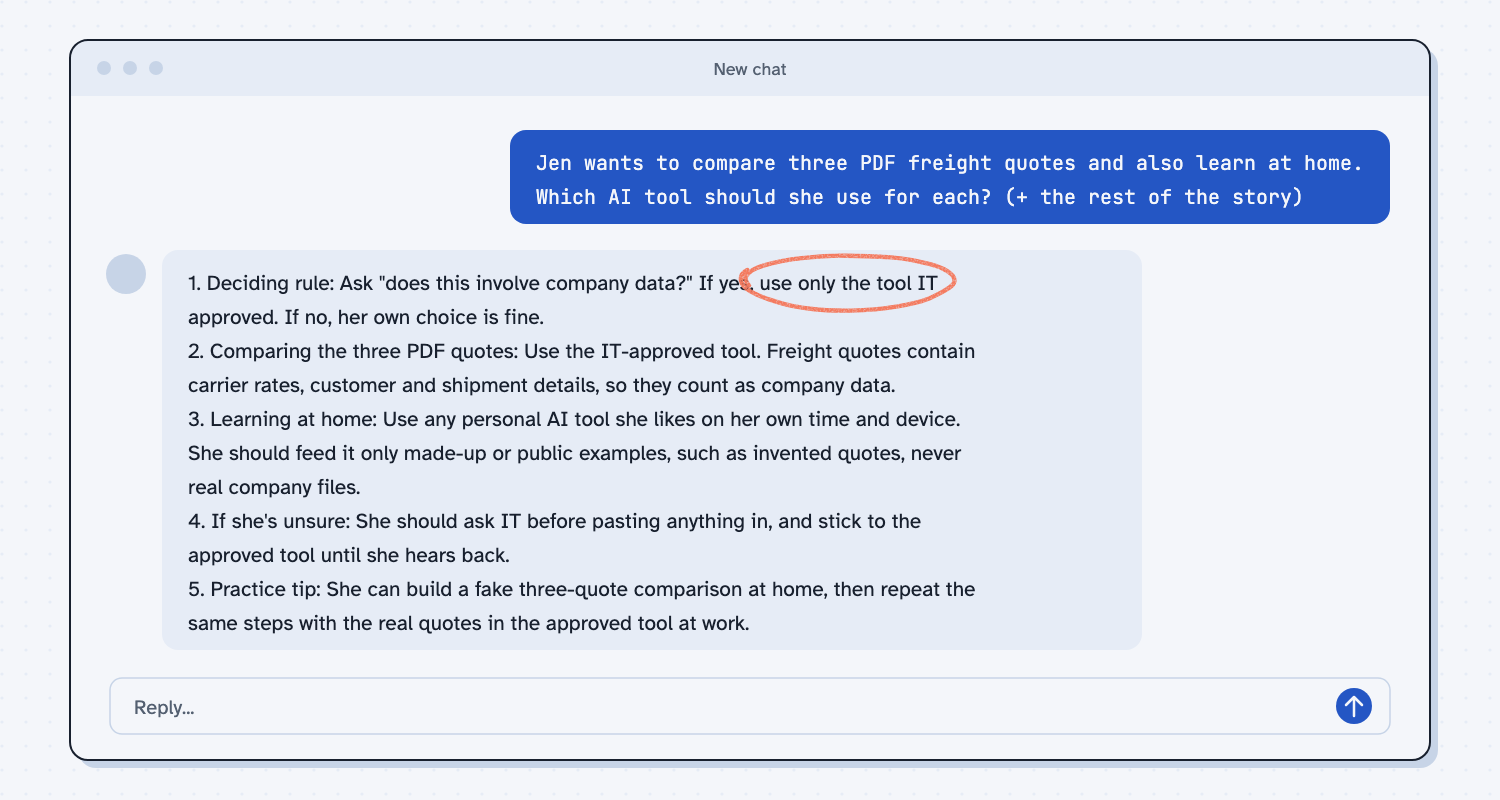
When I tried this, the reply opened with a rule instead of a brand: "Ask 'does this involve company data?' If yes, use only the tool IT approved." For the three quotes, it said "Freight quotes contain carrier rates, customer and shipment details, so they count as company data." For learning at home, it said she should feed a personal tool "only made-up or public examples, such as invented quotes, never real company files." It also gave a practice tip, which was to build a fake three-quote comparison at home and then repeat the same steps on the real quotes in the approved tool at work.
So the answer came out as a rule, not a recommendation of any brand. When you pick a tool, let your company's rules choose the lane, and let the job choose within it.
Frequently asked questions
Is Claude better than ChatGPT?
It depends on your task, and the two change often. Give both the same real task using sample data, then compare the answers. Pick the one you trust more, as long as your company allows it.
Should I just use whatever my company gave me?
For real company files, yes, start there. It was chosen with security and cost in mind. Use other tools for learning, with made-up data, and tell IT if a different tool would do your job better.
Can I use more than one tool?
Yes, many people do. Use each tool for the job it suits and follow your company's rules for each. Keep a short note of which tool you used on which task.
What if my company has not picked a tool yet?
Ask IT or your manager before you paste real files into any tool. In the meantime, practice with made-up data so you are ready when a tool is approved.
Use it today
- Your tools: mark the tools you have at work, and see which guides you can do with them.
- Related idea: Is it safe to put company data in AI?
- Related idea: What does AI cost?
From my training: I always start with the rules and the files, and only then talk about brands.