What Is a Webhook? A Doorbell Instead of Checking the Door
With Josh Schultz ·
Answer. A webhook is a short message that one system sends to another the moment something happens, so nobody has to keep checking. You give the other system an address once, and from then on it rings you when there is news, such as a supplier confirming a purchase order. It is how a system can start an AI agent without a person typing anything.
The picture
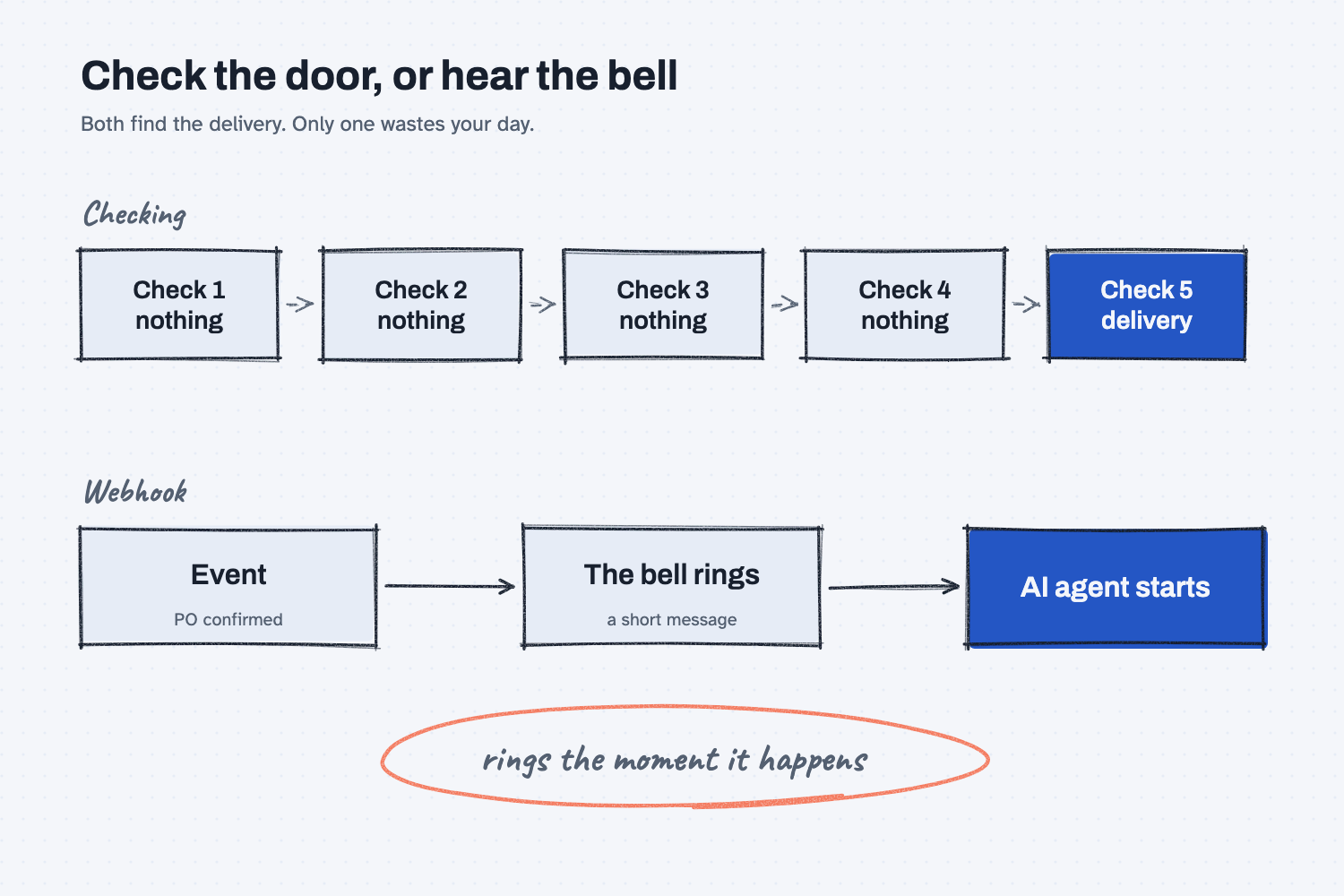
The top row is the old way, where you keep walking to the door to see whether the delivery has come. Four trips find nothing and the fifth finds the package, so most of the walking was wasted, and the package may have sat there for a while before you noticed. The bottom row is the webhook way, where the event rings a bell and the agent starts. The circled note says what matters, which is that nobody has to remember to check.
Think of it like this
Imagine you are waiting on a delivery and you have no doorbell. The only way to know the driver has arrived is to walk to the front door every five minutes and look. Most trips find an empty porch, and when the driver does come, you might be up to five minutes late finding out.
A doorbell fixes both problems. You stop walking to the door, and you hear about the delivery right when it happens. A webhook is a doorbell between two programs. Checking over and over is called polling, which means asking again and again whether anything is new, and a webhook replaces it with a single message sent at the moment of the event. GitHub, the code site, describes it the same way in its own documentation: webhooks send data as it happens, as opposed to polling.
Why does it matter at work?
It matters because so much office work is waiting for something to happen, and a person is a poor doorbell. People forget to check, they check at the wrong time, and they lose the order of what came in first. A webhook makes the system do the telling.
For AI, the webhook is the piece that lets an agent start by itself. In what triggers an AI agent, the three ways work can start are a bell, a clock, and an ask. A webhook is the bell, the one that rings because something happened. Without it, an agent only works when somebody opens a chat and types.
Here is an example from Mesquite Ridge Metal Works. When a supplier confirms a purchase order, their system sends a webhook to a small program that wakes up an AI agent. The message carries the PO number, the confirmed price, and the promised ship date. The agent compares those against the original PO and checks the date against the job it is for. If everything matches, it only logs the confirmation. If the price went up or the date slipped, it drafts a note for the buyer, who decides what to do. Nobody had to watch the supplier's portal.
How does it work?
A webhook has four parts, and each one matches something about a doorbell. There is a button, a wire, a bell, and someone who answers.
An event pushes the button. Something happens in the first system, such as an order being confirmed, a form being submitted, or a payment arriving. The system has to be set up to announce that event, and many business systems have a setting for it, often called webhooks or notifications. Whether yours does is a good question for IT or the vendor.
The message travels to an address. You tell the system where to send the news by giving it a web address, once, when you set the webhook up. The message is short and holds the facts about the event, such as which order and what changed. This is similar to how an API works, except that the first system starts the conversation instead of waiting to be asked.
A listener hears the bell. Something at that address has to be awake and ready to receive the message, and that is usually a small program or an automation tool. It is not the AI, but it is what starts the AI.
The agent does the work, and a person stays in charge. The listener hands the facts to an AI agent along with instructions about what to do. For anything that changes money or goes to a supplier, a person should approve the result, in the way described in human in the loop AI.
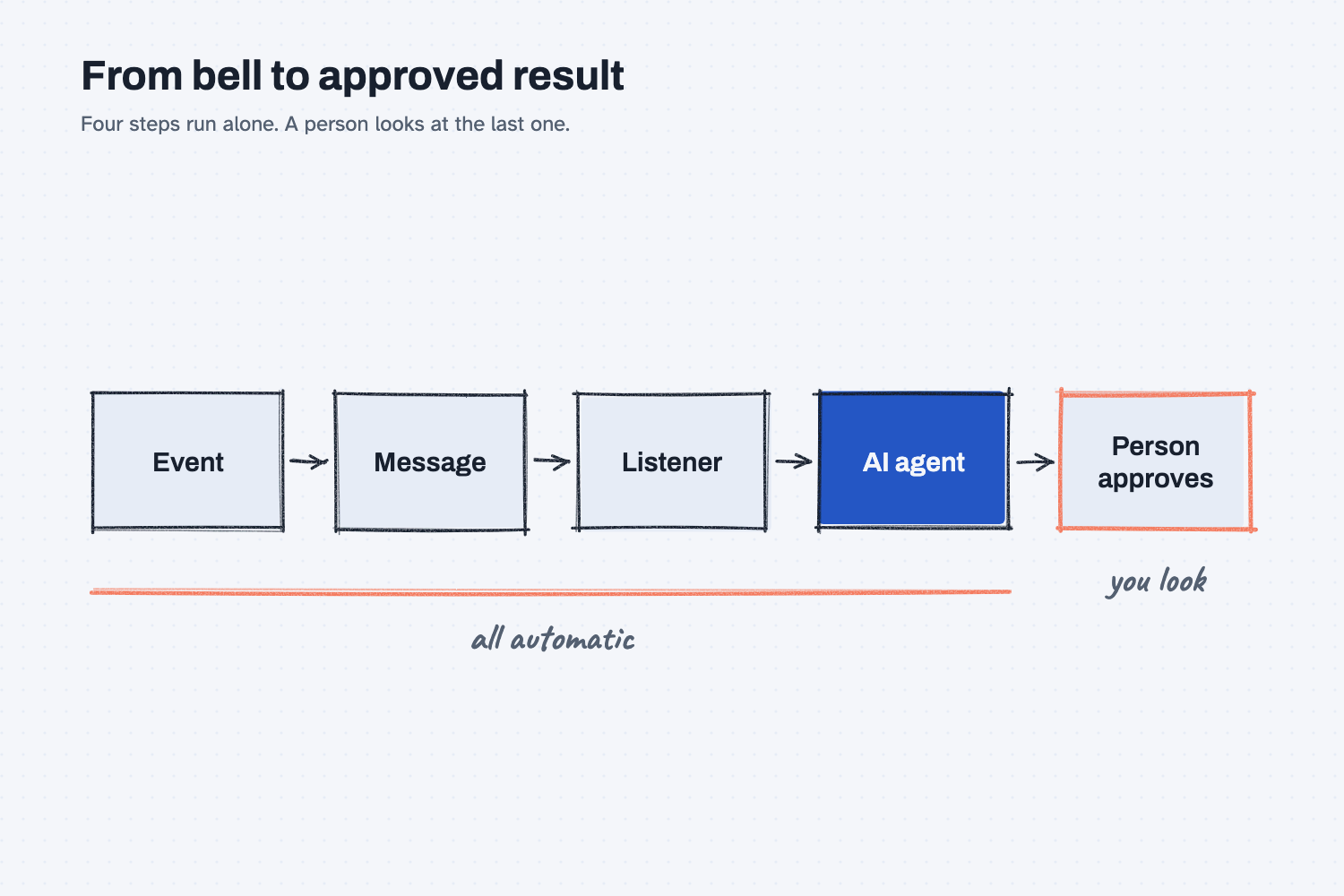
The second picture shows the whole chain in order. The first four steps happen on their own, in seconds, and the last step is where a person looks at the result. That is the arrangement most shops want, because the speed comes from the bell and the safety comes from the person.
Where do people get it wrong?
Most problems come from forgetting that a bell can ring too often, or not at all. These are the ones I would watch for.
- Letting the bell trigger a change with no review. A webhook can start an agent, but it does not make the agent's output safe. Keep an approval step wherever money or a supplier is involved.
- Not planning for a missed bell. Messages can be lost, for example if the listener is offline. Ask what happens then, and keep a daily check that catches anything that slipped through.
- Getting the same bell twice. Some systems resend a message when they are unsure it arrived, so your agent should notice that it already handled a PO.
- Assuming every system has one. Some do not, and for those a scheduled check, the clock from the trigger lesson, is the fallback.
Try this in 2 minutes
This test asks AI to explain a webhook with the doorbell comparison and to show what one would start in your own work. You can use any chat tool.
- Open a new chat and paste this:
I work in purchasing at a small metal shop and I am not technical. In 4 plain sentences, explain what a webhook is using the comparison of a doorbell versus walking to the door every five minutes. Then give one example of how a webhook could start an AI agent when a supplier confirms a purchase order.
- Check that the explanation says the system tells you, instead of you checking.
- Think of one thing in your own week that you check over and over, and ask the same question about it.
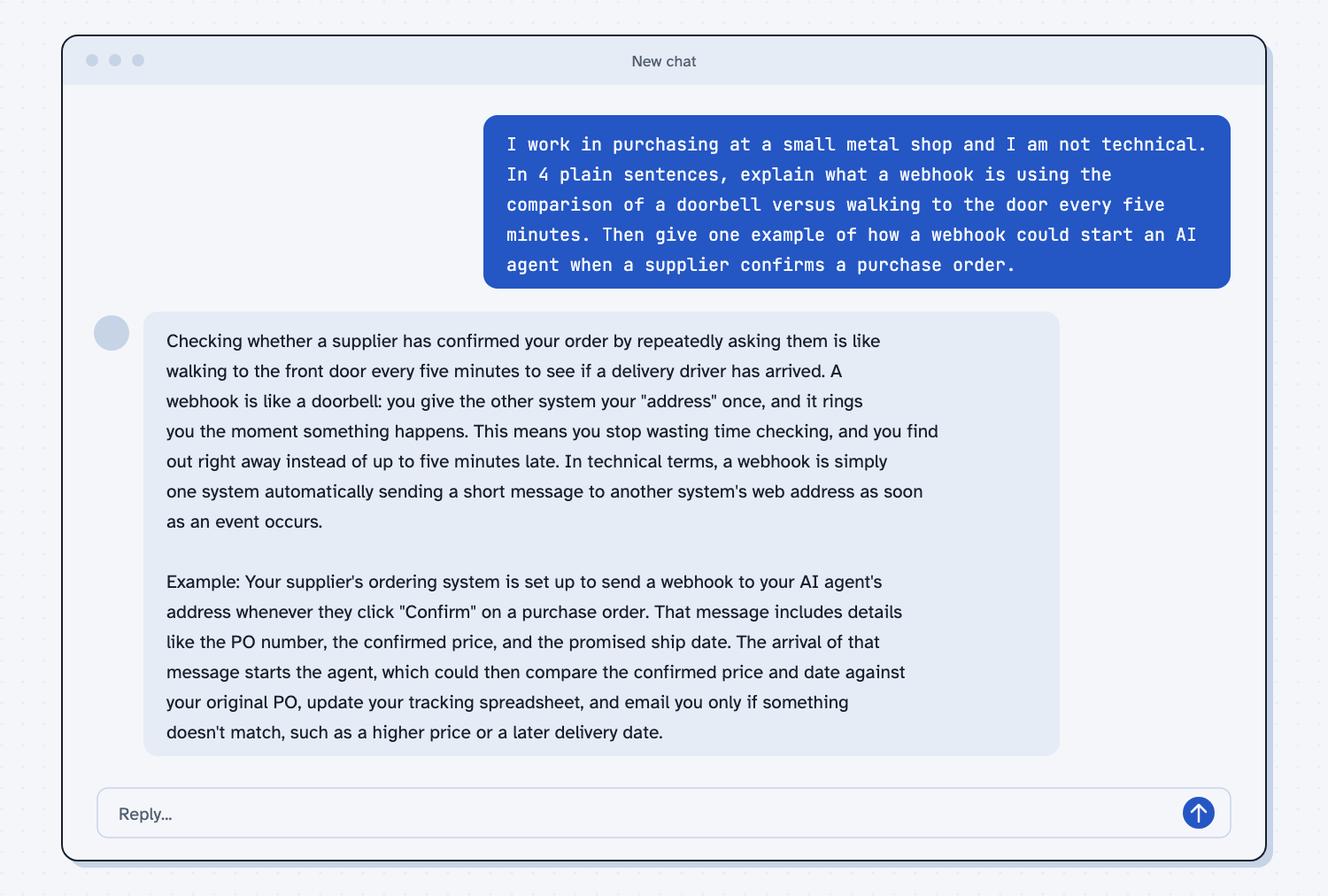
When I tried this, the reply said "A webhook is like a doorbell: you give the other system your 'address' once, and it rings you the moment something happens." Its example followed the same path as the picture: "The arrival of that message starts the agent, which could then compare the confirmed price and date against your original PO, update your tracking spreadsheet, and email you only if something doesn't match."
The last part of that line is the useful one. The agent only bothers you when something does not match, which is the same idea of handling the exceptions that runs through human in the loop AI.
Frequently asked questions
What is the difference between a webhook and an API?
With an API, your program asks a system for information when you want it. With a webhook, the system sends you a message when something happens. One is a question you ask, and the other is a bell that rings.
Does a webhook need AI?
No. Webhooks existed long before AI and are used to connect all kinds of software. AI is one thing a webhook can start, because it gives an agent a reason to wake up.
Do I have to write code to use one?
Not usually. Many automation tools let you set one up by pasting an address into a setting, and IT can help with the rest. You do need to know what you want to happen when the bell rings.
Is a webhook safe?
It can be, if only trusted systems are allowed to send to your address and a person reviews what the agent does with money or suppliers. Ask IT to check who is allowed to ring the bell.
Use it today
- Email suppliers about what's missing from their quotes: see the kind of work a bell could start for you, with a person who clicks Send.
- Related idea: What triggers an AI agent.
- Related idea: What an API is.
- Related idea: Chat vs agent.
From my training: this site teaches the webhook as the bell, one of the three ways work can start without someone asking.