What Is an API? The Parts Counter Window for Software
With Josh Schultz ·
Answer. An API is an agreed way for one program to ask another program for something. It is a fixed list of requests that a system will answer, and the exact form each request must take. When people ask whether your ERP has an API, they are asking whether other software, including AI, has an approved way to ask it questions.
The picture
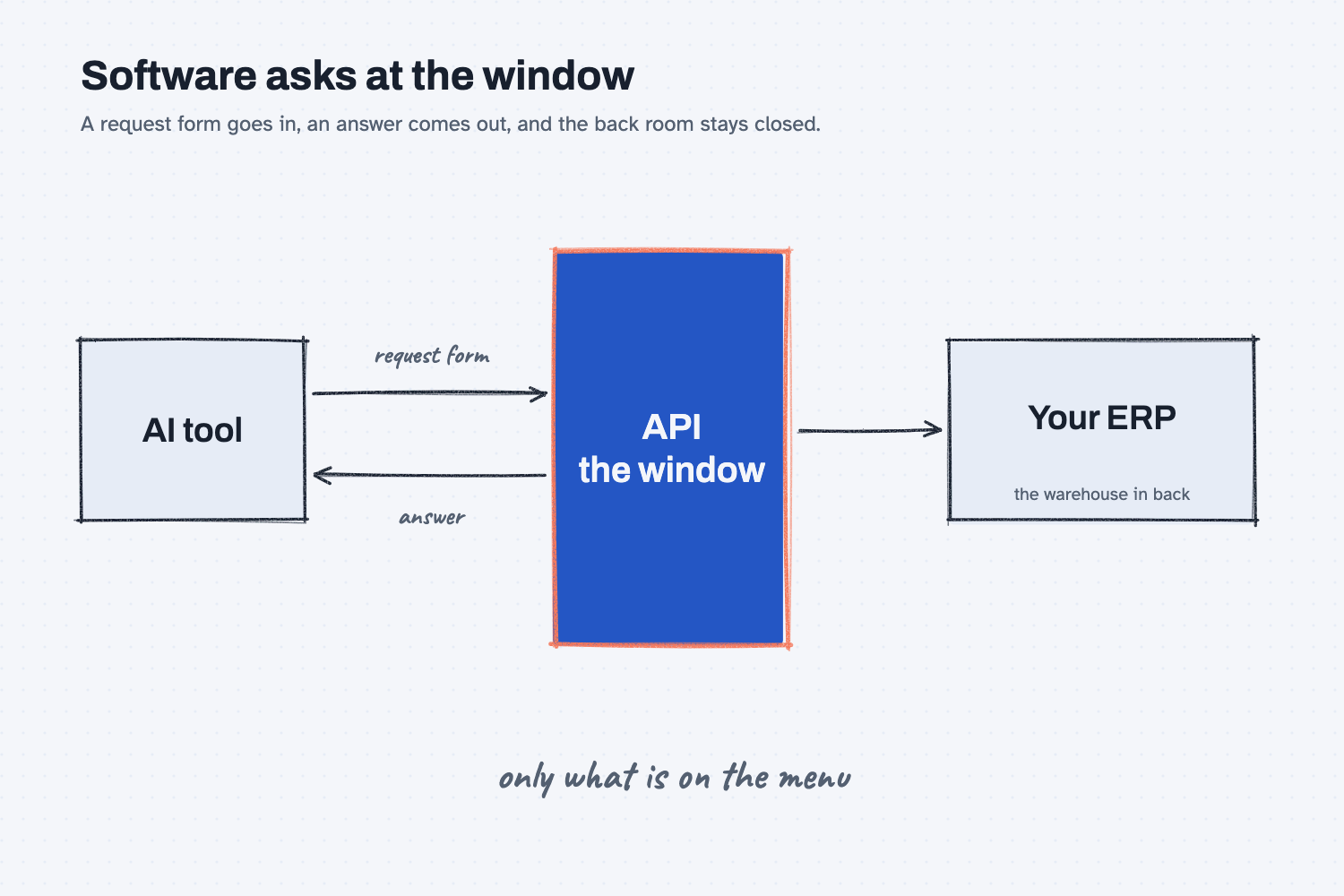
On the left is a program that wants something, such as an AI tool. On the right is the system that holds the information, such as your ERP. Between them is a window, and the program does not climb through it. It hands over a request form, and the answer comes back through the same window. The note at the bottom matters most, because the window only handles the requests on its menu.
Think of it like this
Think about the parts counter at a supplier. You cannot walk into the warehouse and pull boxes off the shelf yourself, partly because you would not know where anything is and partly because nobody wants strangers in the back. Instead you go to the counter window and fill out a request form with the part number, the quantity, and what you want done, such as check stock or place an order.
The counter person takes the form, goes to the back, does the lookup, and hands the answer through the window. If you write something the counter does not handle, such as "tell me what your best customer pays," the answer is no, and that is by design. The form has a fixed layout, the menu has a fixed list, and everyone knows what to expect.
An API works the same way between programs. Your ERP is the warehouse in the back. The API is the counter window, with its request form and its menu, and any program that fills out the form correctly gets an answer without ever touching the inside of the ERP directly.
Why does it matter at work?
The API decides what an AI tool can reach in your ERP. Without one, data comes out by hand, through exports and copy and paste. With one, an AI tool can ask for data directly, and you choose which requests it may use.
Here is an example from Mesquite Ridge Metal Works. Jen Nakamura, who handles freight, wants an AI tool to compare each week's freight invoices against the quotes. Today she exports the ERP data into a spreadsheet and gives that to the AI, which works, but she has to do it every week. If the ERP has an API that can read purchase orders, the AI can fetch the numbers itself. If that same API also lets software write changes, Jen should know about it before she connects anything, because a tool that can write could change a purchase order by mistake.
That is why one of the best questions you can bring to IT or an ERP vendor is short: does it have an API, and what can it read and write? The answer tells you what is possible and what is risky.
How does it work?
An API call has four parts, and you can picture each one at the counter. There is the address, the request, the permission, and the answer.
The address says where to go. Each system has a specific web address for its API, a bit like the window number at a large supplier. Your ERP vendor or IT team knows it, and you do not need to.
The request says what you want. A request names the thing and the action, for example "get" the open purchase orders for one supplier. Most APIs separate reading from changing, so "get," which looks something up, is a different kind of request from "update," which changes a record. Asking what the API can read and what it can write is really asking which of those requests are on the menu.
The permission says who is allowed. The counter person checks who you are before handing anything over. An API does the same with a key or a login, and the key can be limited, so a tool might be allowed to read purchase orders but not prices. This is the same idea as the badge in how AI connects to your systems.
The answer comes back in a plain format. The reply is usually a tidy list of fields, which is easy for another program to read. That is also why structured output matters for AI, because programs trust answers that always have the same shape.
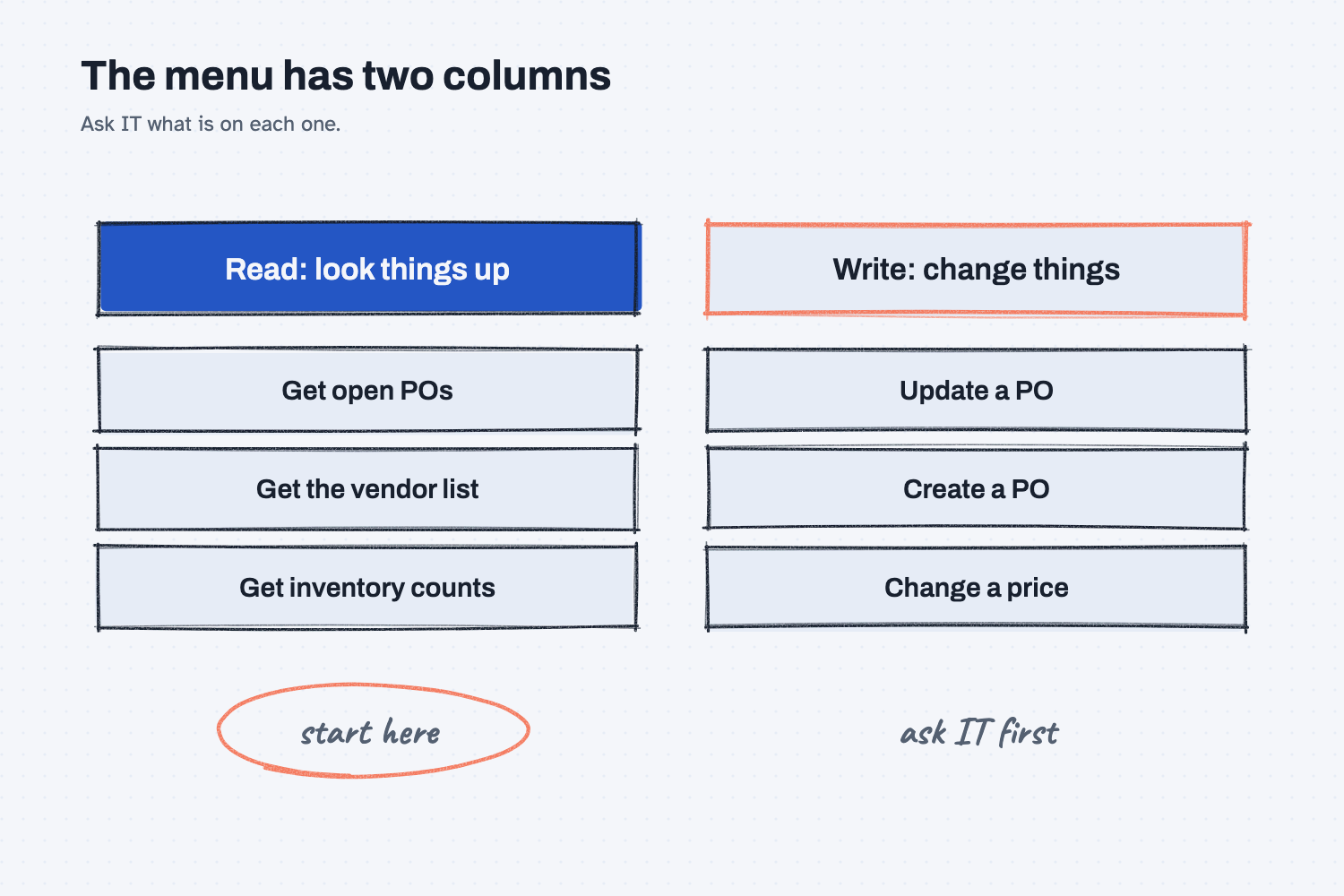
The second picture shows the menu itself, split into two columns. The left column holds the read requests, which only look things up, and the right column holds the write requests, which change records. Starting on the left keeps the first test safe, and anything on the right is worth a conversation with IT first.
An API also explains a word you may hear next. A tool that connects AI to a system, like MCP, usually sits on top of the system's API, so the API sets the limits of what that connection can do.
Where do people get it wrong?
Most confusion comes from guessing about the window instead of asking. These are the mistakes I would avoid.
- Assuming the ERP has one. Many systems do, but older ones may not, and some only offer it on a paid tier. Ask before you plan around it.
- Asking only "does it have an API?" Yes is not enough, because you need to know which requests are on the menu. Ask what it can read and what it can write.
- Treating read and write as the same. Looking something up is low risk, and changing a record is not. Start with read-only keys, as in AI tools and permissions.
- Thinking you must understand the code. You do not, because your job is to ask the right question and write down the answer for IT, not to build the connection.
Try this in 2 minutes
This test asks AI to explain an API using the counter window, and to write the question you would bring to IT. You can use any chat tool.
- Open a new chat and paste this:
I work in purchasing at a small metal shop and I am not technical. In 4 plain sentences, explain what an API is using the comparison of a parts counter window where you hand over a request form. Then give me one short question to ask IT about our ERP's API so I know what an AI tool could read and write.
- Check that the explanation matches the picture: a window, a form, and a menu of allowed requests.
- Copy the question for IT and send it, because it is ready to use.
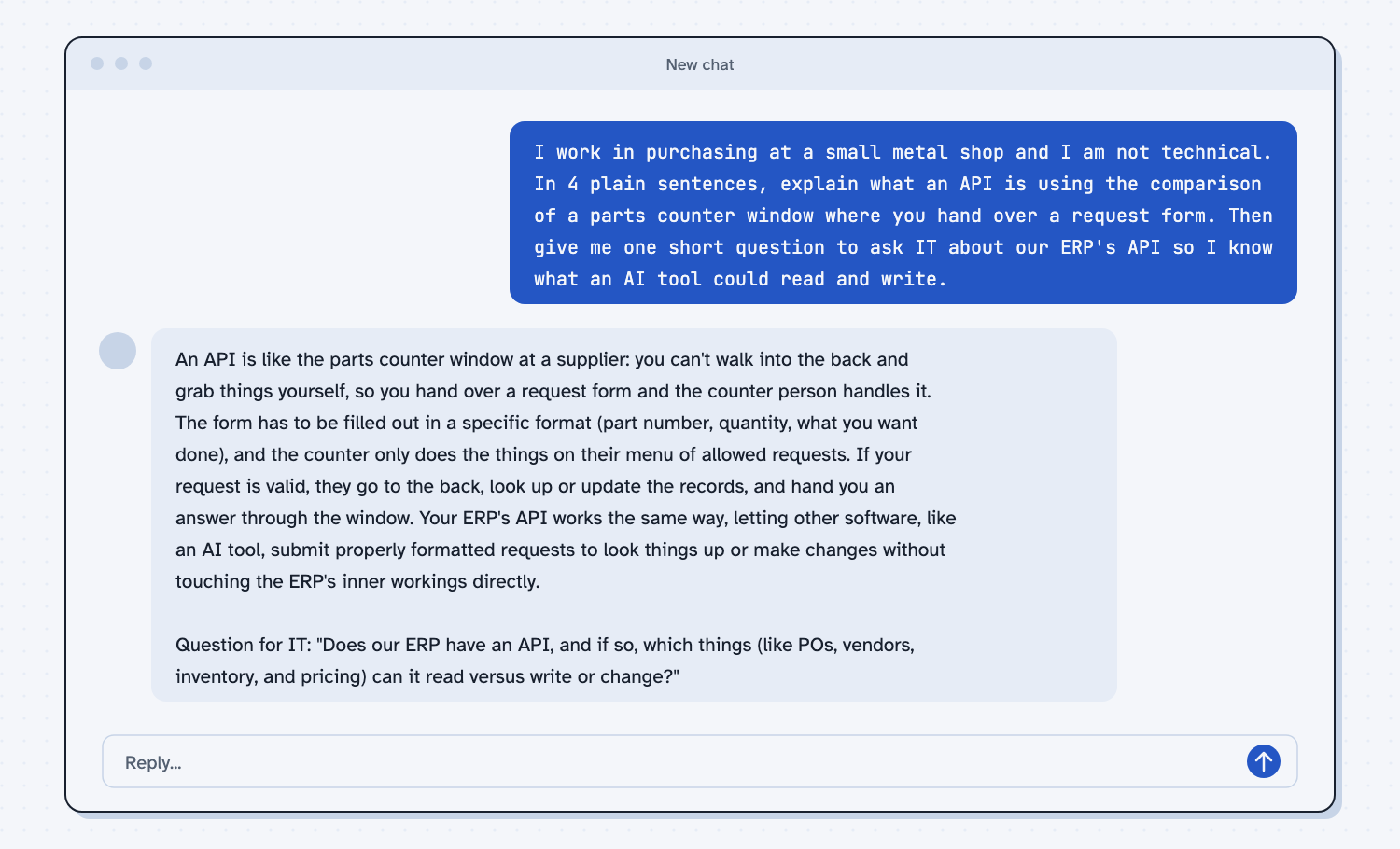
When I tried this, the reply said you hand over a request form and "the counter only does the things on their menu of allowed requests." It then tied the comparison back to your system: "Your ERP's API works the same way, letting other software, like an AI tool, submit properly formatted requests to look things up or make changes without touching the ERP's inner workings directly."
The question for IT was "Does our ERP have an API, and if so, which things (like POs, vendors, inventory, and pricing) can it read versus write or change?" That one sentence asks the two things that matter, whether a window exists and what is on its menu.
Frequently asked questions
What does API stand for?
It stands for application programming interface. In plain words, it is the set of requests a program will answer, along with the form each request has to take.
Does my ERP have an API?
Probably, if it is a modern system, but ask IT or the vendor to be sure. Also ask what it can read and what it can write, because that decides what an AI tool could do with it.
Is an API the same as MCP?
No. An API is how any program asks a system for things, and MCP is a standard way to connect AI tools to systems, usually through the system's API. See what MCP is.
Can AI use an API without me writing code?
Yes, in two ways. IT can connect the tool for you, or an AI tool can write the small script that makes the requests, as in use AI to build a tool, while you check what it does before it runs.
Use it today
- Clean an ERP export with Claude: what to do today while you find out whether your ERP has an API.
- Related idea: A connector is a visitor badge.
- Related idea: What a webhook is.
- Related idea: How AI uses tools and scripts.
From my training: this site teaches the API as a counter window, and the one question to bring home is what it can read and what it can write.