What Is MCP? One Standard Plug for AI and Your Systems
With Josh Schultz ·
Answer. MCP, short for Model Context Protocol, is a standard plug that lets AI tools connect to other systems such as your email, your files, or your ERP. Anthropic released it as an open standard in November 2024. The plug only makes the connection possible, so what the AI may see and change still depends on how you set it up.
The picture
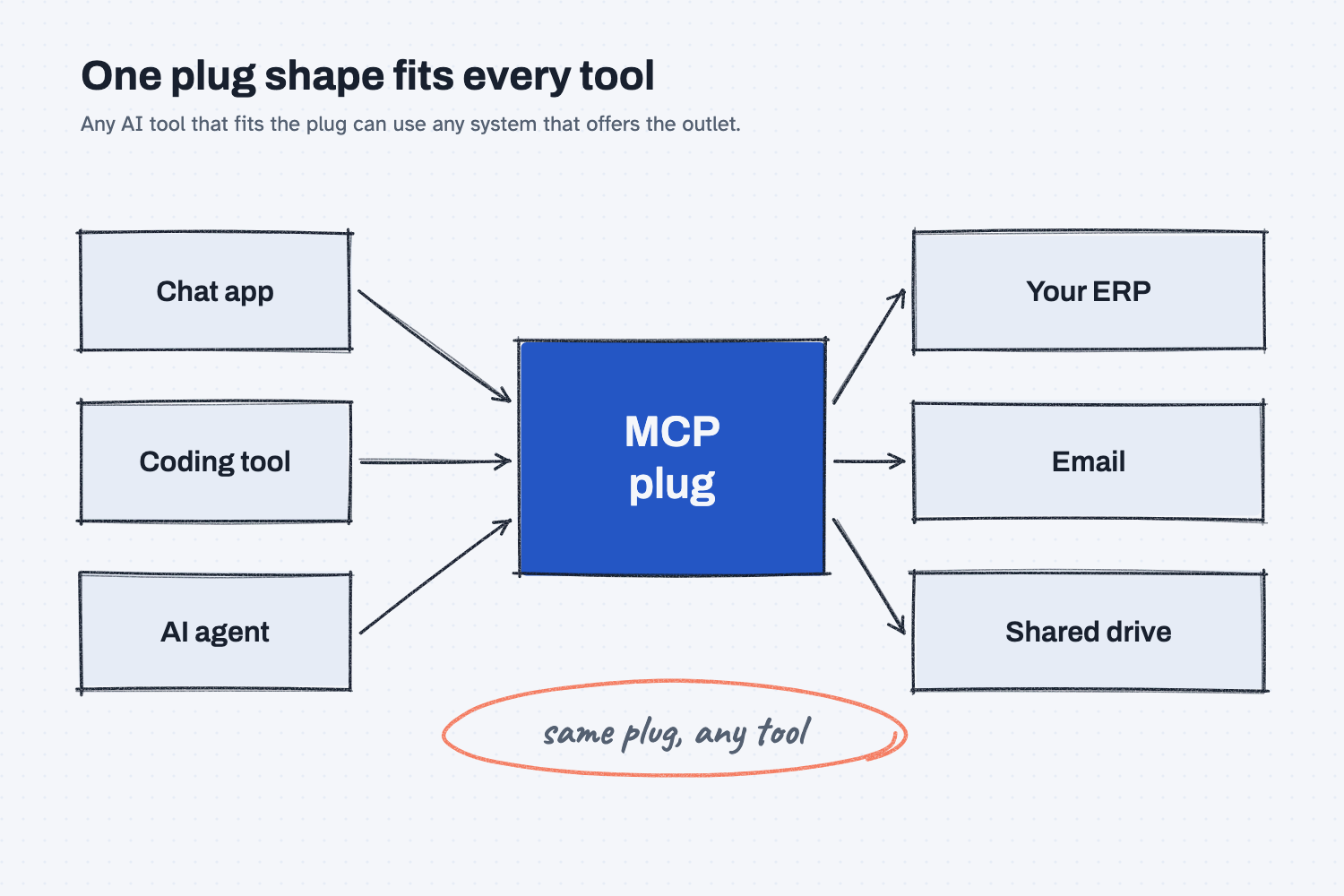
On the left are three different AI tools, and on the right are three of your systems. In the middle is one plug shape, and every tool on the left uses the same one. Because the shape is the same, a system on the right only has to be set up once, and then any tool that fits the plug can use it. The circled note is the whole idea in four words.
Think of it like this
Picture a plant where every machine had its own power plug. The lathe needs a round three-prong plug, the press needs a flat one, and the welder needs something nobody has seen before. Every time you buy a machine, an electrician has to wire a custom outlet, and when you move a machine, the outlet stays behind.
Real plants avoid this because outlets and plugs follow a standard shape, so any machine that fits the standard can go in any outlet. MCP does the same for AI. Before it, connecting an AI tool to your ERP meant a custom build for that one tool and that one system. With a standard plug, the ERP can offer one outlet, and any AI tool that fits the plug can use it. The official MCP site makes the same comparison with a USB-C port.
Why does it matter at work?
It matters because an AI tool with no connection only sees what you paste into the chat, while an AI tool with a connection can go and find things itself. That is the difference between copying forty lines out of a purchase order screen and saying "look up everything we have open with Delta Freight Lines."
At Mesquite Ridge Metal Works, Hector Lee, the planner, spends the first hour of most mornings pulling open orders out of the ERP into a spreadsheet. If the ERP offers an MCP connection and IT turns it on, an AI tool can read those orders directly, so Hector can ask a question in plain words and get an answer built from live data. He still checks the answer, because the AI can misread what it finds.
You will also hear the word from vendors. "We support MCP" usually means an AI tool can connect to their product through the standard plug, but it does not tell you what the connection can do, and that is the question to ask next.
How does it work?
There are three parts, and a fourth that is yours. The tool plugs in, the system offers an outlet, and the connection carries requests back and forth. The fourth part is the rules you set about what is allowed.
The AI tool is the client. This is the program you talk to, such as a chat app or a coding tool. The official site lists Claude, ChatGPT, and several coding tools among the programs that support the standard. The tool decides when it needs outside information and asks for it through the plug.
The system offers a server. An MCP server is a small program that sits in front of a system, such as your drive or your ERP, and lists what it can do, for example "search files" or "look up an order." It is not a physical server in a closet. Think of it as the outlet cover, because it decides what the plug can reach.
The connection carries the work. When the AI needs something, it sends a request through the plug, the server does the lookup, and the answer comes back to the AI. The AI can then use the answer to write, compare, or decide the next step. This back-and-forth is how an AI tool becomes an agent that does work instead of a chat that only talks. (If that difference is new, see chat vs agent.)
You set the permissions. The plug does not decide what is safe, you do. A connection can be set to look only, or it can be set to change things, and those two settings carry very different risk. The lesson on AI tools and permissions explains why you should give the AI fewer keys than it asks for.
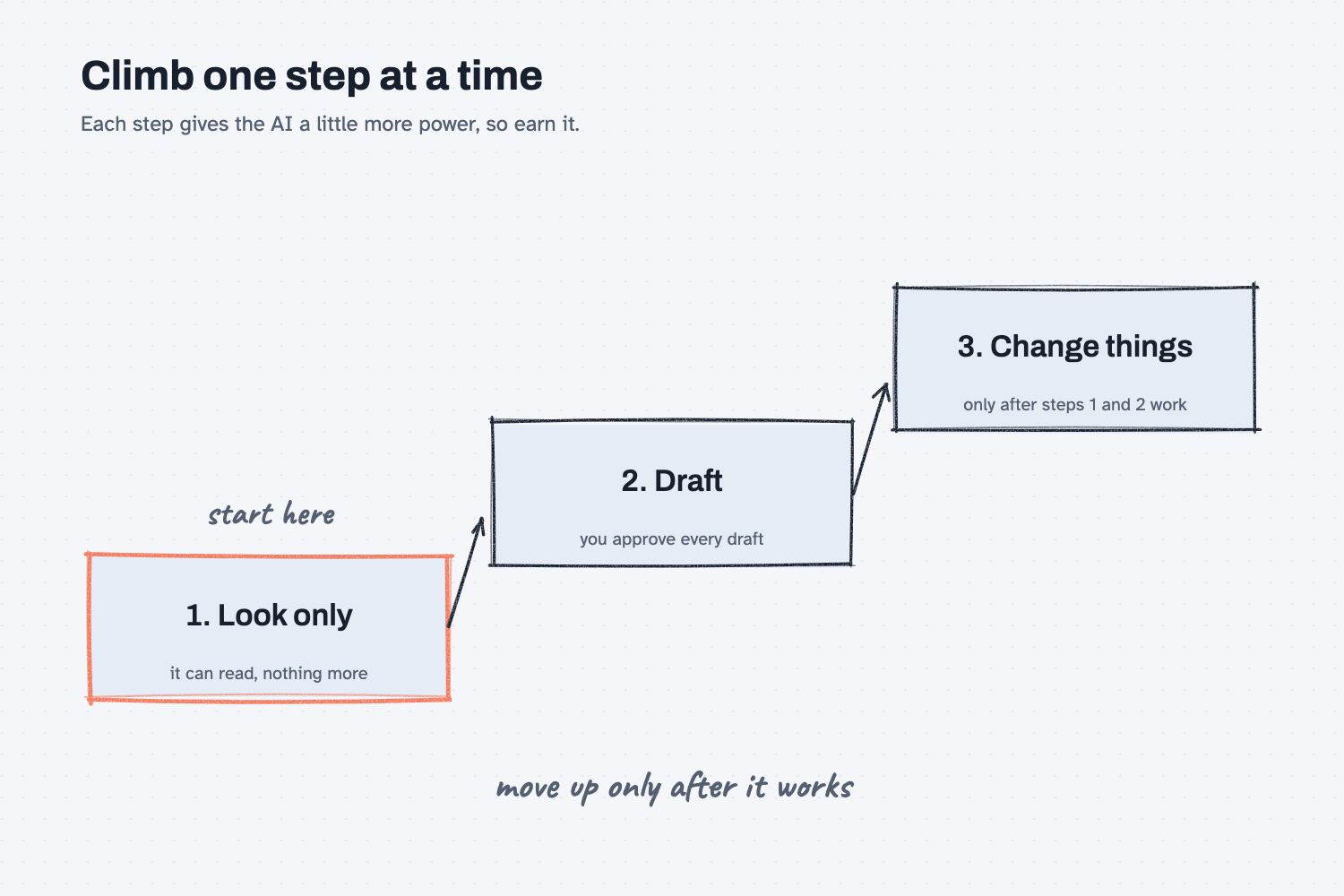
The staircase shows the order I would follow with any new connection. You begin with look-only access, where the AI can read but cannot change a thing, so the worst outcome is a wrong answer you can catch. Once that works, you let it draft something, such as an email or an order change, that a person approves. Changes that go straight into a system come last, and only for work you have already seen done well many times.
Where do people get it wrong?
Most mistakes come from thinking the plug is the safety system. These are the ones I would watch for.
- Assuming "supports MCP" means "safe." The standard describes how the connection is shaped, but it does not decide what the connection may do. You still have to ask what it can read and what it can change.
- Starting with write access. It is tempting to let the AI update orders on day one, but a mistake then reaches your real data. Start by reading, as described in how AI connects to your systems.
- Plugging in a connector nobody checked. Anyone can build an MCP server, so treat one like any other software you install, and have IT look at it before it touches company data.
- Skipping IT. Your ERP holds prices, customers, and costs, so the person who looks after it should help decide.
Try this in 2 minutes
This test asks AI to explain the idea back to you using the plug comparison, and to give you two questions for IT. You can use any chat tool.
- Open a new chat and paste this:
I buy parts for a small metal shop and I am not technical. In 4 plain sentences, explain what MCP (Model Context Protocol) is for AI, using the comparison of one standard plug shape that fits any outlet. Then give me 2 short questions to ask IT before we connect an AI tool to our ERP.
- Read the explanation and check that it says what the plug does and what it does not decide.
- Copy the two questions into a note, because they are ready to send to IT.
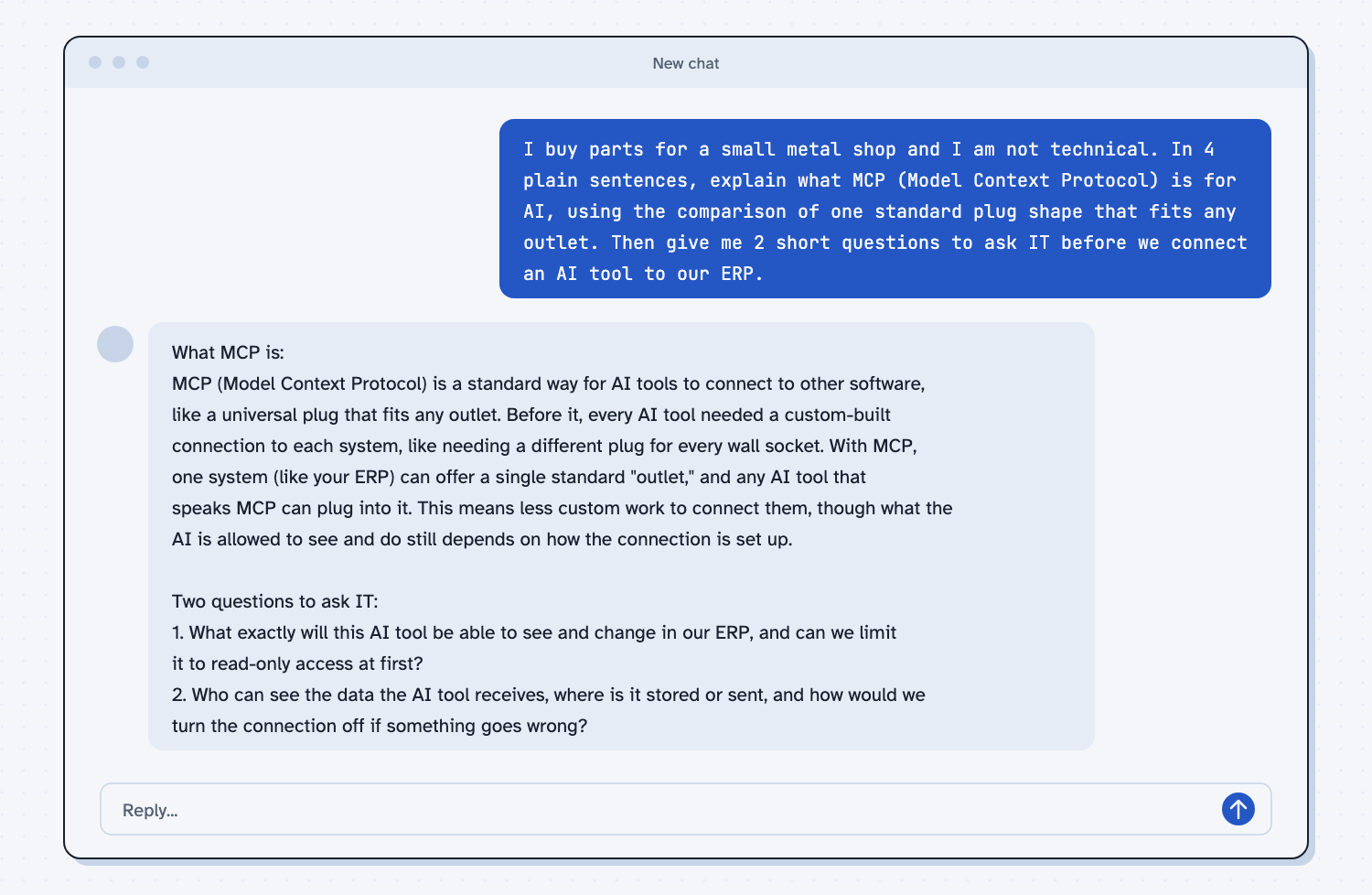
When I tried this, the reply said MCP is "a standard way for AI tools to connect to other software, like a universal plug that fits any outlet." It also made the point that matters most for safety: "what the AI is allowed to see and do still depends on how the connection is set up."
The first question for IT was "What exactly will this AI tool be able to see and change in our ERP, and can we limit it to read-only access at first?" The second was "Who can see the data the AI tool receives, where is it stored or sent, and how would we turn the connection off if something goes wrong?" Those two questions cover the three things you most need to know, which are what it can touch, where the data goes, and how to switch it off.
Frequently asked questions
What does MCP stand for?
It stands for Model Context Protocol. A protocol is an agreed set of rules for how two programs talk, the model is the AI, and context is the information the AI works from.
Who made MCP?
Anthropic released it as an open standard in November 2024. It is now used by many AI tools, including ones from other companies, so it is not tied to one product.
Is MCP the same as an API?
No, but they work together. An API is how a system lets other programs ask for things (see what an API is), and an MCP server usually sits on top of one so that AI tools can use it in a standard way.
Is it safe to connect AI to my ERP?
It can be, if you start with look-only access, keep a person approving anything that changes data, and have IT involved from the start. The standard does not make it safe by itself.
Use it today
- Compare supplier quotes every time: a task you can do with files today, before any connection to your systems.
- Related idea: A connector is a visitor badge.
- Related idea: What a webhook is.
- Related idea: What a harness is.
From my training: this site teaches a connection as a badge you hand the AI, and the first badge is always look-only.