How to Write a Good AI Prompt: Four Parts You Can Remember
With Josh Schultz ·
Answer. A prompt is the message you type to an AI, and a good one has four parts: who you are and the job, the material, the exact output you want, and the rules. Think of it as a work order. A work order with no drawing or quantity gets you the wrong part, and a prompt with a missing part gets you a generic answer.
The picture
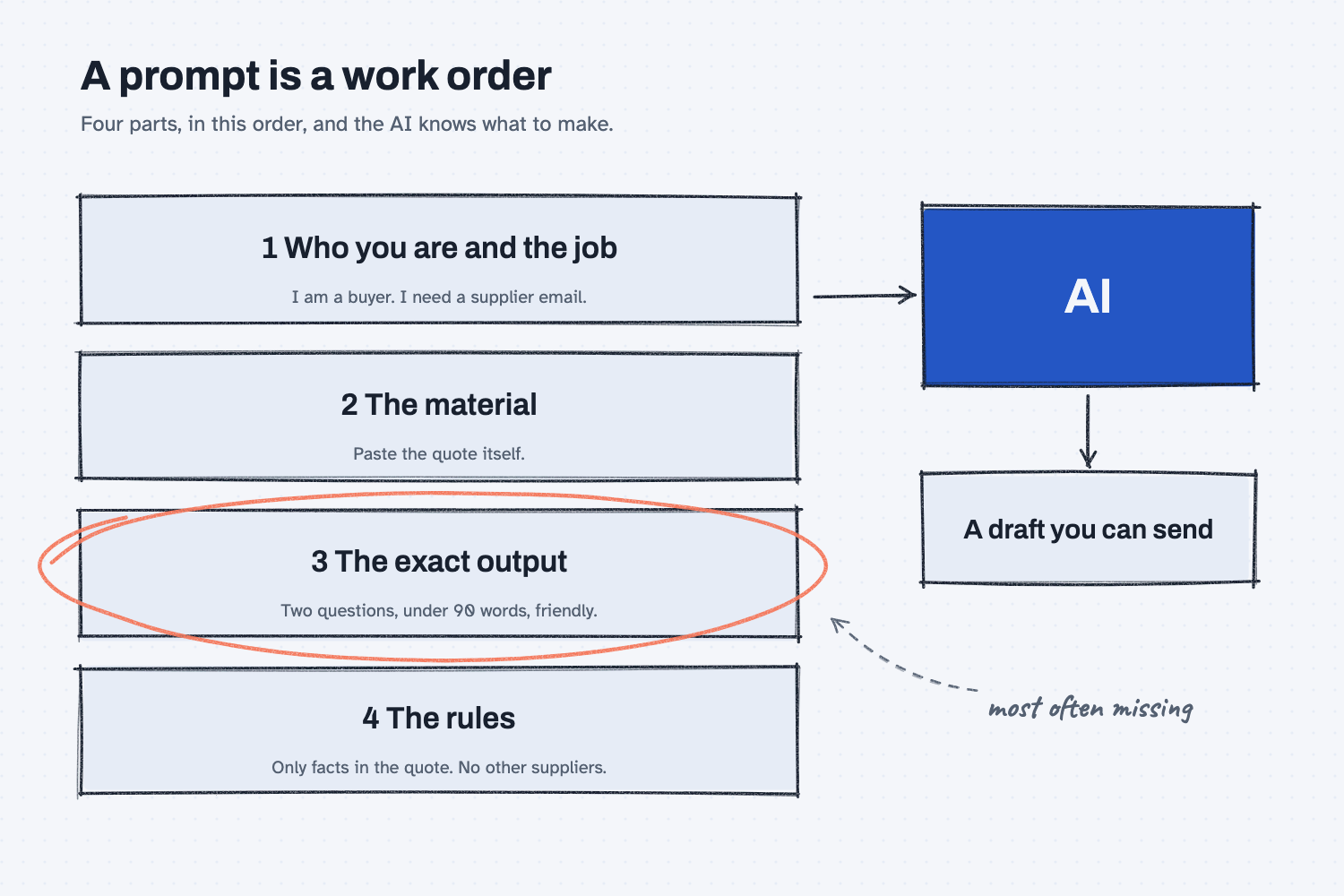
Read the four boxes from top to bottom, the way you would fill out a work order. Each box holds one short example from a supplier email, and together they go into the AI box, which hands back a draft you can send. The circled box is the exact output, because people leave it out most often, and it decides whether the draft comes back the right size and shape.
Think of it like this
Picture the work order that goes out to the shop floor with a job. The top of the page says what the job is, such as "machine twenty brackets for the Red Creek order," and stapled to it are the material, the print that shows exactly what the finished part looks like, and a few notes, such as "no burrs."
Now imagine a machinist who gets a slip that says only "make some brackets." They will make something, because they are capable and want to help, but it will not be your bracket, since they had to guess the size, the steel, and the finish. AI is the same: anything you leave out, it decides for you (people plan, AI does the work).
AI is that machinist. It always produces something, so a thin prompt never fails with an error. It simply fills each missing detail with the most typical choice, which is why the answer reads smoothly and still misses what you needed.
Why does it matter at work?
A thin prompt costs you the time you thought you were saving, because you end up repairing the answer. A four-part prompt takes about a minute longer to write and usually comes back ready to send.
Here is an example. Dana Ortiz, the senior buyer at Mesquite Ridge Metal Works, has a quote from Red Creek Steel Supply that leaves out the freight terms and the lead time. She could type "Write an email to the supplier about their quote," and the AI would have to guess everything: which supplier, which quote, what she wants to know, and how long the email should be. Or she could spend a minute saying who she is, pasting the quote, describing the email she wants, and listing what it must not do. The second version is the one in the test below.
How does it work?
Each of the four parts removes a different kind of guessing, and they work best when you fill in all of them.
Who you are and the job. One or two sentences are enough, such as "I am a buyer at a metal shop, and I need to email a supplier about a quote." This tells the AI whose voice to write in and what kind of document you want, so it stops choosing between a memo, a report, and a letter.
The material. Paste in the real quote, the email thread, or the numbers, because the AI cannot see anything on your desk. It only has what is in the chat, which is the idea behind the context window. If you leave the material out, the AI fills the gap with typical details, and that is how you end up with square brackets and made-up specifics in the draft.
The exact output. Say what done looks like: how long it should be, what tone, what it must contain, and how it should end. "A short email that asks for two things and ends with a reply-by date" is far more useful than "make it good." When the output is hard to describe, show one you like, as in show AI an example.
The rules. Rules are the notes at the bottom of the work order, the things the AI must or must not do. Write them so you could check them afterward, such as "use only the facts in the quote" and "do not mention any other supplier." If you use the same rules every time, keep them in one place instead of retyping them (see keep rules in one place).
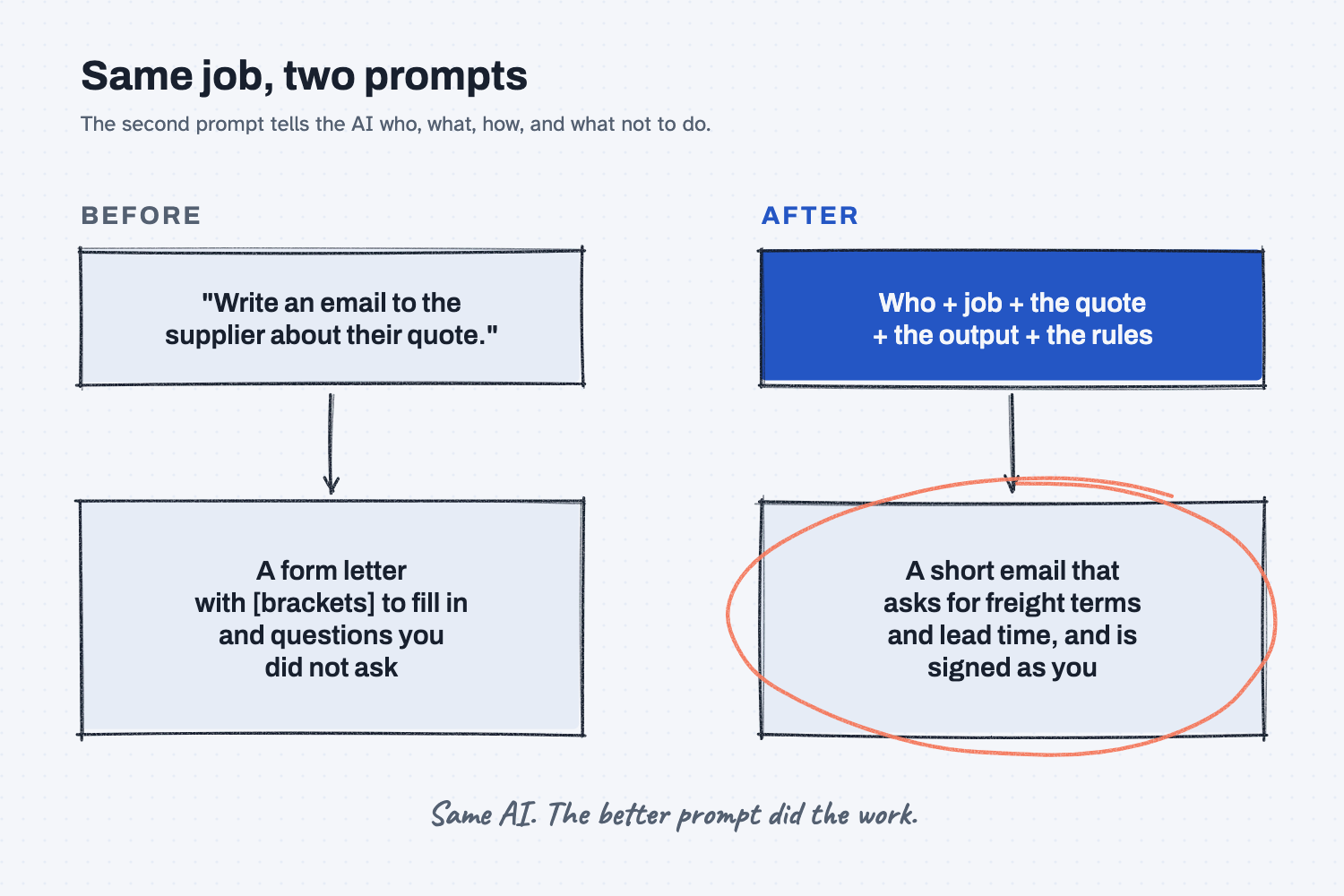
The second picture shows the same job done two ways, and only the prompt changed, which is why it pays to put your effort there.
Where do people get it wrong?
Most weak prompts leave out one of the four parts, and the missing part is usually the same one each time.
- They name the job and skip the material. "Write an email about the quote" gives the AI no quote to read, so it writes about quotes in general.
- They describe a feeling instead of an output. "Make it professional" can mean a hundred things, while "under 90 words, friendly and plain" means one.
- They write rules the AI cannot check. "Don't be pushy" is hard to follow, and "do not suggest a lower price" is easy.
- They change five things at once when the draft is wrong. If you change one part and run it again, you learn which part mattered. The lesson on changing one thing at a time covers this.
Try this in 2 minutes
This test runs one supplier email two ways so you can see what each part adds. Use any chat tool, and open a new chat for each step so the first answer does not leak into the second.
- Paste this thin prompt and read what comes back:
Write an email to the supplier about their quote.
- Open a new chat and paste this four-part prompt:
I am a buyer at Mesquite Ridge Metal Works, and I need to email a supplier about a quote.

Here is the quote:
Red Creek Steel Supply, Quote RC-2291
Item: 4140 round bar, 2.5 inch diameter, 12 ft lengths
Quantity: 20 lengths
Unit price: $318.40 per length
Quote valid through: December 15

Write one short email that asks for the two things the quote leaves out: the freight terms and the lead time. Keep it under 90 words, friendly and plain, and end by asking for a reply by Friday.

Rules: use only the facts in the quote, do not mention any other supplier, do not suggest a lower price, and sign it "Dana Ortiz, Buyer."
- Compare the two. Here is what I expect: the first is a form letter with blanks, and the second is a short email you could send after a quick read.
When I tried the thin prompt, the AI wrote a form letter and said so itself: "I don't have details about the quote, so the bracketed parts are placeholders." The draft opened with "Thank you for sending over your quote for [product/service]," and it asked about four things, including whether there was "flexibility on the unit price," which was never part of the job.
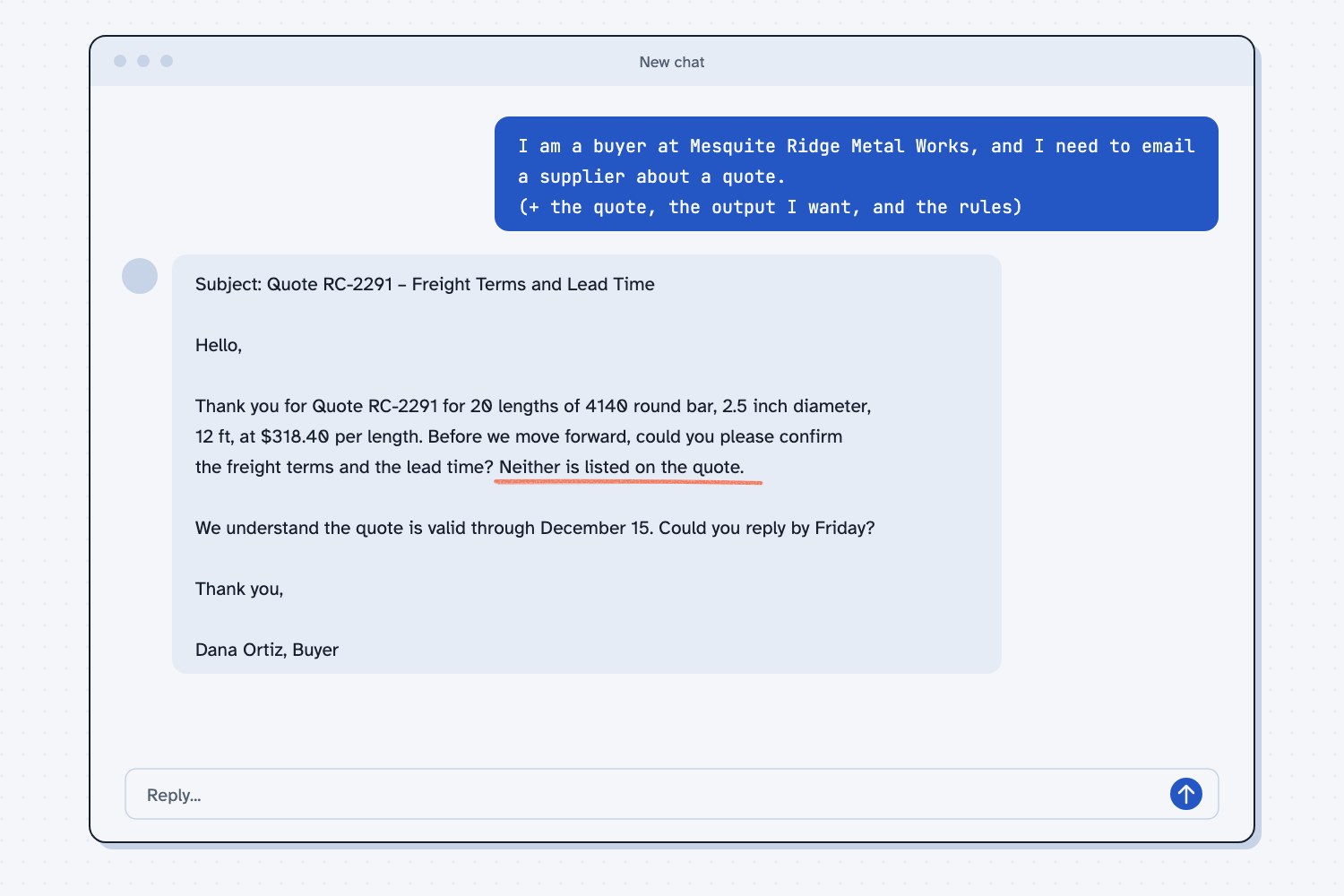
The four-part prompt came back as a short email that named the quote number, the bar, the quantity, and the price, and then said: "Before we move forward, could you please confirm the freight terms and the lead time? Neither is listed on the quote." It asked for a reply by Friday and was signed "Dana Ortiz, Buyer," and it never mentioned another supplier or a lower price. Every rule I wrote was followed, which shows the rules were clear enough to check.
Frequently asked questions
What is a prompt?
A prompt is the message you give an AI to tell it what to do. It can be a single question or a page of instructions. Whatever you put in the chat, including pasted files, counts as part of the prompt.
How long should a good prompt be?
Long enough to cover the four parts and no longer. For a simple task that is often four to eight sentences, and a longer prompt is fine when the rules matter.
Do I need special words or tricks?
No. Plain sentences that say the job, the material, the output, and the rules work better than any trick. Write the way you would brief a capable new hire.
Should I save the prompts that work?
Yes. When a prompt gives you a result you would send, save it with the date and the task. Next time you only swap in the new material, which is faster than starting over.
Use it today
- Email suppliers about what's missing from their quotes: the same four parts, built into a script, so each email comes out the same way.
- Related ideas: Show AI an example and Why AI makes things up.
From my training: the work order is the comparison Prompt + Shift uses to teach a first prompt, because everyone on a shop floor already knows what a good one looks like.