Run AI on Your Own Computer: Local Models, Explained
With Josh Schultz ·
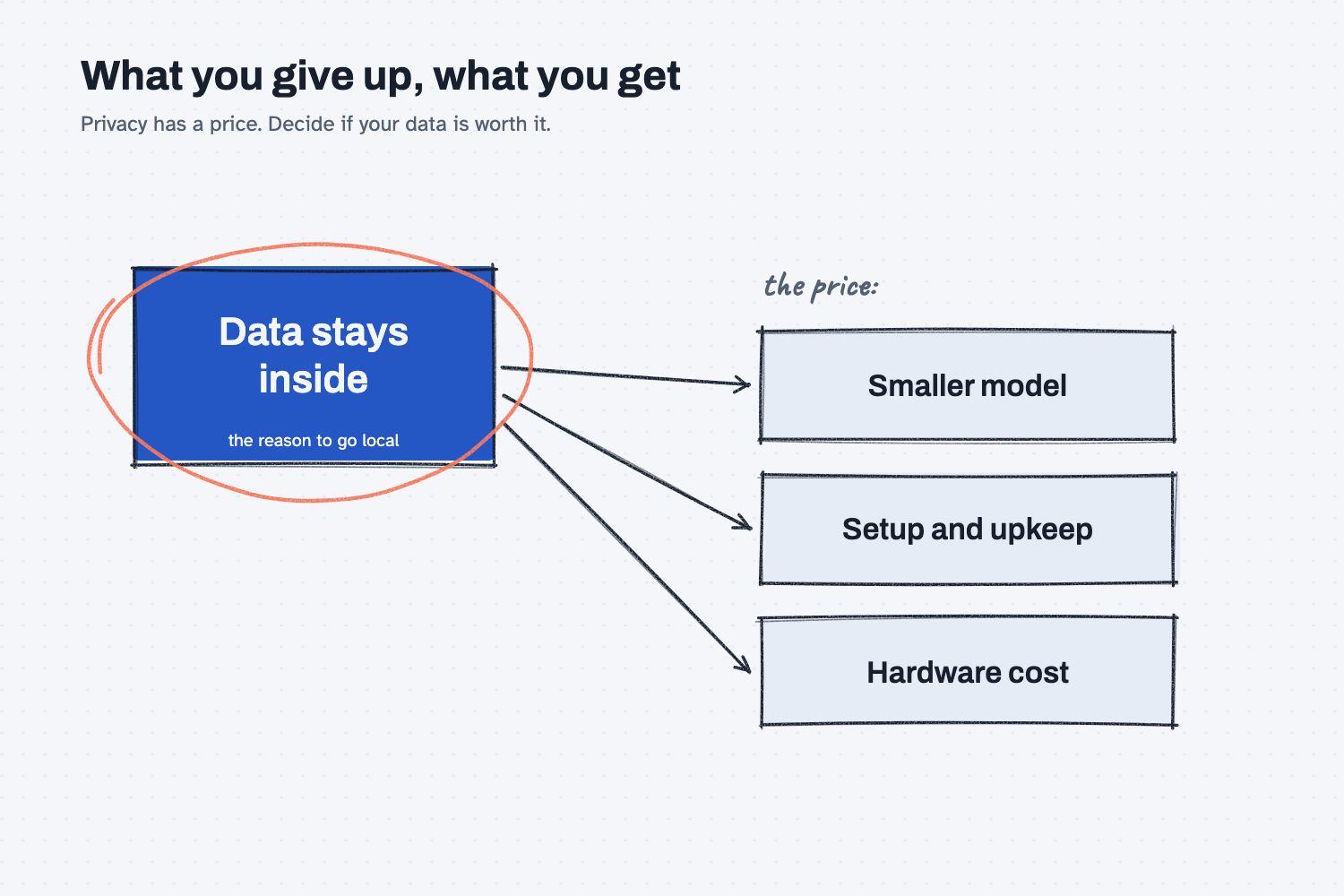
Answer. A local model is an AI model that runs on a computer you own, such as a desktop in your office, instead of on a company's servers across the internet. Your questions and your files are processed inside your building. In exchange, you usually get a smaller, less capable model, and someone has to set it up and keep it running.
The picture
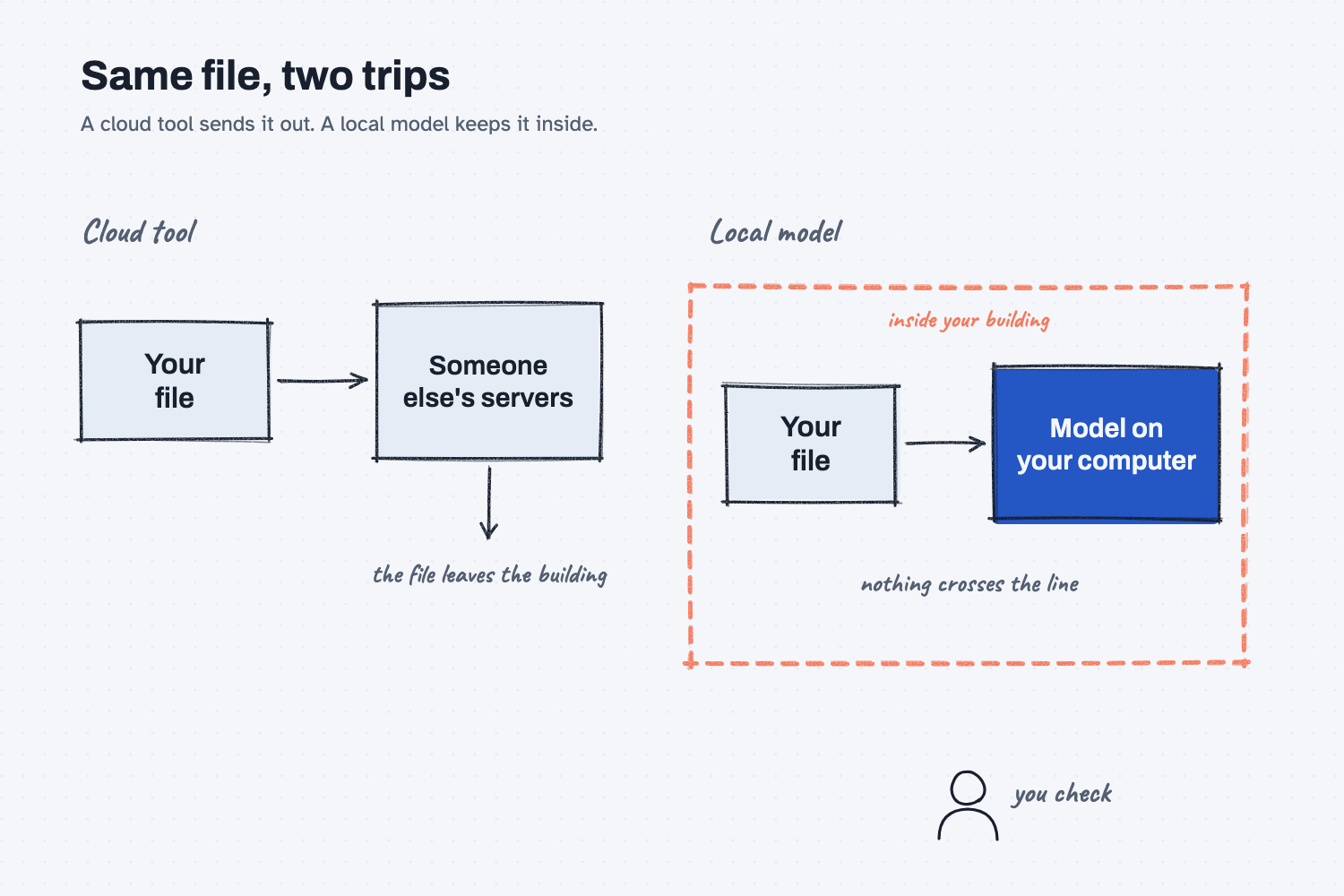
The picture shows the same file taking two different trips. On the left, the file leaves your building, gets processed on someone else's servers, and the answer comes back. On the right, the processing box sits inside the building, so the file never crosses the wall. That wall is the whole reason people want local models, and the second picture below shows what it costs.
Think of it like this
Think about how you handle a sensitive drawing, say a customer's part print under a strict agreement. You can send it out to a trusted print shop across town, which is quick and gives you a very good result, or you can run it on the plotter in your own back office, where it never leaves the building.
The print shop has better equipment and someone else keeps it running. Your own plotter is private and always available, but it is smaller, and you are the one who loads the paper and fixes the jams. A cloud AI tool is the print shop. A local model is the plotter in the back office.
Why does it matter at work?
It matters because the most common reason a company says no to AI is that the useful files are the sensitive ones, such as supplier prices, customer contracts, and employee records. A local model gives you a way to say yes without that data leaving the building.
Here is an example. Dana Ortiz buys raw materials at Mesquite Ridge Metal Works, and she would like help comparing a year of supplier price agreements. Her company's rules say those agreements stay inside the building, so a cloud chat tool is off the table. A local model on a company computer lets her try the work anyway, because nothing is sent out. (If that rule is only a habit and not a real requirement, is it safe to put company data in AI shows what business plans usually already promise.)
How does it work?
There are three parts. You need a model, a program that runs the model, and a computer strong enough to handle it.
The model. Some AI makers publish their models so that anyone can download and run them, and these are called open models. Because the files are public, you can run one without sending anything to the company that made it. Open models are generally smaller than the best cloud models, so they are better at everyday jobs, such as summaries and drafting, than at long, tricky reasoning.
The program that runs it. You do not run a model file directly. A program such as Ollama downloads open models and runs them on your computer, and its own documentation describes it as a way to run a model on your computer. Another program, AnythingLLM, wraps this in a chat screen where you can also point the AI at your own documents, and its documentation describes a desktop version meant for private use on one machine and a server version meant for a team. Check the official pages for each tool for the current details, because these tools change often.
The computer. Models need a lot of memory, and bigger models need a strong graphics card to run at a comfortable speed. A normal office laptop may run a small model slowly, while a good answer from a larger model needs real hardware. Ask your IT person what the machine can handle before you promise anyone a result.
Where do people get it wrong?
Most mistakes come from treating local as automatically safe and automatically cheap, and it is neither.
- Assuming local means every part is private. Some of these tools offer cloud options, and some collect usage statistics unless you turn that off. Read the privacy page for the exact tool, and confirm which model it is actually using.
- Expecting cloud-level answers. A smaller model will miss things a larger one catches, so test it on your real work before you rely on it.
- Forgetting the upkeep. Someone has to install updates, fix problems, and decide who may use it. If nobody owns that job, the setup drifts and people stop using it.
- Skipping the checking. A local model still makes things up, as why AI makes things up explains, so a person still checks what leaves the building.
Try this in 2 minutes
This test asks an AI to lay out the trade-offs of going local. You can use any chat tool, and you do not need to paste any real data.
- Open a new chat and paste this:
I work in purchasing at a small manufacturer. My boss does not want supplier prices going into an online AI tool, so we are thinking about running an open AI model on a computer in our own office. In plain words, give me 4 trade-offs of doing that compared with a cloud chat tool. One line each, no jargon.
- You should see privacy as the benefit and cost, quality, and upkeep as the prices you pay for it.
- Pick the trade-off that worries you most and ask a follow-up question about it.
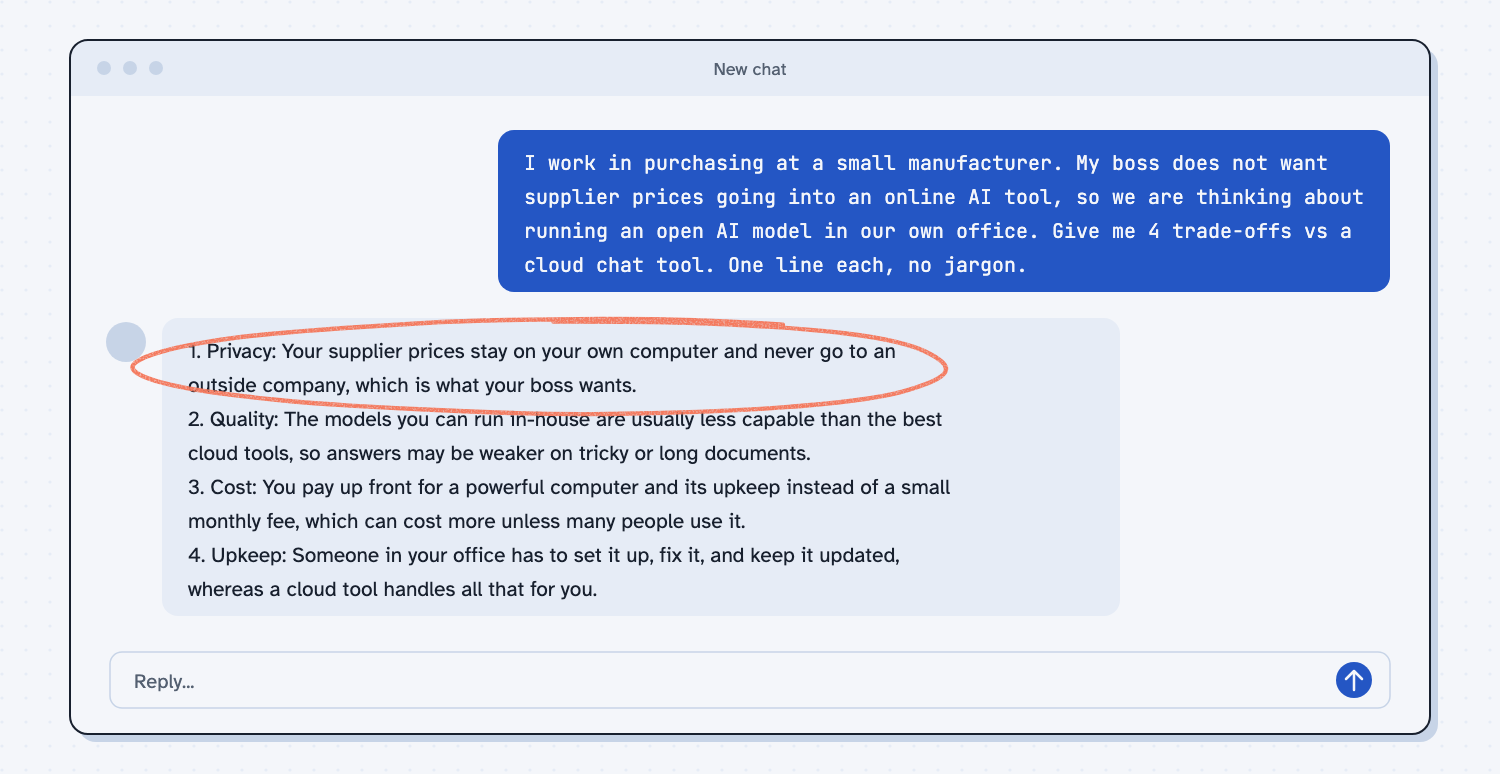
When I tried this, the reply opened with privacy: "Your supplier prices stay on your own computer and never go to an outside company, which is what your boss wants." It then named the prices: the models you can run in-house "are usually less capable than the best cloud tools," and "someone in your office has to set it up, fix it, and keep it updated." That is a fair summary of the whole lesson. You win on privacy and you pay with capability and effort, so the real question is whether your data is sensitive enough to be worth it.
Frequently asked questions
Can AI really run without the internet?
Yes, once the model and the program are downloaded, a local model can answer questions without a connection. You need the internet to download them and to get updates.
Is a local model as good as ChatGPT or Claude?
Usually not for hard tasks. Local models are smaller, so they handle everyday drafting and summaries well but can struggle with long documents and careful reasoning.
What is the difference between Ollama and AnythingLLM?
Ollama downloads and runs models on your computer. AnythingLLM is an app that gives you a chat screen and document search on top of a model. Check each tool's official page for what it offers today.
When does it make sense?
When your data truly cannot leave the building, when many people will use it for routine work, or when you want to learn with no data risk. If you only need the best answers, a business cloud plan is usually simpler.
Use it today
- Compare supplier quotes with Claude: try the idea first with fake prices, then decide if you need local.
- Related ideas: Is it safe to put company data in AI?, What does AI cost?, and Which AI tool should I use?.
From my training: people in the room often ask this when their company says "no cloud AI," so we show both paths and let the data decide.