What Are Effort and Thinking Settings in Claude? How Hard Should the AI Work?
With Josh Schultz ·
Answer. The effort and thinking settings are two of three dials in the menu next to the send button in Claude. The model picks which Claude you are talking to, effort sets how much thinking it puts into each reply, and thinking lets it work through the problem before it answers. Higher settings give more thorough answers, but they are slower and use more of your usage limit.
The picture
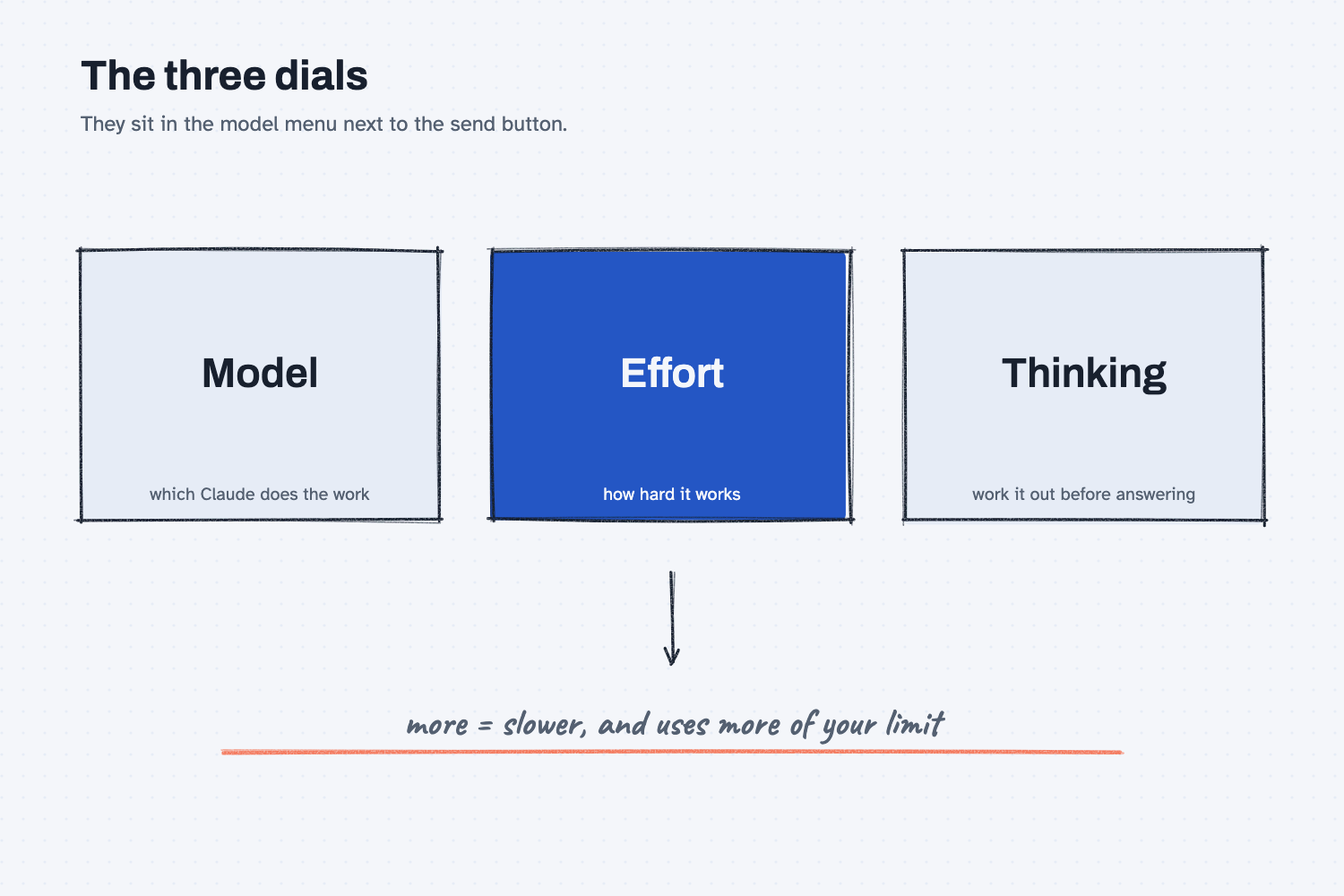
The three boxes are the three dials in the menu. The first chooses who does the work, the second chooses how much effort that worker spends, and the third lets the worker reason through the problem first instead of answering at once. The note below them is the trade you make whenever you turn any of them up.
Think of it like this
Picture the difference between a quick walk-around and a full inspection on the shop floor. If a supervisor wants to know whether the saw is running, a glance is enough. If the same supervisor is signing off a part for a customer with tight tolerances, the glance will not do. They pull out the calipers, measure twice, and check the drawing.
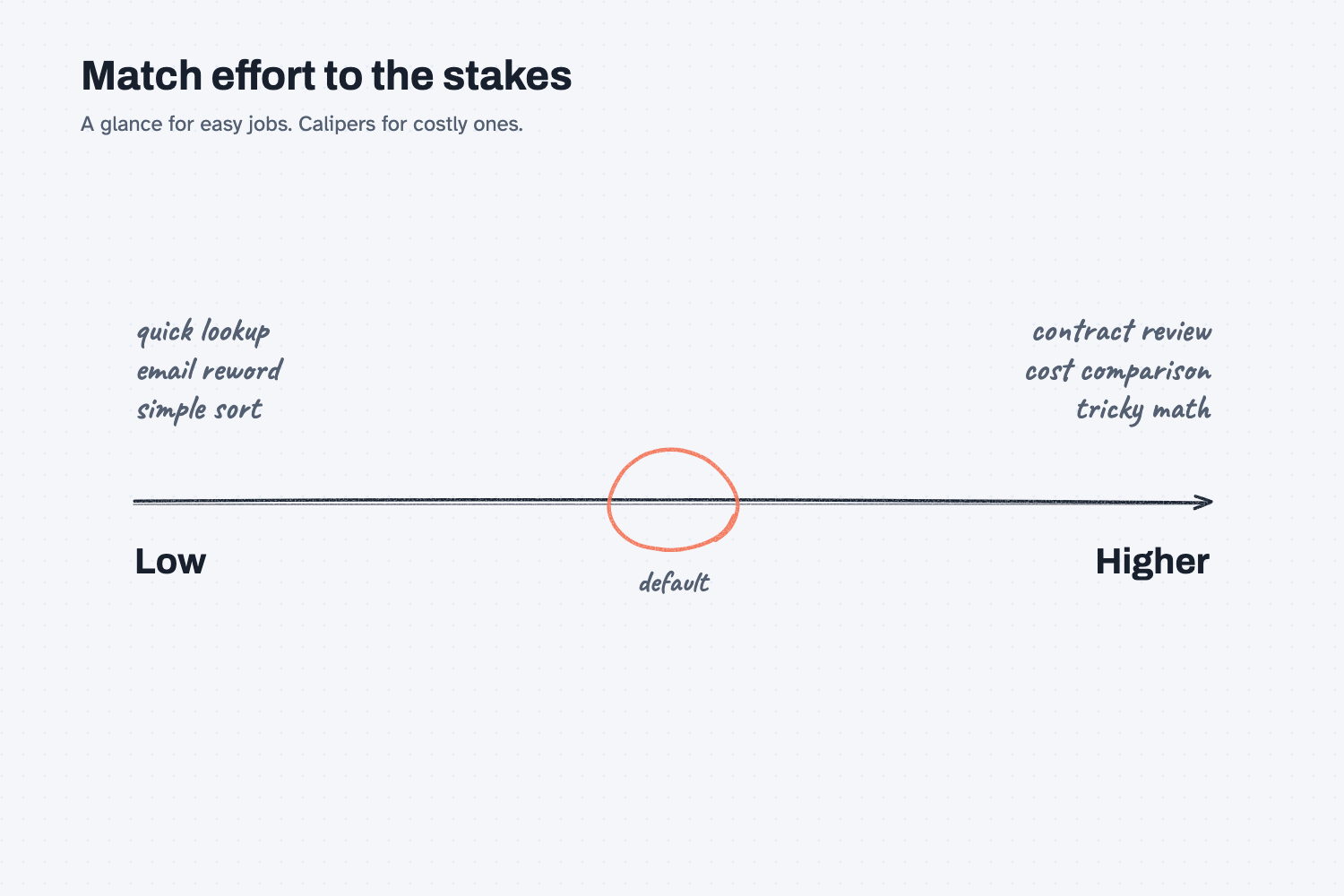
Neither level is better in general. A full inspection on every part would stop the line, and a glance on a critical part would let a mistake through. The skill is matching the level of checking to the stakes. Effort in Claude is that same choice, between a glance and the calipers, made once per reply.
Why does it matter at work?
It matters for two plain reasons, which are the quality of the answer and the cost of getting it. A higher setting can catch what a quick pass misses on a hard task, and it only makes you wait on an easy one. Anthropic says higher effort "means more thorough responses, but they take longer and use more tokens."
A token is the small chunk of text the AI counts, as what a token is explains, and those tokens add up against your plan. The same page says low and medium effort "stretch your usage further," which means a high setting used on every routine question will use up your allowance sooner. How that connects to money is covered in what AI costs.
Here is an example. Jen Nakamura at Mesquite Ridge Metal Works asks Claude to reword a two-line email to a carrier. She leaves the effort low, because the job is small and she wants the answer fast. Later she asks it to compare two supplier offers with different order minimums and shipping fees. For that one she raises the effort, because a missed minimum would cost real money. She uses the same account for both, with a different setting for each job.
How does it work?
There are three settings, and the first thing to know is where they live. The menu is the model name next to the send button, and changes apply starting with Claude's next reply, so you can adjust in the middle of a chat. Menu names change over time, so look for the model menu and the words effort and thinking.
Model sets who does the work. The menu lists several Claude models, and "more models" shows additional ones. Anthropic's help page does not rank them for you, and the lineup changes often, so this lesson does not name any. A reasonable rule is that a more capable model suits harder work, and you can see what each one is meant for in the menu. On business plans, an administrator may have turned off some models or effort levels for your role.
Effort sets how hard it works. The levels run from low through medium and high to higher ones, and each model has a recommended default marked in the menu. Which levels you see depends on the model. The default is a sensible starting point for most work, so change it only when you have a reason.
Thinking lets it reason first. The thinking setting controls whether Claude works through its reasoning, with the work shown in an expandable section before the answer. It is separate from effort, so the two can be combined. Some models always think, and on those you reduce thinking by lowering effort instead of switching a toggle off. The help page does not say how thinking affects your usage, so treat it as a cost until you learn otherwise.
For long jobs, more effort does not fix everything. A very long task can lose track of what it was doing for a different reason, which is covered in why AI fails on long tasks. Choosing between tools altogether is a separate decision, shown in which AI tool should I use.
Where do people get it wrong?
Most mistakes come from using one setting for everything. These are the common ones.
- Maxing it out every time. A higher setting on a simple question gives the same answer, only slower, and it uses more of your limit.
- Leaving it low on high-stakes work. If a wrong answer costs money, turn the effort up and still check the result.
- Thinking that more effort means certainty. A thorough answer can still be wrong. Check the numbers that matter, whatever the setting.
- Never looking at the menu. Many people never open it, so they never find out how much control they have.
Try this in 2 minutes
This test asks the same small cost question twice, once at the lowest effort setting and once at the highest, to see whether the answer changes. In the Claude app, use the model menu to change the effort between the two tries.
- Open a new chat, set effort to low, and paste this:
A shop buys 1,200 parts a month. Supplier A charges $4.10 each, shipping $180 per order, and takes orders of any size. Supplier B charges $3.85 each but requires orders of at least 900 parts, shipping $260 per order. Our storage cost is $0.05 per part per month for average stock held. Which supplier is cheaper per month if we order monthly? Show the numbers briefly.
- Start a new chat, set effort to the highest level, and paste the same question.
- Compare the two totals and note how long each took.
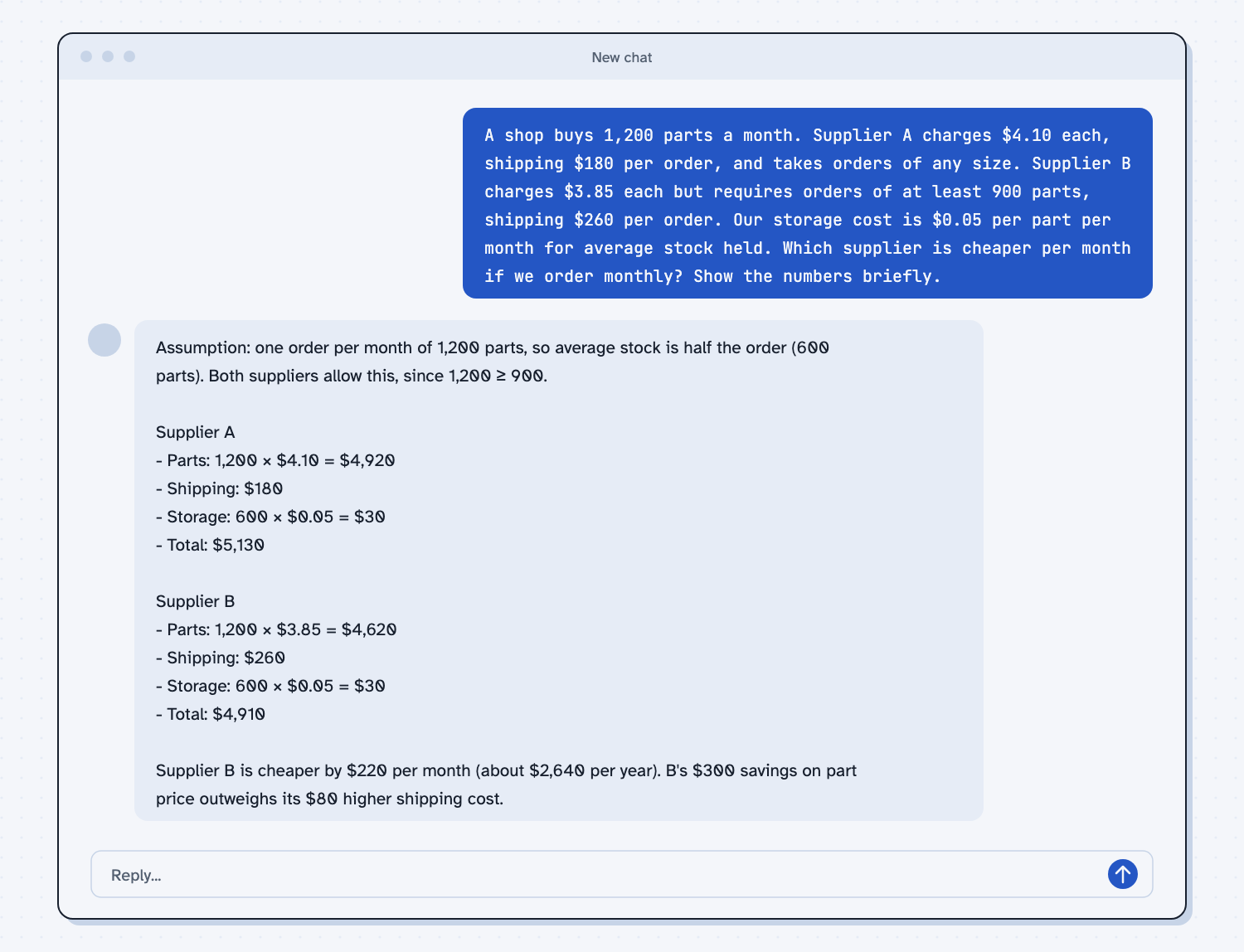
When I tried this, the answers matched. At the lowest setting the reply gave the totals of "$5,130" for Supplier A and "$4,910" for Supplier B and concluded "Supplier B is cheaper by $220 per month." The highest setting reached the same totals and the same conclusion, in a tidier table.
That is the lesson. This question is small, so the extra effort bought nothing except a wait and more of my allowance. Both replies also made the same assumption, that average stock is half of one order, which is worth checking against how your own stock really moves. A harder problem, with more steps and more places to slip, is where the higher setting earns its cost.
Frequently asked questions
What does the effort setting do in Claude?
It controls how much thinking Claude puts into a response. Higher effort gives a more thorough answer, but it takes longer and uses more tokens, which means more of your usage limit.
What is the thinking toggle?
It lets Claude work through a problem before it answers, and shows that reasoning in a section you can open. It is separate from effort. Some models always think, and you lower it there by lowering effort.
Should I always use the highest effort?
No. Use the default for most work, lower it for quick simple tasks, and raise it for hard or costly ones. The highest setting on easy questions mostly adds waiting.
Where do I find these settings?
Click the model name next to the send button. Effort and thinking appear in that menu, and your plan or administrator may limit which options you see.
Use it today
- Compare supplier quotes with Claude: a job where you can compare a quick pass with a careful one.
- Related idea: What is a token.
- Related idea: What does AI cost.
- Related idea: Which AI tool should I use.
- Setup help: Set up Claude.
From my training: this site teaches you to match the effort to the stakes, and to check the numbers that matter at any setting.