What Happens When AI Joins a Meeting? Who Is Told and What Is Saved
With Josh Schultz ·
Answer. What happens when AI joins a meeting is simple to describe. It shows up as a visible guest on the call, listens, and saves a written transcript and a summary. Anthropic's help page for Claude Meetings says it saves these and not the audio. The rule that matters most comes before any of that, which is to make sure everyone on the call is fine with being transcribed.
The picture
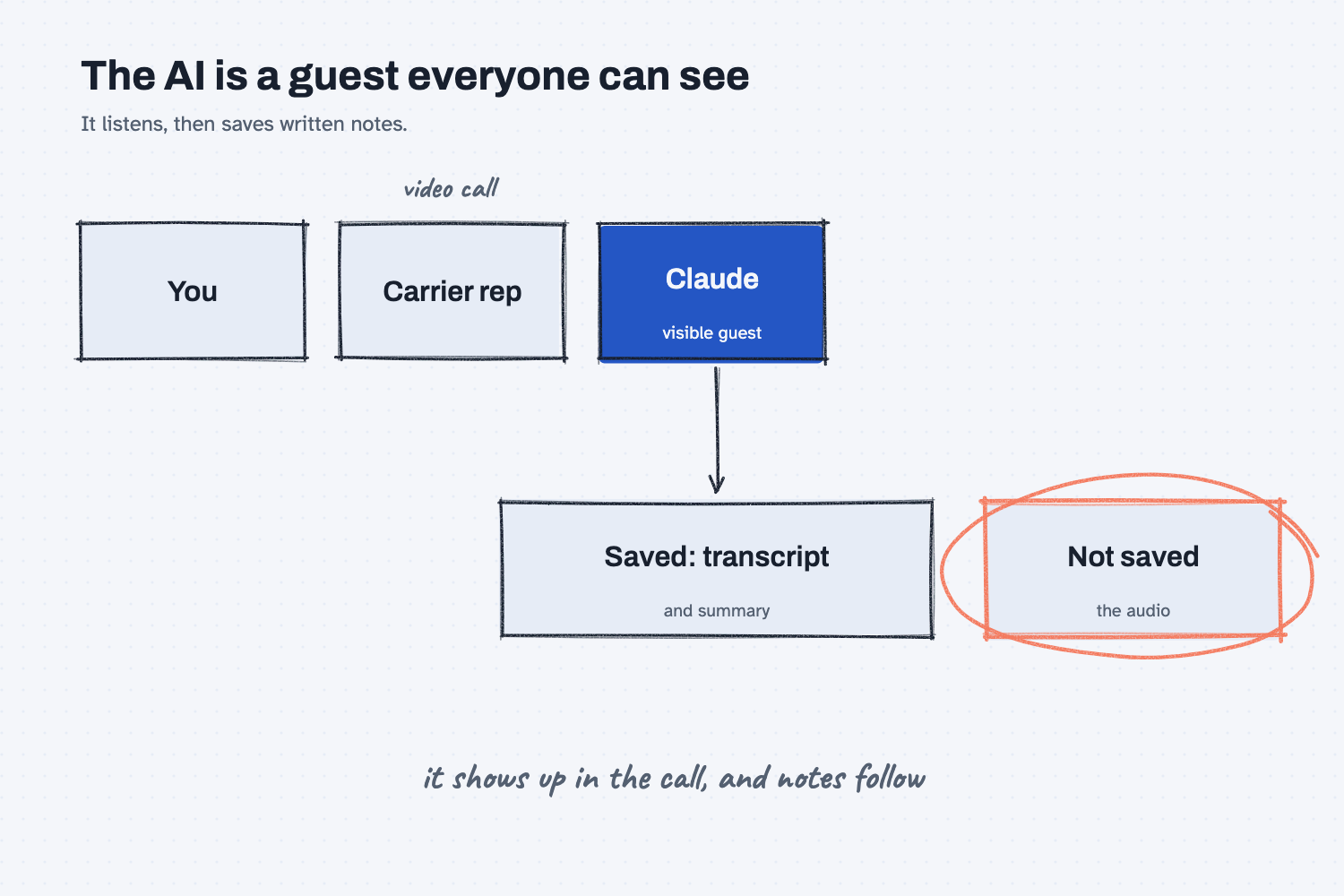
Across the top is a video call with three tiles, and one of them is the AI. It sits in the call like any other guest, where everyone can see it, which is different from a program that quietly records in the background. The arrow shows what the AI leaves behind, which is written words in the form of a transcript and a summary. The circled box is the detail people most want to know, because the help page says the audio itself is not saved.
Think of it like this
Imagine a meeting where a new person pulls up a chair at the end of the table, opens a notebook, and starts writing down what everyone says. Nobody minds if they were told beforehand and the person introduced themselves, because taking notes is a normal part of a meeting. Everyone would mind if the person had been hidden in the corner.
An AI note taker is that person with the notebook. It is visible, and it writes down what is said. The only real question is whether you told the room, because the notebook will be read later by people who were not there, and sometimes by people the speakers never imagined.
Why does it matter at work?
It matters because people speak differently when every sentence becomes a document. Telling them first is polite, and it also keeps the conversation honest.
A supplier may be happy to talk about a late shipment on a call but not want their exact words saved, and an employee may hold back once they know a transcript exists. Here is a Mesquite Ridge example. Jen Nakamura, who handles freight, has a weekly call with an account manager at a carrier. An AI note taker would save her an hour of typing and give her a clean list of what the carrier promised on delivery dates. The same transcript would also hold the carrier's side of the conversation, which could include their rates and problems. Before she turns it on, she should tell the account manager, because the words on the page are theirs as well as hers.
Anthropic's help page for Claude Meetings states this plainly. It says to make sure everyone is comfortable being transcribed before you add Claude or turn on auto-join, and it posts a notice in the call's chat when it joins. Your own company or your state may have rules on recording calls as well, so ask your manager or legal team about those.
How does it work?
There are four things to understand, and each one has a choice behind it.
How it joins. The help page says you can add Claude to a Google Meet call from the Meetings page after connecting your calendar, or turn on auto-join so it comes to your calls without being asked. Auto-join is the one to think about twice, because it means the AI can show up in a call you have forgotten about. The page says the host can decline it, and then it does not return unless someone adds it again.
What it saves. The page says it "saves a transcript, summary, and screen descriptions, not audio." The summary and action items are what most people want, but the transcript holds every word, so treat it as a record that can be read, searched, and shared like any other document.
Who it affects. Outside guests are a special case. The page says an organization can allow or block Claude on calls with people from outside the company. Where it is allowed, Claude listens and takes notes, and the guests' words appear in the transcript, but guests do not receive the meeting page. That is a reason to give an outside guest a plain heads-up.
How you control it. During a call, you can pause the AI or remove it, either by asking it or from the meeting page. This is the exit if someone objects partway through, so know where the button is before you need it.
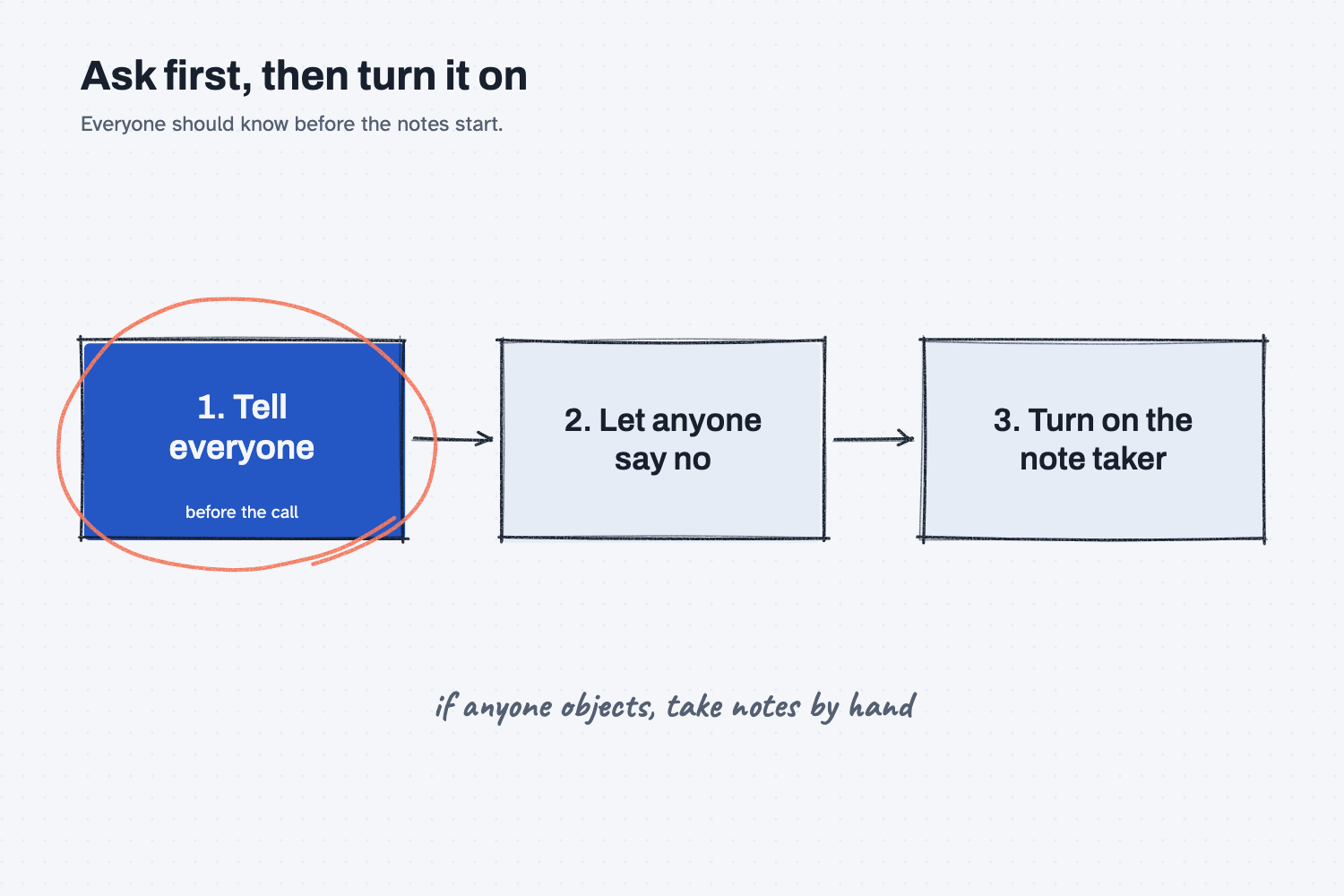
The order in the picture is the habit to keep. You tell people before the call, which gives them a real chance to say no, and only then do you turn on the note taker. If someone objects, you take notes by hand for that call, which costs you a little time and keeps the trust you need for the next call.
One more point comes up often. The help page does not say how long transcripts and summaries are kept or how to delete them, so ask your company's administrator what the settings are, and see the lesson on AI audit trails for what to keep on record.
Where do people get it wrong?
Most mistakes come from treating the note taker as software instead of a person in the room.
- Not telling anyone. A visible tile is not the same as consent. Say it in the invite or the first minute.
- Turning on auto-join without a plan. It can attend calls where a transcript is not wanted, such as a performance talk or a price negotiation.
- Forgetting the guests. Outside people are on the transcript too, so tell them and check your company's rule.
- Trusting the summary without a check. A summary is the AI's version of the call, so read it against your own memory before you send it on. The lesson on using AI to prepare for meetings covers the before side of this.
- Saving it forever by default. Ask how long the notes stay in the system, and who can search them.
Try this in 2 minutes
This test asks AI to write the notice you would send before a call, and to list what you should decide before turning the note taker on. You can use any chat tool.
- Open a new chat and paste this:
I run purchasing at a small metal shop and I am not technical. We want an AI note taker to join our weekly video call with a freight carrier's account manager. Write a short, friendly notice (3 sentences) I can send to everyone on the call before it starts, saying that the AI will join, that it keeps a written transcript and summary, and asking anyone who objects to tell me first. Then give me 3 short things to decide before I turn it on.
- Read the notice and check that it names the transcript and gives people a way to say no.
- Edit the notice so it sounds like you, and keep the three decisions in front of you.
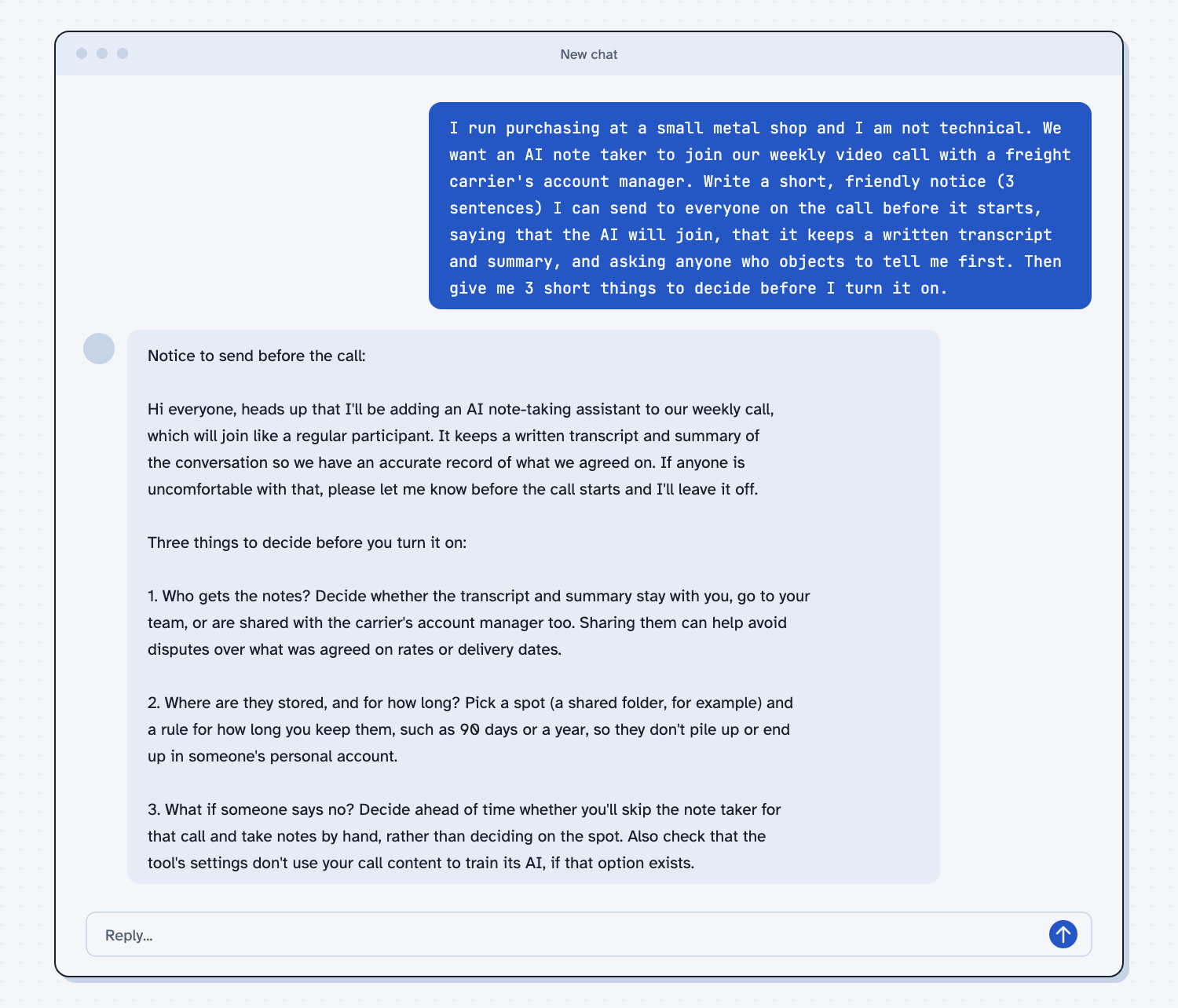
When I tried this, the notice read "If anyone is uncomfortable with that, please let me know before the call starts and I'll leave it off." The three decisions were who gets the notes, where they are stored and for how long ("so they don't pile up or end up in someone's personal account"), and what to do if someone says no, with the advice to "decide ahead of time whether you'll skip the note taker for that call and take notes by hand."
The best part is the third decision, because it is the one people usually make in a rush on the call. Making it ahead of time is what turns a polite notice into a real choice.
Frequently asked questions
Does the AI record the audio?
For Claude Meetings, the help page says it saves a transcript, a summary, and descriptions of the screen, not the audio. Other tools may work differently, so check the settings of whichever one you use.
Do I have to tell people?
The help page says to make sure everyone is comfortable being transcribed first. Rules on recording also vary by company and place, so check yours. Telling people is the right habit in every case.
Can I stop it during a call?
Yes. The page says you can pause the AI or remove it, either by asking it or from the meeting page.
Is it available on every plan?
No. The page describes it as a beta feature for some business plans, and it is not offered to some organizations with strict data settings. Ask your administrator what is turned on.
Use it today
- Before you try an AI note taker at work, read the safe use page and ask your administrator what is turned on.
- Related idea: Use AI to prepare for meetings.
- Related idea: Should I tell people I used AI?
- Related idea: Keep an audit trail of what AI did.
- Related idea: Talk to AI instead of typing.
From my training: this site teaches the AI note taker as one more person in the room, so the first step is always to say who is there.