What Is a Checkpoint? An Undo Button for Your AI Helper's Edits
With Josh Schultz ·
Answer. A checkpoint is a restore point that an AI helper saves automatically before it changes your files. If the helper makes a mistake, you can rewind your files, the chat, or both to the moment before it started. It is a quick undo for one working session, and it is not a full history of your work.
The picture
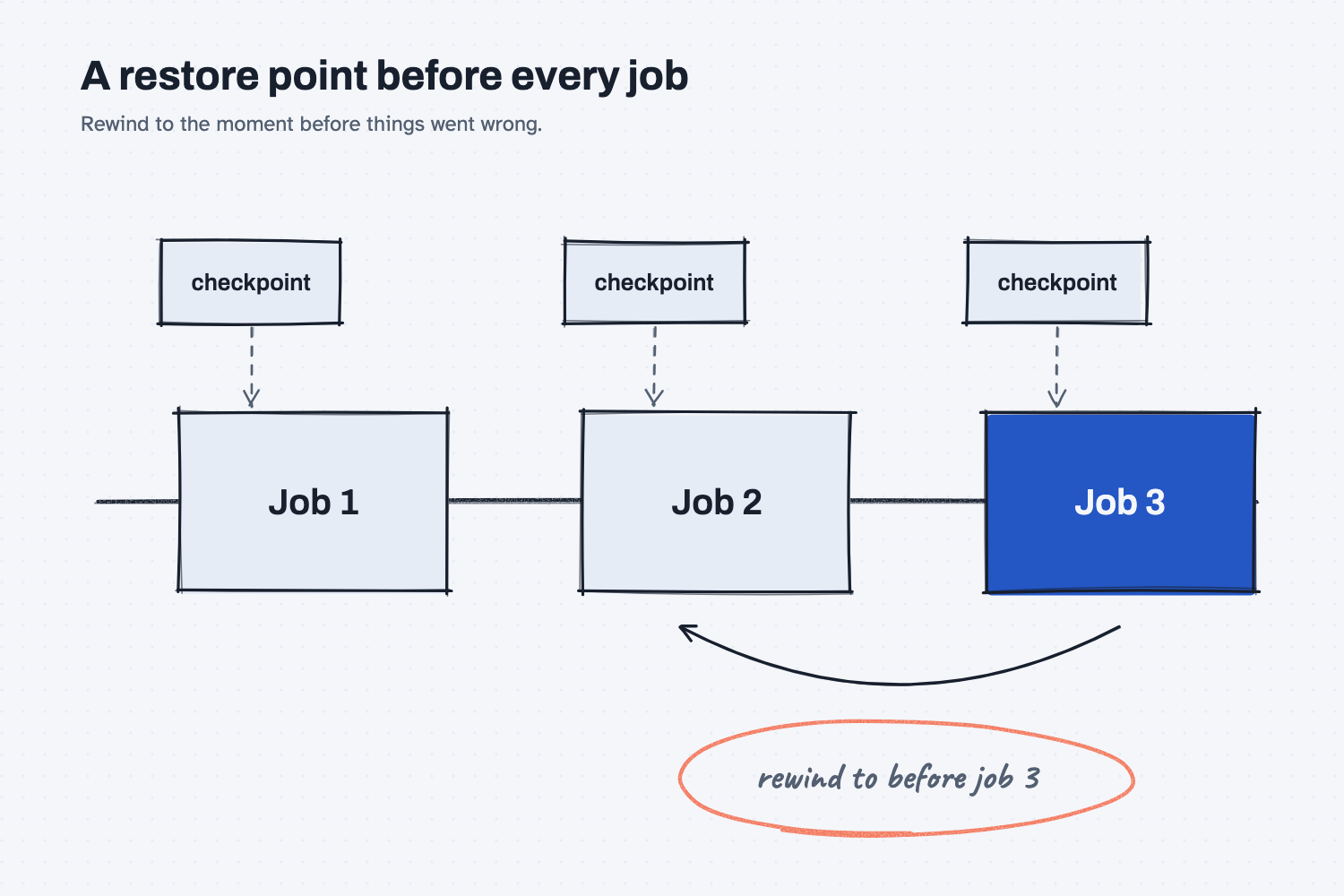
Each time you ask the helper for something, a checkpoint is saved just before it starts. If job three goes wrong, you do not have to untangle it by hand. You rewind to the checkpoint before job three, and the files go back to how they were. Jobs one and two stay as they are.
Think of it like this
Some machinists take a photo of the setup before they change anything on a machine. If the change makes things worse, the photo shows exactly how it was, so they can put it back without guessing.
A checkpoint is that photo, taken for you before each job, for the files the helper edits. You never have to remember to take it. When a result looks wrong, you open the rewind menu, point to the moment before the trouble, and restore.
Why does it matter at work?
People hold back from giving an AI helper real work because they fear one bad edit could ruin a file they cannot rebuild. A checkpoint answers that fear for most edits, which lets you try a bolder request and back out if it fails.
Here is how this looks at Mesquite Ridge Metal Works. Hector Lee asks a helper to rebuild the formulas in his weekly schedule workbook. The result looks tidy, but two columns now show different totals than yesterday. He does not try to find each change by hand. He rewinds to just before the request, tries again with a clearer ask, and the file is back as it was.
Notice what Hector did next. He did not patch the result. He changed the request, which is the habit from People plan, AI does the work, where a miss sends you back to fix the plan and not the output. A checkpoint makes that cheap, because starting over costs a minute.
How does it work?
There are three parts: what gets saved, how you rewind, and what a checkpoint cannot do.
What gets saved. Anthropic's documentation says that Claude Code "automatically tracks Claude's file edits as you work," and that every prompt you send that starts a turn creates a new checkpoint. The checkpoints are saved along with the conversation, so you can still rewind after you come back to a session. They are kept for a limited time, about a month by default for an old session, so do not count on them as long-term storage.
How you rewind. You open the rewind menu by typing /rewind, or by pressing the Escape key twice when the message box is empty. The menu lists your earlier requests, and you pick the one to go back to. You then choose what to restore. You can restore the code and the conversation, only the conversation, or only the code, which here means your files. The menu can also summarize a long chat to free up room (see what compaction is). Menu names can change, so read the labels on your screen.
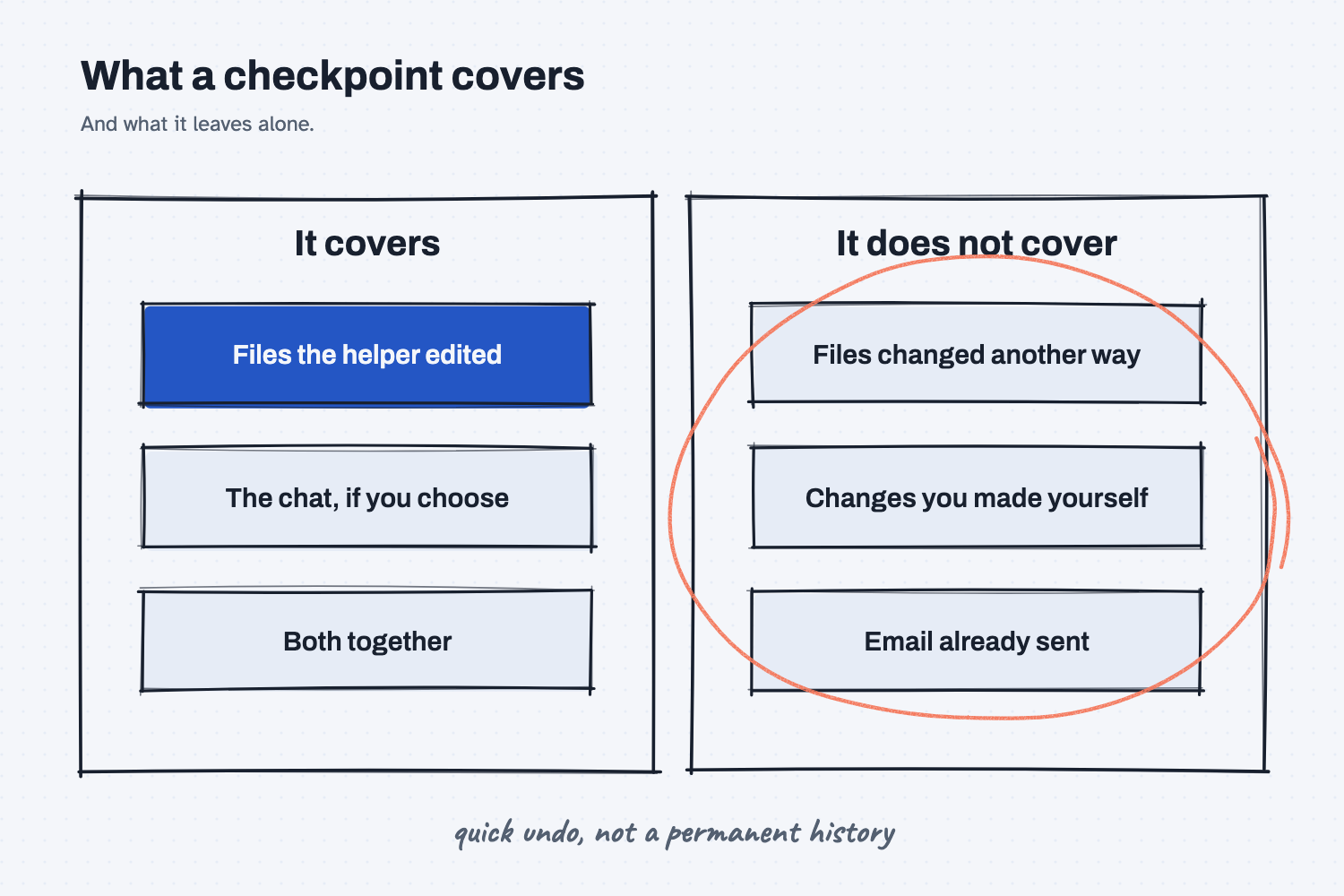
What it cannot do. This is the part to learn well. The documentation lists limits. A file changed only by a command the helper ran, instead of by its normal editing, may have no saved copy. Edits made by a helper's own sub-helper may not be restored. Changes you make yourself outside the session are not captured. And a checkpoint only holds files, so it cannot take back an email that was already sent or a form that was already submitted.
Most important, the documentation says checkpoints are "not a replacement for version control," which means a system that keeps a permanent record of every saved version. Checkpoints are for quick recovery inside one session. For lasting history, see what version control is and save every working version.
Where do people get it wrong?
These are the mistakes I see most.
- Treating a checkpoint as a backup. It is a short-term undo. Keep a real copy of any file you cannot afford to lose.
- Changing many things between checkpoints. Ask for one change at a time, so a rewind undoes one thing (see change one thing at a time).
- Forgetting that sent things stay sent. A rewind brings back files, not emails or messages that already left.
- Not checking what changed. After a rewind or a fix, look at what is different before you trust it (see check what a fix changed).
Try this in 2 minutes
This test asks AI to explain a restore point with the workbench photo comparison, and to name two things it might not undo. You can use any chat tool.
- Open a new chat and paste this:
I am not technical. In 5 plain sentences, explain why an AI helper that edits my files should save a restore point before each change, using the comparison of taking a photo of the workbench before each job. Then name two kinds of change a restore point might not undo.
- Check that the reply names two limits, such as something already sent and something that was never saved.
- Think of one file at your company you could not rebuild, and write down where its real backup lives.
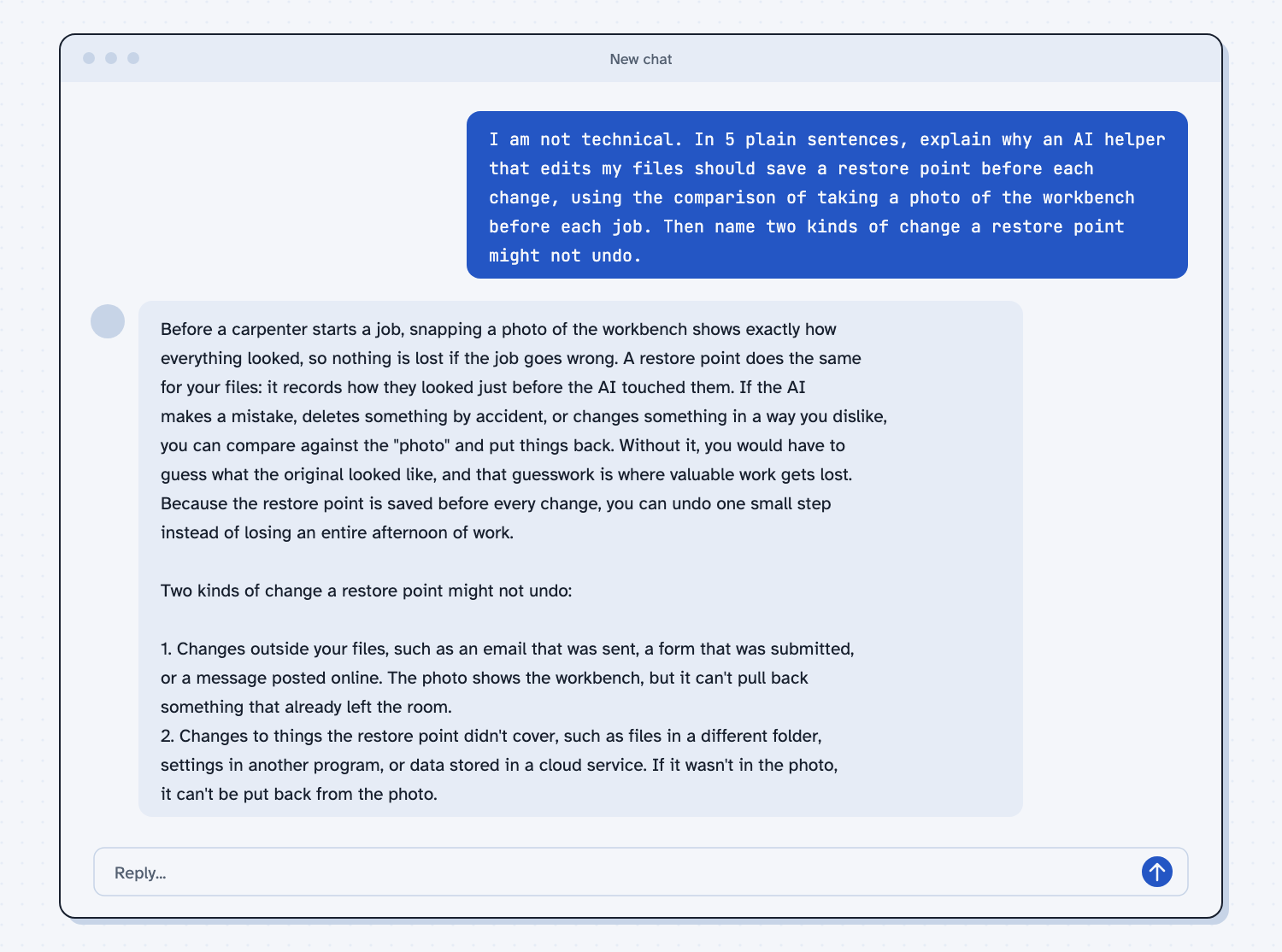
When I tried this, the reply said the restore point "records how they looked just before the AI touched them," and that without it "you would have to guess what the original looked like, and that guesswork is where valuable work gets lost." It added that you can "undo one small step instead of losing an entire afternoon of work."
The two limits it named matched the documentation. One was "an email that was sent, a form that was submitted, or a message posted online," because "the photo shows the workbench, but it can't pull back something that already left the room." The other was "files in a different folder" and other things the restore point did not cover.
Frequently asked questions
What is a checkpoint in Claude Code?
A checkpoint is a restore point saved automatically before each request that starts the helper's work. It lets you rewind your files, the conversation, or both.
How do I undo what the AI did?
Type /rewind, or press Escape twice with an empty message box, pick the request to go back to, and choose what to restore. See how to install Claude Code if you have not set it up yet.
Is a checkpoint the same as a backup?
No. A checkpoint is a short-term undo for one session, and it can be removed after a time. A backup or version history is what you keep for the long term.
Can a checkpoint undo an email the AI sent?
No. It holds files, not actions that left your computer. That is why sending anything should need your approval, as in human in the loop AI.
Use it today
- Change your quote report: make a change to a report that works, and know how to go back if it breaks.
- Related idea: Save every working version.
- Related idea: What is version control.
- Setup: Install Claude Code.
From my training: this site teaches that a checkpoint makes trying things cheap, but a real backup is still your job.