What Is a Usage Limit? Why Your AI Runs Out Before Friday
With Josh Schultz ·
Answer. A usage limit is the share of Claude your plan lets you use in a set stretch of time, after which it pauses until the clock resets or you pay for more. On paid plans there are two clocks, a short session window and a weekly one. Long chats, big files, tools, and harder thinking use it faster, so how you ask matters as much as how often.
The picture
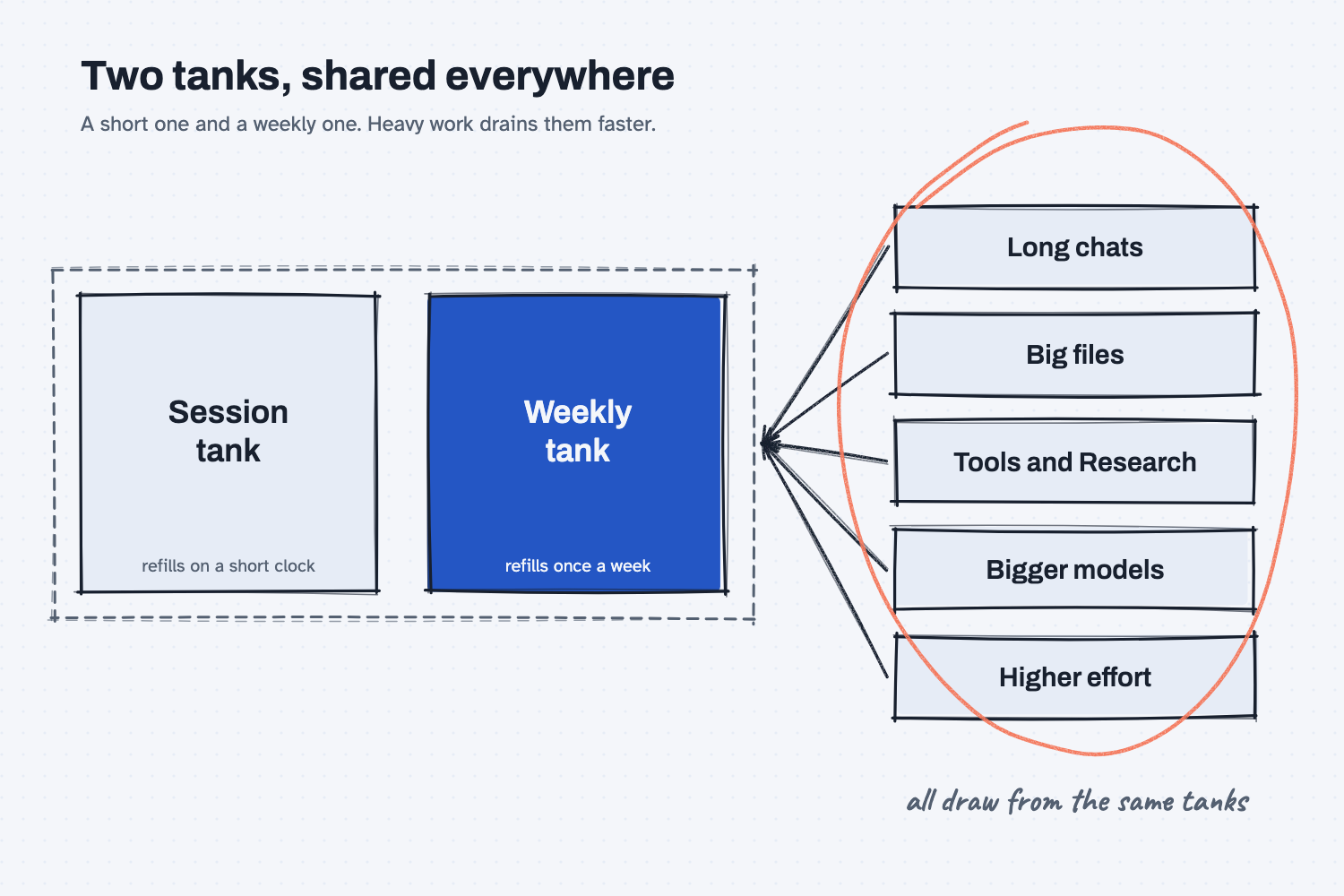
The picture shows two tanks that you draw from whenever you use Claude. The small one refills quickly and the large one refills once a week, and you can run dry on either one. On the right are the things that draw from them. Some draw a little, and others, like Research or a very long chat, draw a lot. The circle is there because the same tanks feed every place you use Claude, so a heavy morning in one app leaves less for the afternoon in another.
Think of it like this
Think of the compressed air tank in a shop. A small tool sips from it, and a big sander gulps from it. The compressor refills the tank on its own schedule, so you never run out forever, but if you run several heavy tools at once the tank empties and everyone waits for it to fill again.
Your Claude plan works much the same way. You do not pay per question, and you are not counting messages. You have a tank that refills on a clock, and what you do with Claude decides how fast it drains.
Why does it matter at work?
It decides whether Claude is there when you need it. Nobody enjoys a message that says you have reached your limit on the afternoon a quote is due.
Here is an example. A buyer at Mesquite Ridge Metal Works spends Monday morning in one long chat. She attaches six supplier PDFs, asks a dozen follow-up questions, and runs a Research report on top. By Wednesday she is waiting for the weekly reset, just as the quoting rush begins. Nothing was wrong with her work. She spent the tank on one big job and had little left for the rest of the week.
Notice that a usage limit is a different thing from a length limit. A length limit is how long one conversation can get before Claude's working memory fills, which is what a context window measures. You fix a length limit by starting a fresh chat. You fix a usage limit by waiting for the reset, using Claude more lightly, or adding more capacity.
How does it work?
The help pages describe a few simple pieces, and it is worth knowing each of them.
Two clocks. Paid plans have a session limit and weekly limits. As the help page describes it today, the session window starts when you send your first message and resets in full five hours later, and the weekly limit resets once a week. Plans differ, and the page lists no message counts, so the numbers you get depend on your plan and can change.
Things that spend it faster. The help pages name the length and complexity of your conversations, the files you attach, the model you pick, and the effort level, since higher effort uses more of your allowance. Tools and connectors are also costly, and so are features like Research, which reads many sources. Claude Code and the desktop app draw from the same limit as the website.
What happens at the limit. You can wait for the reset, upgrade, or, if it is turned on for you, keep going on paid extra usage, which the help pages call usage credits. Because that last option costs money, it is a decision for whoever pays the bill, so ask before you switch it on.
Where to look. Open your settings and find the Usage page, which shows how much of the session you have used, when it resets, and when the weekly limit resets. The menu names change from time to time, so look for the word Usage.
Where do people get it wrong?
Most surprises come from habits, not from the plan. These are the ones I see most.
- One endless chat for everything. A long chat uses more of your limit as it grows, so start a fresh chat for each job.
- Sending ten small messages instead of one planned one. The help pages suggest planning first, putting your background up front, and combining related questions in one message.
- Retyping the same background. Put reference documents in a project, because the help pages say cached content counts less against your limits than new content, though the cache expires after a quiet stretch.
- Using the heaviest setting for light work. Save high effort and Research for the jobs that need them.
- Mixing up the two limits. If Claude says the chat is too long, you need a new chat, and waiting for a reset will not help.
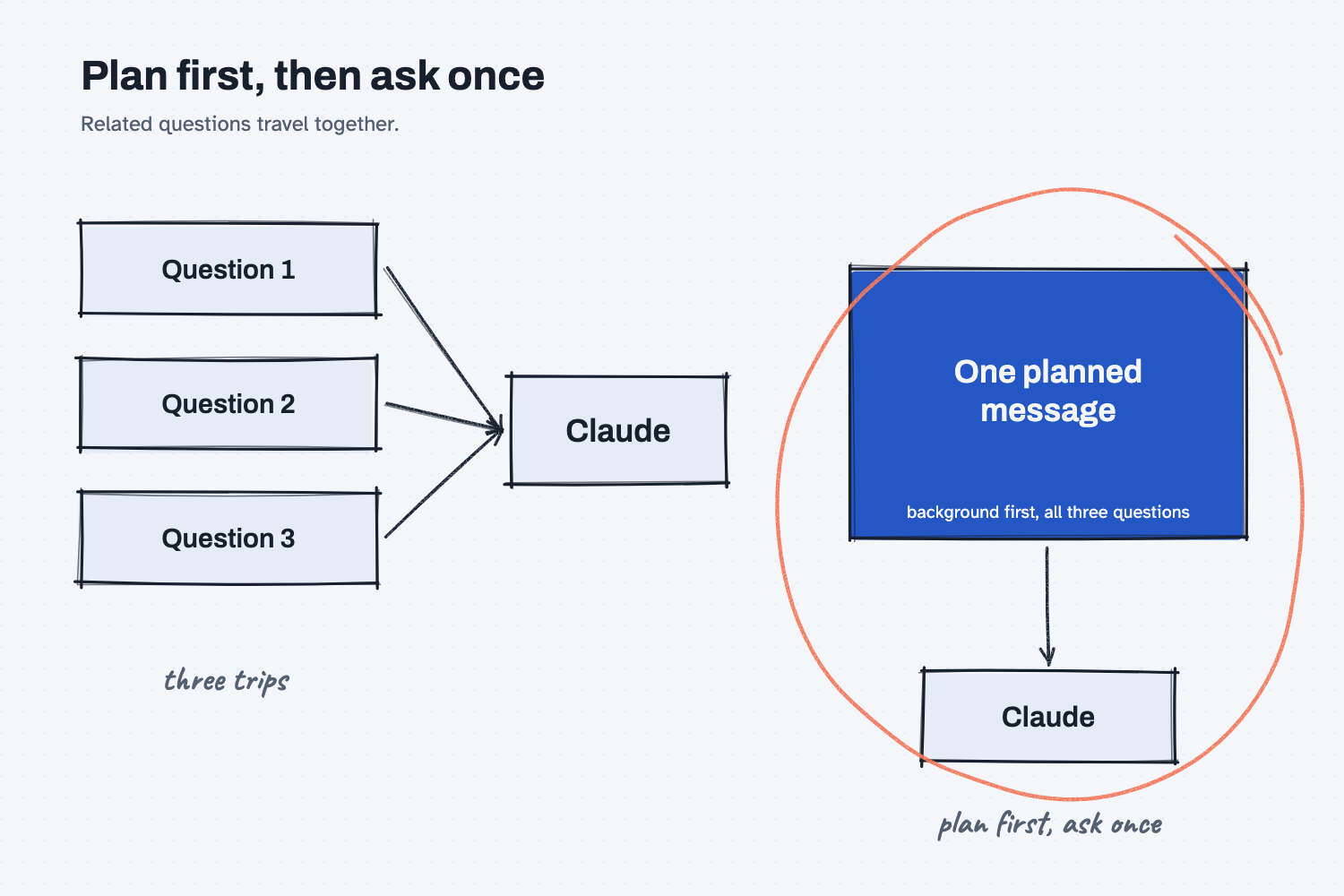
The second picture shows the habit that helps most. Three small messages on the left each carry their own back-and-forth, while the planned message on the right asks everything at once.
Try this in 2 minutes
This test puts three related questions in one planned message, which is the habit the help pages recommend. Paste this into a new chat:
I have three questions about supplier quotes. First: what is a lead time? Second: what is a freight surcharge? Third: what does net 30 mean? Answer all three in two sentences each.
All three answers should come back in one reply. Then open the Usage page in your settings and find two things, how much of the current session you have used and the time it resets.
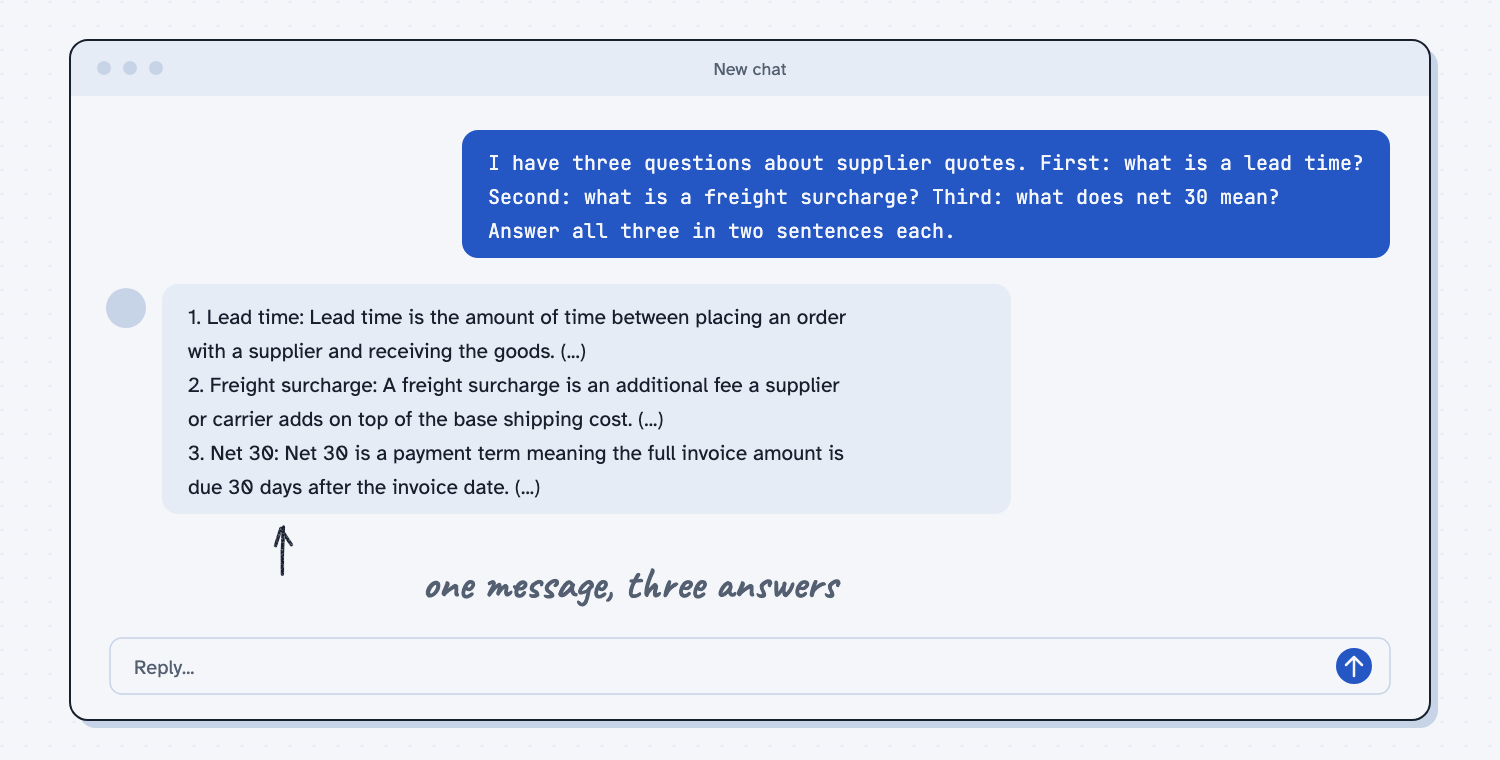
When I tried it, the reply answered all three in order. It described net 30 as "a payment term meaning the full invoice amount is due 30 days after the invoice date," and it explained that a freight surcharge "is usually listed as a separate line item on a quote."
One planned message did the work of three, and that is the habit to build. You will not see a big change on the Usage page from three small questions, but knowing where that page is, and when it resets, is what lets you plan a heavy week.
Frequently asked questions
How often does my Claude limit reset?
On paid plans the help page describes a session window that resets in full five hours after your first message, and a weekly limit that resets once a week. Your exact reset time shows on your Usage page.
Is there a set number of messages?
No. The help pages give no message counts, because what you use depends on the length of the chat, the files, the model, the tools, and the effort setting.
Can I buy more?
On paid plans you may be able to turn on usage credits, so work continues instead of stopping. Check with whoever manages your plan first, because it costs money.
Does Claude Code share my limit?
Yes. The help page says the website, Claude Code, and the desktop app all count toward the same limit.
Use it today
- Browse the tools directory to see which AI tools and plans fit the work you do.
- Related ideas: what is a token, what does AI cost, and search, research, or just ask.
From my training: we teach people to plan one good message first, and to start a fresh chat for each job.