What Is an Incognito Chat? What It Hides and What It Does Not
With Josh Schultz ·
Answer. An incognito chat is a temporary conversation that is kept out of your chat history and out of the AI's memory, and it is not used for training. It is not a vault, though, because the company still keeps the chat for a set time, which is 30 days by default.
The picture
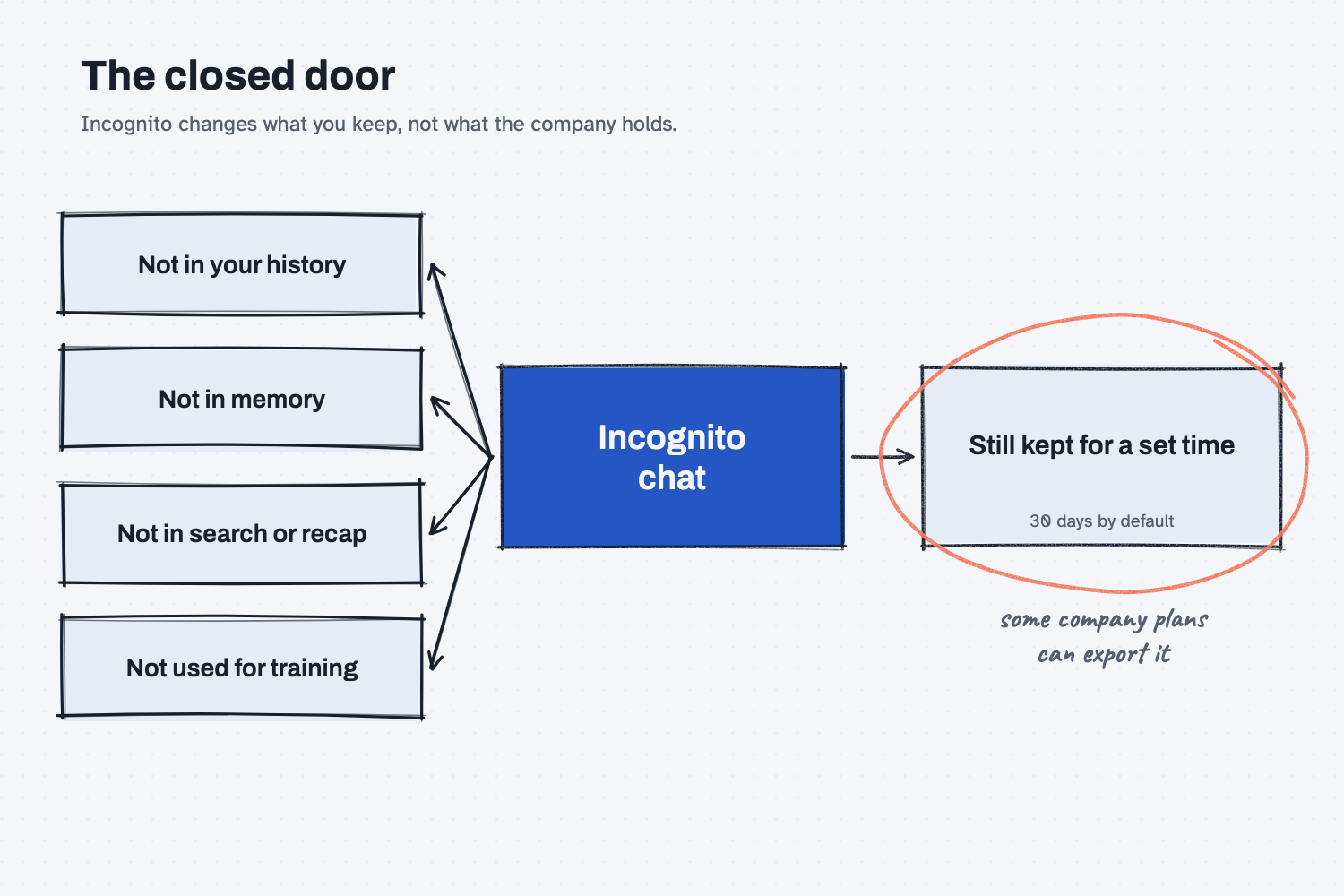
The four boxes on the left are what incognito keeps out, and all four are about what you and the AI see later. Your history will not list the chat, the AI's memory will not learn from it, search and the monthly recap will skip it, and it is not used for training. The box on the right is what incognito does not change, which is that the company still holds the chat for a while, and on some company plans the people who run the account can pull it out in an export.
Think of it like this
Think of stepping into a meeting room and shutting the door. Nothing from the meeting goes into your notebook, and the team's shared notes are not updated. When you walk out, there is no record in your own files that the talk ever happened.
But the front desk still keeps the sign-in sheet for a while, and in some buildings the manager can ask for it. The closed door changed what ends up in your notes, and it did not change who runs the building.
An incognito chat is that closed door. It keeps the conversation out of your own record and out of what the AI carries forward, and it does not make the conversation disappear from the company that hosts it.
Why does it matter at work?
It matters because people reach for incognito when they want privacy, and it only delivers some kinds of privacy. Knowing which kind helps you use it for the right jobs.
Luis Ramos, the controller at Mesquite Ridge Metal Works, needs to rehearse a hard message to a long-time supplier about a price dispute. He does not want that draft in his history, and he does not want it to color later chats. An incognito chat fits, because it keeps the rehearsal out of his record and out of memory.
It would not fit if Luis wanted to paste the supplier's real cost sheet into a tool his company has not approved. Incognito does not change where that data goes or what the company's rules say about it, so he should follow the company data guidance first.
How does it work?
Anthropic's help page says incognito chats "aren't saved to your chat history or to Claude's memory," and that they are not used for training. A few details are worth knowing, and you should check the current help page because settings and buttons change.
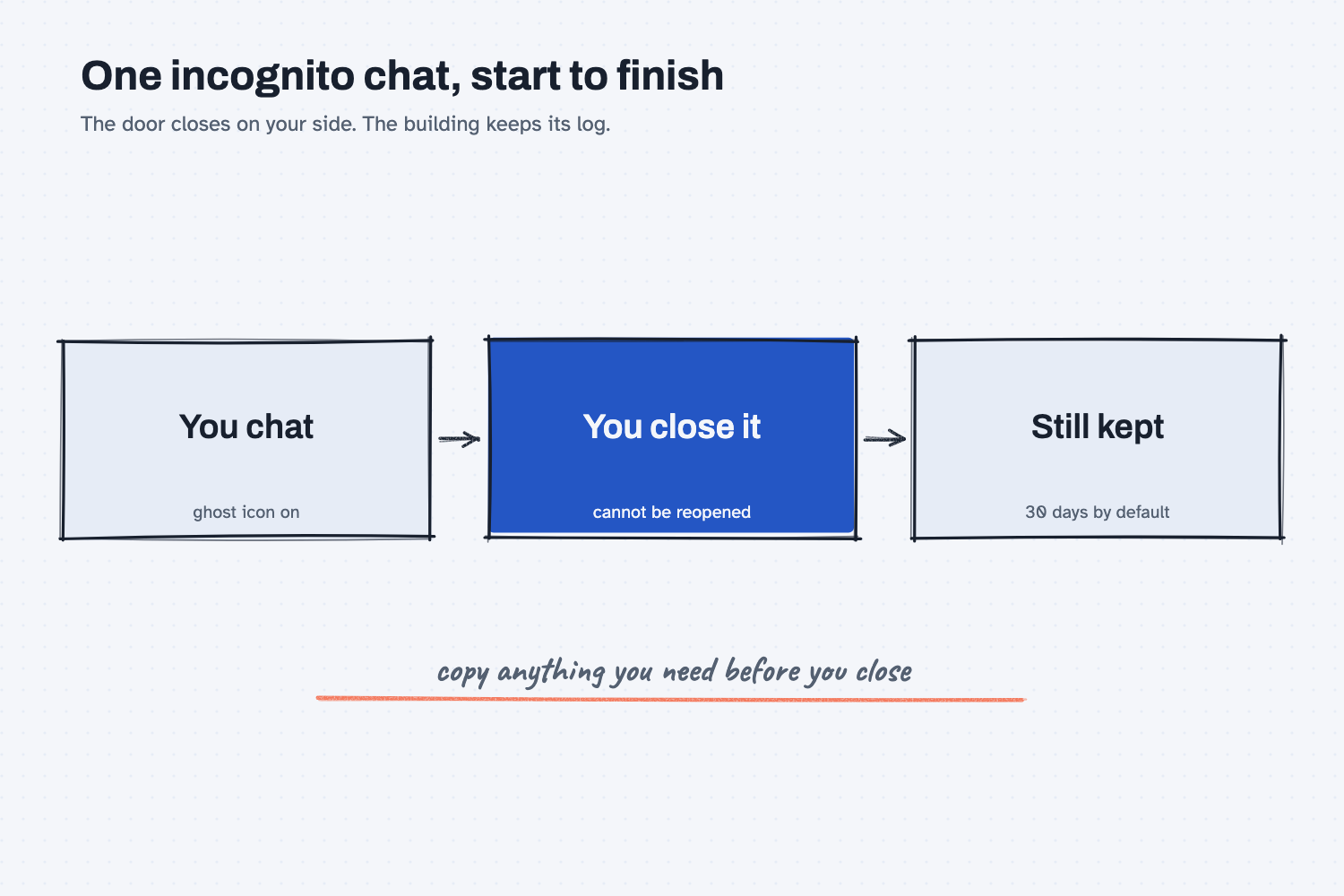
The timeline above follows one incognito chat from start to finish, and the four points below explain each stop.
You turn it on at the start. In Claude you look for a ghost icon at the top right of a new chat, and the screen shows an "Incognito chat" label once it is on. You cannot switch an ordinary chat into an incognito one later.
It is gone from your view when you close it. Once you close an incognito chat you cannot reopen it, so copy anything you need first. Claude also will not pull from it when you ask about past conversations, which connects to what AI remembers between chats.
It still keeps your profile. Incognito does not use your saved memory, but your profile settings, such as custom styles and preferences, still apply. Incognito chats are also not supported inside a project, where you can turn memory off instead.
The company still keeps the chat. Anthropic's page says incognito chats are kept for 30 days by default, or longer if an organization sets a longer period on a plan that allows it. On Team and Enterprise plans they can appear in the organization's data exports for account owners.
Where do people get it wrong?
Almost every mistake comes from treating "private from me later" as "private from everyone."
- Treating it as a vault. It keeps the chat out of your history, and the company still holds it for a time.
- Using it to get around company rules. On a work account, the organization may be able to export it, and your data rules apply either way.
- Pasting company data because it is "incognito." The paste still leaves your desk, so the same approval rules apply.
- Expecting to come back to it. A closed incognito chat cannot be reopened or turned into a normal chat.
- Expecting a blank slate. Your profile preferences still apply, so the AI is not meeting you for the first time.
Try this in 2 minutes
This test gives Claude the facts from the help page and asks it to sort four situations. You can use any chat tool, and it shows how the rule works in practice.
- Open a new chat and paste this:
Here are facts from Claude's help page about incognito chats: they are not saved to chat history or memory, do not use your existing memory, are not used for training, and are still kept by Anthropic for 30 days by default (longer if an organization sets it), and on Team and Enterprise plans they can appear in organization data exports for account owners. I am a buyer who is new to AI. Sort these 4 situations into 'incognito is a good fit' or 'incognito does not solve this', with one plain sentence of reason each: (a) asking a private question I do not want in my history, (b) pasting a customer's real price list when my company has not approved the tool, (c) drafting a sensitive note I do not want the chat to remember later, (d) hiding what I do from my employer on a company account. Use plain words.
- Here is what I expect. Situations (a) and (c) are about your history and memory, so incognito fits. Situations (b) and (d) are about company rules and who can see the chat, so incognito does not fix them.
- Check each reason against the facts you pasted, and notice which ones depend on who else can see the chat.
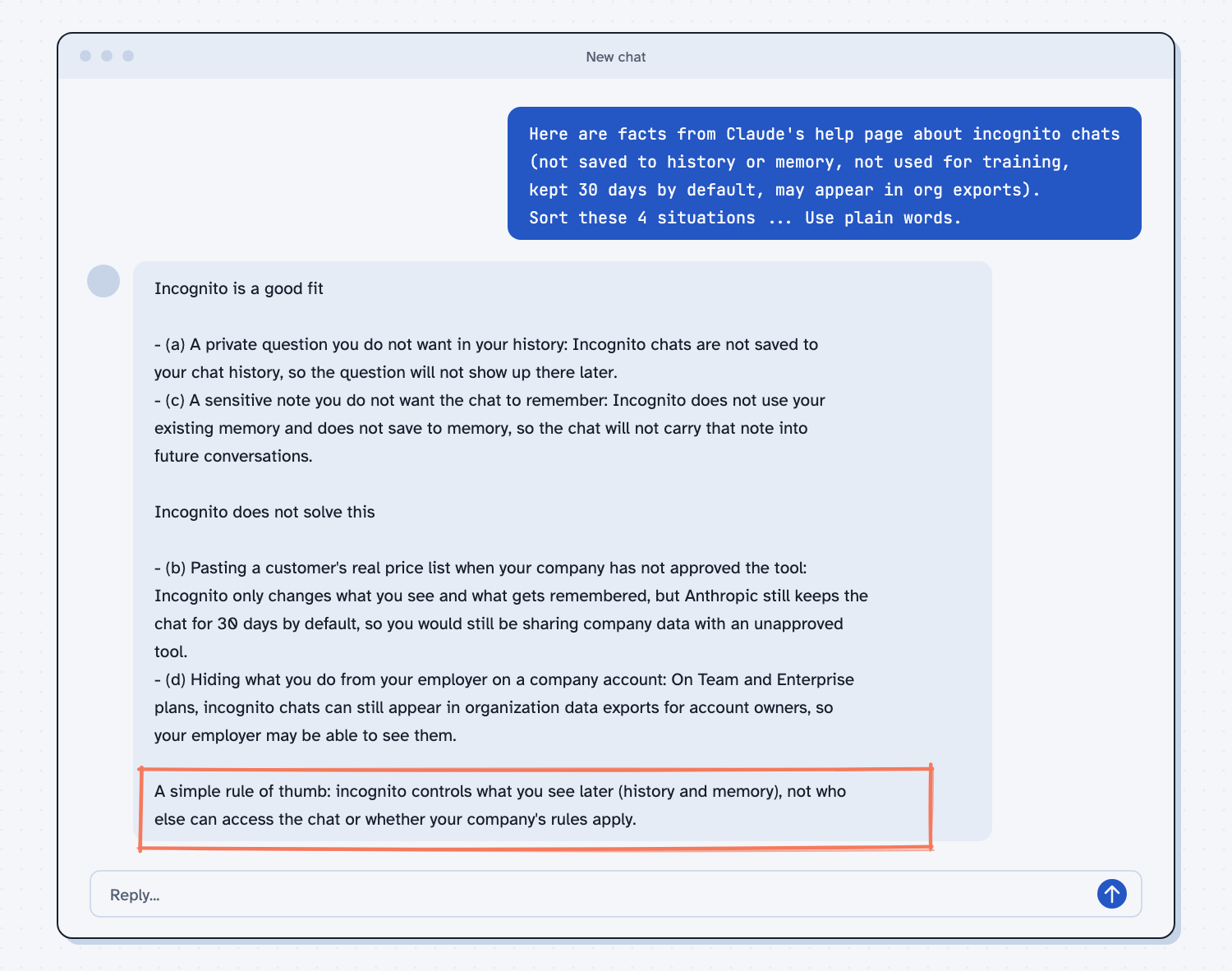
When I tried this, the sort matched what I expected. About the real price list it said "Incognito only changes what you see and what gets remembered, but Anthropic still keeps the chat for 30 days by default, so you would still be sharing company data with an unapproved tool." It ended with a rule of thumb, "incognito controls what you see later (history and memory), not who else can access the chat or whether your company's rules apply." That one line is the whole idea.
Frequently asked questions
Is an incognito chat private?
It is private from your own history and from the AI's memory. It is not private from the company that hosts it, which keeps the chat for a time, and on some work plans the account owners can export it.
Does the AI use incognito chats for training?
Anthropic's help page says incognito chats are not used for training. Settings for your regular chats can differ, so see does AI learn from my data.
Can I turn an incognito chat into a normal one?
No. You cannot reopen or convert an incognito chat after you close it, so copy anything you want to keep while it is open.
Is it the same as turning off memory?
Not quite. Turning off memory keeps the chat in your history while the AI skips memory. Incognito skips both. Inside a project, where incognito is not offered, you can turn off memory instead.
Use it today
- Safe use of AI at work: the rules for what to paste, whichever chat mode you use.
- Related idea: Is it safe to put company data in AI.
- Related idea: Does AI remember past chats.
From my training: this site teaches incognito as a closed door, not a vault, because it changes what you keep and not what the company holds.