Where to Start With AI at Work: Pick One Boring Task You Can Check
With Josh Schultz ·
Answer. Start with one boring task that you repeat often, that does little harm if the AI gets it wrong, and that you can check yourself. Try it on sample data first, and then on real data you are allowed to use. A small first win that you can trust teaches you more than a big project that you cannot.
The picture
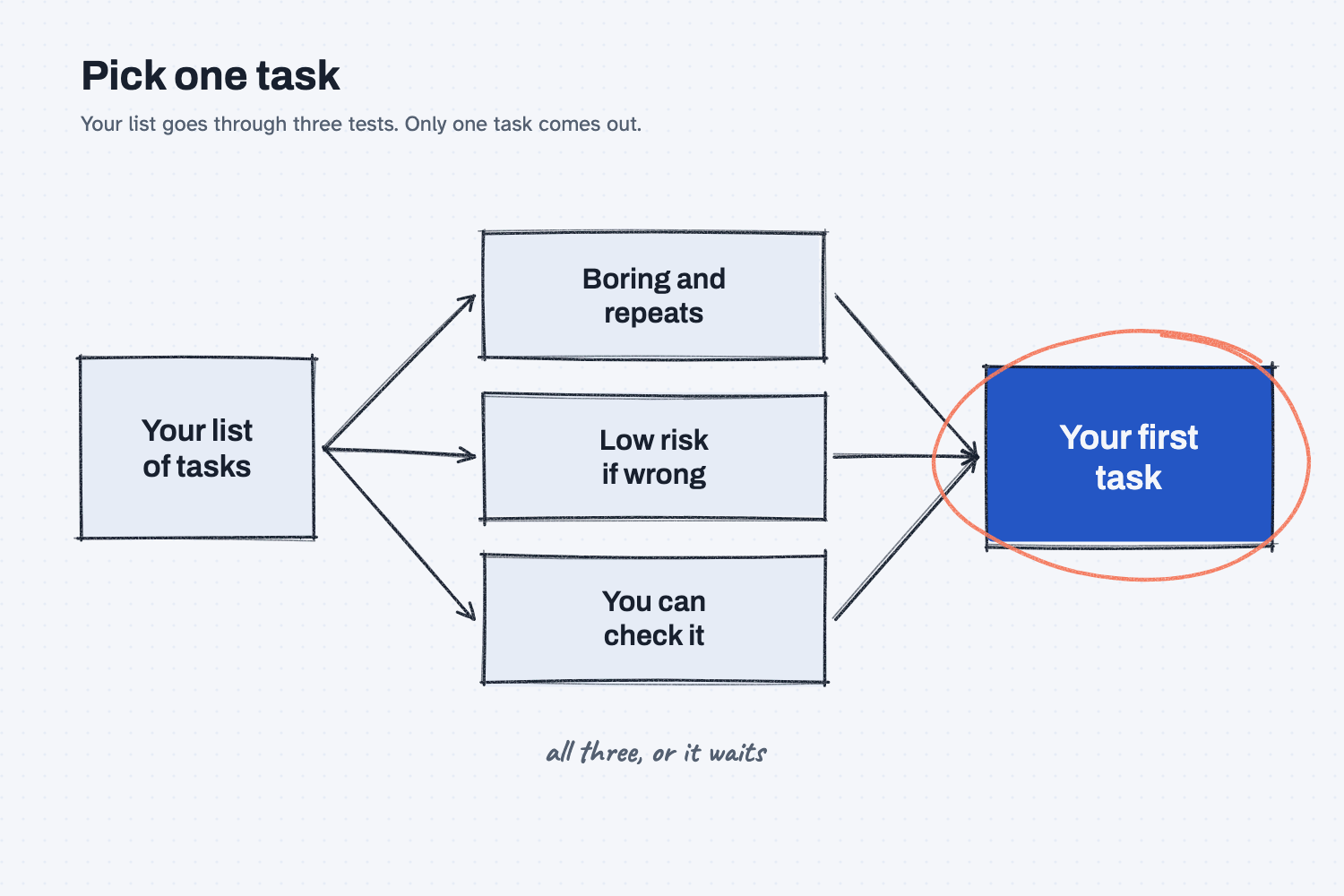
Your list of possible tasks goes in on the left, and each one has to pass three tests in the middle. The first test asks whether the task is boring and comes up again and again. The second asks whether a wrong answer would do little harm, and the third asks whether you can look at the result and tell if it is right. Only a task that passes all three comes out on the right, which is why that box is circled and why it is the only one you start with.
Think of it like this
When a new hire joins the front office, you do not hand them your biggest customer account on the first day. You give them a job that comes up every week, such as checking that the packing slips match the orders, because a mistake there is cheap and you can look over their shoulder while they learn it. After a few weeks you know how they work, which jobs they handle well, and where they still need a second pair of eyes. Then you give them something bigger.
AI works the same way. Your first task should be the packing-slip job, because you are learning how the tool behaves while the stakes are still low.
Why does it matter at work?
Your first task decides whether you trust the tool, and whether the people around you trust it too. If the first thing you try is important and goes wrong where others can see it, the whole effort can end there. A small win that holds up quietly builds the case for the next one.
Here is an example. Hector Lee is the production planner at Mesquite Ridge Metal Works, and he has a long list of things he wishes AI could do. One of them is deciding which late orders to rush, but that choice involves real money and a customer relationship, so it is a poor place to start. Instead he picks something dull that he does every week, which is tidying the ERP inventory export (the report his system produces of what is in stock) so the columns and dates are consistent. The export is only a copy, so nothing breaks if the result is wrong, and he can check it by comparing the row count and a few rows against the original. After a few weeks he trusts the routine, and that trust gives him the confidence to try the next task.
How does it work?
There are four parts. You choose the task with three tests, you try it on sample data, you move to real data only when you are allowed to, and you keep the win small enough to trust.
Choose the task with three tests. A task that is boring and repeated gives you many chances to practice, so even a small time saving adds up. A task that is low risk means the result is a draft or a copy, nothing goes outside the company, and no money moves because of it. A task you can check means you know what a right answer looks like, for example a total you can add up yourself or a source document you can compare against. If a task needs your judgment about people or money, it fails the second test, and you can read more about those in when not to use AI.
Try it on sample data first. Sample data is made-up information that has the same shape as the real thing, such as a fake quote with fake prices. Because nothing real is at stake, you can make mistakes freely, learn what to ask, and show your boss what you are doing without any worry about what the data contains.
Move to real data you are allowed to use. Allowed means your company's rules say that this kind of information may go into this tool, so check your plan's data settings and ask if you are unsure. The page on safe use explains what to look for. Once you have permission, run the same task on real files and compare the result to what you would have done by hand, which is the method in how to test an AI tool.
Keep the first win small. Each small win gives you proof that the method works and a routine you can reuse. A big first project gives you neither, because when it goes wrong you cannot tell which part failed.
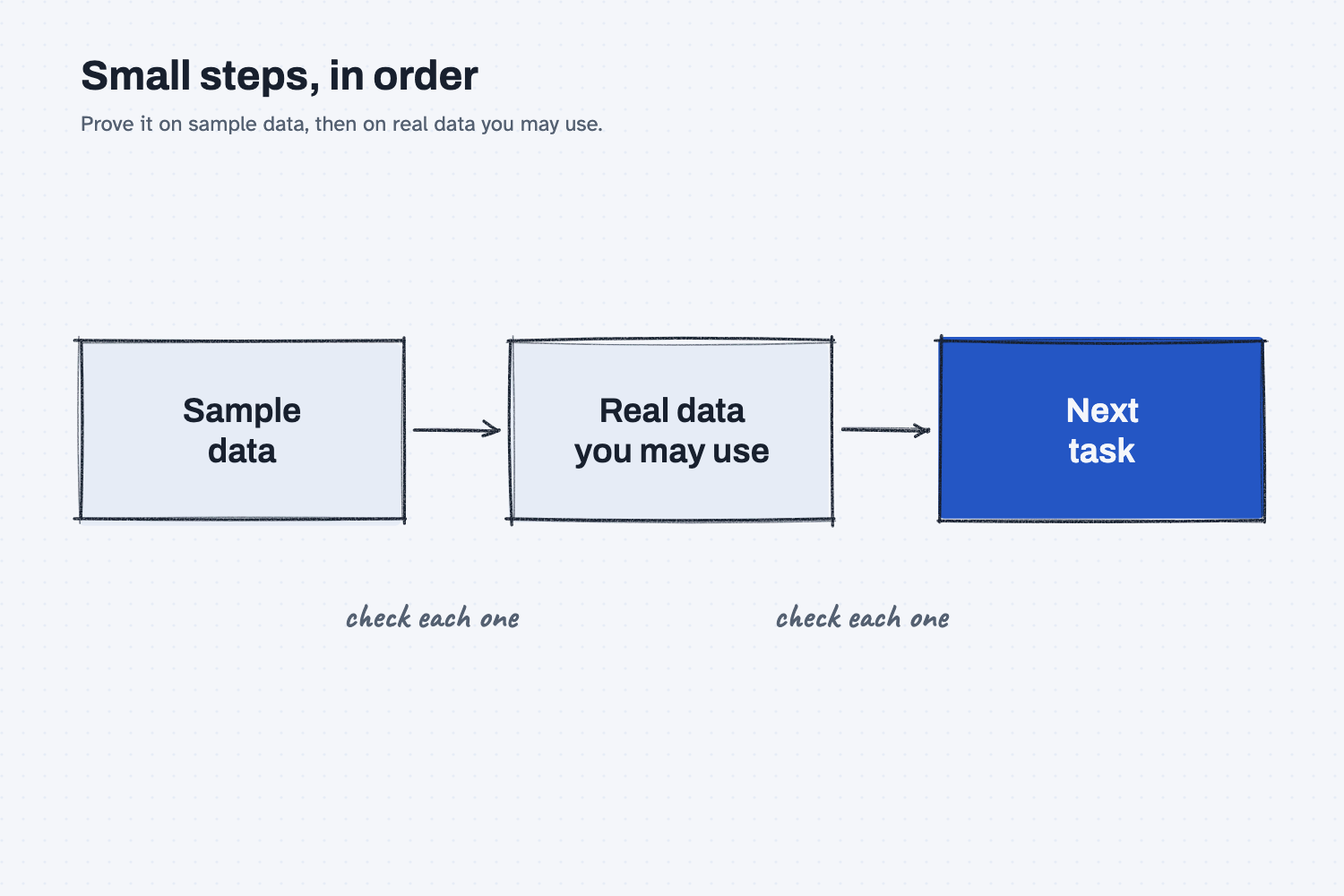
The second diagram shows the order. You prove the task on sample data, then on real data you are allowed to use, and only after that do you reach for the next task, checking the result at each step.
Where do people get it wrong?
Most mistakes come from picking the task that hurts the most instead of the task that is safest to learn on. Four come up often.
- Starting with the most painful task. The painful tasks usually involve judgment, deadlines, or money, which makes them risky places to learn.
- Choosing a task nobody can check. If you cannot tell whether the answer is right, you will either trust it blindly or throw it away, and neither teaches you anything.
- Skipping sample data. Pasting real files in on the first day means your first mistakes happen with real information, and you may not be allowed to use it yet.
- Trying five things at once. When several things change together, you cannot tell which one worked.
Try this in 2 minutes
This test gives AI a short list of tasks and asks it to pick a first one using the three tests. You can use any chat tool.
- Open a new chat and paste this:
I work in the office at a metal parts maker. I want to try AI at work for the first time, and I can only start with ONE task. Here are my candidates:
1. Compare three supplier quotes for the same part and build one side-by-side table.
2. Decide which supplier gets the order.
3. Clean up the weekly ERP inventory export so the columns are tidy.
4. Approve and send purchase orders over $10,000.
5. Write the monthly summary for the board.
6. Draft follow-up emails to suppliers about missing quote terms.
Pick the best ONE to start with. Judge each on three things: it is boring and repeats often, it is low risk if the AI gets it wrong, and I can check the result myself. Reply with your pick and one short line on why each of the others should not be first.
- Here is what I expect: the AI should leave out the two tasks that need a person's judgment, which are deciding the supplier and approving purchase orders, and pick one of the safer ones.
- Read its reasons, and notice whether they match the three tests.
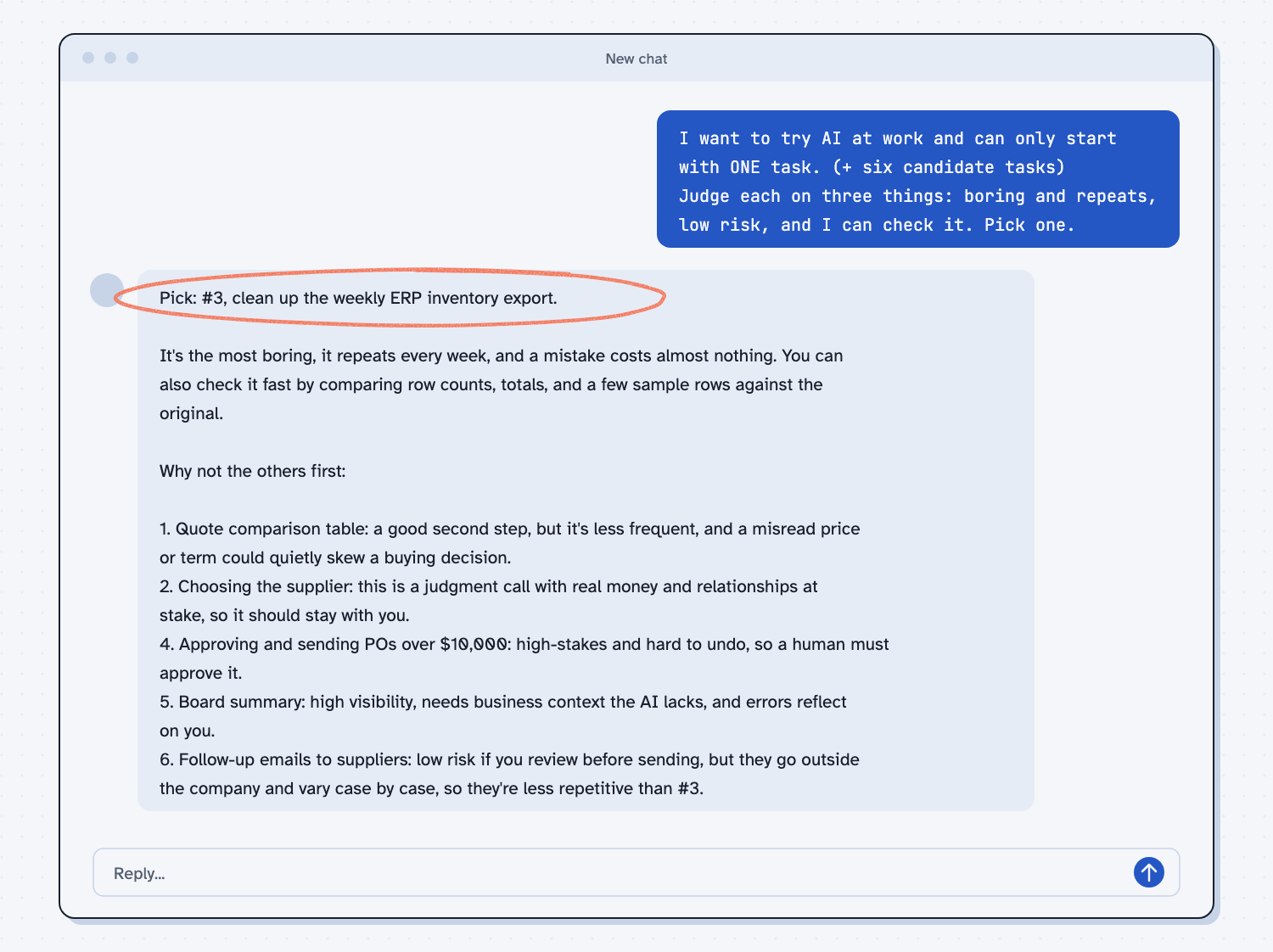
When I tried this, the reply began, "Pick: #3, clean up the weekly ERP inventory export." Its reason was, "It's the most boring, it repeats every week, and a mistake costs almost nothing." It also called the quote comparison "a good second step, but it's less frequent, and a misread price or term could quietly skew a buying decision," which is a fair point about the risk of a wrong number.
It kept the two judgment tasks away from the AI. Of choosing the supplier it said, "this is a judgment call with real money and relationships at stake, so it should stay with you." Of approving purchase orders it said, "high-stakes and hard to undo, so a human must approve it." Your own list will differ from mine, but the useful part is that the AI judged every task against the same three tests, and you can do the same with yours.
Frequently asked questions
What is the best first task for AI at work?
The best first task is boring, repeated, low risk, and checkable by you. Typical examples are tidying a weekly report, building a side-by-side table from quotes, or drafting a routine email that you read before sending.
What if my company has not approved an AI tool yet?
Use made-up sample data only, and do not paste in anything real. Meanwhile, write down your task and ask for approval, which is covered in how to get your company to approve AI.
How do I know a task is low risk?
Ask what happens if the answer is wrong and nobody notices. If the answer is that you lose a few minutes, the task is low risk, and if the answer involves money, a customer, or safety, it is not.
How long should I stay on the first task?
Stay until you trust the routine, meaning you know what to ask, how to check the result, and where it usually goes wrong. Then add the next task.
Use it today
- Clean up one process before you automate it: a 1-star way to start with one task you already own.
- Clean an ERP export in Excel with Claude: a first task that is boring, repeated, and easy to check.
- Compare supplier quotes with Claude: a good second task once you trust your routine.
- Related idea: What tasks can AI do?
From my training: we always start with one task you already do every week, on sample data first.