What Are CSV, JSON, and YAML? Three Plain-Text Ways to Store Data
With Josh Schultz ·
Answer. CSV, JSON, and YAML are three ways to write data down as plain text. CSV is a table with one row per line. JSON is labeled fields that can sit inside one another, so a quote can hold its own lines. YAML holds the same labeled fields as JSON, but it is laid out to be easier for a person to read.
The picture
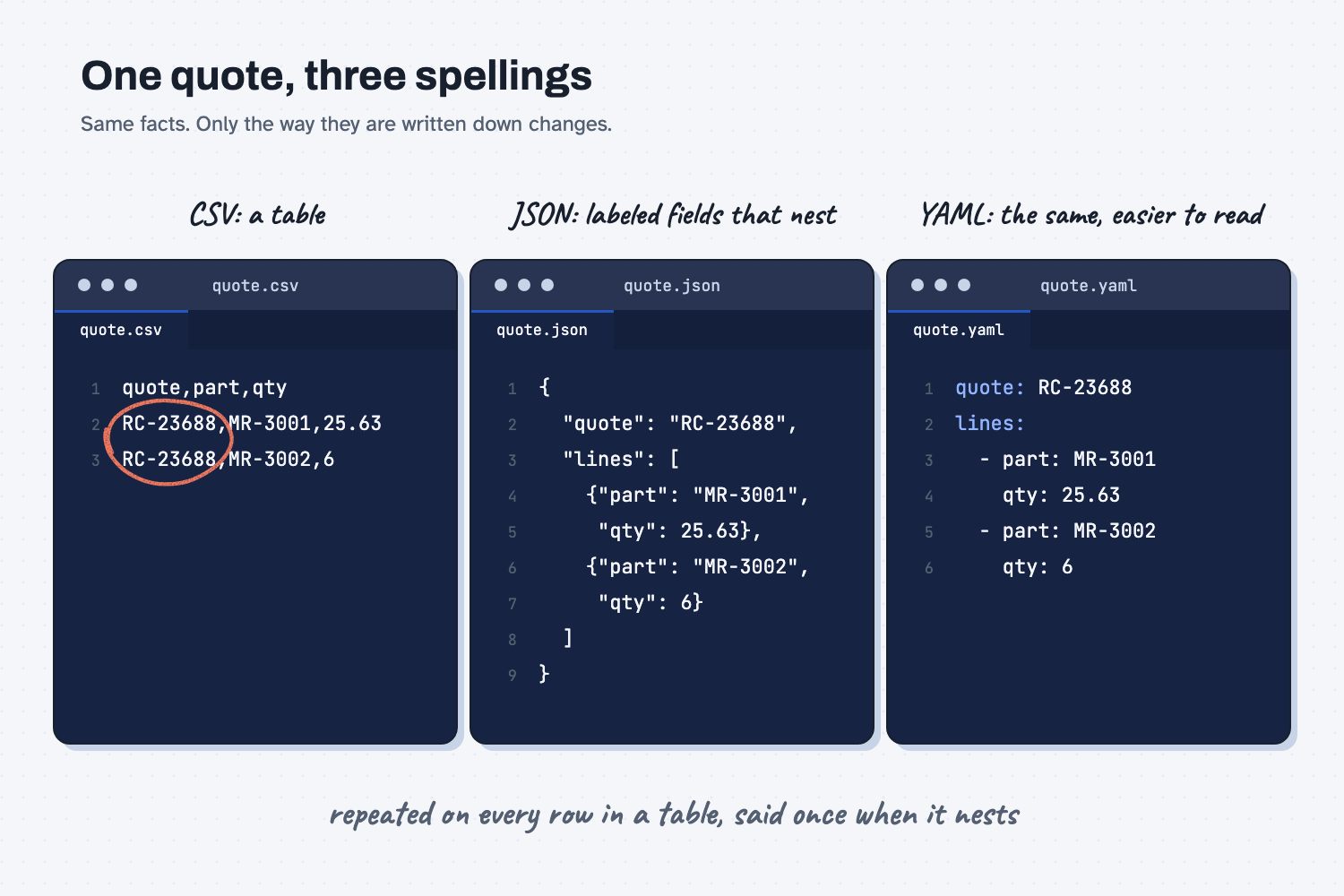
The picture shows one supplier quote written three ways. On the left, CSV is a plain table, and notice that the quote number has to be repeated on every row, which is circled. In the middle, JSON says the quote number once and tucks the two lines of the quote underneath it, the way a form would. On the right, YAML says the same thing as JSON, but with indents and dashes instead of braces and quotation marks, which makes it look more like a typed list.
Think of it like this
Picture the paper quote form a supplier sends you. At the top it has the facts that belong to the whole quote, such as the supplier, the quote number, and the date. Below that it has a grid of lines, one for each part, with a quantity and a price.
Now suppose you have to store that form in a way a computer can read. CSV keeps only the grid. If you want the quote number to stay with each line, you write it again on every row. JSON keeps the form as it really is: the top facts are labeled, and the lines sit inside the quote as a little stack of mini-forms. YAML is the same form, typed so that it reads more like notes than like code.
Why does it matter at work?
It matters because the format decides what a file can hold and who can work with it. A table holds a table well, but a quote with a header and several lines is more than a table, and squeezing it into one makes the repeats and gaps pile up.
Here is an example. At Mesquite Ridge Metal Works, the open orders that feed the shop's digital twin are a CSV file, and Hector Lee can open it in Excel, which is exactly what CSV is good for. The supplier quotes that feed the quote price history report are saved as JSON, because each quote has its own header and its own lines. The shop file that describes the machines and shifts is a YAML file, and the planner can add a note to it, because YAML allows comments.
So when a vendor says, "We can export your data," the useful follow-up is, "In which format?" A CSV export is easy to open in a spreadsheet, while a JSON file is what other programs usually expect, and an AI tool will say which ones it accepts.
How does it work?
All three are plain text, so you can open any of them in a text editor, as in what is a markdown file. What differs is how they show structure.
CSV is a table. CSV stands for comma-separated values. Each line is one row, and commas separate the columns, with the column names on the first line. It is the simplest of the three, and it is what spreadsheets save and open. It has no way to nest one thing inside another, so anything with a header and lines has to repeat the header values on every row.
JSON is labeled fields that can nest. JSON stands for JavaScript Object Notation, though you never need to know why. Each value has a label, such as "supplier" or "quantity," and a group of values sits inside curly braces. A list of lines sits inside square brackets. Programs read JSON very reliably, which is why AI tools often use it when a result must come back in the same shape every time (see structured output). Its strictness is also its cost: a missing quotation mark or comma can stop a program from reading the file, and JSON has no place for comments.
YAML is the same idea, written for people. YAML holds labeled fields and nested lists like JSON does, but it uses indents and dashes instead of braces and quotation marks, so it reads more like an outline. You can add notes to it by starting a line with a #. The cost is that the indents matter, so a line that is out by a space can change what the file means.
You can move between them. Because all three hold plain data, one can often be turned into another by a small program, or by AI. The risk is in the leaps. A flat CSV cannot fully hold nested JSON without repeating things, so check a few rows after any conversion.
Where do people get it wrong?
Most trouble comes from picking a format for how it looks instead of what the data is shaped like. These are the mistakes I would watch for.
- Forcing nested data into a CSV. A quote with a header and five lines ends up with the header written five times, and blanks where a line has no value. If the data has a header and lines, JSON or YAML fits it better.
- Letting Excel rewrite a CSV. When Excel opens a CSV, it can drop the leading zeros from a part number or turn something that looks like a date into a date, and saving then makes the change permanent. Check part numbers and dates before you save.
- Breaking the indents in YAML. A single stray space can change the meaning of a line, so make small edits and check the result.
- Expecting a person to enjoy raw JSON. It is meant for programs. If people need to read or edit the file, YAML or a spreadsheet is kinder.
Try this in 2 minutes
This test asks AI to write one supplier quote in all three formats, so you can compare them side by side. Any chat tool works.
- Open a new chat and paste this:
Here is one supplier quote. Supplier: Red Creek Steel Supply. Quote number RC-23688, dated 2026-02-10. Line 1: part MR-3001, 4140 round bar, quantity 25.63, unit CWT, unit price 91.00. Line 2: part MR-3002, A36 plate, quantity 6, unit SHEET, unit price 389.00. Write this quote three ways: as CSV, as JSON, and as YAML. Give each one a short heading and put it in a code block. Add nothing else.
- Here is what I expect: the CSV repeats the supplier and quote number on every row, while the JSON and YAML each say them once and list the two lines underneath.
- Count how many times "RC-23688" appears in each version.
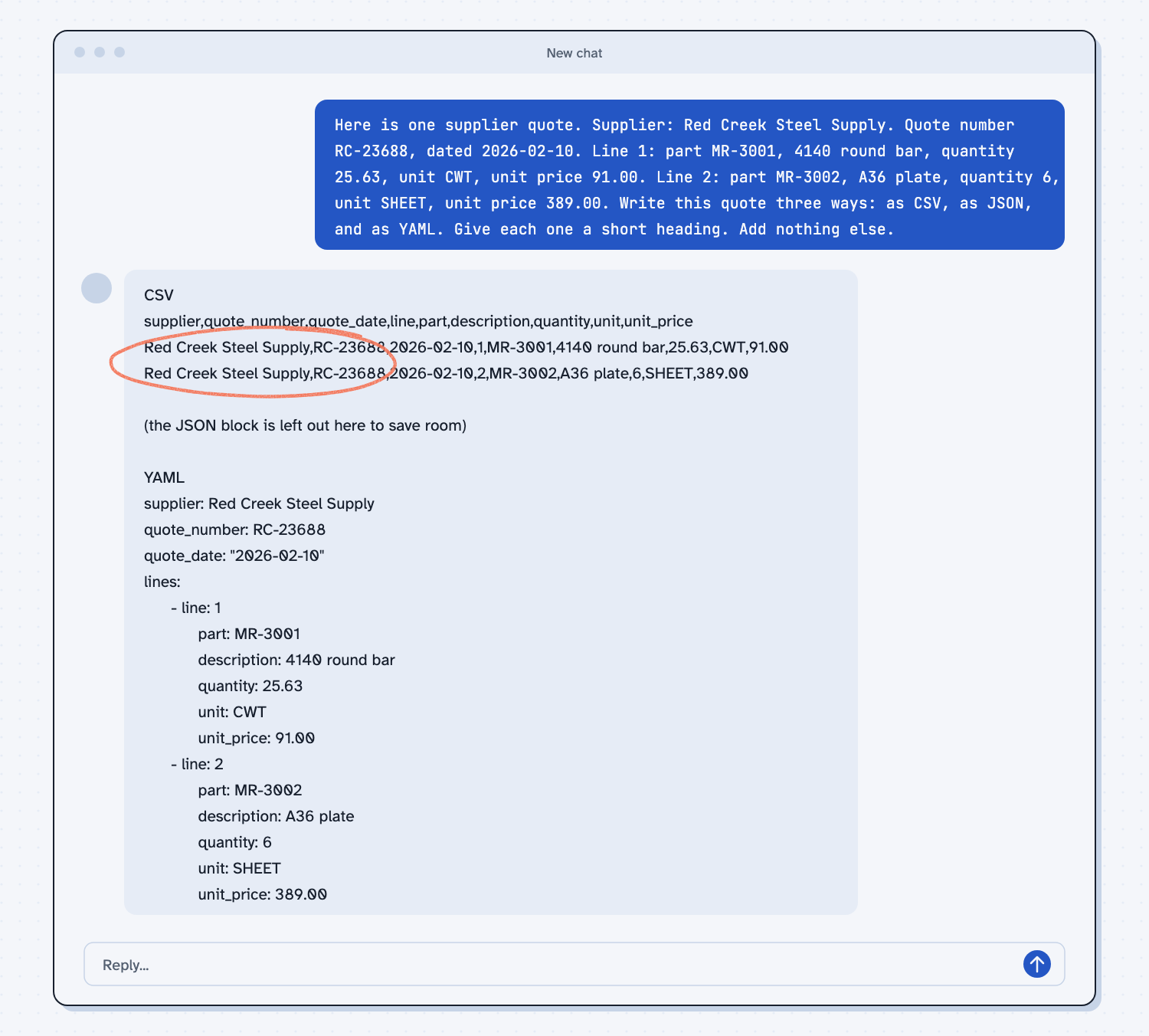
When I tried this, the CSV had a header row of column names and then two rows, and both rows began "Red Creek Steel Supply,RC-23688,2026-02-10," so the same three facts were written twice. The YAML said "supplier: Red Creek Steel Supply" and "quote_number: RC-23688" once, and then listed the lines under "lines:" with a dash for each one. The JSON had the same shape as the YAML, with braces and quotation marks.
It also put the date in quotation marks in the YAML, as "2026-02-10." That keeps the date as plain text instead of something a program might convert, which is a small sign that a plain-looking file can hold careful choices.
Frequently asked questions
What is the difference between CSV, JSON, and YAML?
CSV is a flat table. JSON holds labeled fields that can nest, which makes it good for programs. YAML holds the same kind of data but is laid out to be easier for people to read and edit.
Can I open these files in Excel?
Excel opens CSV files as a spreadsheet. A JSON or YAML file is plain text, so a text editor opens it.
Which one should I use?
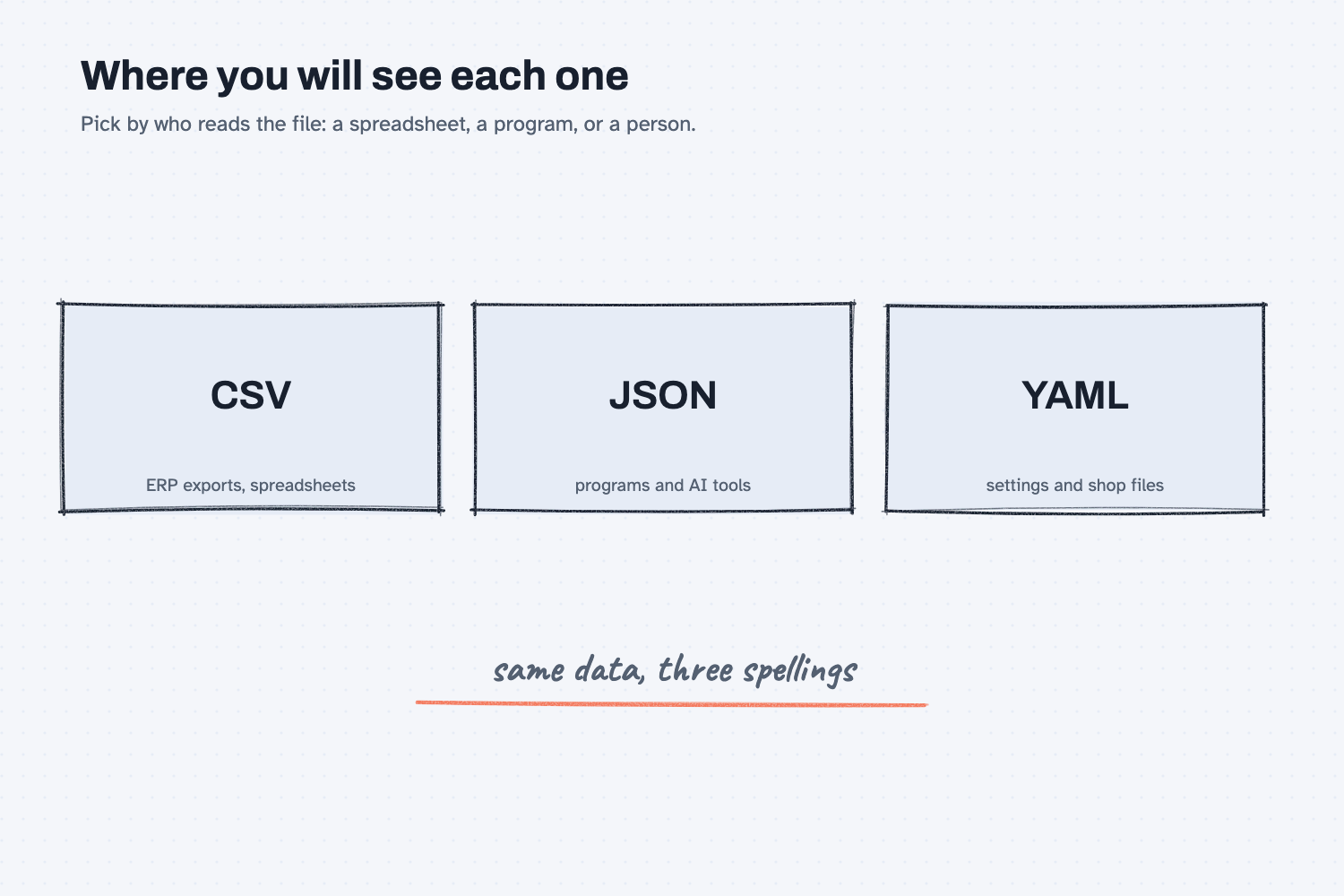
Use CSV for a flat list that goes into a spreadsheet. Use JSON when a program or AI tool will read the data. Use YAML for settings or descriptions that people will edit.
Is JSON or YAML better for AI?
Neither is better. AI can read and write all three, and JSON is common when a result must keep the same shape every time, while YAML is common for files people maintain.
Use it today
- Have Claude build your quote report: the quote files it reads are JSON, so you can open a few and see the nesting for yourself.
- Related ideas: Make AI fill in your form, What is a markdown file?, What is a digital twin?
From my training: when we build something together, the data files are plain text you can open, which is why we pick formats a person can read.