What Is a Markdown File? Plain Text That People and AI Both Read
With Josh Schultz ·
Answer. A markdown file is a plain text file, saved with the ending .md, that uses a few marks to show structure. A # at the start of a line makes it a heading, and a - at the start of a line makes it a list item. People read it as it is, and AI reads it easily too, so instructions, skills, and notes for AI are usually kept in markdown files.
The picture
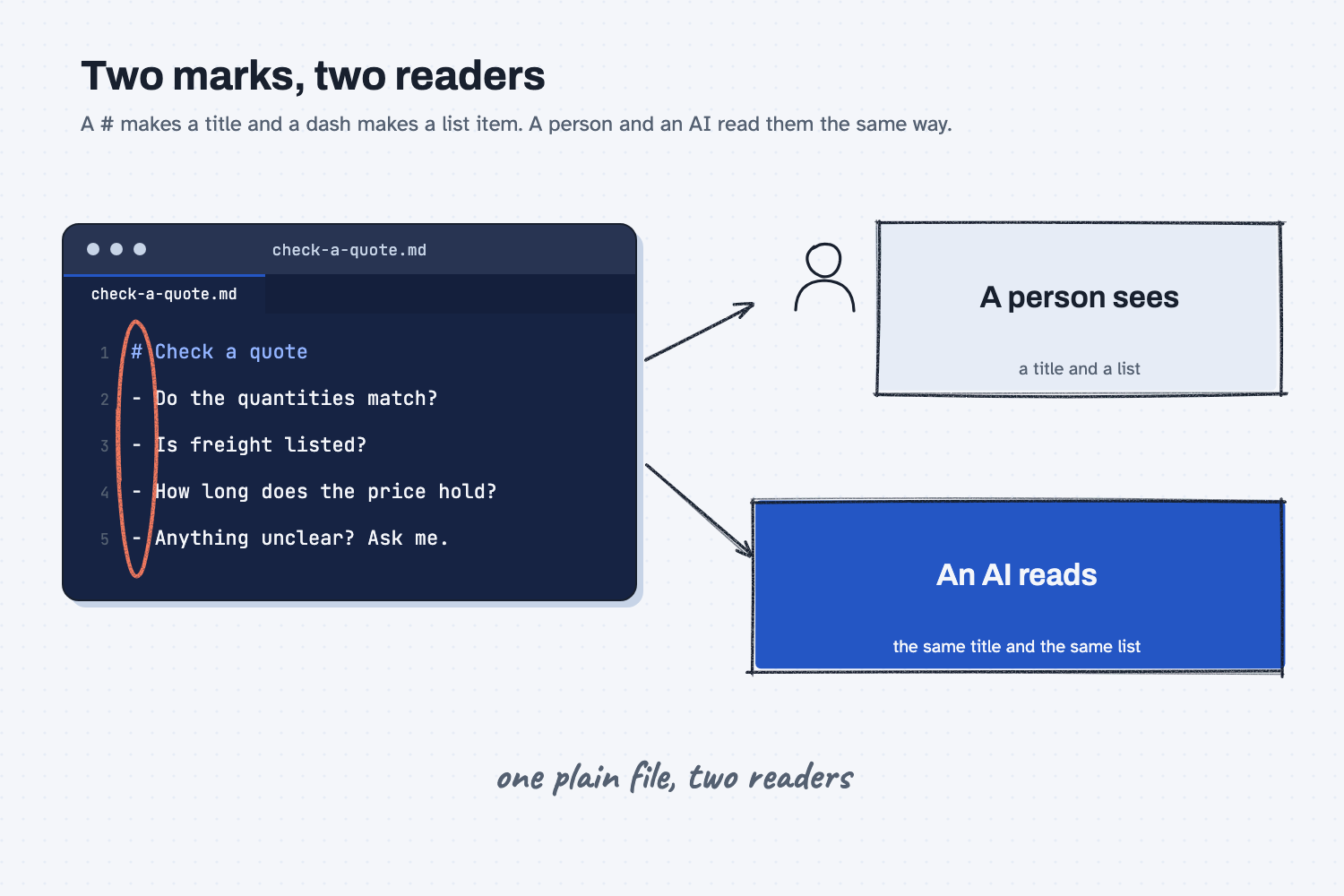
Look at the file on the left. It has a title line that starts with a #, followed by four lines that each start with a dash. Those two marks are nearly the whole trick. A person reading the file sees a title and a list, and an AI reading the same file sees the same title and the same list, because the marks tell both of them where the title ends and where each item begins. The marks are circled because they are ordinary typed characters, so nothing is hidden inside the file.
Think of it like this
Imagine you leave a handwritten note on a coworker's desk about how to check a supplier quote. With a pen you can underline the title so it stands out, and you can put a dash in front of each item so the list is easy to scan. You do not need special paper, and your coworker can read the whole thing at a glance.
A markdown file is that same note, typed. A plain text file cannot underline anything, so you type a # in front of the title, and you type a dash in front of each item. Those typed marks do the job your pen strokes did. Because they are just characters on the keyboard, the note stays a plain note that any program can open, unlike a Word document, which keeps its formatting in a more complicated file that needs Word to open it.
Why does it matter at work?
It matters because the instructions that shape how an AI behaves are usually kept in markdown files, and once you can open one, you can read it, check it, and change it yourself. Without that, the rules an AI follows are a black box you have to take on faith.
Here is an example. At Mesquite Ridge Metal Works, Jen Nakamura keeps a short note called check-a-quote.md that lists what she looks at before she approves a supplier quote: whether the quantities match the request, whether freight is listed, how long the price holds, and anything that looks unclear. A new buyer reads the note on the first day, and an AI helper that is given the same note follows the same list. When a supplier starts adding a fuel surcharge, Jen adds one line, and the buyer and the AI both pick up the change. This is the idea behind keeping your rules in one place.
When a vendor shows you an AI tool, it is worth asking, "Where are its instructions kept, and can I open and edit them?" A plain file you can read means you stay in control of how the tool behaves.
How does it work?
There are four parts to know: the marks, the file ending, why AI handles the format well, and how to make and open a file yourself.
The marks. A # followed by a space turns a line into a heading, and two of them (##) make a smaller heading inside a bigger one. A dash followed by a space turns a line into a list item. A blank line separates one paragraph from the next. That small set covers most notes, and the space after the # or the dash matters, because without it the mark may not count.
The file ending. The letters .md at the end of a file name, as in check-a-quote.md, tell the computer and any AI tool that the text inside uses these marks. Some well-known files are markdown files. A skill, which is a saved set of instructions for one kind of job, keeps its main instructions in a file named SKILL.md (see what is an AI skill), and Claude Code reads a file named CLAUDE.md for standing instructions about a project.
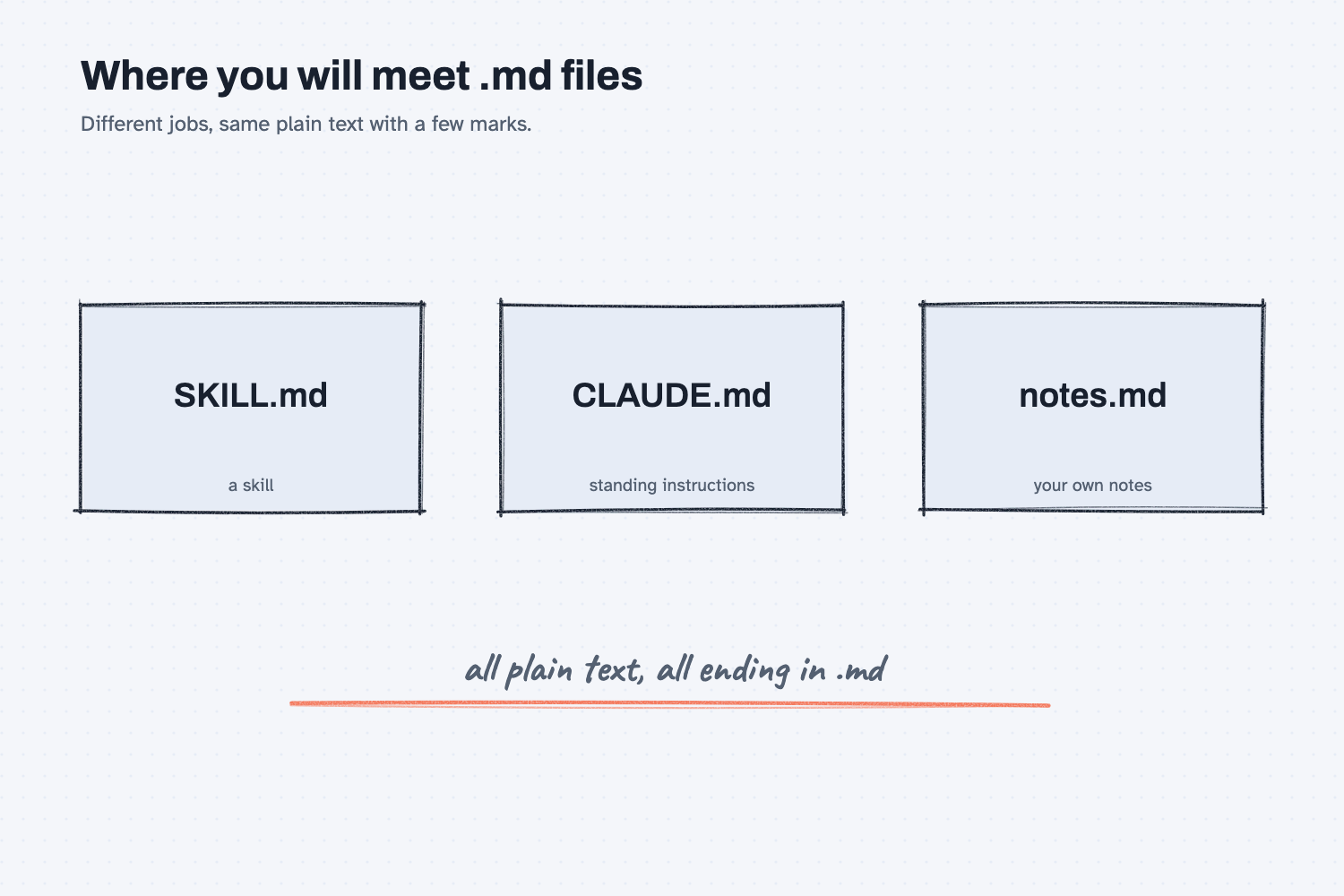
The picture above shows where you will run into these files, each holding a different kind of writing.
Why AI handles it well. The file is plain text, so there are no hidden codes to wade through, and the marks show where each part starts and stops. AI can read other formats too, but this kind is the easiest to read, write, and check, which is a big reason it is the common choice. The formats that hold data are covered in CSV, JSON, and YAML.
How to make and open one. Any text editor will do. On Windows, open Notepad, type your note, and save it with a name that ends in .md, choosing "All files" in the Save as type box so Notepad does not add .txt to the end. On a Mac, open TextEdit, choose Format and then Make Plain Text, type your note, and save it with a name ending in .md. To open it again, right-click the file and choose a text editor. Some programs show the marks turned into real headings and bullets, which looks nicer, but the file itself still holds only the typed marks.
Where do people get it wrong?
Most mistakes come from thinking markdown is a technical thing that needs special tools, when it is just a note with a few marks. These are the slips I would watch for.
- Renaming a Word file to .md. Changing the name does not change what is inside, so the file is still a Word document and it opens as a jumble of strange characters. Type or paste the plain text into a text editor instead.
- Leaving out the space. A line that reads "#Title" may not be treated as a heading, so type "# Title" with a space after the mark.
- Putting private data in the note. Anything you type into a file travels with it when you share it or upload it to an AI tool, so keep real prices and customer details out unless your company has approved the tool. The safe use notes explain what to check.
Try this in 2 minutes
This test asks AI to write a small markdown file so you can see the marks. Any chat tool works.
- Open a new chat and paste this:
Write a short note I could save as a file called check-a-quote.md. It tells a helper how to check a supplier quote before I approve it. Use a # heading and a - bulleted list of 4 items, and nothing else. Reply with the raw text of the file only, with no code fence.
- Here is what I expect: the first line starts with a # and a space, and then there are four lines that each start with a dash and a space.
- Copy the reply into a text editor and save it as check-a-quote.md, and you have made a markdown file.
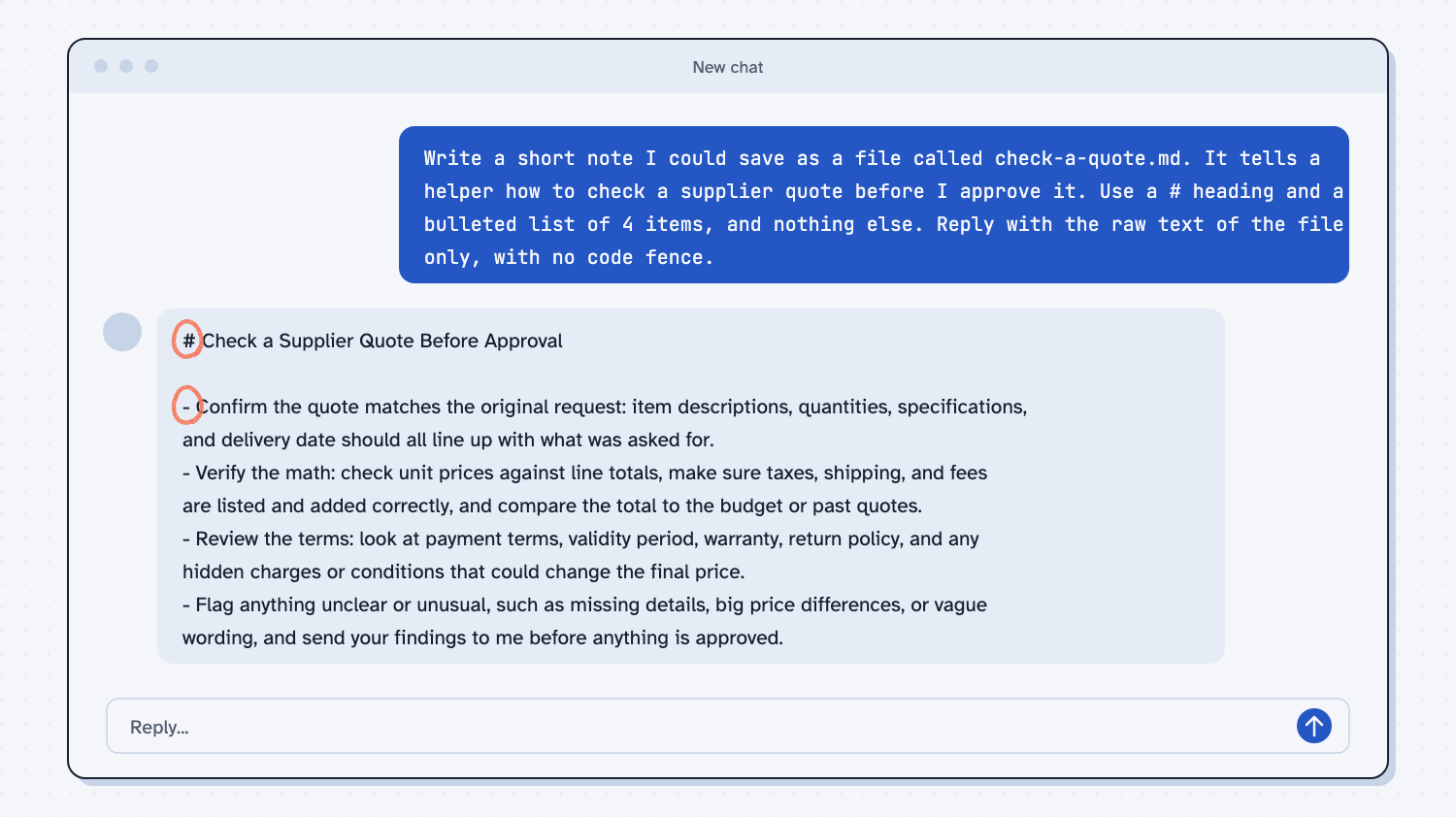
When I tried this, the reply began with "# Check a Supplier Quote Before Approval" and then listed four items, each starting with a dash. The first one read "- Confirm the quote matches the original request: item descriptions, quantities, specifications, and delivery date should all line up with what was asked for."
Many chat windows turn markdown into neat headings and bullets, which hides the marks. I asked for the raw text, so Claude showed me the marks themselves, and each one is a character I could type on my own keyboard.
Frequently asked questions
What does .md stand for?
It stands for markdown. A file name that ends in .md tells the computer, and any AI tool, that the text inside uses markdown marks such as # and the dash.
Is a markdown file the same as a Word document?
No. A markdown file is plain text that any text editor can open. A Word document keeps its formatting in a more complicated file that needs Word or a similar program.
Do I need to learn all the marks?
No. A # for headings, a dash for lists, and a blank line between parts cover most notes, and you can add other marks later if you ever want them.
Use it today
- Turn a good chat into a reusable Claude skill: the skill you build is a folder with a SKILL.md markdown file that you can open and read.
- Related ideas: What is an AI skill?, Keep the rules in one place, What is a system prompt?
From my training: every skill and set of instructions we build is a markdown file you can open and read, so nothing about how the AI behaves is hidden from you.