What Is a Plugin in Claude? A Starter Kit Your Whole Team Installs
With Josh Schultz ·
Answer. A plugin is a package that bundles saved instructions, called skills, with links to outside systems, called connectors, and sometimes helper agents, so you install one ready-made setup instead of building each piece alone. A plugin can be made for a role, a team, or a whole company, and the help pages say plugins are on paid plans.
The picture
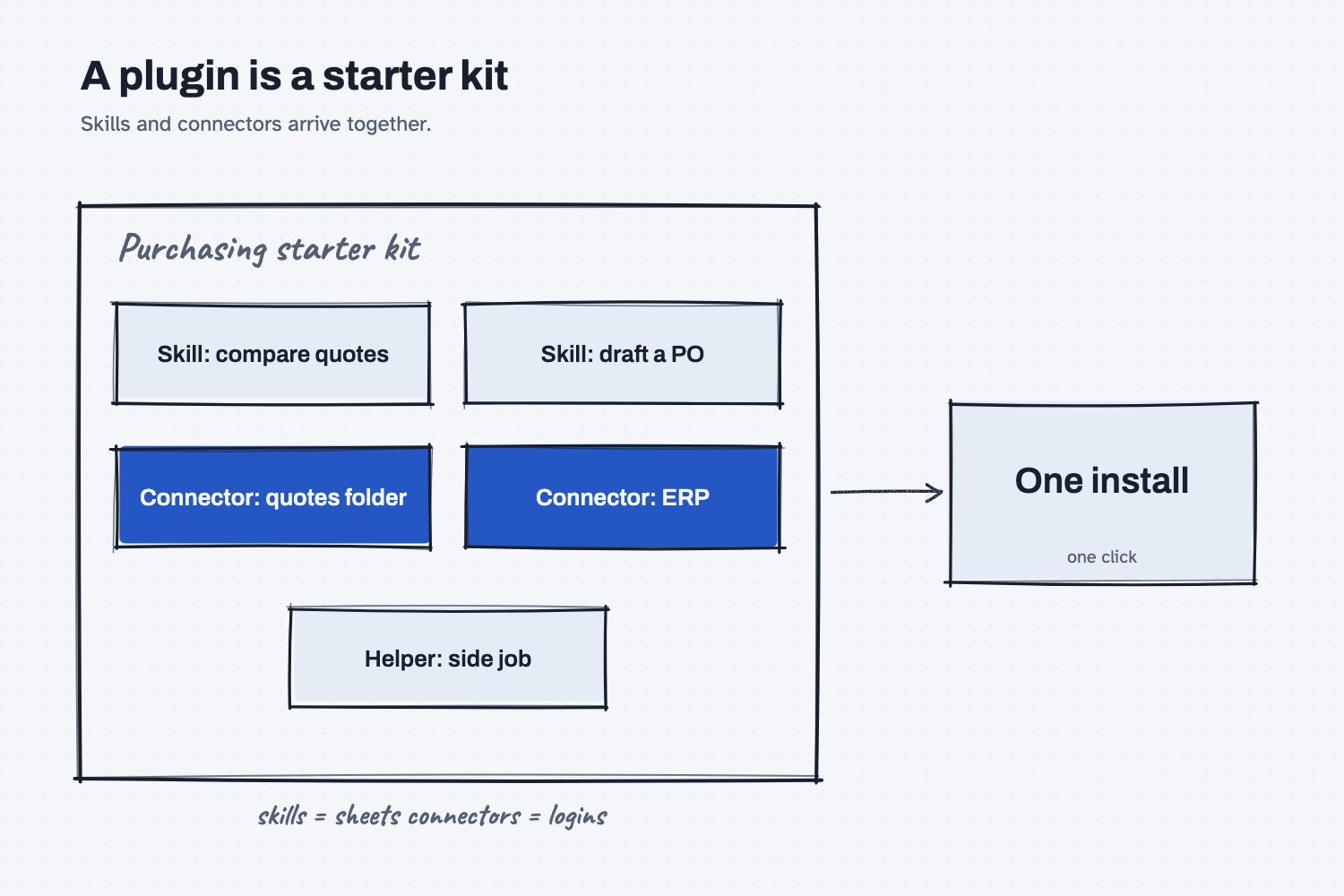
The picture shows one box that holds several different things. Inside are two skills, which are saved how-we-do-it sheets, and two connectors, which are links to the systems where your information lives. There is also a helper, which is a small agent that does one side job. The single arrow on the right is the point, because everything inside arrives together in one install, and nobody has to hunt down the pieces.
Think of it like this
When a new buyer starts at a plant, the office manager hands over a starter kit. There is a binder of how we do things here, such as how to compare quotes and how to write a purchase order. There are also the badges and logins that let the buyer into the ERP, the shared drive, and the supplier portal. The buyer does not build any of this. They get it in one packet, and on day one they can work.
A plugin is that starter kit. The binder is the skills, and the badges and logins are the connectors. If you want to know more about skills, read what is an AI skill, and about connectors, read how AI connects to your systems.
Why does it matter at work?
It lets a company set Claude up once, on purpose, and hand the same setup to everyone who needs it. Without a plugin, each person builds their own pile of skills and connections, and no two piles match, so the same job gets done five different ways.
Here is an example. The office manager at Mesquite Ridge Metal Works builds a purchasing kit with a quote-comparison skill, a purchase-order drafting skill, and a connector to the shared quotes folder. Every new buyer adds that one plugin, and they all work from the same instructions. On Team and Enterprise plans, the help pages say an owner can turn on sharing and publishing, so a plugin can be passed around or placed in the company library, and some plugins can even be set up as required.
The risk is that a package is easy to install and easy to forget. The help pages warn that a plugin may include local programs that run on your computer with the same permissions as any other program you run, and they say to install plugins only from sources you trust. The Plugins page marks public plugins as Verified or Community, but the help pages do not explain how a plugin earns either label, so treat a label as a hint and not as a guarantee. A good question for IT is, "Which plugins are approved here, and who owns each one?"
How does it work?
There are three kinds of parts, and the Plugins page treats them together.
Skills and commands. These are the saved instructions, and they work in chat and in Cowork, which is the part of Claude that carries out tasks with your files and apps. A command is a shortcut you can run by name.
Connectors. These give Claude access to services such as Google Drive, Gmail, Slack, or DocuSign. A connector decides what Claude can reach, so it deserves the same care you would give a new login. See AI tools and permissions for how to think about read-only access and the ability to change things.
Helpers and local programs. Sub-agents, hooks, and local servers run in Cowork and in Claude Code, and the help pages say they do not run in chat. Because they run on your machine, they are the parts that most need a trusted source.
To add a plugin, open the Plugins page from the sidebar, which older versions call Customize. Browse the Discover tab, pick one, and click Add. You can review what you have already added under your plugins. If you have not set Claude up yet, start with set up Claude, and to learn how a single skill is added by hand, see upload a Claude skill.
Where do people get it wrong?
Most problems come from treating a plugin as a single thing, when it is several things in one box.
- Installing it because it looks popular. Read what is inside first, and check who published it.
- Believing that removing the plugin removes the access. The help pages say removing a plugin that packages skills and a connector does not disconnect the connector, so you must disconnect it yourself.
- Not checking whether a connector can change things. A connector that only reads is a small risk, and one that can send or edit is a bigger one.
- Expecting every part to work in chat. Helpers, hooks, and local servers run in Cowork and Claude Code only.
- Skipping the owner question. On a team, someone should own each plugin and decide when it gets updated or retired.
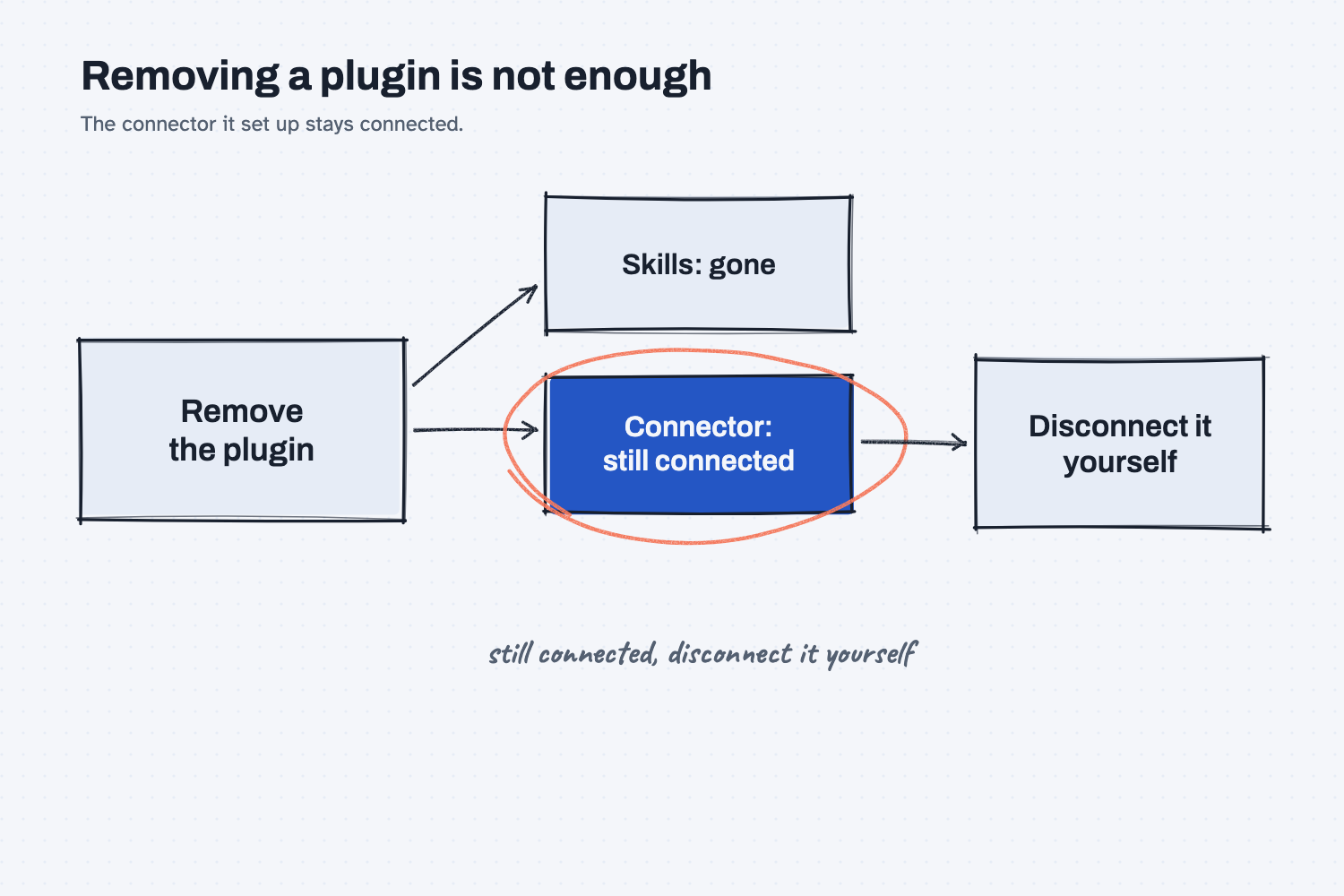
The second picture shows the one that surprises people most. The plugin disappears when you remove it, but the connector it set up is still connected, which is why the circled note says to disconnect it yourself.
Try this in 2 minutes
This test asks Claude to draft the contents of a purchasing plugin, so you can practice the question that matters most, which is what each part can do and who should approve it. You do not need to install anything. Paste this into a new chat:
A plugin in Claude bundles skills (saved how-to instructions) and connectors (links to outside systems) into one package a team installs together. Draft a contents list for a purchasing-team plugin at a metal fabricator: two skills, two connectors, and for each item say whether it only reads or can change things, and who should approve it. Keep it under 150 words.
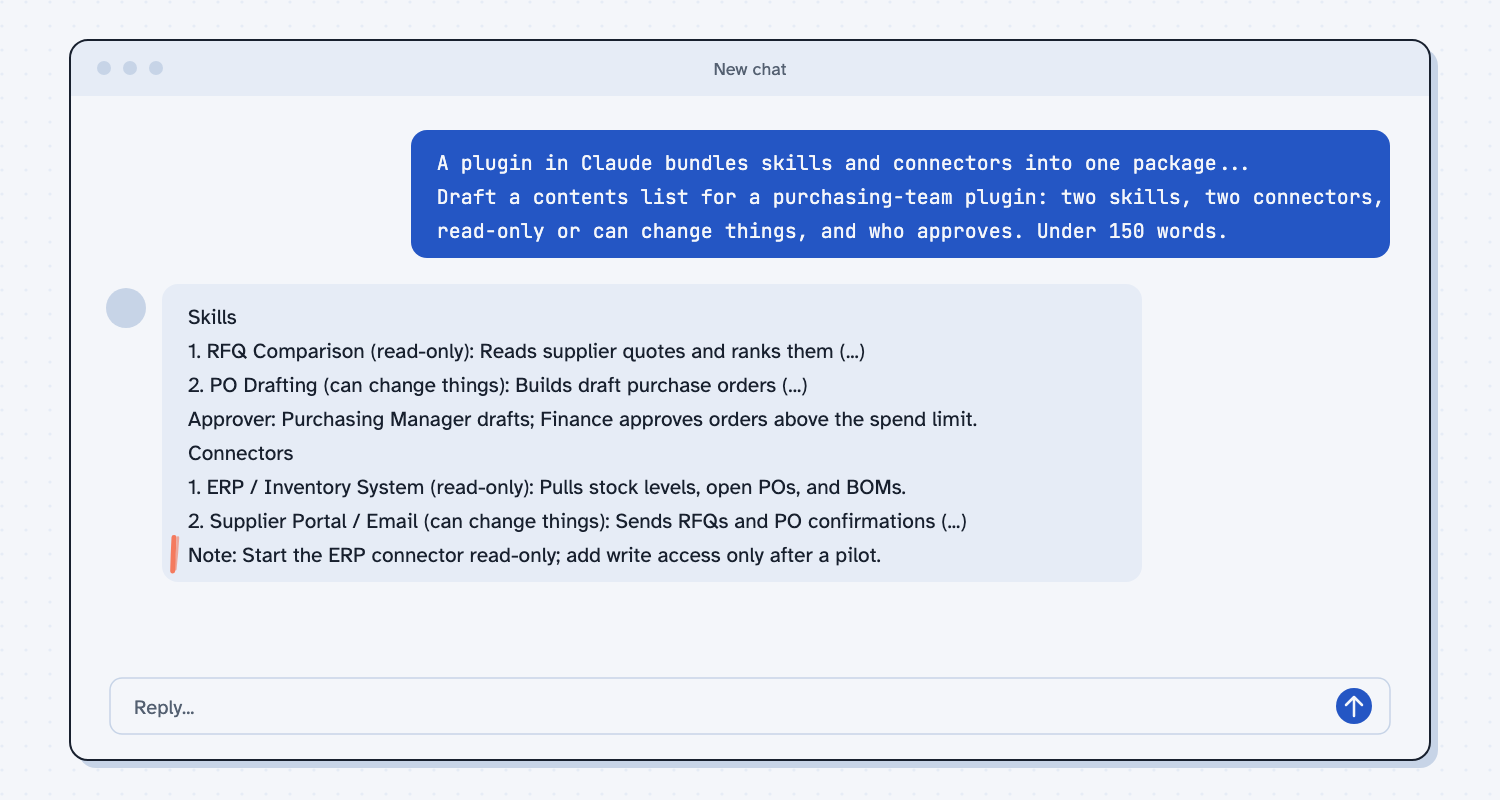
When I tried it, the reply labeled the quote-comparison skill "read-only" and the purchase-order drafting skill "can change things." It also named an approver for each part, with finance involved wherever money is committed. The last line was the best one: "Start the ERP connector read-only; add write access only after a pilot."
That is the habit to copy. For every part of a plugin, ask whether it reads or changes, and who says yes. Then open the Plugins page and look at one real plugin's contents, without installing it, and ask the same two questions.
Frequently asked questions
What is the difference between a plugin and a skill?
A skill is one saved set of instructions for one job. A plugin is a package that can hold several skills plus connectors and helpers, so a team installs them together.
Are plugins safe?
It depends on the source. The help pages say to install only from sources you trust, because a plugin can include programs that run on your computer. Ask IT which ones are approved.
Who can use plugins?
The help pages list all paid plans. Sharing and publishing are on Team and Enterprise plans, and an owner has to turn them on.
Can my company require a plugin?
Yes. The help pages say some plugins can be installed by default or required, and a required plugin cannot be turned off or removed by users.
Use it today
- Try turn a good chat into a reusable skill to make the first piece of a kit.
- Related ideas: what is an AI skill, what is MCP, and how AI connects to your systems.
From my training: we teach people to build one skill that works before anyone packages a kit.