What Is a Subagent in AI? A Helper With Its Own Clean Desk
With Josh Schultz ·
Answer. A subagent is a helper AI that your main AI sends off to do one side job. It works in its own separate workspace, with its own instructions and only the tools you allow, and when it finishes it hands back a short summary instead of everything it read. The result is that your main conversation stays clear for the work that needs you.
The picture
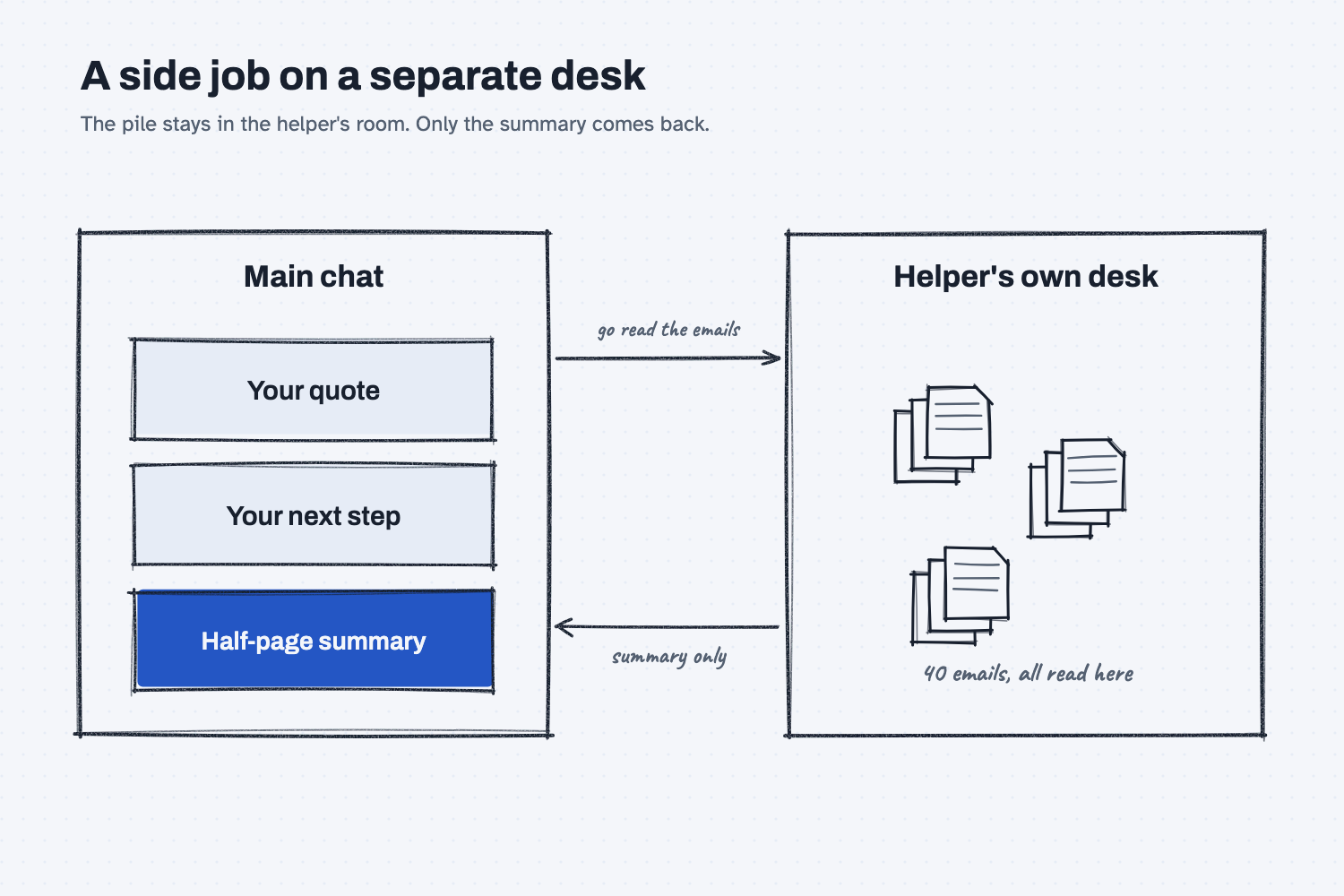
The main desk on the left holds what you are working on, and it stays tidy. The helper's room on the right is a separate desk that gets piled high with the forty emails the helper has to read. The two arrows tell the story: a request goes out, and only a half-page summary comes back. The pile never reaches your desk, which is the whole benefit.
Think of it like this
Suppose you are in the middle of building a quote when you need to know what a supplier has promised across their last forty emails. You could read them yourself, but then your desk fills with email and you lose your place in the quote.
A better move is to send a clerk to the file room. You tell them what to find and what form the answer should take. They work at their own desk, read all forty, and bring back a half-page. They never saw your quote, and you never saw the pile, so each of you kept a clear head.
A subagent is that clerk. The idea is the same one you learn in the lesson on the context window, where an AI can only see what is on its desk, and a crowded desk makes it worse at its work. A subagent gives a side job a desk of its own.
Why does it matter at work?
It matters for two reasons. The first is that a long, messy job can crowd out the thing you were doing, and the AI does worse work once its desk is full. The second is that a helper can be given only the access its job needs, which is a safer way to set up a team of AI helpers.
Imagine Hector Lee at Mesquite Ridge Metal Works asking for a summary of a three-month supplier thread. The helper reads the whole thread, and Hector's main chat only receives the summary: what was agreed, what is still open, and who owes the next step. Hector can then keep working on his schedule without scrolling past a wall of old messages. Because that helper was set up to read only, it also could not reply to anyone, even by mistake.
How does it work?
Each subagent runs "in its own context window with a custom system prompt, specific tool access, and independent permissions," according to Anthropic's Claude Code documentation.
Setting up a team of AI helpers this way is the same job as writing a position description, and Claude Code is the tool where you can do it. You can read how to get it running in the install guide.
It has a job description. A subagent is defined by a short plain-text file with a name, a description of when to use it, and instructions for how to work. The file is written in the same simple format described in what a markdown file is. Claude decides to hand off a task when it matches that description, so a clear description is what gets the right helper called.
It starts with a clean desk. The documentation says a subagent "doesn't see your conversation history." It knows only what its own instructions and your request tell it. That is why a good handoff includes everything the helper needs, and why this is not the right tool when a job needs lots of back and forth with you.
It has limits you set. You can give a subagent a short list of tools, such as read-only access, and keep it away from anything that sends, edits, or deletes. This is the same permission idea as in AI tools and permissions, applied to one helper at a time.
It returns a summary. When it finishes, the helper reports back, and the long working stays on its own desk. This is a small version of what multi-agent AI does at larger scale, and it is one of the parts that a harness manages. A subagent's work still counts toward your usage limits, so it saves clutter, not cost.
Where do people get it wrong?
The mistakes usually come from using a helper for the wrong job or giving it a thin brief.
- Using one for a quick question. A subagent is worth it when the side job produces a lot of reading you will not need again. For a short back-and-forth, stay in the main chat.
- Giving a vague brief. Since the helper never saw your conversation, "check that thread" is not enough. Say what to find, which thread, and what shape the answer should take.
- Giving it every tool. A helper that only needs to read should only be able to read. Fewer tools means fewer ways to go wrong.
- Trusting the summary blindly. The summary is a claim, not proof. For anything that matters, ask the helper to include the lines it relied on, so you can spot-check them, as in show the evidence rows.
Try this in 2 minutes
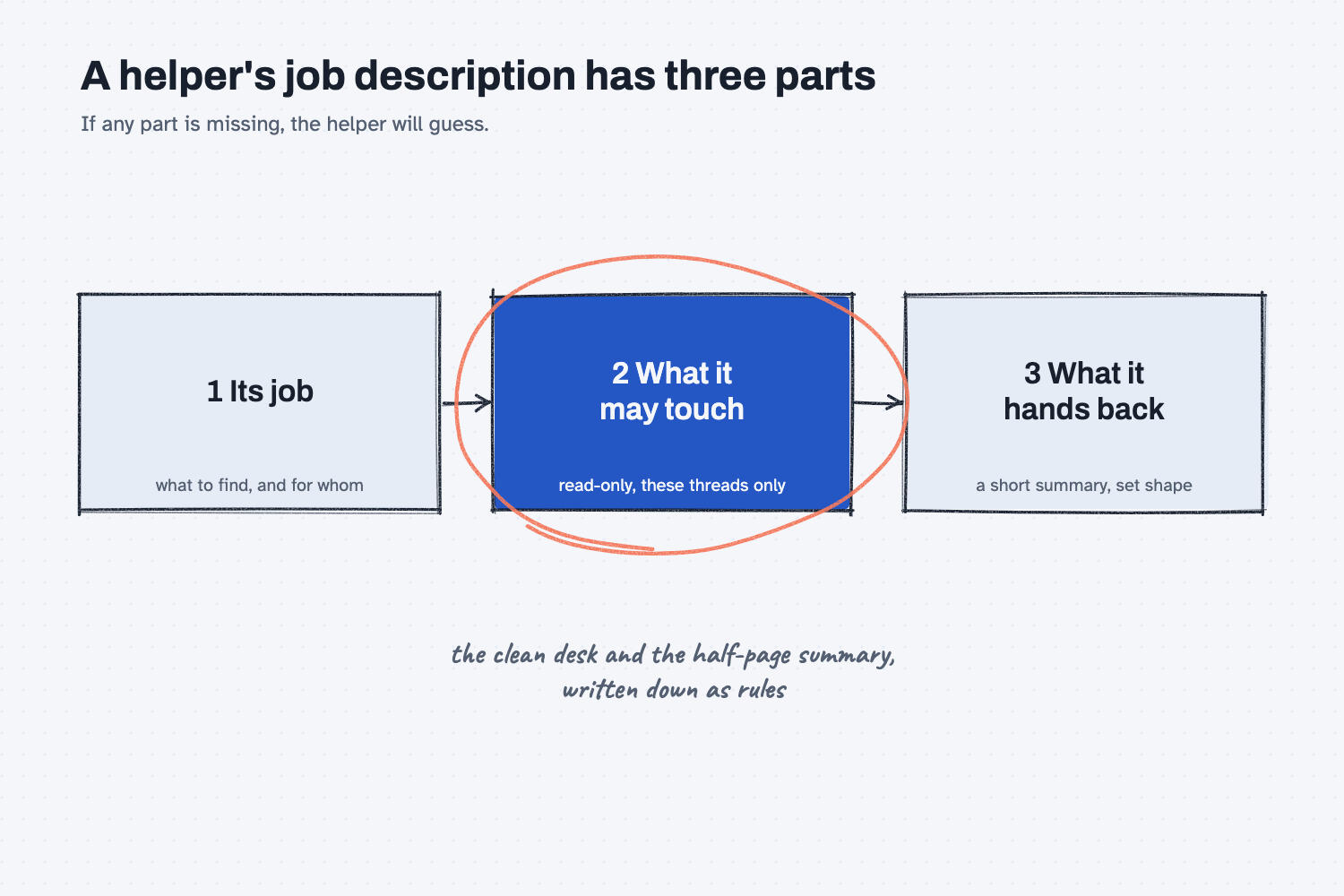
You can test the idea without any special setup, by asking Claude to write the job description for a helper. A good one has three parts, and the three parts are the whole concept.
- Open a new chat and paste this:
I want to set up a helper that only reads long supplier email threads and hands back a short summary, so my main chat stays clean. Write the helper job description in three labeled parts: its job, what it may touch, and what it must hand back. Keep it under 120 words.
- You should get three labeled parts. Check that "what it may touch" is narrow and that "what it must hand back" names a clear, short format.
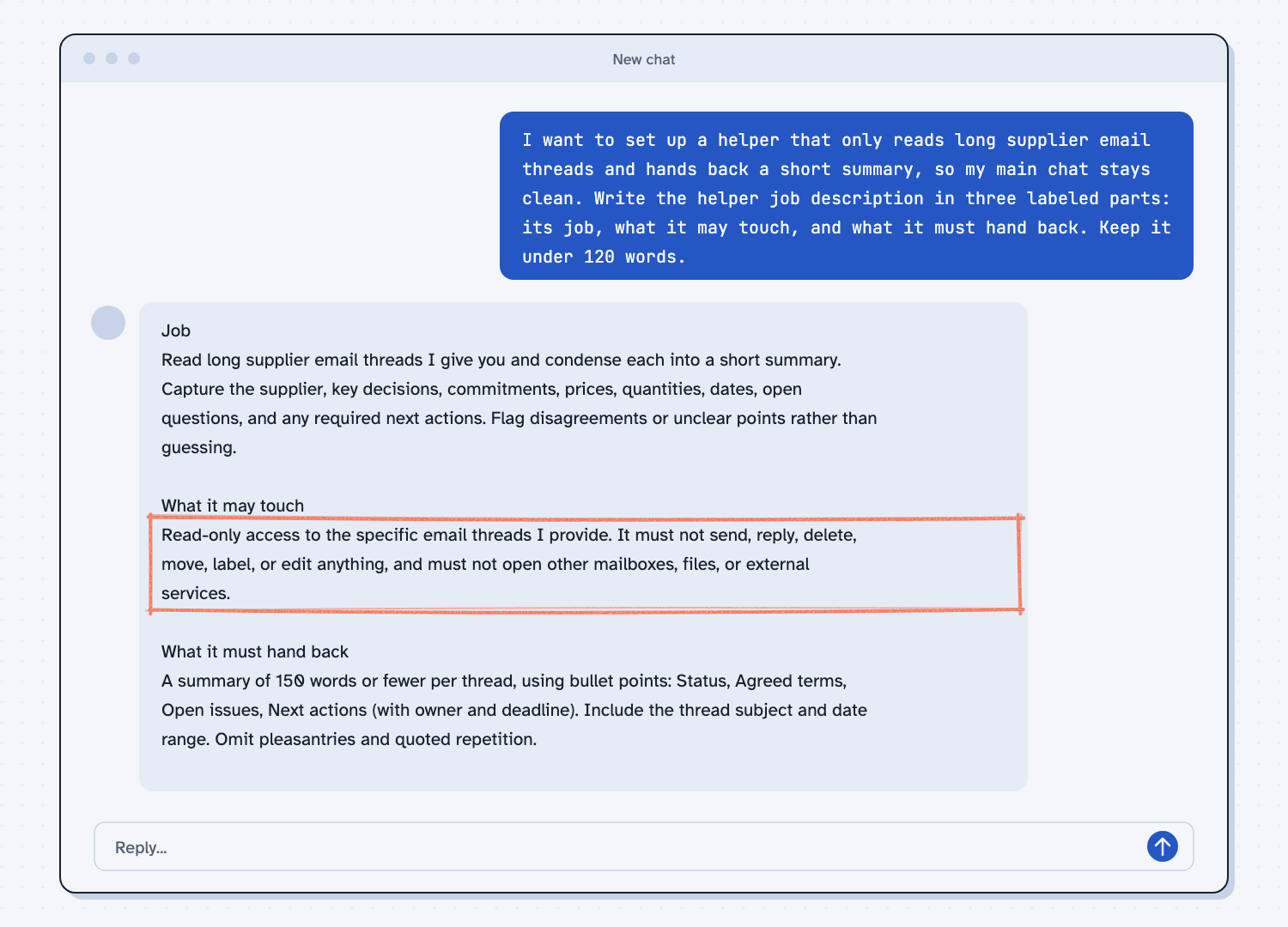
When I tried this, the reply gave a Job, What it may touch, and What it must hand back. Under the middle label it wrote, "Read-only access to the specific email threads I provide. It must not send, reply, delete, move, label, or edit anything." Under the last it asked for "A summary of 150 words or fewer per thread." Those two lines are the part to notice, because they are the clean desk and the half-page summary from the picture, written out as rules. When you see a helper job description that lacks either one, that is the gap to close.
Frequently asked questions
What is a subagent?
A subagent is a helper AI that handles one side job in its own workspace, with its own instructions and limited tools, and returns a summary to the main AI. It keeps the main conversation from filling up.
Does a subagent see my whole conversation?
No. It starts fresh and sees only its own instructions and what the main AI passes to it. That is why a clear, complete brief matters.
Is a subagent the same as a skill?
No. A skill is a set of instructions that loads into your own session when needed. A subagent is a separate worker with its own desk. They can work together, since a helper can be given a skill to use.
Do subagents cost more?
Their work counts toward the same usage limits as your main conversation. They save clutter in your chat, so do not expect them to save usage.
Use it today
- Turn a good chat into a reusable skill: write the procedure once, so any helper can follow it.
- Related ideas: chat versus agent and AI workflow versus agent.
From my training: our guides keep each AI job small and give it only the access it needs, which is the same thinking behind a subagent.