What Is an AI Hook? A Safety Guard, Not a Sign on the Wall
With Josh Schultz ·
Answer. A hook is a small rule you attach to an AI helper that runs automatically at a set moment, such as just before it saves a file or right after it finishes a job. An instruction is a request that the helper decides whether to follow. A hook is different because it runs every time, and nobody has to remember it.
The picture
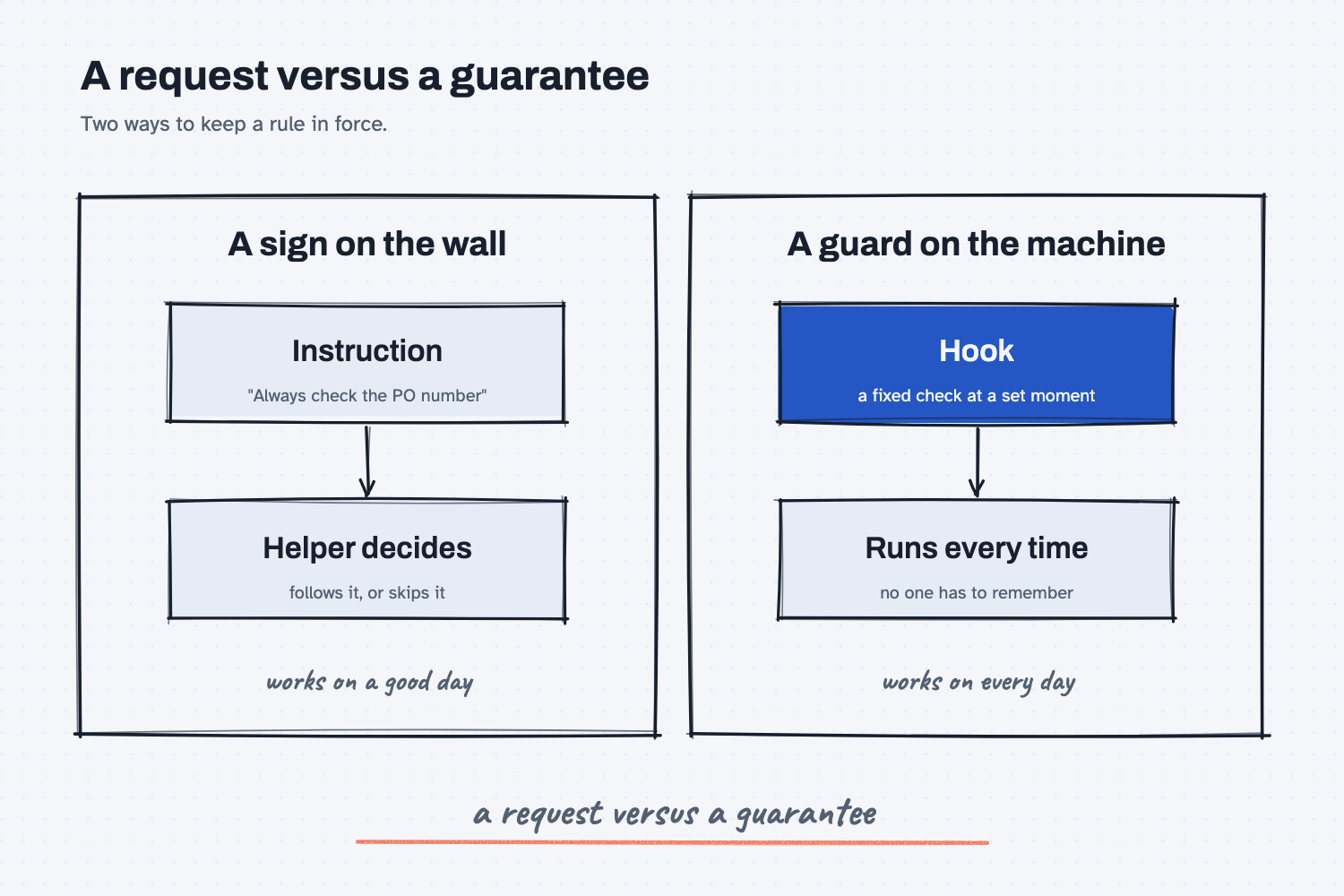
The left column is how most people set up an AI helper, by writing a rule in its instructions and hoping it is followed. The right column is a hook, which sits in the path of the work and acts whether or not the helper remembers the rule. The first is a request, and the second is a guarantee. That is the whole idea, and the rest of this lesson shows where it matters.
Think of it like this
A shop has two ways to keep hands out of a press. It can hang a sign that says "Keep hands clear," or it can install a guard that stops the press from cycling until the guard is closed.
The sign works well when people are rested and paying attention. The guard works on the day when someone is rushed, distracted, or new. Nobody thinks less of the operator for needing the guard, because the guard exists for the one bad day in a thousand.
Instructions you give an AI helper are the sign. They are useful, and for most rules they are enough. A hook is the guard, and you add one only for the rules that must hold every time.
Why does it matter at work?
Plenty of rules at your company have no exceptions. A purchase order number must be on every supplier email. A price over a set limit needs a second approval. A file with customer data stays out of certain folders.
Here is how this looks at Mesquite Ridge Metal Works. Dana Ortiz, the senior buyer, has an AI helper that drafts supplier emails and saves them as files. In its instructions she wrote, "Always include the PO number." On most days that works. On a long, busy day the helper is juggling a dozen drafts, one goes out of the pile without a number, and Dana catches it only because she happened to read it.
So she asks for a hook. Just before the helper saves any draft, a check looks for a PO number. If it finds one, the draft is saved as usual. If not, the save is blocked and the helper is told why, so it fixes the draft and tries again. Dana no longer depends on the helper remembering, or on her own luck at reading.
This is also a good question for a vendor or your IT group. For any AI tool that touches real work, ask which of its rules are requests and which are enforced. The answer tells you how much checking you still have to do yourself.
How does it work?
Every hook has the same four parts: a moment, a check, a result, and a short list of rules that are worth guarding.
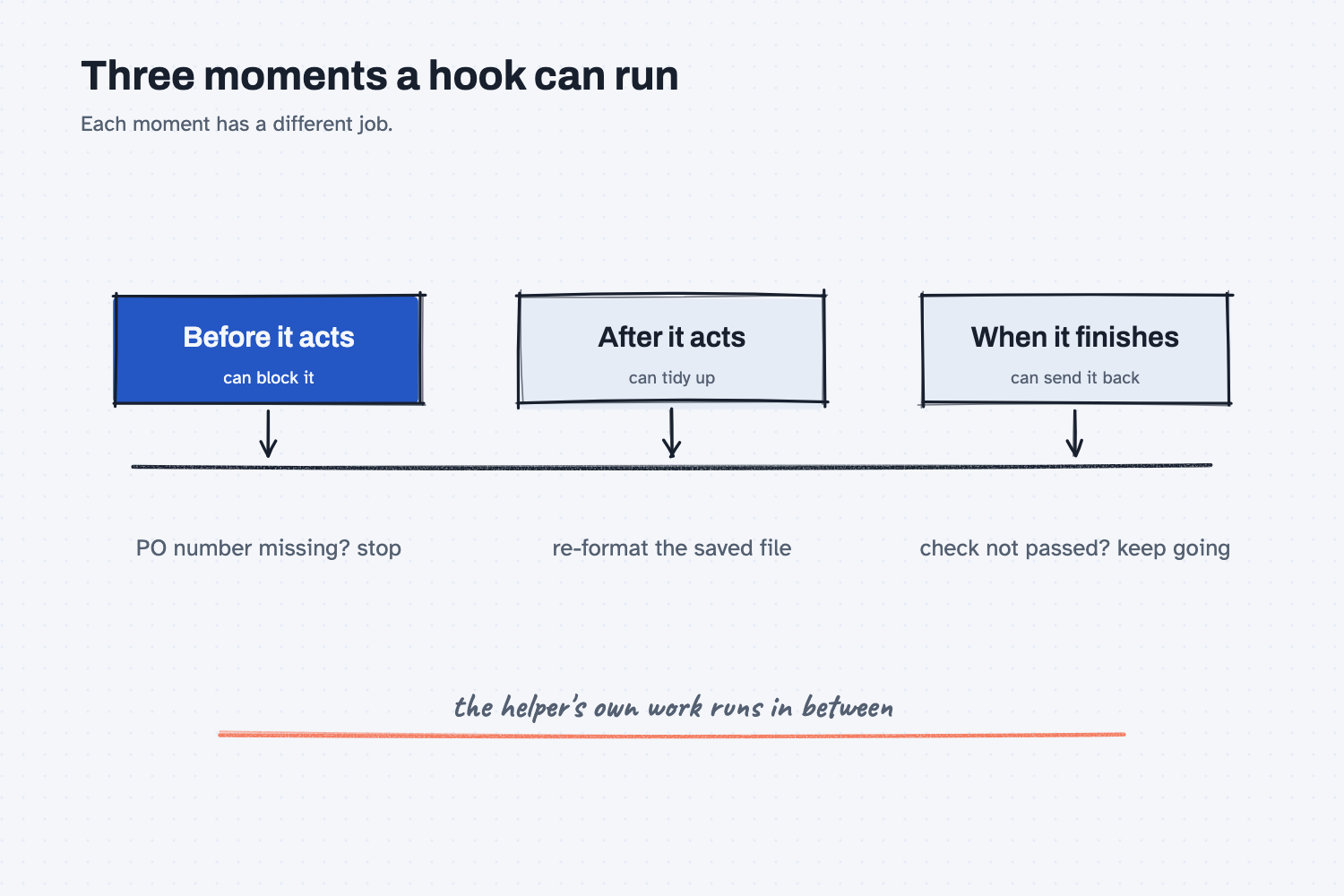
A moment. The AI tool built to carry out the work, which this site calls the harness, offers set points where a hook can run. In Claude Code, the tool that lets Claude work on files on your computer, a hook can run before the helper uses a tool, after it edits something, when it tries to finish, or when it needs your attention. Those moments are part of what triggers an AI agent to do something.
A check. Most hooks run a fixed rule, which is a small program that follows the same steps every time and gives a yes or no. That is what deterministic means. Anthropic's guide says hooks give "deterministic control: certain actions always happen rather than relying on the LLM to choose to run them." You do not have to write the program yourself. The guide notes that a plain request such as "write a hook that blocks edits to the migrations folder" works as a prompt, so you can describe your rule in words and have Claude set it up.
A result. A hook can let the work go through, tidy something up, send you a notice, or block the action. When it blocks, the helper gets the reason, so it can change course. A hook that runs when the helper tries to finish can even send it back to keep working until a check passes.
A short list. Keep your hooks few. Anthropic's best practices say a hook is "for a rule with zero exceptions," and that if you have hooks for things that are only preferences, you should delete them and let the helper decide. Guards that fire too often get ignored or switched off.
One kind of hook asks another AI to judge, instead of running a fixed rule. That is useful when the decision needs judgment, but the best practices page is plain about it: it "isn't deterministic either." So a guarantee comes from the fixed-rule kind.
This fits the plan, do, check idea from People plan, AI does the work. You plan the rule, the AI does the work, and a hook is the check done by a script, which is a small program that follows fixed rules. It runs the same way every time, and it is how you make a repeat mistake impossible. When a miss shows up, you turn it into a rule and then decide whether that rule needs a guard.
Where do people get it wrong?
These are the mistakes I see most.
- Turning every preference into a hook. A rule like "keep emails friendly" has plenty of exceptions, so it belongs in the instructions.
- Never testing the guard. After you set up a hook, break the rule on purpose once, and watch that the hook stops it.
- Thinking an AI judge is a guarantee. If another AI decides, you have a second opinion, not a lock.
- Skipping hooks for the rule that costs real money. If one miss would hurt, a written request is not enough.
Try this in 2 minutes
This test asks AI to explain the difference between an instruction and a hook with the sign and guard comparison. You can use any chat tool.
- Open a new chat and paste this:
I am not technical. I run purchasing at a small metal shop. In 5 plain sentences, explain the difference between writing 'always check the PO number before sending a supplier email' in an AI helper's instructions, and setting up a hook that runs that check automatically every time. Use a shop comparison, such as a sign on the wall versus a safety guard on a machine.
- Check that the reply says the instruction depends on the helper following it, and the hook happens whether or not it does.
- Write down one rule at your company that has no exceptions. That is the kind of rule a hook is for.
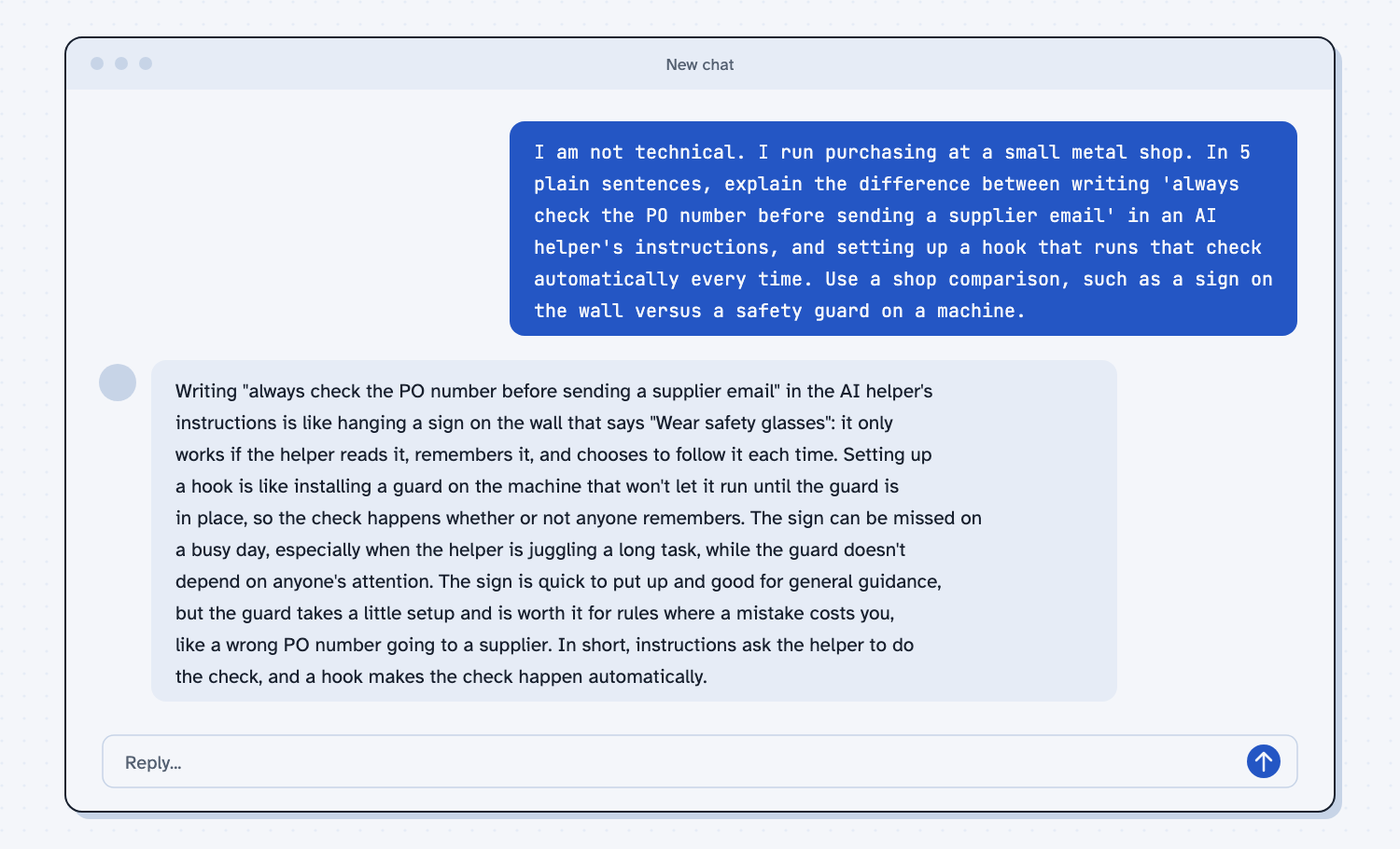
When I tried this, the reply called the written instruction "like hanging a sign on the wall that says 'Wear safety glasses': it only works if the helper reads it, remembers it, and chooses to follow it each time." It described a hook as "like installing a guard on the machine that won't let it run until the guard is in place, so the check happens whether or not anyone remembers."
It also gave a fair way to choose. The sign is "quick to put up and good for general guidance," while the guard "takes a little setup and is worth it for rules where a mistake costs you." That is the test to use on your own rules.
Frequently asked questions
What is a hook in AI?
A hook is a rule that runs on its own at a set moment in an AI helper's work, such as before it saves a file or when it finishes. It does not wait for the AI to decide to run it.
What is the difference between a hook and an instruction?
An instruction is a request the AI reads and chooses to follow. A hook is a check that runs every time, so it holds even when the AI forgets or gets busy.
Is a hook the same as a skill?
No. A skill is a saved set of instructions the helper reads and uses when it fits the job. A hook is a rule that runs by itself at a set moment.
Do I need to write code to use a hook?
Not necessarily. You can describe the rule in plain words and ask Claude to set it up, then test it. If you are not yet set up, start with how to install Claude Code.
Do all AI tools have hooks?
Claude Code does. Other tools may offer similar controls under other names, so ask the vendor which rules they enforce and which they only request.
Use it today
- Make a repeat mistake impossible: turn one mistake that keeps coming back into a rule that is checked every time.
- Related idea: Make mistakes impossible.
- Related idea: Turn misses into rules.
- Setup: Install Claude Code.
From my training: this site teaches that instructions ask and hooks enforce, so a rule that cannot have exceptions gets a guard and not a sign.